
Queues
Create queues that sort handed-over conversations into the right group by property or intent, and set priorities so urgent work is assigned first.
A queue sorts conversations that need a human into a group, and decides how urgently they are assigned. For example, a “Refund requests” queue can catch every conversation whose intent is a refund, send it to the refunds group, and put it ahead of general questions.
Open it from Settings → Team → Queues.
How do order and priority differ?
Order decides which queue a conversation enters. Priority decides which queue’s work is assigned first.
- Order: Robylon checks your queues from top to bottom and puts the conversation in the first queue whose conditions match. Drag queues in the list to change the order.
- Priority: a number from 1 to 10000, where 1 is the highest. If a group receives work from more than one queue, work from the higher-priority queue is assigned first. Each queue needs its own priority number.
Within one queue, the oldest conversation is assigned first.
How do I create a queue?
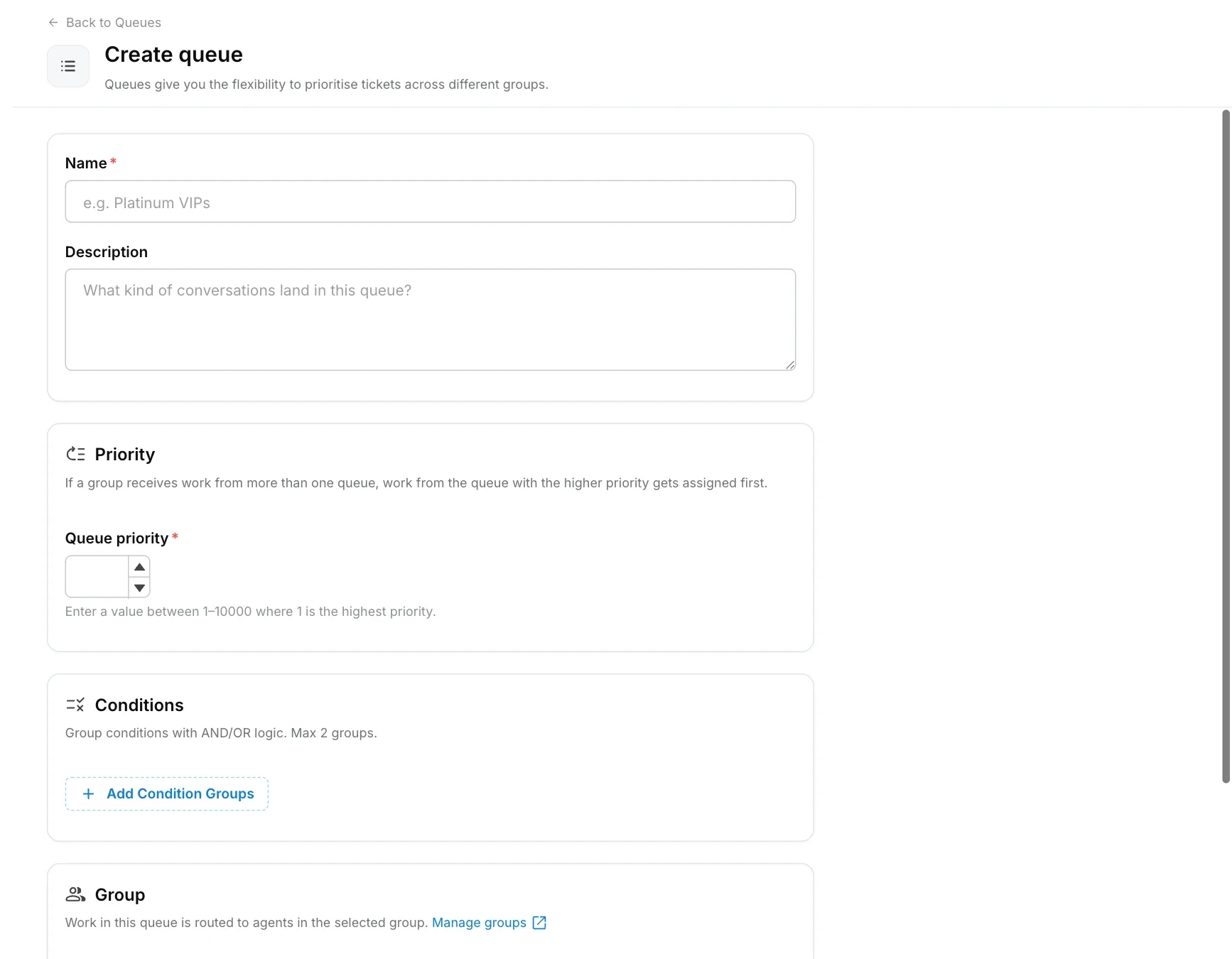
Click Create queue, give it a name and priority, add conditions, choose the group, and save.
Name the queue
Go to Settings → Team → Queues and click Create queue. Enter a Name (required) and an optional Description (up to 500 characters).
Set the priority
Enter a Queue priority between 1 and 10000. 1 is the highest priority.
Add conditions
Under Conditions, add the rules a conversation must meet to enter this queue. You can build up to 2 condition groups and join them with AND or OR logic. A queue with no conditions catches every conversation that reaches it in the order.
Choose the group
Under Group, select the group whose agents will work this queue. Manage groups in Groups.
Save
Click Save, then drag the queue to the right position in the list.
What can a queue condition check?
A condition can check:
- Properties: any ticket property, for example “Order type equals Return” or “Order value greater than 5000”. The operators depend on the property type (text, dropdown, number, date and so on).
- Intent: whether the conversation’s classified intents contain, or do not contain, one or more intents you pick. See intents.
What is the default queue?
The Default queue is a catch-all at the bottom of the list. A conversation that matches no other queue lands there and goes to its own group, falling back to the General group. You cannot delete it or give it conditions.
Can a workflow send a conversation straight to a queue or group?
Yes. When a workflow or AI agent hands a conversation to humans, it can route it automatically through your queues, send it to a specific queue, or send it to a specific group. You choose this in the handover step of the workflow. A conversation sent straight to a group uses that group’s own default queue.