
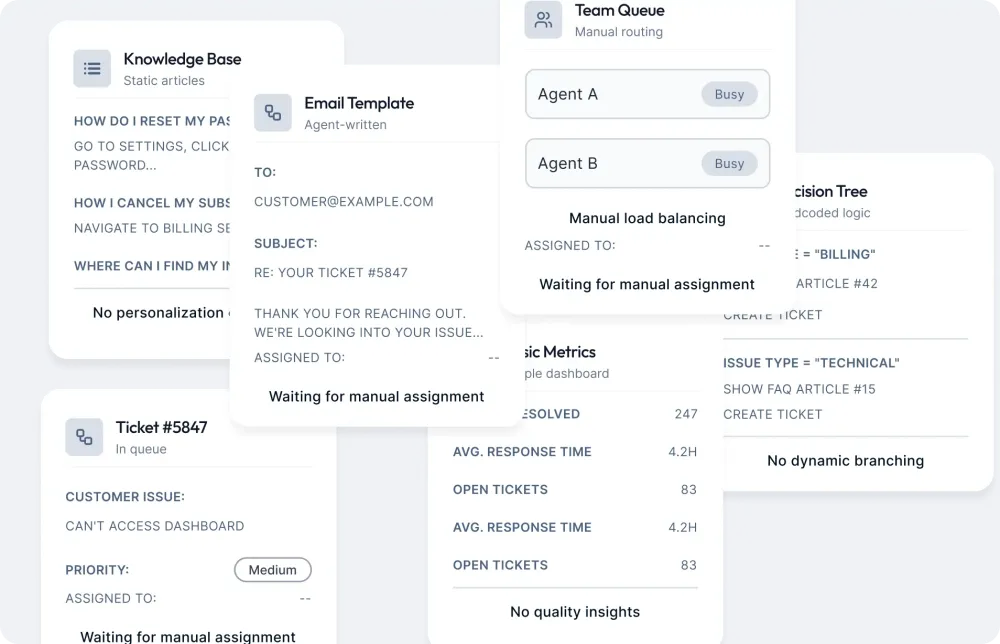
The typical approach
- Hardcoded flows for every scenario
- FAQ-only deflection
- Manual handoffs and follow-ups
- Limited visibility into quality
Build multilingual AI agents that resolve queries, qualify leads and take actions across chat, WhatsApp, email, tickets and voice, with outcomes you can measure.


















The Robylon difference
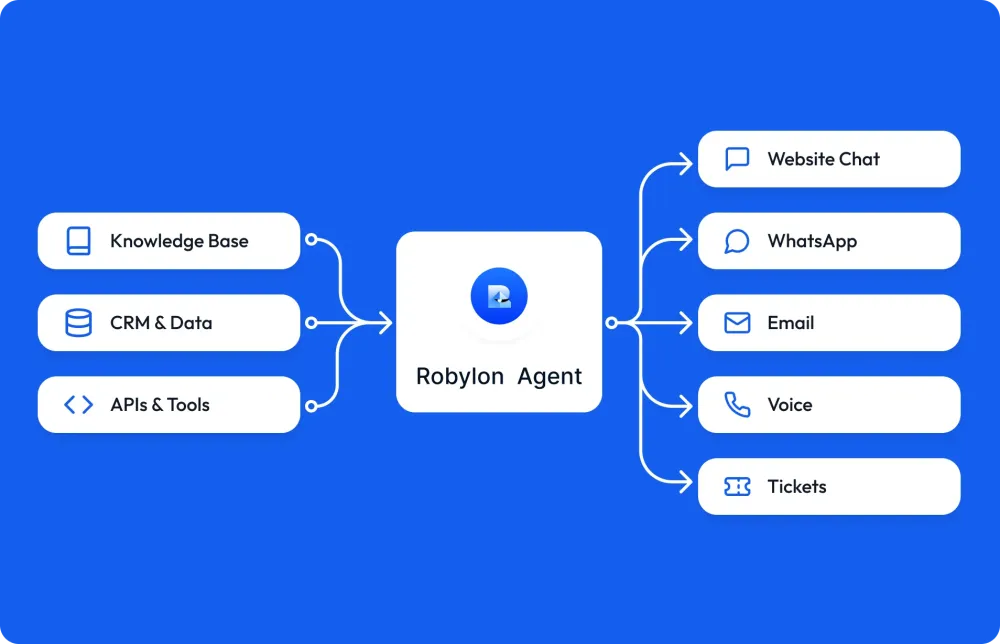
Most chatbots stop at FAQs. Robylon agents combine your knowledge, the customer's context and actions in your tools, so they complete real workflows instead of just answering questions.
Impact
Robylon agents resolve 85% of support tickets without a human. These are the figures across Robylon support deployments.
The platform
One place to build, optimize and scale AI agents: everything you need to launch agents, improve how they perform and expand across channels.
Build
Create agents that handle real customer journeys, not just FAQs.
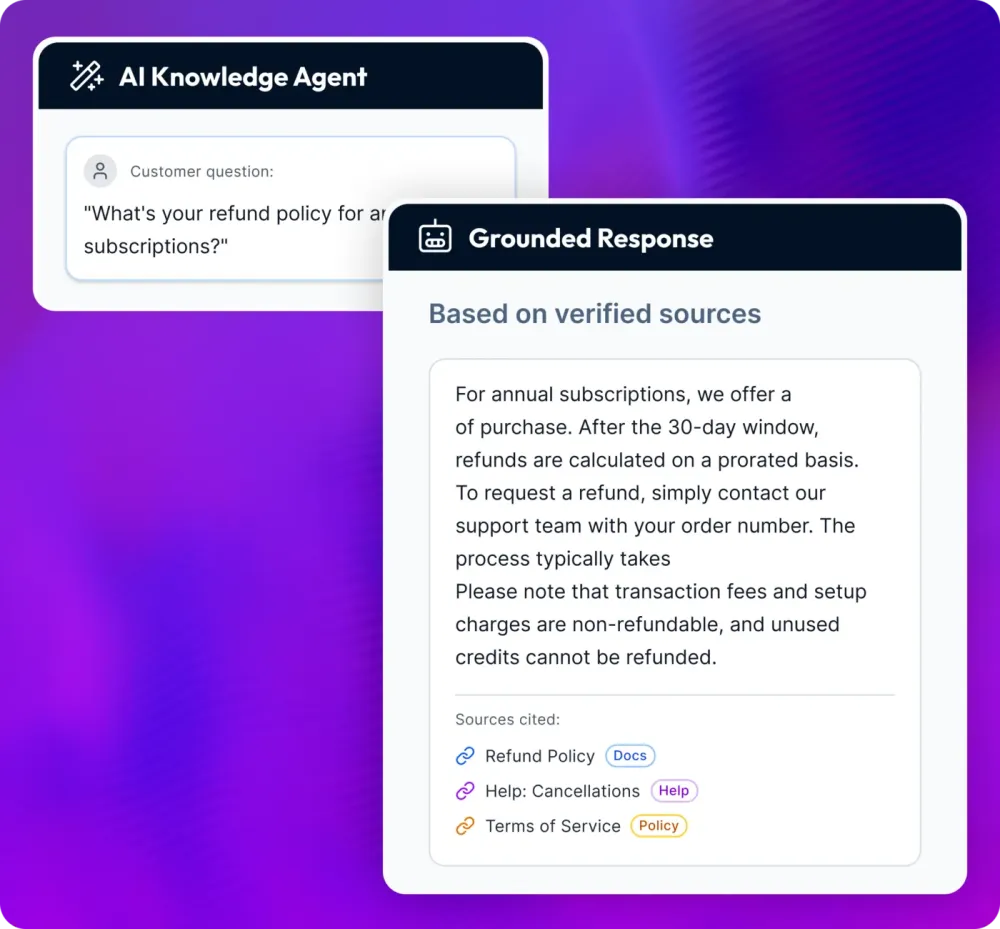
Ground responses on your content. Reduce hallucinations with retrieval and clear citation logic.
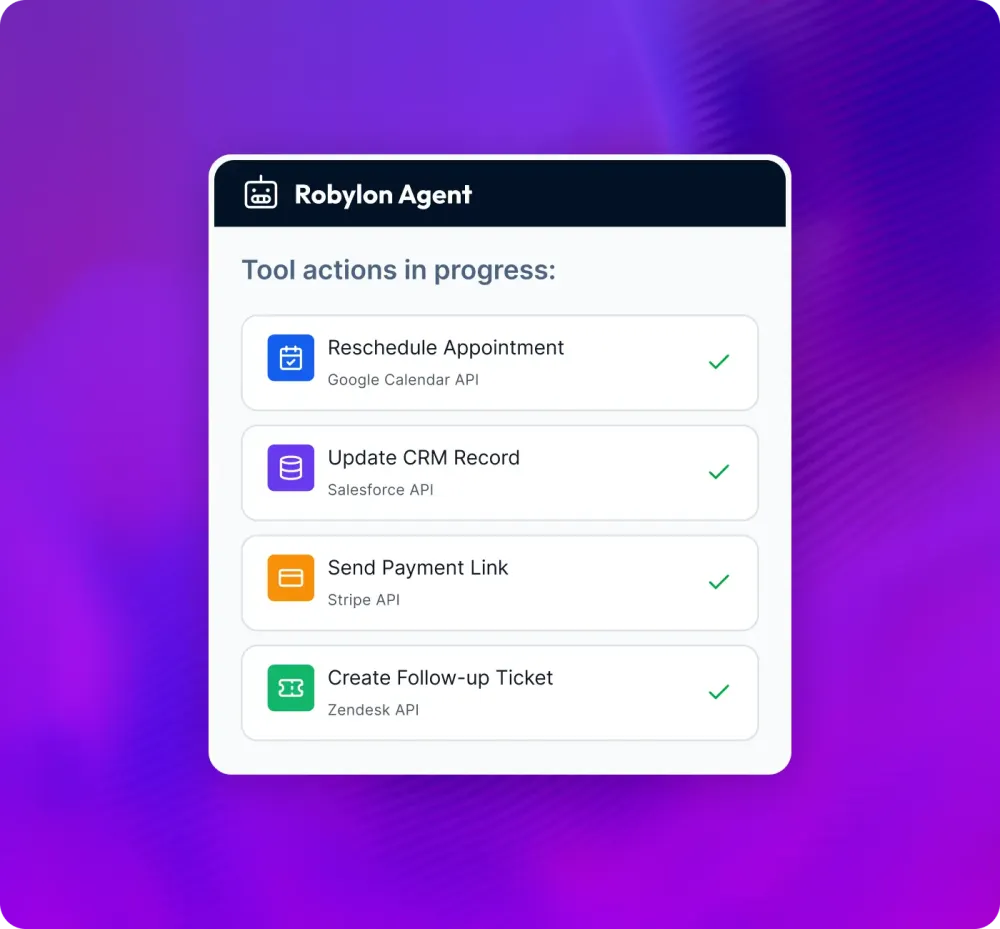
Let the agent book, reschedule, update CRM fields, send payment links, create tickets and more.
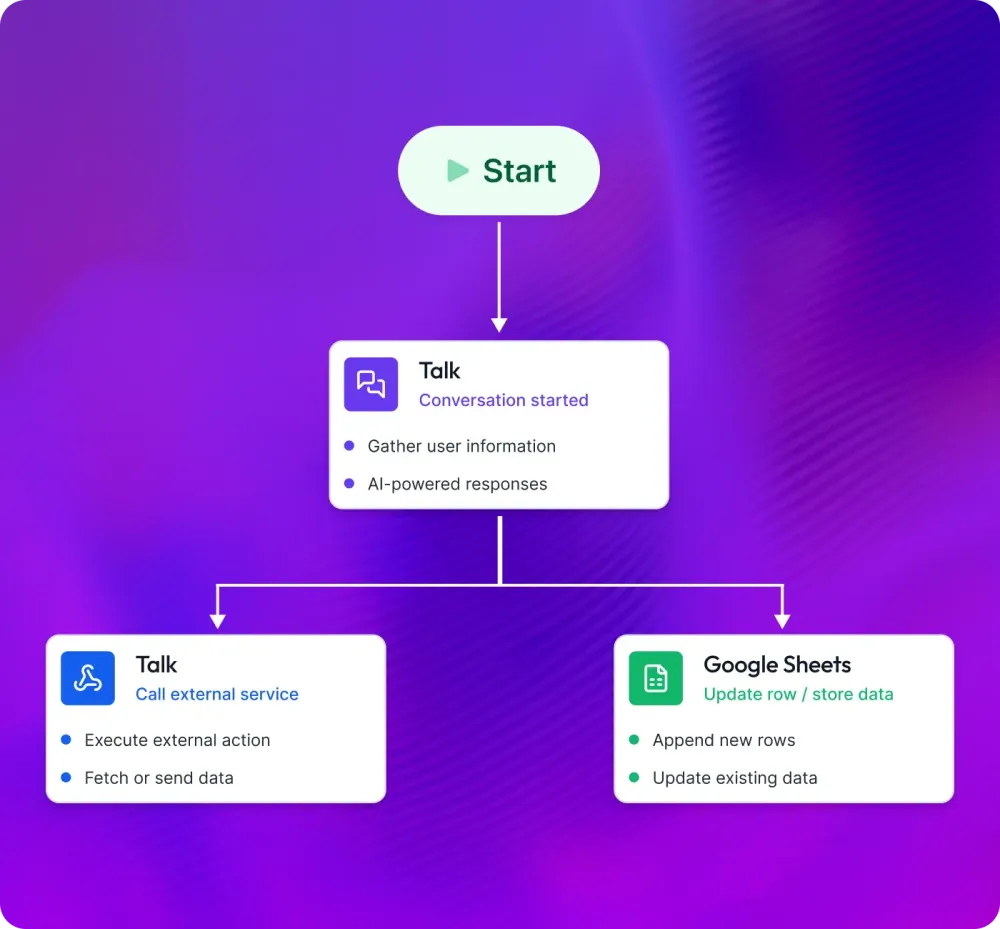
Guide what happens next using triggers, conditions and fallbacks.
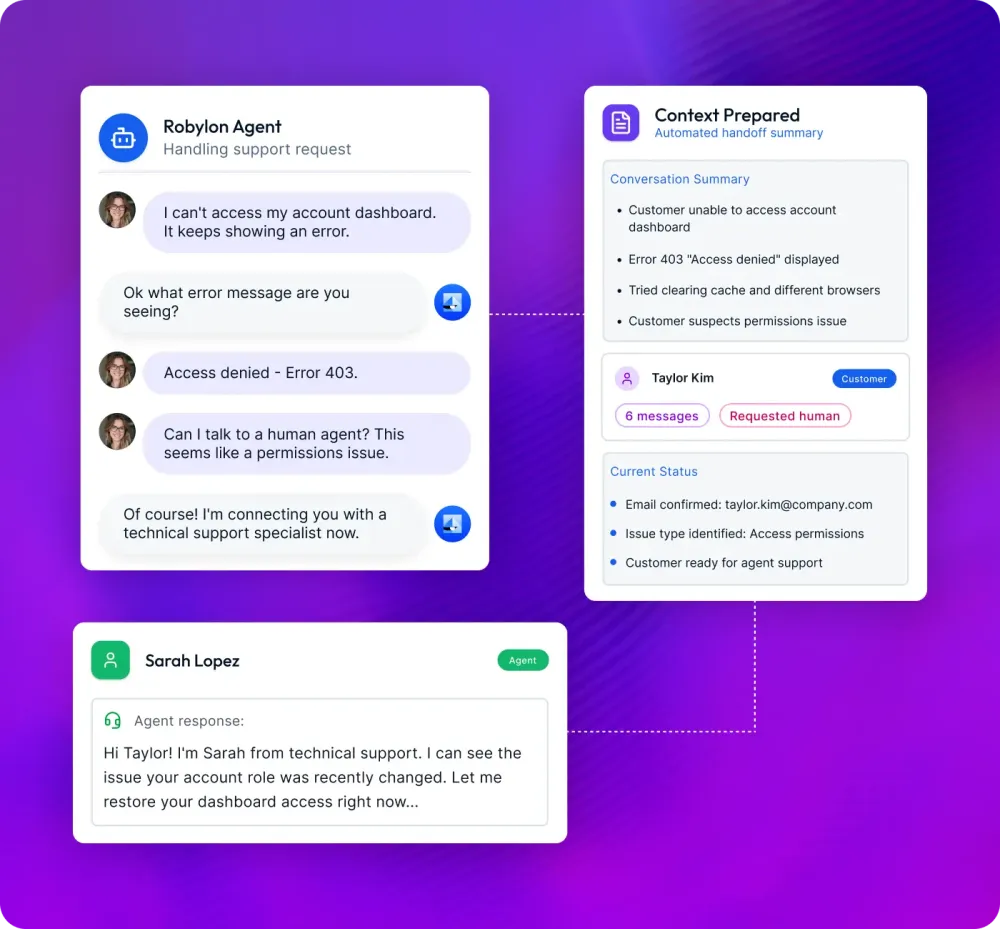
Seamless escalation with conversation history, a summary and recommended next steps.
Optimize
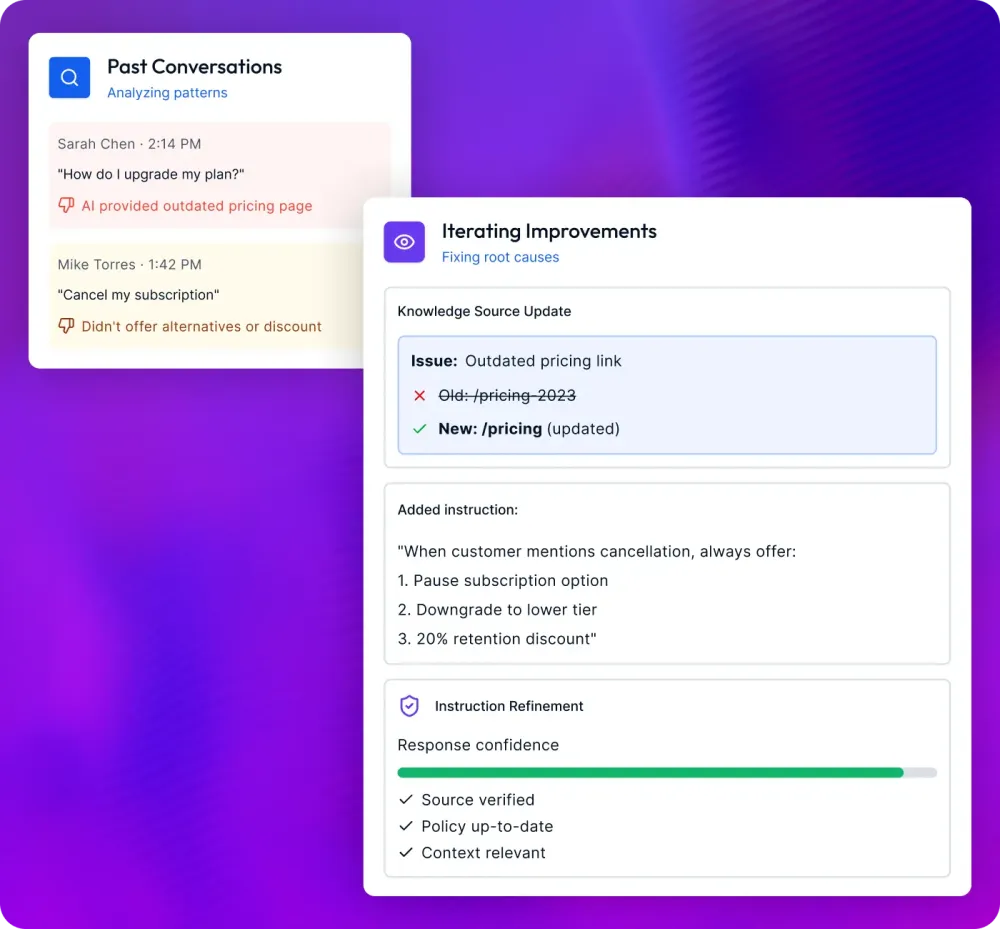
Improve quality every week with a true AI operations loop.
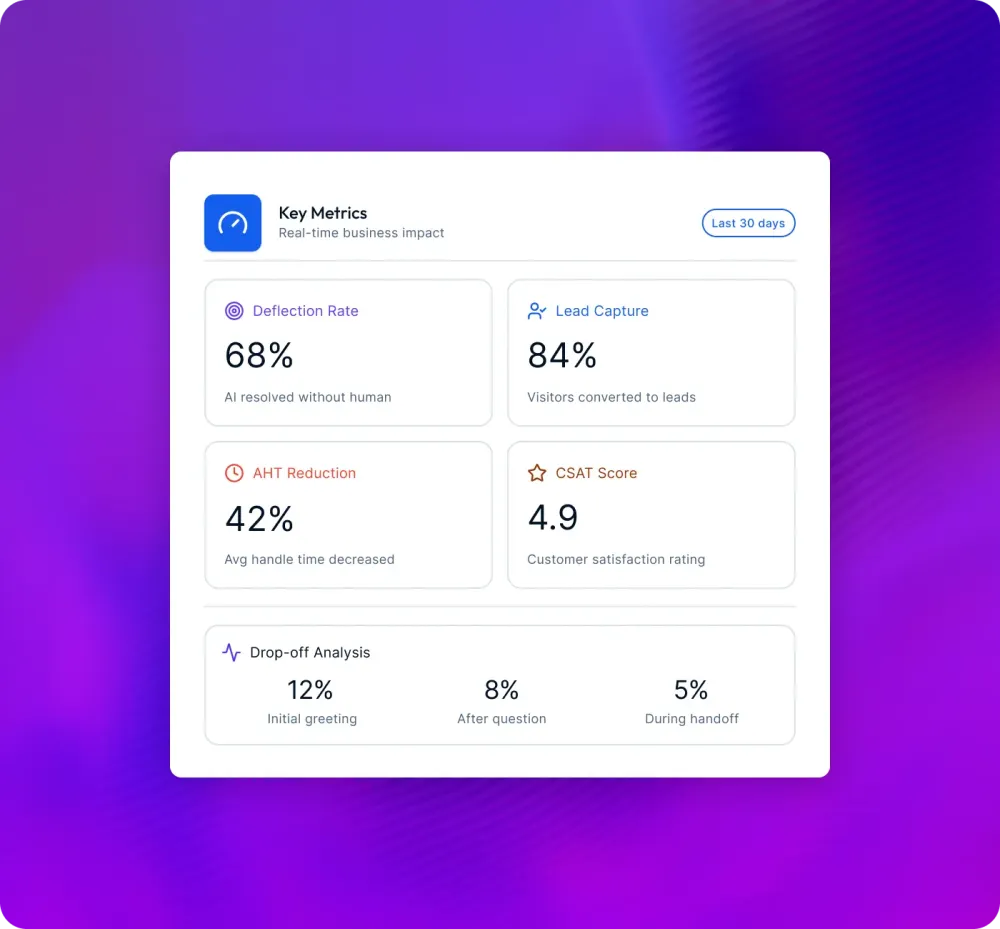
Track deflection, lead capture rate, AHT reduction, CSAT signals and drop-offs.
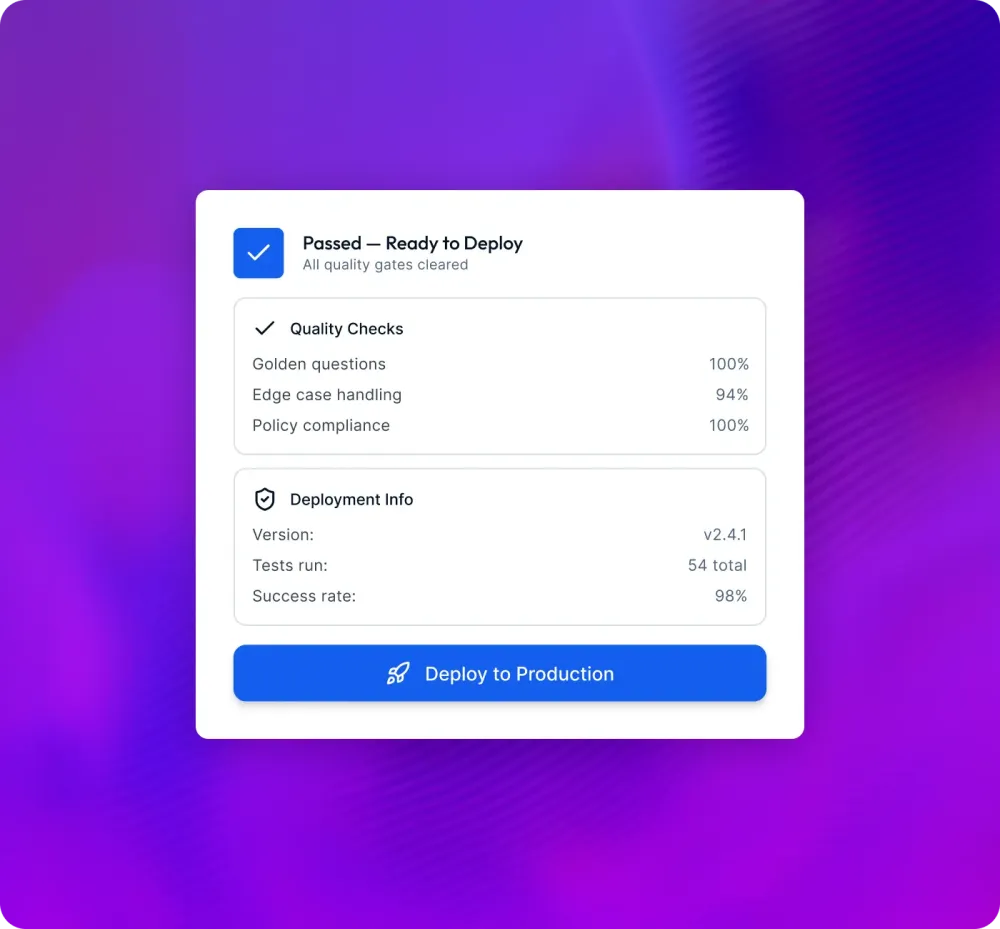
Use evals to test against golden questions, edge cases and policy constraints before pushing updates.
Find failure themes, fix sources, refine instructions and iterate fast.
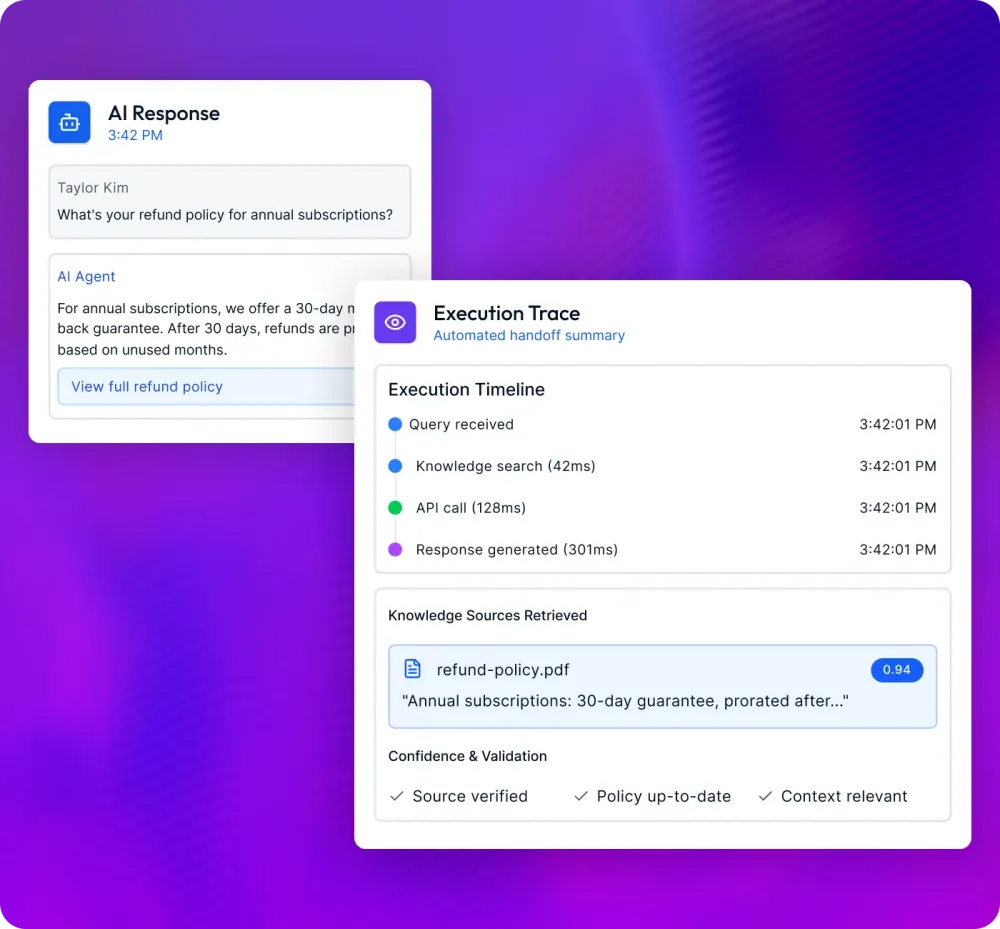
See what the agent used, from knowledge to tool calls, and why it answered the way it did.
Scale
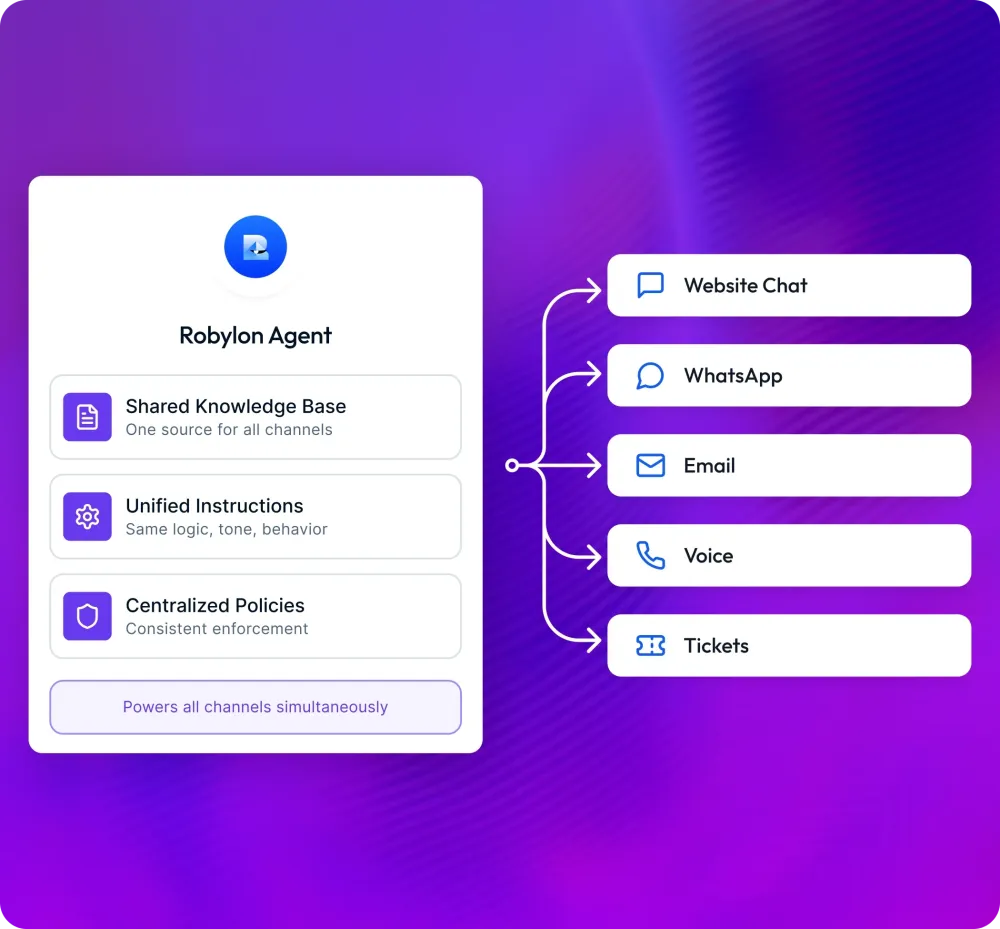
Roll out across channels, teams and geographies without losing control.
Same agent, same policies, every channel.
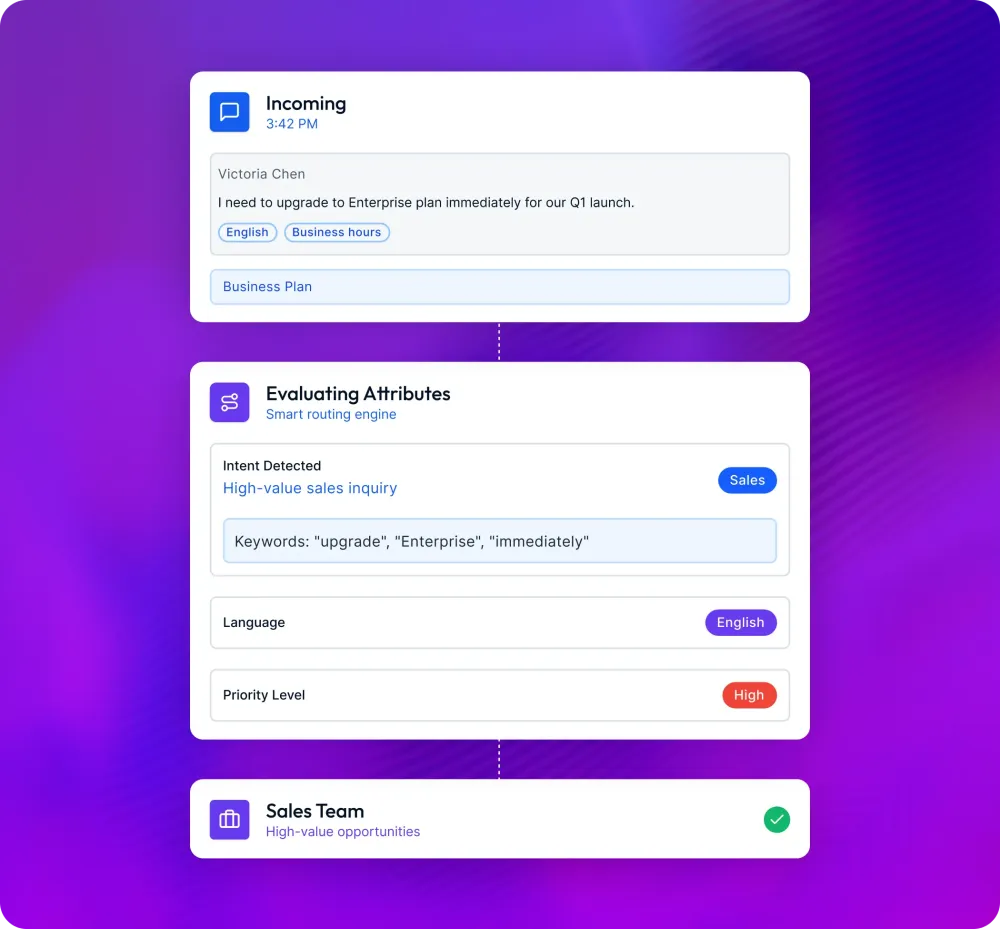
Route by intent, language, priority, VIP status and business hours.
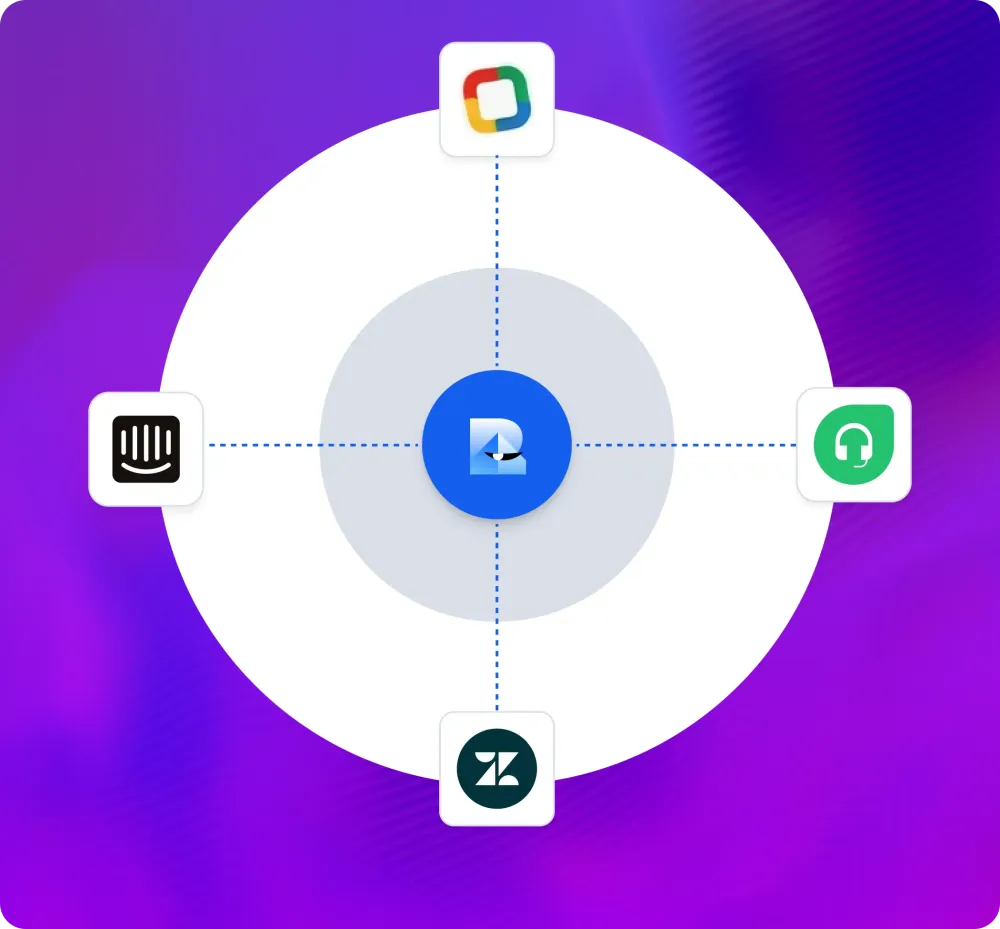
Plug into your stack: CRM, helpdesk, dialers, ticketing and data stores.
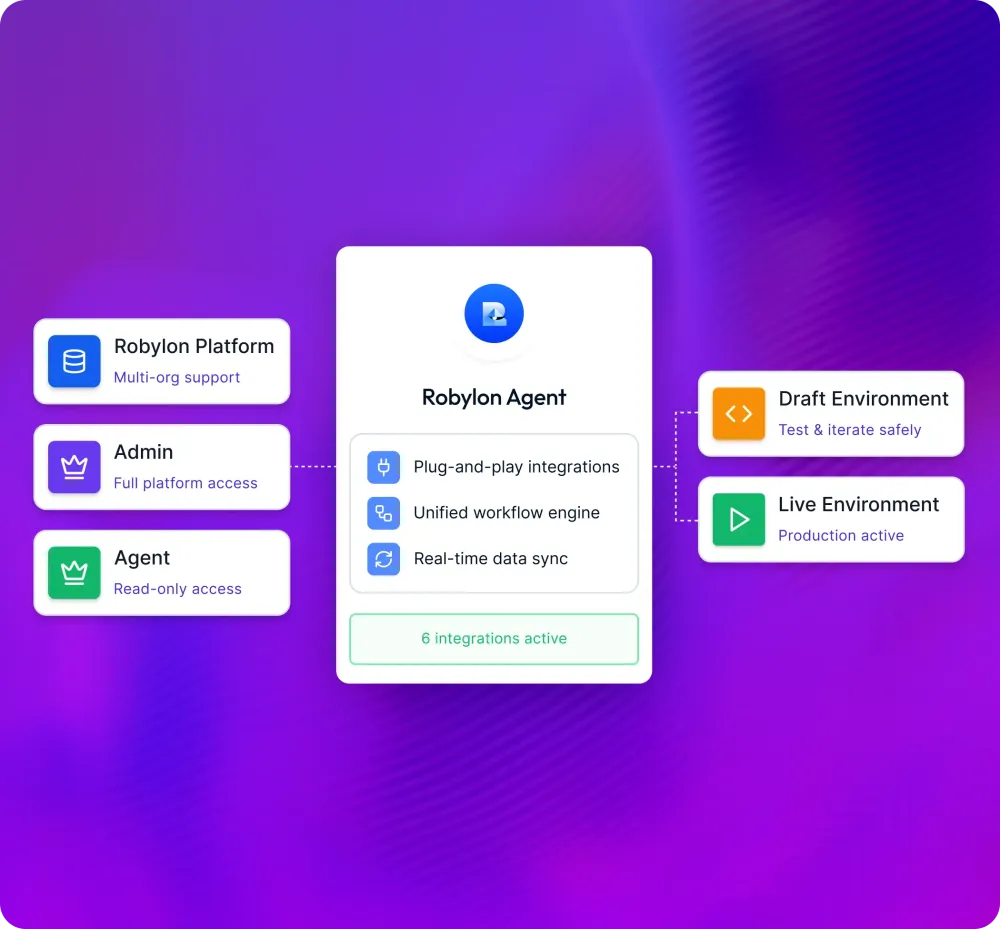
Roles, permissions, draft and live environments, and change control.
Case studies
A gaming company: over 95% automated query resolution and about 30% reduction in cost. HealthifyMe: 40% growth in conversions and 2x increase in customer engagement. A lending company: about 25% more collections and about 30% cost reduction.

Gaming Gaming company

Health & Fitness HealthifyMe

Fintech Lending company
Integrations
Yes. It works inside 37 helpdesk, CRM, commerce and telephony tools, and anything with a REST API.
 Zendesk
 Freshworks
 Intercom
 Salesforce
 HubSpot
 Zoho
Zoho Microsoft Dynamics
 Oracle
 Twilio
 Amazon Connect
 Aircall
 Exotel
 Ozonetel
 Knowlarity
 Shopify
 WooCommerce
 BigCommerceSalesforce Commerce Cloud
 Manhattan Omni
 Unicommerce
 Return Prime
 ClickPost
 WhatsApp
 Instagram
 Facebook
 Telegram
 Discord
 Slack
Slack Microsoft Teams
 Gmail
Gmail Jira
Jira Notion
 Confluence
 Google Drive
 Google Sheets
 Dropbox
 Zapier
Not seeing yours? We will build it.
Enterprise
Yes. Robylon is SOC 2 and HIPAA compliant, aligned to GDPR and CPRA, and plugs into your support and sales stack with the security, governance and controls your IT and compliance teams expect.
Data residency and retention controls, PII handling, and tooling to support GDPR and CPRA where applicable.
Handle spikes from launches, campaigns and seasonal demand across chat, email, voice and WhatsApp without hiring blitzes.
SOC 2 and HIPAA compliance, SSO, role-based access and audit logs, so security teams stay comfortable while you deploy AI across your support and sales operations.
Control who can create playbooks, edit messaging, publish agents and view analytics. Separate workspaces by region, brand or business unit where needed.
FAQ
Robylon's AI agents resolve 85% of support tickets without a human, across chat, email, voice and WhatsApp, and hand the rest to your team with the context attached. Across support deployments that has meant:
Each channel is on these plans:
Most teams go live in 7 days, with channels connected by OAuth or an API key. See every plan.
Each message the AI agent processes uses credits: a base processing cost plus a model cost that depends on which AI model answers. The plan figures assume about 7.5 credits per chat, WhatsApp or email conversation, so 300 credits is roughly 40 conversations. Voice calls use credits at a different rate. Every plan can buy extra credits at $25 per 1,000.
An AI agent reads each customer message, checks your approved knowledge sources and connected systems, decides the best response or action, and replies automatically. Robylon agents run on large language models: every plan has the basic models, Pro and above have all of them, and Enterprise can bring its own.
Yes. Workflows can send chosen queries straight to a person, and the agent hands over anything it cannot resolve with the conversation history and a summary attached. Your team can answer in either:
Each file, URL or Q&A you add to the knowledge base counts as one source, such as:
Robylon indexes every source so the agent answers from your content and cites it. The free Starter plan holds 50 sources and Enterprise 5,000.
See how Robylon resolves real customer issues - refunds, escalations, callbacks - in a live demo with our team.