
Custom instructions
Write instructions that shape how the KB agent answers: tone, format, which sources to use for which topics, and how to use a single Q&A.
Custom instructions tell the KB agent how to answer from your Knowledge Base: the tone, the format, which sources to rely on for which topics, and what to do in special cases. Your sources decide what the agent knows. Instructions decide how it uses that knowledge.
You can write instructions in two places:
| Where | Applies to | Open it from |
|---|---|---|
| KB agent instructions | Every answer the Knowledge Base Agent writes | Knowledge → Source → KB Agent → Custom Instructions |
| Q&A instructions | Only answers that use that one Q&A | The Custom Instructions field on the Q&A |
For the overall voice of your AI agents (name, tone, languages), use an AI persona instead. Instructions are for rules about answering from the Knowledge Base.
Write instructions for the KB agent
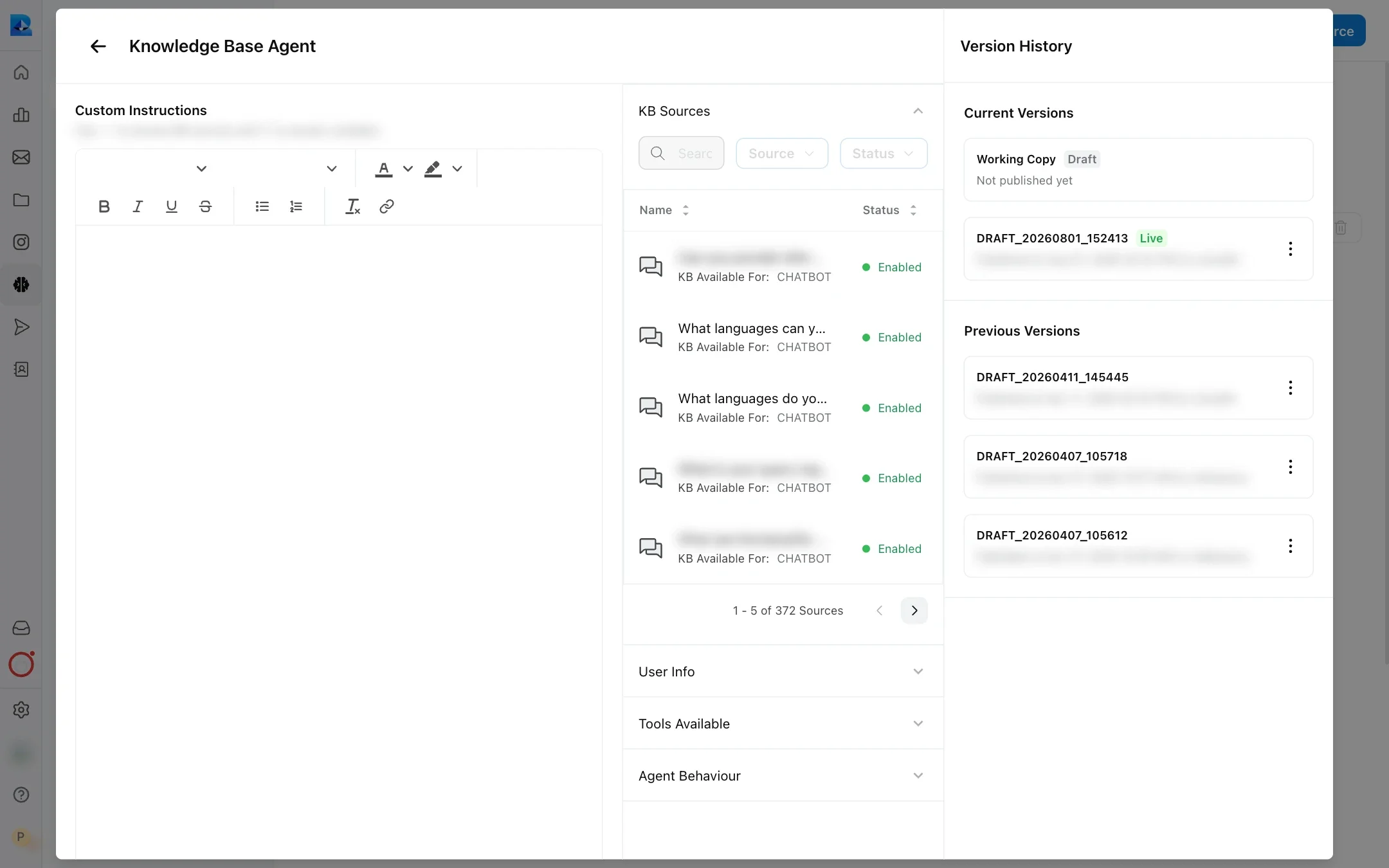
Open the Knowledge Base Agent, click Edit, and write your rules in Custom Instructions.
Open the KB agent
Go to Knowledge → Source and click KB Agent at the top right. The Knowledge Base Agent panel opens.
Edit
Click Edit.
Write your instructions
In Custom Instructions, write your rules as short, direct sentences. Type ~ to pick one of your KB sources, and { to pick a variable.
Save and publish
Click Save to keep your changes as a draft, then Publish so live conversations use them. Until you publish, customers get the live version.
What KB agent instructions control
| You want to | Example instruction |
|---|---|
| Set the format | “Use numbered steps for anything with more than two steps. Keep answers under 80 words.” |
| Set the tone | “Be warm and brief. Do not start answers with ‘Great question’.” |
| Point topics to sources | “For delivery times, answer only from ~Shipping Policy.” |
| Handle a sensitive topic | “If a customer asks about a refund older than 30 days, explain the policy and offer to connect them to a teammate.” |
| Use customer details | “If the customer’s {plan_name} variable is Basic, do not mention features from the Pro plan.” |
| Shape follow-up questions | “End with a follow-up question only when the customer asked about an order.” |
When your instructions name specific sources, the agent limits its search to those sources for that kind of question. This is the simplest way to stop an out-of-date page from being used for one topic while keeping it for others.
Add instructions to a single Q&A
Open the Q&A and fill in its Custom Instructions field. The agent sees these instructions next to that Q&A’s answer, and only when it uses that Q&A.
Use Q&A instructions for rules that only make sense for one answer, for example:
- “Only give this answer to customers who have already placed an order.”
- “Share the reference link at the end of the answer.”
- “If the customer is outside India, say this offer does not apply.”
The field is in the Add a Q&A form, in the Q&A review screen for Q&As from human agents, and when you edit an existing Q&A.
Conflicting instructions
Avoid conflicts where you can. There is no fixed order between KB agent instructions and Q&A instructions:
- Q&A instructions travel with the Q&A. They are added to that Q&A’s content, labelled as answering instructions, so the agent reads them next to the answer.
- KB agent instructions apply to every answer. If they say the opposite of a Q&A instruction, the agent has to choose, and the result can vary. Keep the two consistent.
- Your instructions are applied on top of Robylon’s built-in rules, for example answering only from your sources and never inventing links. Instructions cannot make the agent answer from knowledge it does not have.
- For follow-up questions, an instruction passed by the agent that called the KB agent comes first, then your custom instructions, then Robylon’s default (a single “Would you like to know about…?” question, only when it is on topic).
Turn follow-up questions on or off
In the Knowledge Base Agent panel, open Agent Behaviour and use Ask Follow Up Questions. It is on by default. When it is off, the agent ends its answer without suggesting a next question.
Custom agents and these instructions
Whether a custom agent uses these instructions depends on its type. A sub-agent that passes a question to the KB agent gets an answer that follows these instructions. A single agent that answers from the Knowledge Base does not use the KB agent’s Custom Instructions. Set its rules in the agent’s own instructions:
- Content and Sources: when and how the agent should use specific articles or sources.
- Query Understanding Terminology: how to interpret the customer’s words, for example that “COD” means cash on delivery. These are used when the question is rewritten for search.
See Single agents and KB agent.
Related guides
- Bulk testing: check your instructions against many questions at once.