
Social engagement
See comments and mentions across your Instagram posts, reels and stories in one place, reply publicly, move a conversation to DMs, and let AI answer comments.
Social engagement brings the comments and mentions on your Instagram accounts into Robylon. You can see every post, reel and story with its comments, find the ones nobody has answered, reply publicly, or move the conversation into a private message.
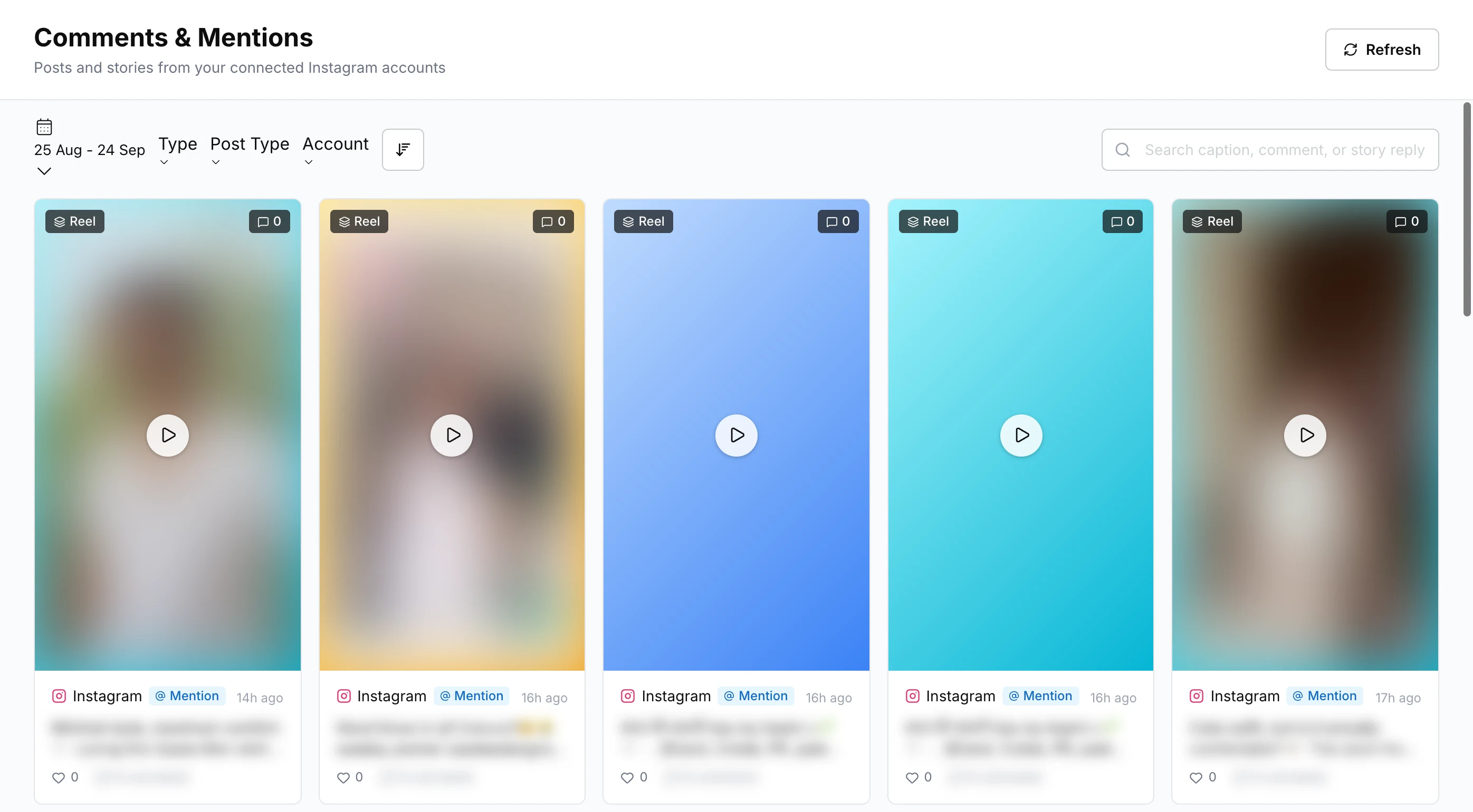
Open it from Social engagement in the left navigation. The page is titled Comments & Mentions.
How do I connect Instagram?
Click Add Instagram account on the Comments & Mentions page and sign in with Facebook. See Connect Instagram and Facebook.
What does the Comments & Mentions page show?
A grid of posts from your connected accounts, newest first. Each card shows the post type (such as Reel or Image), the number of comments, whether it is your post or one that Mentions you, and how long ago it was posted. Click Refresh to fetch the latest.
Narrow the grid with:
| Filter | Options |
|---|---|
| Date range | Any range of dates |
| Type | Feed, Reels, Story, Ad |
| Post Type | Image, Video, Carousel |
| Account | One of your connected accounts |
| Sort | Newest or oldest, most or fewest likes, most or fewest comments |
| Search | Text in a caption, comment or story reply |
How do I reply to a comment?
Click a post to open it. The left side shows the post, a View on Instagram link, the caption, and its likes and comments. The right side lists the comments (or mentions), with search, filters and sorting.
Click Reply under a comment to answer it publicly on Instagram.
Filter the comments by:
- Comment Date
- Reply Status: Replied or Unreplied. Use Unreplied to find comments that still need an answer.
- DM Status: whether a private conversation has been started from the comment.
- Visibility: Visible or Hidden.
Can I move a comment to a private message?
Yes. Click Initiate DM under a comment, write the First message and click Start DM, for example to ask for an order number. The DM continues as a conversation in your unified inbox.
Instagram only allows this within 7 days of the comment. After that, Initiate DM is greyed out and you can only reply publicly. You also cannot start a DM from a hidden comment.
Once a DM is started, the comment shows DM Open (click it to open the conversation) or DM Closed. Use the DM Status filter (DM Open, DM Closed, No DM) to find them.
Can I hide comments?
Yes, on your own posts. Click the hide icon next to a comment and confirm with Hide comment. The comment is hidden on Instagram for everyone except the person who wrote it. Hiding a comment also hides its replies. Click the icon again to unhide it.
You cannot hide mentions on other people’s posts or story replies, because Instagram has no option for them.
Can the AI reply to comments automatically?
Yes, with a workflow. Build a workflow for the Instagram account with the trigger When a comment or mention is received, and add an AI agent or reply step. See Workflows and Triggers.
In the workflow, the Instagram app integration block can:
- Send reply to comment: posts a public reply on the comment thread.
- Send reply in DM: sends a private reply to the person who commented.
- Hide comment: hides the comment from everyone except the person who wrote it.
Each reply can be a Fixed reply or an AI generated reply. If you both hide a comment and send a DM, put the DM step first, because Instagram blocks DMs on a hidden comment.
A comment is recorded on the Comments & Mentions page but not answered automatically when:
- the account has no workflow with the comment trigger,
- the person already has an open conversation with you, or
- the conversation has been handed over to your team or resolved.