
Social
Track the comments and mentions your Instagram accounts receive, how many your AI and team reply to and how fast, and how many comments turn into a DM conversation.
Social analytics shows how your team and AI handle Instagram comments and mentions: how many came in, how many got a reply and how fast, and how many turned into a private conversation.
Open it from Analytics & Insights → Social. The page appears once an Instagram account is connected. See Connect Instagram and Facebook.
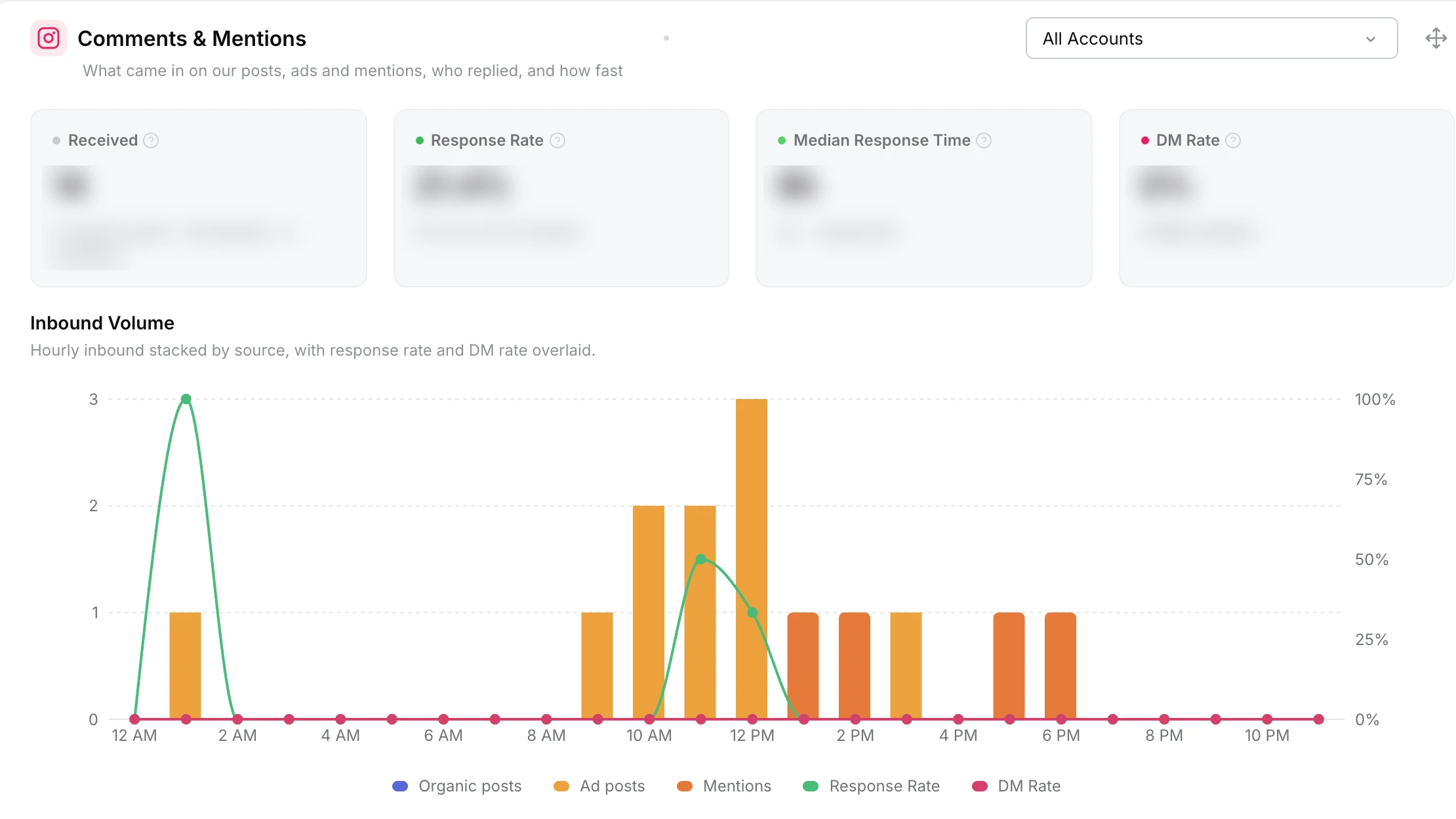
Comments & Mentions
“What came in on our posts, ads and mentions, who replied, and how fast.”
| Card | What it shows |
|---|---|
| Received | Comments and mentions received, split into organic posts, ad posts and mentions. |
| Response Rate | The share that got a reply, split into replies by the AI and by your team. |
| Median Response Time | How long a reply usually took, for the AI and for your team. |
| DM Rate | The share of comments moved into a DM, and how many DMs were started. |
Inbound Volume charts what came in by source, with the response rate and DM rate drawn over it. The By Source table breaks each figure down for organic posts, ad posts and mentions, with how many were Hidden and how many are Pending.
Mentions sit on other people’s posts, so they cannot be hidden or moved into a DM. Comments left unanswered for more than 7 days count as ignored.
Comment to DM
“Comments on our posts and ads moved into a private conversation, and whether the user engaged.”
- DM Rate: the share of comments moved into a DM, with how many DMs were started.
- User Reply Rate: the share of those DMs where the customer replied.
- DMs Initiated charts DMs started over time, with the user reply rate drawn over it.
- By Source follows each step, from comment to DM started to customer reply, for organic posts and ad posts.
A comment counts as moved to a DM only when the private reply was delivered.
Filter the figures
- Account: each widget has an account filter, set to All Accounts by default.
- Date range and Aggregation: pick the dates at the top of the page, and group the charts Daily, Weekly or Monthly.
What is counted
Comments on your posts and ads, and posts or captions that mention your account, on connected Instagram accounts. Story replies and DMs are not part of these figures, and comments received before 6 October 2026 are not included.