
AI personas
An AI persona sets the voice your AI agents reply in: its bio, tone, languages and special instructions. Create one per channel, team or use case.
An AI persona decides how your AI agents sound: who they present themselves as, the tone they use, the languages they reply in, and any special instructions. It does not change what they know, which comes from your Knowledge Base.
You can create several personas, for example a friendly one for website chat and a more formal one for email, and make each the default for its channels.
Open personas from Settings → Team → AI Personas.
Create an AI persona
Click Add AI Persona and work through three steps: basic details, additional details and language details.
Open AI Personas
Go to Settings → Team → AI Personas and click Add AI Persona.
Step 1: Basic Details
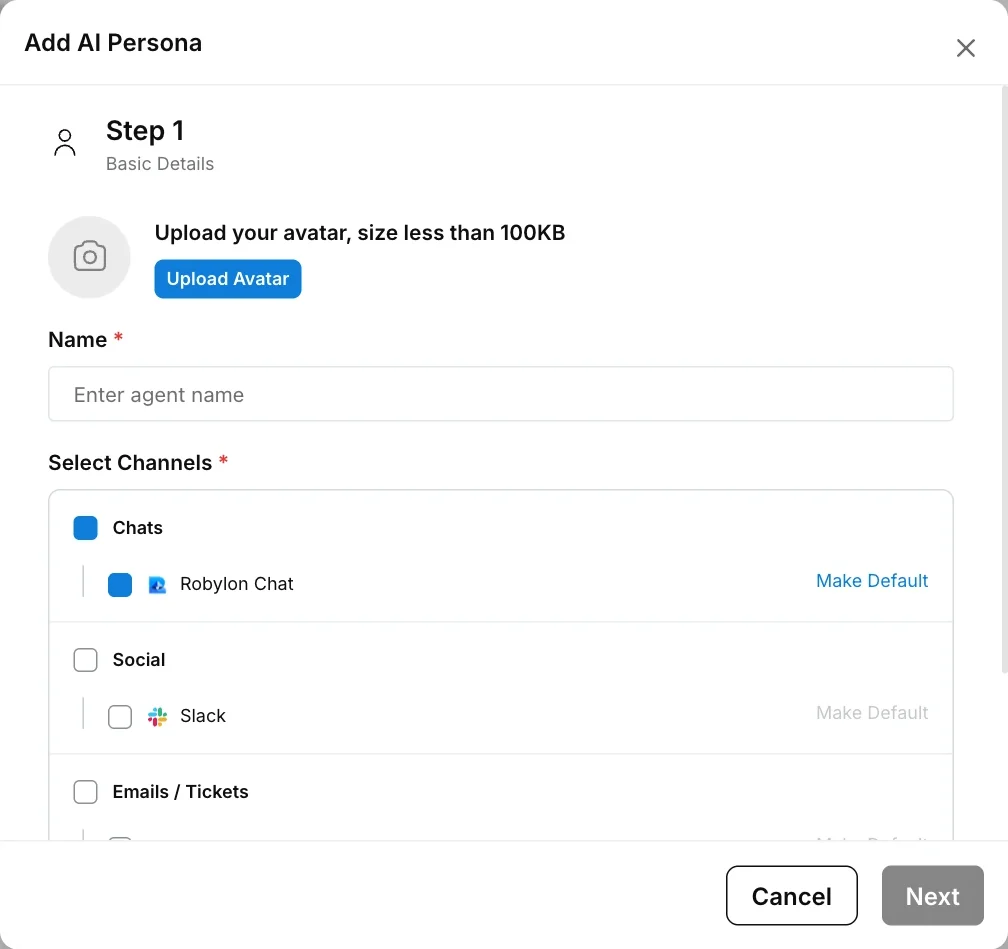
Optionally upload an avatar (Upload Avatar, under 100KB). Enter a Name, then tick the channels the persona can be used on under Select Channels. Next to each channel you have ticked, click Make Default to make this persona the default there. Click Next.
Step 2: Additional Details
Write the persona’s Bio and any Custom Instructions, and choose a Tonality. Click Next.
Step 3: Language Details
Choose the Primary Language and any other Languages the persona replies in, then click Add AI Persona.
Name and at least one channel are required. Each field is explained below.
Persona fields
| Field | Step | What it controls |
|---|---|---|
| Upload Avatar | 1 | The persona’s picture. The file must be under 100KB. |
| Name | 1 | The persona’s name. Required. |
| Select Channels | 1 | The channels this persona can be used on. Channels are grouped as Chats, Social, Emails / Tickets and Voice, and only channels connected to your workspace are listed. Required. |
| Make Default | 1 | Makes this persona the default on that channel. A channel where it is already the default shows Default instead. |
| Bio | 2 | Who the AI presents itself as and how it should behave. This shapes every reply, so be specific. |
| Custom Instructions | 2 | Customized inputs for the persona: rules for particular situations, for example how to handle complaints. |
| Tonality | 2 | A predefined tone: Casual & Friendly, Professional & Formal, Upbeat & Engaging, Empathetic & Supportive, Direct & Efficient or Other. |
| Primary Language | 3 | The persona’s main reply language. |
| Languages | 3 | The other languages the persona can reply in. The AI agent automatically detects the customer’s language and script, and replies accordingly. See language settings for your workspace defaults. |
Edit or deactivate a persona
Click a persona in the list to open it in the same three-step dialog, make your changes and click Save. To change which channels it is the default for, use Make Default in step 1.
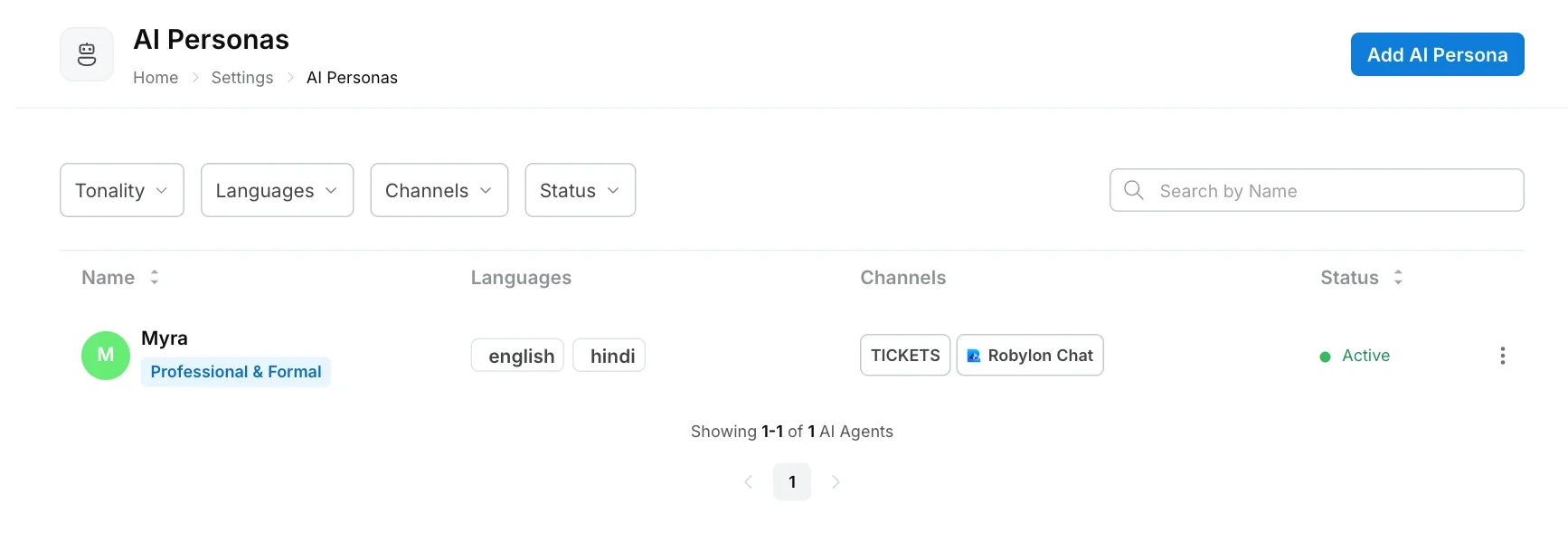
To stop using a persona, open the menu at the end of its row and click Deactivate. A deactivated persona can be brought back with Reactivate. You can filter the list by Tonality, Languages, Channels and Status.
How the default persona works
Each channel can have one default persona. When you make a persona the default for a channel, it replaces whichever persona was the default there before.
Replies on that channel use the default persona. If a channel has no default, Robylon uses the first persona that includes that channel. If no persona includes the channel, it falls back to a persona set up for Chat.
Write a good persona bio
Write the bio as a short brief to a new team member: who they are, who they are talking to, and how they should come across. Two to four sentences is usually enough.
A bio that works well:
You are the support assistant for an online furniture store. You help customers with orders, deliveries and returns. Be warm and patient, keep answers short, and always offer to connect the customer with a person if they are unhappy.
A bio that works badly:
Be helpful and nice.
The second gives the AI nothing to go on, so it falls back to generic replies.
Personas override built-in behaviour
If a persona setting conflicts with the instructions Robylon gives every AI agent by default, your persona wins. That includes its tone, custom instructions and language. Use custom instructions for rules that must always apply on the persona’s channels.