
Sub-agents
Create sub-agents that each handle one area of support, learn how the triage agent finds them, and set up hand-offs between agents.
A sub-agent is a specialist. It handles one area of support, such as returns, order changes or account questions, and takes over when the triage agent (the master agent) hands it a conversation. Each sub-agent has its own instructions, tools and model settings, so you can change one area without touching the others.
Sub-agents work on chat and email channels. In the AI Agents list they appear as Multi Agent with a Sub Agent tag. The built-in Knowledge Base agent is also listed as a sub-agent.
Open your agents from Settings → Workflows & AI Agents → AI Agents.
How do I create a sub-agent?
Create a multi agent, write its instructions, add the tools it needs, and publish it.
Create the agent
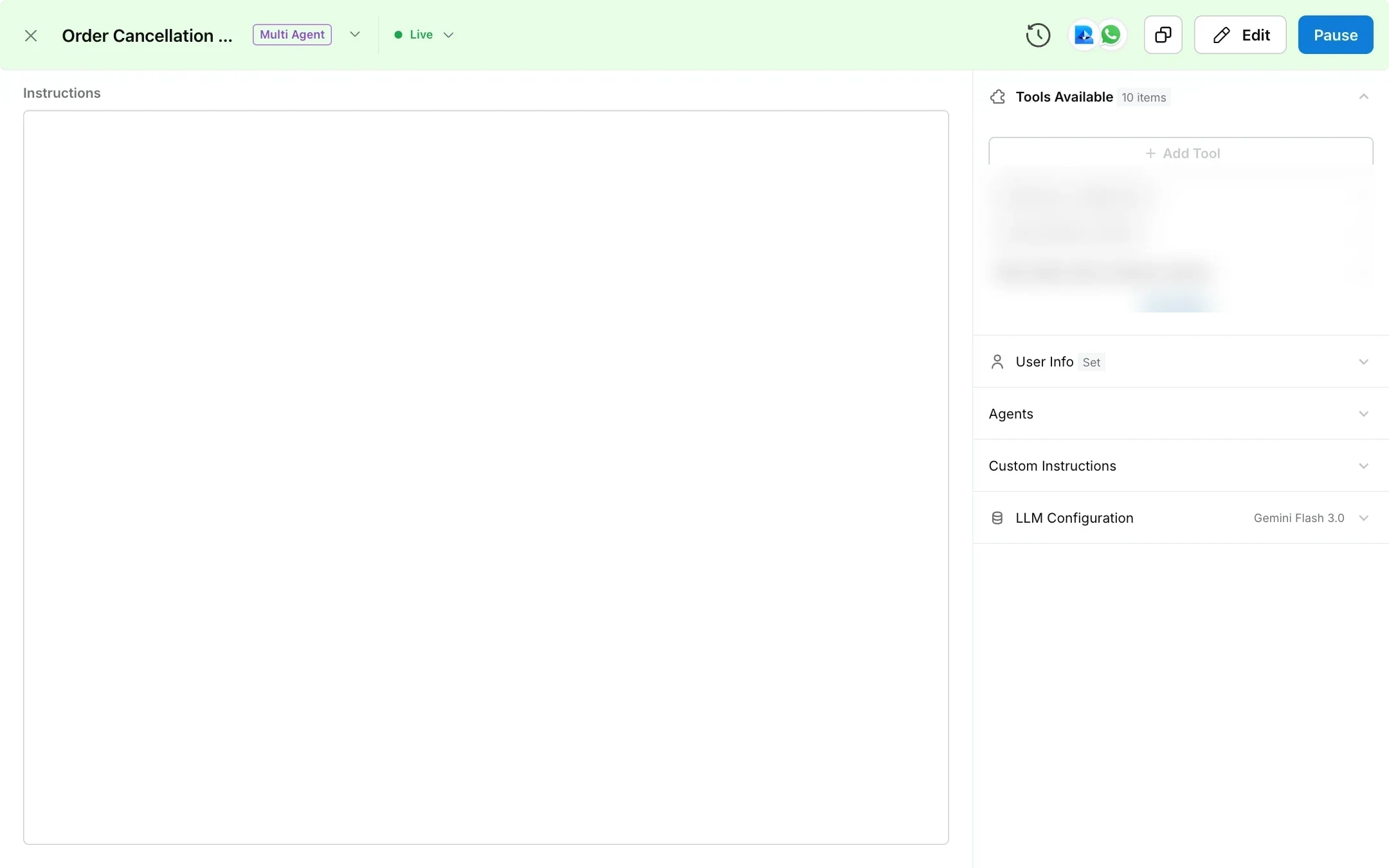
In AI Agents, click Create AI Agent, choose Chat or Email / Tickets, then Multi Agent. Name it after the area it owns, pick its channels and describe its purpose in Agent Purpose.
Write the instructions
In Instructions, describe the agent’s role, what it can and cannot do, and the steps to follow for each kind of request. Add extra rules in Custom Instructions.
Add tools
Under Tools Available, click Add Tool and add the tools the agent needs, such as an order lookup API or a human handover. See Tools.
Add customer context
In User Info, type { to insert variables the agent should always see, such as the customer’s email or order list.
Choose the model
Set the model and its settings under LLM Configuration. See model comparison.
Publish
Publish the agent. Once it is live, the triage agent on the same channels can route to it.
How does the triage agent know what a sub-agent does?
The first time you publish a sub-agent, Robylon writes a short description of it for the triage agent, based on its name, purpose and instructions. The description has three parts:
- Purpose and scope: what the agent handles.
- When to use: the kinds of request that should be routed to it.
- Example phrases: three to five things a customer might say.
Robylon turns this into a handover tool named after the agent, for example handover_to_order_changes_agent. You can see these tools in Settings → Data & Developer → Tools, marked Workflow step tool.
To see or change the description, open the sub-agent, click Edit, then click the agent’s name at the top of the panel. The Edit Agent panel shows Role of the Agent, When to use the Agent and Example user phrases. Fields Robylon wrote are marked AI Generated until you change them. Publishing again does not rewrite the description, so update it here when the agent’s job changes.
Because routing depends on this description, give each sub-agent a clear name and purpose, and keep the areas of different sub-agents from overlapping.
Can a sub-agent hand the conversation back?
Yes. Every sub-agent has a built-in tool that returns the conversation to the triage agent, with a short note on why. Sub-agents use it when the customer asks for something outside their area, or sends something unsafe. The triage agent then routes the request again.
Can one sub-agent hand over to another?
Yes. In the sub-agent’s Instructions, type @ and pick another agent. Once you publish, the mentioned agent becomes a handover option for this sub-agent. For example, a returns agent can pass a customer straight to an order changes agent when they decide to change their order instead.
How does Robylon stop agents passing a conversation back and forth?
Robylon stops the run if an agent hands a conversation to itself, if the same agent runs 25 times in a row, or if one customer message triggers more than 25 AI calls. These limits protect against loops caused by overlapping instructions. If you see a conversation end this way, tighten the routing rules.
How many sub-agents can I have?
The dashboard does not stop you creating more agents. For questions about what your plan includes, contact your account manager or support@robylon.ai.
How do I write good sub-agent instructions?
Treat each sub-agent like a new team member who only handles one queue.
- Start with the role and the boundary. “You handle changes to orders that have already been placed. For anything else, hand back to the router.”
- Write the steps for each request. Which tool to call first, what to check, what to tell the customer, and when to hand over to a human.
- Say what never to do. For example, never promise a refund date the tool has not confirmed.
- Match the channel. Email replies can be longer and more formal than chat replies.