
Knowledge Base agent
Learn how the built-in Knowledge Base agent answers questions from your sources, when conversations reach it, and how to shape its answers.
The Knowledge Base agent is a built-in agent that answers questions from the sources in your Knowledge Base: documents, websites and Q&As. It handles general questions about your products, services and policies, so your other agents can focus on requests that need actions.
Robylon creates it for you as soon as your Knowledge Base has at least one working source. It is called Knowledge Base Agent and appears in the AI Agents list as a Sub Agent.
When conversations reach the agent
The triage agent hands a conversation to it when the customer asks an informational question, for example about your return policy. It is also the default fallback: if no other agent fits and your routing instructions name no other fallback, the conversation goes to the Knowledge Base agent.
Its description for routing is fixed by Robylon: it answers general informational questions, explains standard policies, and gives factual details about products, services and processes from your documented knowledge.
Supported channels
Chat and email. It does not run on voice. A voice agent is a single agent and answers from its own instructions and tools.
How it finds an answer
It searches your Knowledge Base for the passages most relevant to the question, then writes an answer using only those passages. If the answer is not in your sources, it says so rather than guessing.
Shape its answers
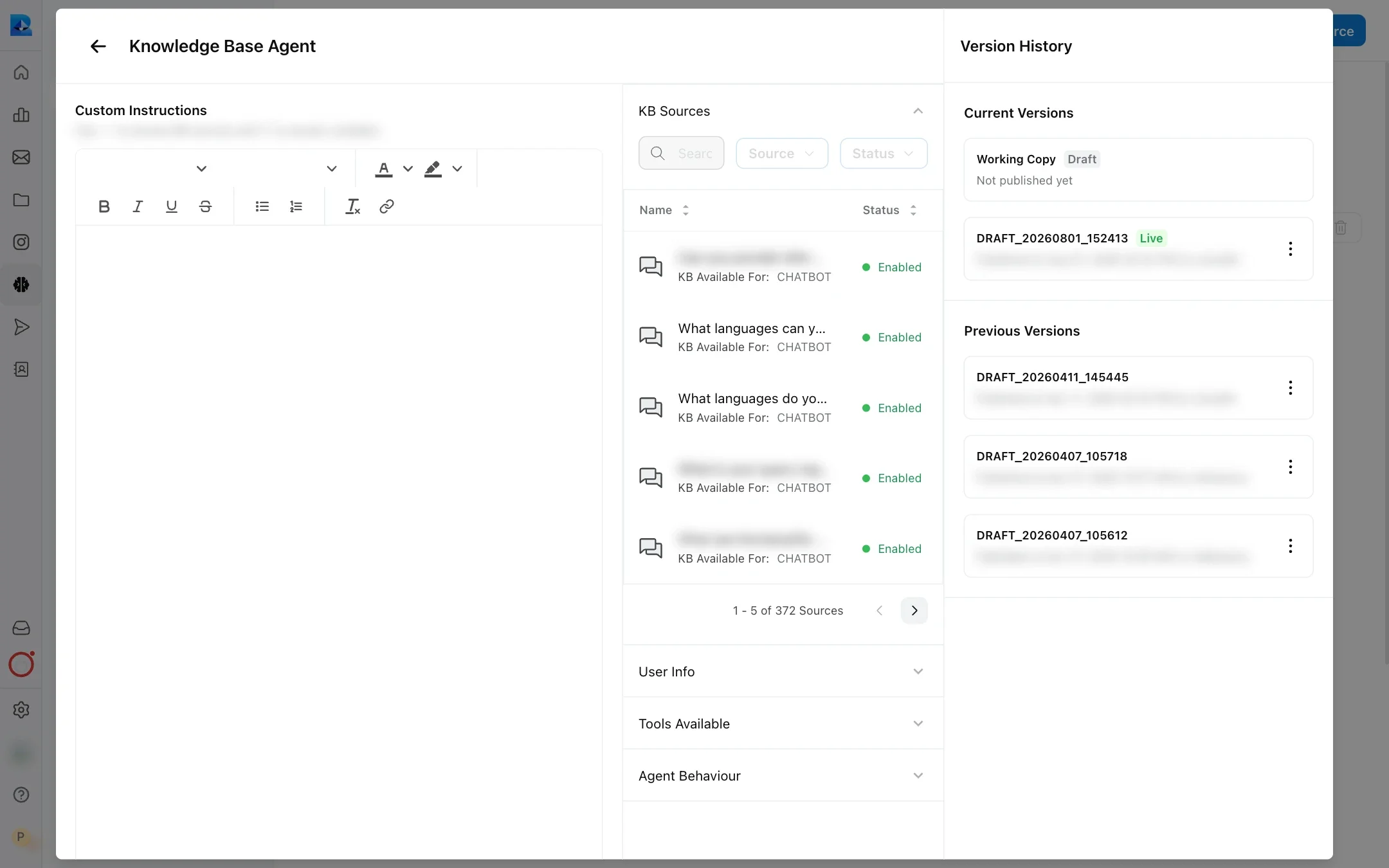
You cannot change the Knowledge Base agent’s routing description, but you can change how it answers. Open Knowledge Base Agent from Settings → Workflows & AI Agents → AI Agents, click Edit, make your changes, then publish.
- Custom Instructions: add rules for how it should answer, for example “Always mention the return window when talking about returns”. Type
{to insert a variable and~to point to a specific Knowledge Base source. See custom instructions. - User Info: give it variables about the customer so one answer can differ by customer. For example, pass a
membership_tiervariable so it can tell members they get a 30-day return window and other customers a 14-day window, from the same policy document. - Ask Follow Up Questions: under Agent Behaviour. It is on unless you turn it off, and lets the agent end its answer by suggesting a related next question, for example “Would you like to know about…?”. See follow-up questions.
- Model: click Configure AI Model at the top of the panel while editing to change the model and its settings.
- Better sources: most wrong answers come from missing or outdated content. Use Click to improve and KB gaps to find and fix them.
- Your persona: its tone and language follow your AI persona.
Turn the Knowledge Base agent off
Open it and click Pause. While it is paused, no agent can hand a conversation to it, so name a different fallback in your triage agent’s routing instructions. It cannot be deleted.