# Sub-Agents: Build Specialist AI Agents for Chat and Email
Create sub-agents that each handle one area of support, learn how the triage agent finds them, and set up hand-offs between agents.
> Source: https://www.robylon.ai/docs/ai-agents/sub-agents
> Section: AI agents
A sub-agent is a specialist. It handles one area of support, such as returns, order changes or account questions, and takes over when the [triage agent](https://www.robylon.ai/docs/ai-agents/triage-agent) (the master agent) hands it a conversation. Each sub-agent has its own instructions, tools and model settings, so you can change one area without touching the others.
Sub-agents work on chat and email channels. In the AI Agents list they appear as **Multi Agent** with a **Sub Agent** tag. The built-in [Knowledge Base agent](https://www.robylon.ai/docs/ai-agents/kb-agent) is also listed as a sub-agent.
Open your agents from **Settings → Workflows & AI Agents → AI Agents**.
## How do I create a sub-agent?
Create a multi agent, write its instructions, add the tools it needs, and publish it.
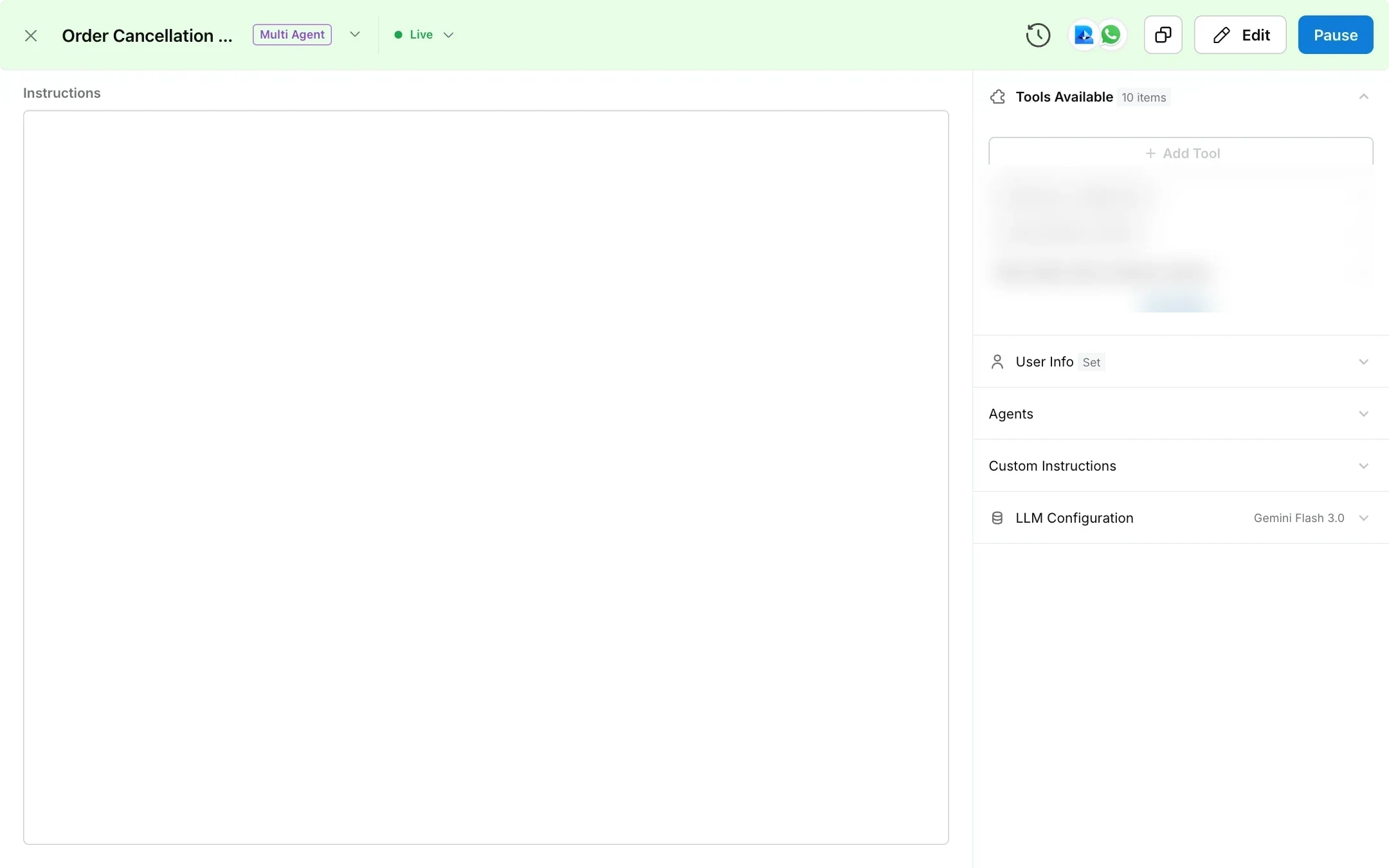
In **AI Agents**, click **Create AI Agent**, choose **Chat** or **Email / Tickets**, then **Multi Agent**. Name it after the area it owns, pick its channels and describe its purpose in **Agent Purpose**.
In **Instructions**, describe the agent's role, what it can and cannot do, and the steps to follow for each kind of request. Add extra rules in **Custom Instructions**.
Under **Tools Available**, click **Add Tool** and add the tools the agent needs, such as an order lookup API or a human handover. See [Tools](https://www.robylon.ai/docs/data-and-integrations/api-tools-functions).
In **User Info**, type `{` to insert variables the agent should always see, such as the customer's email or order list.
Set the model and its settings under **LLM Configuration**. See [model comparison](https://www.robylon.ai/docs/model-comparison).
Publish the agent. Once it is live, the triage agent on the same channels can route to it.
 ## How does the triage agent know what a sub-agent does?
The first time you publish a sub-agent, Robylon writes a short description of it for the triage agent, based on its name, purpose and instructions. The description has three parts:
* **Purpose and scope:** what the agent handles.
* **When to use:** the kinds of request that should be routed to it.
* **Example phrases:** three to five things a customer might say.
Robylon turns this into a handover tool named after the agent, for example `handover_to_order_changes_agent`. You can see these tools in **Settings → Data & Developer → Tools**, marked **Workflow step tool**.
To see or change the description, open the sub-agent, click **Edit**, then click the agent's name at the top of the panel. The **Edit Agent** panel shows **Role of the Agent**, **When to use the Agent** and **Example user phrases**. Fields Robylon wrote are marked **AI Generated** until you change them. Publishing again does not rewrite the description, so update it here when the agent's job changes.
Because routing depends on this description, give each sub-agent a clear name and purpose, and keep the areas of different sub-agents from overlapping.
## Can a sub-agent hand the conversation back?
Yes. Every sub-agent has a built-in tool that returns the conversation to the triage agent, with a short note on why. Sub-agents use it when the customer asks for something outside their area, or sends something unsafe. The triage agent then routes the request again.
## Can one sub-agent hand over to another?
Yes. In the sub-agent's **Instructions**, type `@` and pick another agent. Once you publish, the mentioned agent becomes a handover option for this sub-agent. For example, a returns agent can pass a customer straight to an order changes agent when they decide to change their order instead.
## How does Robylon stop agents passing a conversation back and forth?
Robylon stops the run if an agent hands a conversation to itself, if the same agent runs 25 times in a row, or if one customer message triggers more than 25 AI calls. These limits protect against loops caused by overlapping instructions. If you see a conversation end this way, tighten the routing rules.
## How many sub-agents can I have?
The dashboard does not stop you creating more agents. For questions about what your plan includes, contact your account manager or support@robylon.ai.
## How do I write good sub-agent instructions?
Treat each sub-agent like a new team member who only handles one queue.
* **Start with the role and the boundary.** "You handle changes to orders that have already been placed. For anything else, hand back to the router."
* **Write the steps for each request.** Which tool to call first, what to check, what to tell the customer, and when to hand over to a human.
* **Say what never to do.** For example, never promise a refund date the tool has not confirmed.
* **Match the channel.** Email replies can be longer and more formal than chat replies.
## How does the triage agent know what a sub-agent does?
The first time you publish a sub-agent, Robylon writes a short description of it for the triage agent, based on its name, purpose and instructions. The description has three parts:
* **Purpose and scope:** what the agent handles.
* **When to use:** the kinds of request that should be routed to it.
* **Example phrases:** three to five things a customer might say.
Robylon turns this into a handover tool named after the agent, for example `handover_to_order_changes_agent`. You can see these tools in **Settings → Data & Developer → Tools**, marked **Workflow step tool**.
To see or change the description, open the sub-agent, click **Edit**, then click the agent's name at the top of the panel. The **Edit Agent** panel shows **Role of the Agent**, **When to use the Agent** and **Example user phrases**. Fields Robylon wrote are marked **AI Generated** until you change them. Publishing again does not rewrite the description, so update it here when the agent's job changes.
Because routing depends on this description, give each sub-agent a clear name and purpose, and keep the areas of different sub-agents from overlapping.
## Can a sub-agent hand the conversation back?
Yes. Every sub-agent has a built-in tool that returns the conversation to the triage agent, with a short note on why. Sub-agents use it when the customer asks for something outside their area, or sends something unsafe. The triage agent then routes the request again.
## Can one sub-agent hand over to another?
Yes. In the sub-agent's **Instructions**, type `@` and pick another agent. Once you publish, the mentioned agent becomes a handover option for this sub-agent. For example, a returns agent can pass a customer straight to an order changes agent when they decide to change their order instead.
## How does Robylon stop agents passing a conversation back and forth?
Robylon stops the run if an agent hands a conversation to itself, if the same agent runs 25 times in a row, or if one customer message triggers more than 25 AI calls. These limits protect against loops caused by overlapping instructions. If you see a conversation end this way, tighten the routing rules.
## How many sub-agents can I have?
The dashboard does not stop you creating more agents. For questions about what your plan includes, contact your account manager or support@robylon.ai.
## How do I write good sub-agent instructions?
Treat each sub-agent like a new team member who only handles one queue.
* **Start with the role and the boundary.** "You handle changes to orders that have already been placed. For anything else, hand back to the router."
* **Write the steps for each request.** Which tool to call first, what to check, what to tell the customer, and when to hand over to a human.
* **Say what never to do.** For example, never promise a refund date the tool has not confirmed.
* **Match the channel.** Email replies can be longer and more formal than chat replies.