
Connecting AI Email Support to HubSpot CRM
Most teams bolt AI onto the inbox, not onto HubSpot. This guide shows how to connect an AI email agent to HubSpot CRM so it reads customer context before replying, resolves tickets, and logs every interaction back, keeping HubSpot as the system of record.
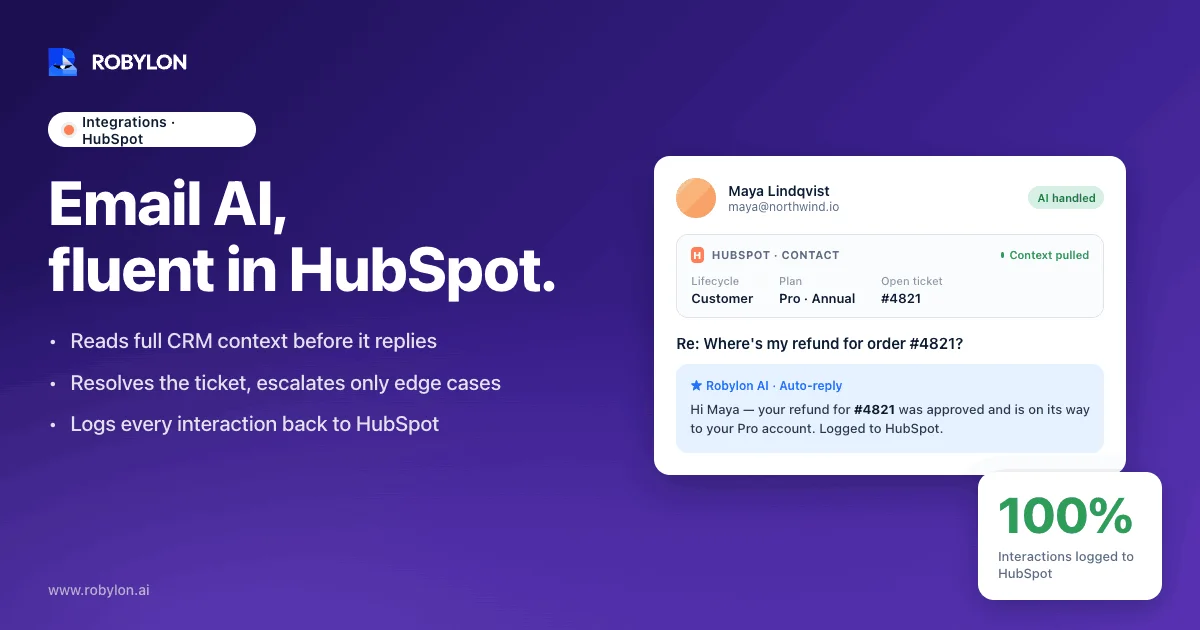
A customer emails “still waiting on my refund” at 2 a.m. Your AI replies in twenty seconds with a polite, accurate summary of the refund policy. It has no idea this is a three-year Enterprise customer with an open $40,000 renewal who already emailed twice this week.
The reply isn’t wrong. It’s blind. The difference between a good AI reply and a useful one is almost always context, and for most teams that context already lives in HubSpot.
What connecting AI to HubSpot actually means
Most “AI for support” setups connect to the inbox and stop there. The agent reads the incoming email, drafts a reply from a knowledge base, and sends. HubSpot, if it’s involved at all, finds out later when someone logs the ticket by hand.
Connecting AI to HubSpot properly means three jobs, not one:
That third job is the one teams skip, and it’s the one that matters most. If the AI resolves an email but HubSpot never hears about it, your reporting is wrong, your reps are blind, and the next person who touches the account starts from zero. The connection has to run both directions.
The customer context that changes the answer
Go back to the refund email. Here is how the same message should be handled differently once the agent can see the HubSpot record.
For a churned free-tier user, the answer is the standard policy and a help link. For that Enterprise customer with the open renewal, the right move is a faster, warmer reply and a quiet flag to the account owner, because a refund complaint during a renewal window is a retention problem, not a ticket.
Same words in the inbox. Completely different correct response.
The data that drives this distinction lives across a handful of HubSpot objects:
This is the same problem every CRM integration has to solve. We have written about the Salesforce version of it in connecting an AI agent to Salesforce, and the principle holds on HubSpot: an answer without the record behind it is a guess that happened to be polite.
Two ways to put AI on HubSpot email
There are two real paths here, and they suit different teams. Be honest about which one you are.
The native route: HubSpot’s Breeze Customer Agent
HubSpot’s own AI, Breeze, includes a Customer Agent that resolves common support conversations around the clock, trained on your knowledge base, website, and blog content. HubSpot reports it handles up to 70% of conversations without a human, hands off when judgment is needed, and, as of a January 2026 update, shows audit cards so you can see which properties it changed.
If you are already all-in on HubSpot, your help content lives in the HubSpot knowledge base, and you are on a Service Hub Professional or Enterprise plan, Breeze is the path of least resistance. It is native, permission-aware, and there is nothing extra to wire up.
The catches are worth knowing before you commit:
We go deeper on that tradeoff in HubSpot Service Hub against a standalone email agent.
The connected route: HubSpot as system of record, agent as engine
The other path keeps HubSpot as the source of truth and connects a dedicated, email-first AI agent to it through the API. The agent reads context from HubSpot, resolves the email, and writes the outcome back. HubSpot stays exactly where it is.
This is the better fit when email is your highest-volume channel, when you need the agent to act across systems beyond HubSpot, or when paying per Service Hub seat for an automation layer doesn’t make sense. The same pattern works if your tickets live somewhere else entirely; the mechanics barely change whether you connect the agent to Zendesk or to HubSpot.
How the connection works under the hood
The plumbing is more boring than it sounds, which is a good thing. HubSpot exposes a clean REST API, and a connected agent uses it the same way any integration would.
Authentication runs through a private app. In HubSpot you go to Settings, then Integrations, then Private Apps, create an app, and grant it scopes for exactly the objects the agent needs: read on contacts, companies, and deals; read and write on tickets and conversations. Least privilege is the rule. The agent doesn’t need write access to your deals to answer a shipping question, so don’t grant it.
From there, the data moves through a few standard channels:
One detail trips up almost everyone: getting the email conversation itself, not just a summary, onto the ticket. HubSpot’s ticket object and its conversation threads are related but separate, and a careless integration ends up with a ticket whose body is empty while the real email sits somewhere else. A proper integration writes the message as a logged email activity associated with the ticket, so your reps see the full thread the way they expect. And if you want the agent to act outside HubSpot too, that comes down to how many write-access integrations it ships with, not just whether it speaks HubSpot.
What to automate first, and where to stop
The fastest way to lose trust in AI support is to let it answer things it shouldn’t.
Resolution rate is a vanity metric if half of those resolutions are wrong.
Start with the email types that are high-volume, low-judgment, and verifiable against data the agent can actually see:
Then draw a hard line at the rest. Billing disputes, anything from a contact whose tone has turned, refunds above your threshold, and anything touching legal or compliance should route to a human with full context attached. Good agents catch a tone shift mid-thread and escalate before a frustrated customer becomes a churned one. We have laid out exactly where that line belongs in deciding when to resolve versus route to a human.
The honest version of this: the goal isn’t to automate every email. It is to automate the ones that drain your team’s hours so the team can spend its judgment where judgment is actually needed.
A realistic rollout on HubSpot
A connected email agent doesn’t need a quarter-long project. The work is mostly decisions, not code, and a clean setup usually goes live in three to seven days.
The step teams forget is the third one. If the agent resolves a ticket but never moves it to “closed” in HubSpot or sets a “resolved by” property, your dashboards will show a backlog that doesn’t exist, and your team won’t trust the numbers.
Keeping HubSpot the single source of truth
This is the whole point of connecting to a CRM instead of bolting AI onto a separate inbox. Every interaction the agent has should land in HubSpot as a logged email activity on the contact and the ticket, the ticket status should reflect reality, and a property should record that the AI resolved it.
Do that, and three things stay true. Your reps open any contact and see the full history, AI replies included. Your reporting in HubSpot stays honest, because closed actually means closed. And the next conversation, whoever handles it, starts with everything that came before.
The audit trail isn’t a compliance afterthought. It is what makes the whole thing trustworthy. An agent whose every action you can see is one you can rely on, instead of one you have to babysit.
Where Robylon fits
Robylon is built for the connected route. It is an email-first AI agent that plugs into HubSpot, reads the customer’s full record before it drafts a word, resolves the email, and writes the outcome back so HubSpot stays your system of record.
A few things make it suited to this specifically:
The framing matters here: this is about scaling your support, not replacing your team. The agent takes the repetitive volume off the queue so your people can handle the conversations that need a person. You can see how the email side works on the AI email support platform page.
Ready to put AI on your HubSpot email without losing your system of record? Robylon AI resolves 60 to 80% of customer emails autonomously, with agents that read HubSpot context, write every outcome back, and take action across HubSpot, Shopify, Stripe, and 60+ other integrations. Start free at robylon.ai
Frequently asked questions
Does AI email support need HubSpot Service Hub?
No. A connected agent works through the HubSpot API and runs even on the free CRM, so you don't need a Service Hub seat just to add AI to email. HubSpot's own Breeze Customer Agent does require Service Hub Professional or Enterprise plus credits. A standalone agent like Robylon is priced on usage-based credits instead, with no per-seat fee, and HubSpot stays your system of record either way.
How does the AI agent see HubSpot customer context?
Through a HubSpot private app with read scopes on contacts, companies, and deals. When an email arrives, the agent looks up the matching record and walks its associations to pull the customer's plan, lifecycle stage, open deals, and past tickets before it drafts a reply. That context is what lets the same question get a different, correct answer for a free-tier user versus an Enterprise account in a renewal window.
Will AI replies be logged on the HubSpot contact and ticket?
Yes, if the integration is built correctly. Every reply should be written back as a logged email activity on both the contact and the ticket, the ticket status should update to reflect the resolution, and a property should record that the AI handled it. This keeps HubSpot as the single source of truth, so your reps see the full thread and your reporting stays accurate.
What email types should AI resolve versus escalate?
Automate high-volume, low-judgment emails the agent can verify against data: order and shipping status, account and plan questions, in-policy returns, and password resets. Route the rest to a human with full context: billing disputes, refunds above your threshold, anything touching legal or compliance, and any thread where the customer's tone has turned. The aim is to clear repetitive volume, not to force the agent to answer questions it shouldn't.
How long does it take to connect AI email support to HubSpot?
Usually three to seven days. Most of that time is decisions, not code: validating the agent against your past tickets, mapping which HubSpot properties it reads, defining what it writes back, and setting escalation rules. The smart approach is to go live on one or two email categories first, watch the quality closely, then widen coverage once you trust the numbers.