
Email Support Metrics That Matter in 2026: FRT, AHT, Resolution Rate
Most teams track generic customer service metrics and apply them to email. That is a mistake. Email has its own dynamics — different expectations, different volumes, different cost structures. This guide defines the 8 metrics every email support leader should track in 2026, provides industry benchmarks, and shows how AI changes the targets for each one.
Every support leader tracks metrics. But most are tracking generic customer service KPIs — first response time, customer satisfaction, ticket volume — without distinguishing between channels. The problem is that email, chat, voice, and social have fundamentally different dynamics. An 8-hour first response time is terrible for chat but acceptable for email. A 90% CSAT score means something very different when the response was immediate (chat) versus when the customer waited 6 hours (email).
In 2026, with AI resolving a growing share of email tickets, the metrics landscape is shifting further. You need to track not just how fast and well your team responds, but how effectively your AI resolves, where it fails, and what the blended performance looks like. This guide covers the 8 email-specific metrics that matter, the industry benchmarks to target, and how AI changes what “good” looks like.
Metric 1: First Response Time (FRT)
What It Measures
The time between when a customer sends a support email and when they receive the first meaningful response — not an auto-acknowledgment (“We received your email and will respond within 24 hours”), but an actual answer or resolution.
Why It Matters for Email
Email FRT sets the tone for the entire interaction. Customers who receive a substantive response within 1 hour rate their experience significantly higher than those who wait 12+ hours — even if the eventual resolution is identical. FRT is also the most commonly promised metric in SLAs and the one most likely to trigger escalation when breached.
Industry Benchmarks (2026)
E-commerce: 1–4 hours median. SaaS: 2–8 hours median. Fintech: 1–4 hours median (regulatory pressure). B2B Enterprise: 4–12 hours median. Overall industry average: 4–8 hours.
AI Impact
AI email agents deliver first responses in under 5 minutes — because the AI processes the email, retrieves the relevant information, and generates a response within seconds of the email arriving. This transforms FRT from a metric you manage to a metric you essentially eliminate. Teams using AI email agents report median FRT of 2–4 minutes for AI-resolved emails, bringing the blended FRT (AI + human) to under 30 minutes even when human-handled emails take several hours.
Metric 2: Average Handle Time (AHT)
What It Measures
The total time an agent spends on an email ticket from first opening it to marking it resolved — including reading the email, researching the issue, querying systems, drafting the response, and any follow-up replies. For email, AHT should include the full thread duration, not just the time spent on the first reply.
Why It Matters for Email
AHT directly determines your team’s capacity. If your average handle time is 8 minutes per email and each agent handles 6 hours of tickets per day, each agent resolves roughly 45 emails per day. If AHT drops to 5 minutes through AI copilot assistance, capacity jumps to 72 emails per agent per day — a 60% increase with the same headcount.
Industry Benchmarks (2026)
Simple emails (FAQ, policy): 3–5 minutes. Medium complexity (order issues, billing): 6–10 minutes. Complex (technical, multi-system): 15–25 minutes. Blended average: 7–12 minutes across industries.
AI Impact
For emails the AI resolves autonomously, AHT is effectively zero from the agent’s perspective. For agent-handled emails, AI copilot features (auto-suggested drafts, customer context panels, knowledge base retrieval) reduce AHT by 30–50%. The blended metric shifts dramatically: if AI resolves 70% of emails (AHT = 0) and agents handle 30% at 6 minutes each, blended AHT drops to 1.8 minutes — even though individual agent productivity has not changed.
Metric 3: First Contact Resolution Rate (FCR)
What It Measures
The percentage of email tickets resolved in the first response — no follow-up required, no back-and-forth, no escalation. The customer emails once, receives one reply, and the issue is closed.
Why It Matters for Email
Email follow-ups are expensive. Each back-and-forth doubles (or triples) the handle time, extends the resolution timeline by hours or days, and reduces customer satisfaction. A team with 50% FCR is handling twice as much email volume as a team with 85% FCR — not because they receive more emails, but because each email generates multiple touches.
Industry Benchmarks (2026)
E-commerce: 65–75%. SaaS: 55–70%. Fintech: 60–75%. Overall target: 70%+ is considered good.
AI Impact
AI improves FCR by including complete, accurate information in the first response. When a customer emails about a return, the AI checks the order, verifies eligibility, generates the return label, and includes the refund timeline — all in one reply. No follow-up needed. Teams using AI email agents typically see FCR jump from 55–65% to 80–90% because the AI does not guess or give partial answers — it retrieves the actual data and resolves the issue completely.
Metric 4: Customer Satisfaction (CSAT) for Email
What It Measures
Customer satisfaction score specifically for email interactions — measured via a survey sent after email resolution. Important: this should be tracked separately from chat CSAT, voice CSAT, and overall CSAT. Mixing channels produces misleading averages.
Why It Matters for Email
Email CSAT tells you whether your responses are accurate, helpful, and appropriately toned. Unlike chat (where speed dominates satisfaction) or voice (where empathy dominates), email CSAT is driven primarily by response accuracy and completeness. Customers care less about how fast you replied (within reason) and more about whether the reply actually solved their problem.
Industry Benchmarks (2026)
Top-performing email support: 88–92% CSAT. Average: 78–85%. Below average: under 75%. Note that email CSAT is typically 3–5 points lower than chat CSAT because email interactions involve longer wait times and more complex issues (simple questions go to chat).
AI Impact
Well-configured AI email agents achieve CSAT scores on par with or slightly above human agents — typically 85–92%. The AI delivers consistent quality (no bad days, no knowledge gaps between agents), includes complete information in every response, and personalizes using customer data. The risk area is tone — AI responses that sound robotic or formulaic can drag CSAT down even when the answer is accurate. Tone engineering and brand voice configuration are critical.
Metric 5: Email Backlog
What It Measures
The number of email tickets currently open and unresolved at any given time. Tracked as a snapshot (how many are open right now), a trend (is the backlog growing or shrinking this week), and by age (how many emails have been open for more than 24 hours, 48 hours, 72+ hours).
Why It Matters for Email
Email backlog is the single best leading indicator of a support operation under stress. A growing backlog means incoming volume exceeds resolution capacity — and unless something changes, response times will deteriorate, SLAs will breach, and customer satisfaction will drop. Unlike chat (where customers disconnect and the “backlog” disappears), email backlogs persist and compound.
Industry Benchmarks (2026)
Healthy: backlog stays below 1 day’s incoming volume (if you receive 200 emails per day, backlog should stay under 200). Warning zone: backlog exceeds 1.5x daily volume. Crisis zone: backlog exceeds 3x daily volume or growing week-over-week for 3+ consecutive weeks.
AI Impact
AI email agents eliminate backlogs by processing emails in real-time. Every email is handled within seconds of arrival — either resolved automatically or queued for human review with priority scoring. Teams using AI report backlog reductions of 70–90% within the first month. The concept of a “Monday morning backlog” (weekend emails piling up) essentially disappears because the AI processes emails 24/7.
Metric 6: Bot Resolution Rate (BRR)
What It Measures
The percentage of email tickets that the AI resolves without any human involvement — from initial processing through response delivery and ticket closure. This is distinct from “bot deflection rate” (AI prevented the email from reaching an agent) or “bot response rate” (AI generated a response, whether or not it resolved the issue).
Why It Matters for Email
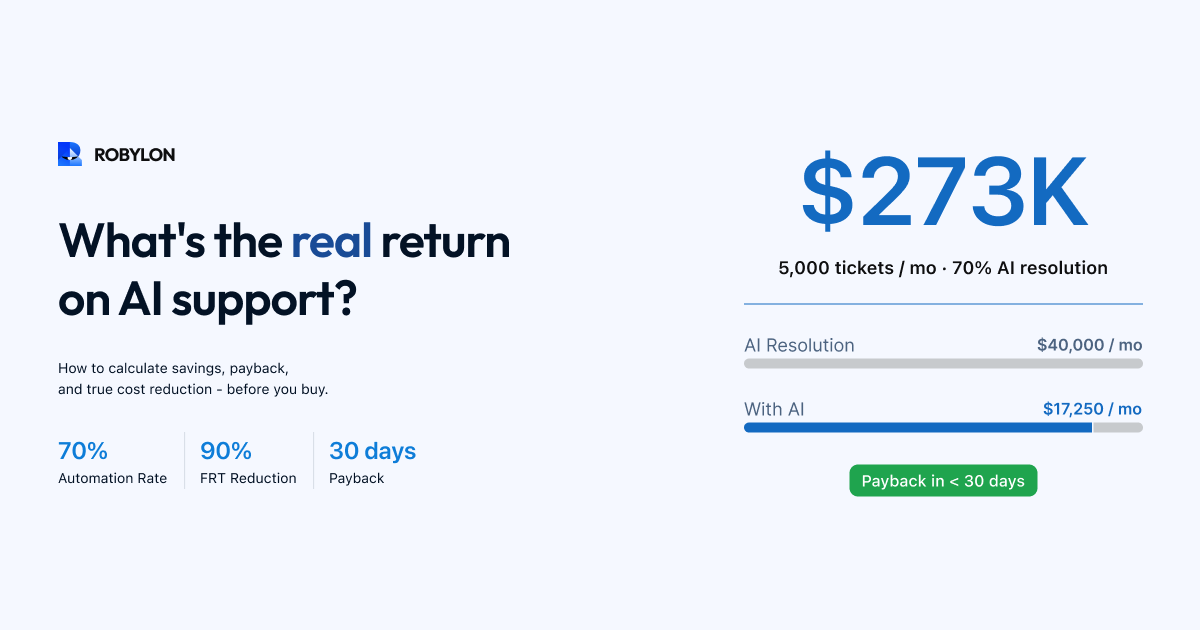
BRR is the single most important metric for AI email support. It directly determines how much headcount the AI replaces, the ROI of the platform, and the cost per email ticket. A BRR of 70% on 5,000 monthly emails means 3,500 emails are fully resolved by AI — saving approximately $17,500–$52,500 per month in agent costs (at $5–$15 per human-handled email).
Industry Benchmarks (2026)
Answer-only AI (no action-taking): 25–40% BRR. AI with basic integrations: 40–60% BRR. AI with full action-taking (Robylon-class): 60–80% BRR. The variance comes from knowledge base quality, integration depth, and query complexity. E-commerce email (high repetition, clear intents) achieves the highest BRR; complex B2B technical support achieves the lowest.
AI Impact
BRR is the AI metric — it only exists because AI exists. Track it weekly, segment it by email category (you should see 85–95% BRR for WISMO and FAQs, 40–60% for billing, and 15–30% for complex technical issues), and use category-level BRR to identify knowledge base gaps and integration opportunities.
Metric 7: Cost Per Email Ticket
What It Measures
The fully loaded cost to resolve one email ticket — including agent salary, benefits, overhead, tooling, and AI platform costs, divided by total tickets resolved. This should be calculated separately for AI-resolved and human-resolved emails, plus as a blended average.
Why It Matters for Email
Cost per ticket is the metric that gets CFO attention. It translates support operations into financial terms: if you resolve 5,000 emails per month at $8 per ticket, your email support costs $40,000 per month. If AI reduces that to $3 per ticket blended, the same volume costs $15,000 per month — a $300,000 annual saving that funds the AI platform many times over.
Industry Benchmarks (2026)
Human-handled email: $5–$15 per ticket (varies by agent salary and handling time). AI-resolved email: $0.50–$2.00 per ticket. Blended (70% AI, 30% human): $2–$6 per ticket. E-commerce tends toward the lower end, fintech and enterprise toward the higher end.
AI Impact
AI transforms cost per ticket from a fixed-range metric into a variable you can optimize. As BRR improves (better knowledge base, more integrations), blended cost per ticket drops. The compounding effect is powerful: higher BRR means fewer agents needed, which means lower overhead per remaining agent, which means lower cost per human-handled ticket too.
Metric 8: Knowledge Gap Rate
What It Measures
The percentage of incoming emails that the AI cannot resolve because the relevant information is missing from the knowledge base — not because the query is too complex or requires human judgment, but because the answer simply does not exist in the system. This is distinct from escalation rate (emails routed to humans by design) and confidence failure rate (AI has the information but is not confident enough to auto-send).
Why It Matters for Email
Knowledge gap rate is the most actionable metric for improving AI performance. Every knowledge gap represents a category of emails that the AI could resolve if the right content were added. Closing the top 5 knowledge gaps each week is the fastest way to increase BRR — typically adding 2–5 percentage points per week in the first 2–3 months.
Industry Benchmarks (2026)
Week 1 of deployment: 15–25% knowledge gap rate. Month 1: 8–15%. Month 3 (optimized): 3–8%. Mature deployment: under 5%. A knowledge gap rate above 10% after 3 months indicates that the knowledge base is not being actively maintained.
AI Impact
AI platforms like Robylon automatically identify and surface knowledge gaps — logging every email the AI could not resolve due to missing information, grouped by topic and frequency. This turns knowledge base optimization from a guessing game (“What content should we add?”) into a data-driven process (“These 5 topics account for 60% of our knowledge gaps this week”).
Building Your Email Support Dashboard
A complete email support dashboard in 2026 should display these 8 metrics with the following views: real-time (current backlog, today’s FRT, live BRR), daily trend (how each metric is moving this week), weekly summary (week-over-week changes, target vs actual), and by segment (AI-resolved vs human-resolved, by email category, by customer segment).
The most valuable comparison is AI vs human performance side by side. Track CSAT for AI-resolved emails versus human-resolved emails. Track FCR for each. Track cost per ticket for each. This comparison reveals where the AI is outperforming humans (speed, consistency, availability) and where it is underperforming (complex edge cases, emotional sensitivity) — and guides your optimization efforts.
Bottom Line
Generic customer service metrics applied to email produce misleading insights. Email has its own dynamics — different customer expectations, different resolution patterns, different cost structures. In 2026, with AI handling a growing share of email volume, you need metrics that capture both human and AI performance, separately and blended.
Track these 8 metrics weekly. Compare AI and human performance on each. Close knowledge gaps systematically. The result is an email operation that costs less, responds faster, resolves more on first contact, and scales without proportional headcount increases.
See your email metrics in real time. Robylon AI tracks BRR, FRT, CSAT, cost per ticket, and knowledge gaps automatically — with AI vs human performance comparison built in. Start free at robylon.ai
Frequently asked questions
What is the most important email support metric to track in 2026?
Bot Resolution Rate (BRR) — the percentage of email tickets resolved by AI without any human involvement. BRR directly determines your cost savings, headcount needs, and scalability. A BRR of 70% on 5,000 monthly emails means 3,500 emails resolved automatically, saving $17,500–$52,500/month in agent costs. Track BRR weekly, segmented by email category — you should see 85–95% for WISMO and FAQs, 40–60% for billing, and 15–30% for complex technical issues. Category-level BRR reveals exactly where to invest in knowledge base improvements.
What is a good first response time for email support?
Industry benchmarks vary by sector: E-commerce: 1–4 hours median. SaaS: 2–8 hours. Fintech: 1–4 hours. B2B Enterprise: 4–12 hours. Overall industry average: 4–8 hours. With AI email agents, FRT for AI-resolved emails drops to under 5 minutes, bringing the blended FRT (AI + human) to under 30 minutes. The key distinction: FRT should measure the first meaningful response, not an auto-acknowledgment like "We received your email."
What is the Knowledge Gap Rate and why does it matter?
Knowledge Gap Rate measures the percentage of emails the AI could not resolve because the relevant information is missing from the knowledge base — not because the query was too complex. This is the most actionable metric for improving AI performance: every gap represents a category of emails that the AI could resolve if the right content were added. Target: under 5% for mature deployments. Closing the top 5 knowledge gaps each week typically adds 2–5 percentage points to your auto-resolution rate in the first 2–3 months.
How should I track AI vs human email support performance?
Build a side-by-side dashboard comparing AI and human performance on 5 key metrics: CSAT (AI should match or exceed human scores at 85–92%), First Contact Resolution (AI typically achieves 80–90% vs human 55–65%), Average Handle Time (AI resolves in seconds vs 7–12 minutes for humans), Cost per ticket ($0.50–$2 AI vs $5–$15 human), and Accuracy (spot-check 50 AI responses weekly). This comparison reveals where AI outperforms (speed, consistency, cost) and where humans excel (complex edge cases, emotional sensitivity).
What email support metrics should I show my leadership team?
Leadership cares about four metrics: 1) Cost per email ticket (blended AI + human, trending down). 2) Bot Resolution Rate (percentage automated, trending up). 3) Customer Satisfaction (CSAT for email, stable or improving). 4) Email backlog trend (shrinking or stable, never growing). Present these as a monthly trend with before/after AI deployment comparison. The most compelling visualization: a line chart showing cost per ticket declining while volume increases — proving that AI breaks the linear relationship between email volume and support costs.