
Connecting AI Email Support to Salesforce CRM (Deep Integration Guide)
A deep integration guide for connecting AI email support to Salesforce CRM. Covers authentication, case management, custom objects, Service Cloud workflows, and common pitfalls.
Why Salesforce Integration Is Different
Salesforce isn’t just another integration target. For most enterprises, it’s the system of record for customer relationships — sales pipeline, support cases, marketing engagement, and account history all live there. When you connect AI email support to Salesforce, you’re not just enabling data flow; you’re plugging into the spine of your customer operations.
This guide covers what a deep Salesforce integration looks like for AI email support, beyond the surface-level “we have a Salesforce connector” claim that most vendors make.
Integration Layers, From Surface to Deep
Layer 1: Read-Only Context
The most basic integration. The AI reads contact data, account history, and recent cases from Salesforce to personalise responses. Useful for context but doesn’t reduce agent workload — the AI still hands off to humans for any action.
Layer 2: Case Creation and Updates
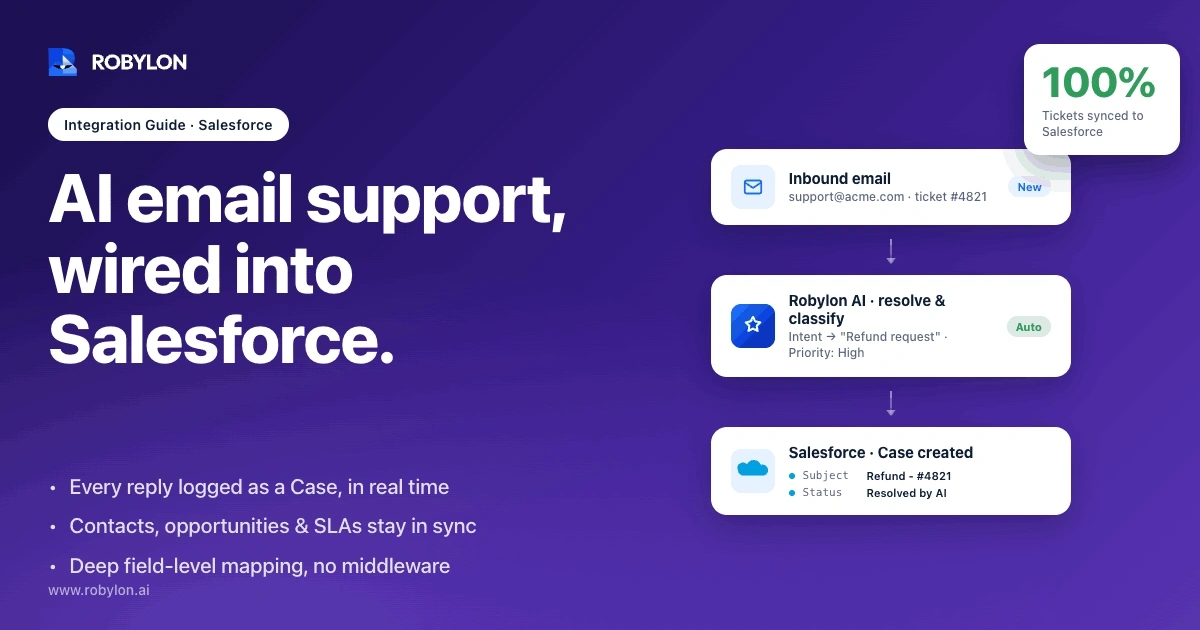
The AI creates cases for inbound emails, updates them as it processes, and closes them on resolution. Cases include AI metadata (confidence score, escalation reason). This is the minimum for using Salesforce as the system of record.
Layer 3: Bidirectional Action
The AI takes action in Salesforce — creating tasks, updating contact fields, modifying opportunities, logging activities. The AI’s actions appear in the Salesforce timeline alongside human-created activities.
Layer 4: Custom Object Integration
Most enterprises have custom Salesforce objects for their specific business (subscriptions, devices, projects, contracts). Deep integration means the AI can read and update these custom objects too.
Layer 5: Service Cloud Workflow Integration
The AI participates in Service Cloud workflows: case routing rules, escalation paths, milestone tracking, knowledge article suggestions, and Einstein integrations. The AI is a first-class actor in your service operations.
Authentication and Security
OAuth 2.0 Integration
Use Salesforce’s OAuth 2.0 framework with a connected app dedicated to your AI email tool. Don’t share credentials with other integrations.
Permission Sets
Create a dedicated permission set for the AI’s Salesforce user with least-privilege access:
- Read access only to objects the AI needs
- Write access only to specific fields the AI must update
- No access to objects outside the AI’s scope (e.g., Sales Cloud opportunities if the AI handles only support)
Field-Level Security
Sensitive fields (SSN, payment details, PHI) should be invisible to the AI’s user. The AI should never see these in the data it processes.
Audit Trail
Every AI action in Salesforce should be attributable to a specific AI agent identity (not a generic API user) for audit purposes. Use Salesforce’s Field History Tracking on critical fields.
Data Sync Patterns
Real-Time Sync via Platform Events
Use Salesforce Platform Events for real-time bidirectional sync. When a case is updated in Salesforce, the AI tool is notified instantly. When the AI updates a case, the change is pushed to Salesforce immediately.
API Polling with Change Data Capture
For environments where Platform Events aren’t available, use Change Data Capture with REST API polling. Less elegant but more compatible with older Salesforce orgs.
Webhook-Based Triggers
For specific events (case creation, status change), webhooks fire to the AI tool’s endpoint. Useful for triggering AI workflows from Salesforce business processes.
Case Management Architecture
Two architectural patterns for case management:
Pattern A: AI Tool as Case Owner
The AI email tool is the primary case management system. Cases are created in Salesforce as a record but managed in the AI tool. The Salesforce case is updated to reflect AI actions but isn’t the active workspace.
Best for: enterprises adding AI email to existing helpdesk infrastructure that isn’t Salesforce.
Pattern B: Salesforce Service Cloud as Case Owner
Service Cloud is the primary case management system. The AI processes incoming emails, takes actions, and updates the Salesforce case throughout. Human agents work within Service Cloud as their primary interface.
Best for: enterprises already using Service Cloud with mature workflows. AI augments existing operations.
Custom Object Patterns
Custom objects vary widely. Common patterns for AI integration:
- Subscription objects: AI reads subscription state, can update plan or billing date with proper permissions
- Device/asset objects: AI reads device registration data, creates support tasks linked to specific devices
- Contract objects: AI reads contract terms to provide accurate policy answers, never modifies
- Project objects: AI reads project status, creates tasks for project owners
For each custom object, define the AI’s read/write scope explicitly. Don’t grant blanket object access.
Knowledge Article Integration
Service Cloud Knowledge can serve as the AI’s primary knowledge base:
- AI retrieves relevant articles for each query
- Article suggestions appear in case detail for human agents
- AI can flag knowledge gaps when no relevant article exists
- Article version control keeps AI responses synchronised with current policy
Einstein Integration
For organisations using Einstein:
- Einstein Bots: Can hand off to your AI email tool for complex queries
- Einstein Activity Capture: AI-generated emails appear in activity timelines
- Einstein Case Classification: Co-existence pattern where Einstein triages and your AI tool handles specific case types
Common Integration Pitfalls
- API limit consumption: Aggressive AI sync can hit Salesforce API limits. Monitor and optimise call patterns
- Duplicate contact creation: Without deduplication logic, the AI creates duplicate contacts when emails come from new addresses for existing customers
- Stale data: Caching Salesforce data without invalidation leads to AI responses based on outdated information
- Permission creep: Granting broad permissions for convenience now creates audit problems later
- Missing custom objects: AI can’t reference business-specific data that lives in custom objects you didn’t connect
Implementation Timeline
- Week 1: Connected app setup, authentication, basic read access
- Week 2: Case creation and update workflows
- Week 3: Custom object integration for your specific business data
- Week 4: Service Cloud workflow integration, knowledge article retrieval
- Ongoing: Optimisation based on actual usage patterns
Bottom Line
Salesforce integration depth is what separates AI email tools that genuinely work in enterprise environments from those that just claim to integrate. Demand specifics during evaluation: which objects, which fields, which workflow patterns, which authentication methods. Surface-level integrations create more friction than they remove.
Robylon AI provides deep Salesforce integration: bidirectional sync, custom object support, Service Cloud workflow integration, and field-level security — with implementation typically completing in under 4 weeks. Start free at robylon.ai
Frequently asked questions
What are the five layers of Salesforce integration depth?
Five layers from surface to deep: read-only context, case creation and updates, bidirectional action, custom object integration, and Service Cloud workflow integration. Vendors claiming “Salesforce integration” vary widely — demand specifics about which layer they support.
How should AI authenticate to Salesforce?
Use OAuth 2.0 with a dedicated connected app, a permission set with least-privilege access, field-level security hiding sensitive fields (SSN, payment, PHI), and audit trails attributing every AI action to a specific agent identity (not a generic API user) for accountability.
What case management patterns work for Salesforce + AI?
Two patterns: Pattern A uses the AI tool as case owner with Salesforce as a record (best when Salesforce isn't the existing helpdesk), and Pattern B uses Service Cloud as case owner with AI augmenting existing operations (best for mature Service Cloud deployments).
What are common Salesforce integration pitfalls?
Common pitfalls: API limit consumption from aggressive sync, duplicate contact creation without dedup logic, stale data from caching without invalidation, permission creep from broad grants, and missing custom objects that contain business-critical data the AI can't reference.
How long does Salesforce + AI integration typically take?
Typical timeline: Week 1 setup and authentication, Week 2 case workflows, Week 3 custom objects, Week 4 Service Cloud workflows and knowledge integration. Most enterprises complete in under 4 weeks with ongoing optimisation based on actual usage patterns.