
How to Connect AI Email Support to Zendesk (Integration Guide)
You do not have to leave Zendesk to get AI email resolution. This integration guide shows how Robylon AI layers on top of your existing Zendesk setup — processing incoming emails, resolving 60–80% automatically, and syncing everything back to Zendesk for agent workflows and reporting.
Your team is on Zendesk. You have spent months configuring triggers, macros, views, and reporting. Your agents know the interface. Your workflows are dialed in. The last thing you want is to migrate to a new platform.
The good news: you do not have to. AI email resolution works as a layer on top of Zendesk — processing incoming emails, resolving the predictable ones automatically, and syncing everything back to Zendesk so your agents, workflows, and reporting continue working exactly as they do today. The only difference is that 60–80% fewer emails reach your agents.
How the Integration Works
Architecture Overview
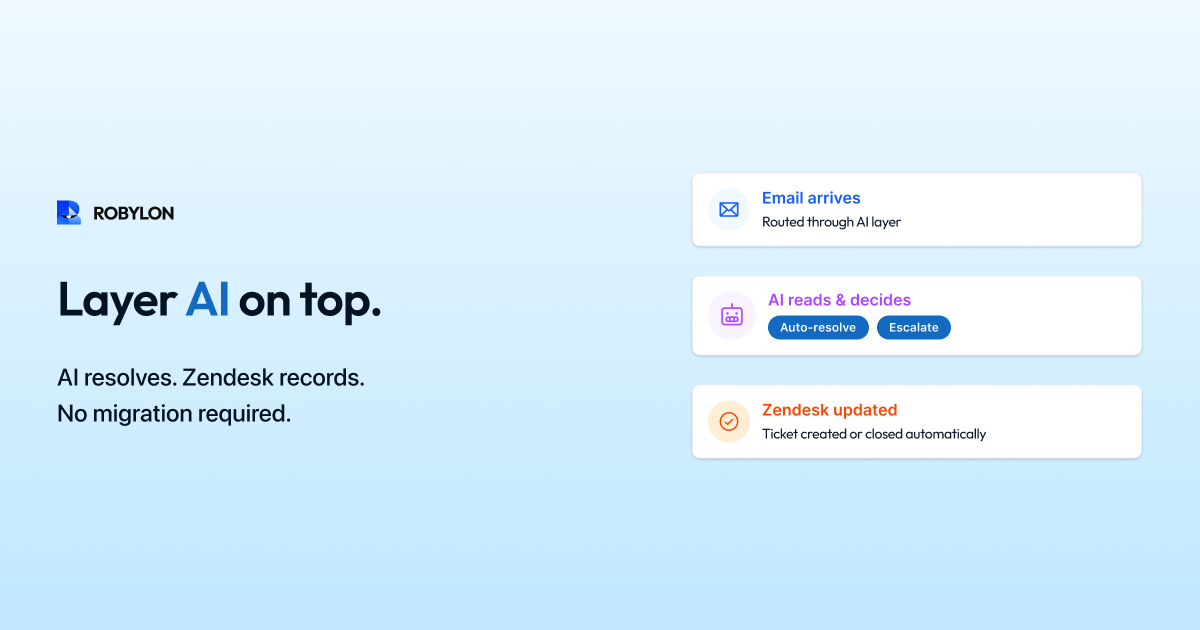
The integration follows a straightforward flow: email arrives at your support address → Zendesk creates a ticket (as it does today) → Robylon AI receives the ticket via Zendesk API → the AI processes the email (intent detection, knowledge retrieval, system queries, response generation) → if confidence is above threshold, the AI posts the response as a public reply on the Zendesk ticket and sets the status to solved → if confidence is below threshold, the AI adds an internal note with the suggested response and context, and the ticket remains in the agent queue for human review.
From the Zendesk perspective, everything looks normal. Tickets are created, updated, and resolved through the standard interface. The only difference is that many tickets now arrive with a resolution already posted — by the AI — within minutes of creation.
What Gets Synced Back to Zendesk
Every AI action is recorded in Zendesk: the AI’s response (posted as a public reply or an internal note), ticket tags indicating AI processing (ai_resolved, ai_drafted, ai_escalated), custom fields updated with AI metadata (confidence score, detected intent, matched KB article), and resolution status. This means your Zendesk reporting, SLA tracking, and agent workflows all reflect AI activity. Your existing Zendesk views, triggers, and automations continue working — they just have fewer tickets to process.
Setup Guide: Step by Step
Step 1: Connect Zendesk API (30 Minutes)
Generate a Zendesk API token (Admin → Channels → API → Add API Token). Enter the token in Robylon’s integration settings along with your Zendesk subdomain. Robylon uses the API to read incoming tickets and post responses — no webhooks, no middleware, no custom development required. Before granting API access, it is worth running the vendor through an AI email security and compliance checklist covering certifications, encryption, access controls, and the AI-specific risks your security team will want verified.
Step 2: Configure Ticket Routing (1 Hour)
Decide which tickets the AI should process. Options: all incoming email tickets (recommended for maximum impact), specific ticket groups or categories only (conservative start), or tickets matching specific criteria (e.g., only from the support@company.com channel, excluding internal tickets). Most teams start with all email tickets and use confidence thresholds to control what the AI auto-resolves versus drafts.
Step 3: Upload Knowledge Base (2–4 Hours)
If you use Zendesk Guide for your help center, Robylon can sync directly — importing all published articles automatically. If your knowledge base is elsewhere (Confluence, Notion, Google Docs), upload the content through Robylon’s KB interface. This is the most important step: AI resolution quality is directly determined by knowledge base completeness and accuracy.
Step 4: Connect Business Systems (1–2 Hours)
For AI to resolve transactional emails (not just answer questions), connect your OMS (Shopify, WooCommerce), payment processor (Stripe, Razorpay), CRM (Salesforce, HubSpot), and any other systems agents currently use to look up customer data. Each integration transforms a category from “AI can answer” to “AI can resolve.”
If Salesforce is your CRM, our deep guide on connecting AI email support to Salesforce CRM walks through OAuth setup, case management architecture, custom object sync, and Service Cloud workflow patterns in detail.
Step 5: Shadow Mode (1–2 Weeks)
Enable shadow mode: the AI processes every incoming ticket and adds an internal note with its proposed response, but does not post anything public. Agents review these notes alongside their normal workflow and flag inaccuracies. This builds confidence in AI accuracy before any customer-facing deployment.
Step 6: Go Live (Gradual)
Enable auto-resolution for your highest-confidence categories first — typically WISMO, FAQ, and policy questions. The AI posts public replies and sets tickets to solved. Monitor accuracy and CSAT daily. Expand to additional categories weekly as confidence data accumulates.
What Changes for Your Agents
Agents continue working in Zendesk exactly as before. Their views show fewer tickets because the AI has resolved the simple ones. The tickets that remain in their queue are the complex, interesting cases — with an AI-generated internal note providing customer context, relevant KB content, and a suggested response they can use or modify.
For tickets the AI drafted but did not auto-resolve, agents see a one-click approval workflow: review the AI’s draft, make any edits, and send. This reduces handle time from 8–12 minutes per email to 1–2 minutes — the AI has already done the research and written the response.
What Changes for Your Zendesk Configuration
Most existing Zendesk configuration continues working unchanged. A few additions to maximize the integration: create a Zendesk view for “AI-drafted tickets” (tickets with the ai_drafted tag) so agents can quickly process draft approvals. Add a trigger that escalates tickets with the ai_escalated tag to your senior agent group. Create a report or Explore dashboard showing AI-resolved vs human-resolved ticket metrics side by side.
Existing triggers, macros, and automations that fire on ticket creation or update will still fire — including auto-responders, SLA alerts, and routing rules. Ensure your auto-responder does not fire on AI-resolved tickets (add a condition: tags does not contain ai_resolved) to avoid sending both an AI resolution and a “We received your email” auto-acknowledgment.
Zendesk Plan Considerations
The Robylon integration works with any Zendesk plan that provides API access — which includes Suite Team ($55/agent/month) and above. If you are already paying for Zendesk Advanced AI ($50/agent/month), Robylon can replace it — providing higher auto-resolution rates (60–80% vs 35–55%) at lower total cost because Robylon uses credits-based pricing rather than per-resolution charges.
For teams on Zendesk Suite Professional ($89/agent) + Advanced AI ($50/agent) = $139/agent, the cost for 10 agents is $1,390/month plus per-resolution fees. Robylon at $2,000–$3,000/month (flat, credits-based) resolves more email volume at a lower total cost — and you can potentially reduce your Zendesk plan tier since AI is handling the advanced features.
Bottom Line
Zendesk is a great helpdesk. What it lacks is autonomous email resolution — the ability to not just triage and assist, but to actually resolve emails end-to-end. Robylon adds this capability on top of your existing Zendesk setup in days, not months, with zero migration and zero disruption to your agent workflows.
Add AI resolution to Zendesk in days. Robylon AI layers on top of your existing Zendesk setup — resolving 60–80% of email tickets while your agents, workflows, and reporting stay exactly where they are. Start free at robylon.ai
Frequently asked questions
How does Robylon AI integrate with Zendesk?
Via the Zendesk API: email arrives → Zendesk creates a ticket → Robylon receives it via API → AI processes the email (intent, knowledge retrieval, system queries, response generation) → high-confidence responses are posted as public replies with the ticket set to solved → lower-confidence responses are added as internal notes for agent review. Everything syncs back: AI responses, ticket tags (ai_resolved, ai_drafted), custom fields (confidence score, intent), and status updates. Your existing Zendesk views, triggers, and reporting reflect all AI activity.
Do I need to migrate away from Zendesk to use AI email resolution?
No. Robylon works as a layer on top of Zendesk — not a replacement. Your agents stay in Zendesk, your workflows stay intact, and your reporting continues as-is. The only difference: 60–80% fewer tickets reach your agents because the AI resolved them. Setup takes days, not months: connect the API (30 minutes), configure ticket routing (1 hour), sync KB (2–4 hours), shadow mode (1–2 weeks), then gradual go-live.
Can Robylon replace Zendesk Advanced AI?
Yes. Robylon provides higher auto-resolution rates (60–80% vs Zendesk AI's 35–55%) at lower total cost (credits-based vs per-resolution + per-agent add-on). For a 10-agent team: Zendesk AI costs $500/month add-on + per-resolution fees that grow with automation. Robylon costs $2,000–$3,000/month flat. Most teams can potentially downgrade their Zendesk plan tier since AI handles the advanced features, offsetting the Robylon cost further.
What Zendesk plan do I need for the Robylon integration?
Any Zendesk plan with API access — that includes Suite Team ($55/agent/month) and above. If you are on Suite Professional ($89/agent) + Advanced AI ($50/agent) = $139/agent, adding Robylon and removing the Advanced AI add-on can reduce your total cost while delivering higher auto-resolution rates. The integration uses standard Zendesk API endpoints — no custom app development, no marketplace installation required.
What happens to my Zendesk reporting when AI resolves tickets?
All AI activity is recorded in Zendesk as standard ticket activity. AI-resolved tickets appear as solved tickets with public replies — your volume, resolution time, SLA, and CSAT reporting captures them automatically. Custom tags (ai_resolved, ai_drafted) let you build Zendesk Explore reports comparing AI vs human performance. Your existing dashboards continue working — they just show better numbers because AI resolved tickets have near-zero FRT and perfect SLA compliance.