
AI for Appointment Scheduling via Email: A Practical Guide
Scheduling by email still eats hours of back-and-forth. This guide shows how AI reads the request, checks live availability, books or reschedules, and confirms, plus where it should hand off to a human.
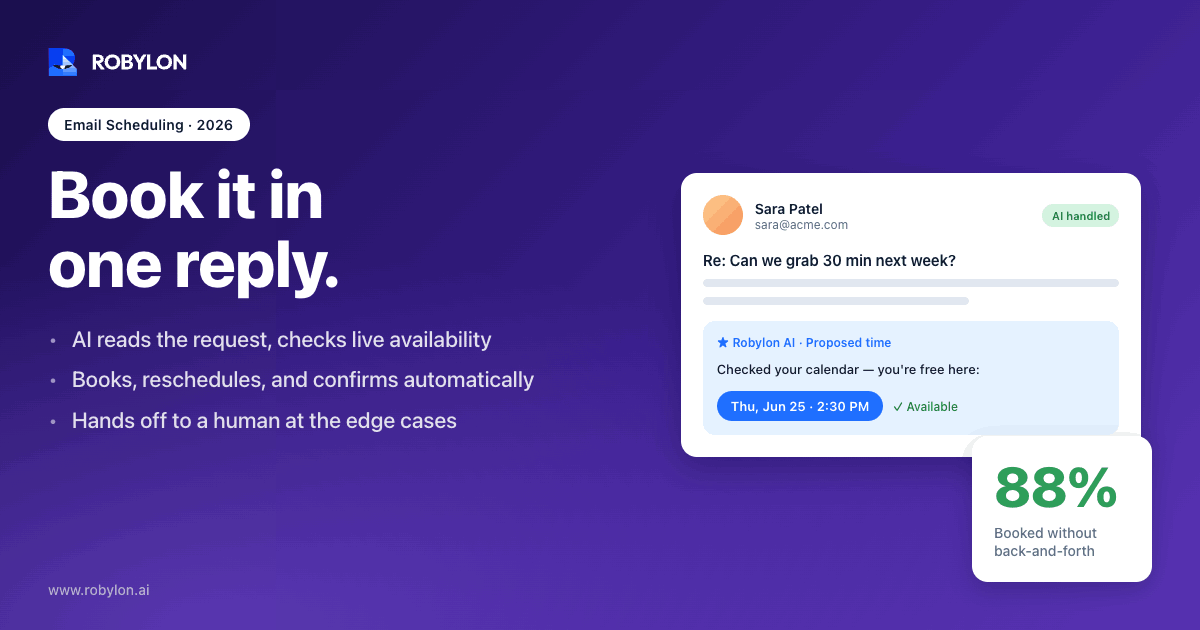
A patient emails a clinic on Saturday night: “Can I move my Tuesday cleaning to later in the week?” On a normal setup, that message sits unread until Monday, gets a reply asking for two preferred times, waits for the patient to write back, then finally gets booked Wednesday afternoon. Four days, five emails, one slot that someone else could have filled.
Email is where a huge share of scheduling still happens, and it is also where most of the friction lives. The average professional loses close to 4.8 hours a week coordinating meetings and appointments. AI changes the shape of that work. Instead of a human reading every request and playing calendar tag, an agent reads the email, checks real availability, proposes or confirms a time, and writes the booking into your system, usually in the time it takes a person to open the inbox.
Why email scheduling is so slow in the first place
Booking links solved part of this. Send someone a Calendly URL and the back-and-forth disappears. But links only work when the other person is willing to click, log in, and self-serve. Plenty of people, patients, older clients, busy executives, B2B buyers, just reply in plain English to whatever email thread is already open.
That plain-English reply is the problem. It carries the intent (“sometime next week, mornings are better”) but none of the structure a calendar needs. A human has to translate it: read the message, infer the constraints, open the calendar, find a slot, write back, wait, and eventually book. Each hop adds hours, and every hour of delay raises the odds the request goes cold.
The cost compounds at the back end too. When rescheduling means another email exchange, people don’t bother. They just no-show. Outpatient no-show rates sit in the 23 to 33 percent range in the US, and longer lead times correlate with higher no-show risk. A slow scheduling loop isn’t just an annoyance. It’s lost revenue.
What an AI scheduling agent actually does on an email
The useful mental model is a pipeline. A raw email comes in, and the agent moves it through a few distinct stages before anything lands on a calendar.
- Read and classify. The agent recognizes this is a scheduling request, not a billing question or a complaint, and routes it into the right workflow. This is the same kind of email triage that classifies and prioritizes every inbound message.
- Extract the intent. It pulls out the structured pieces buried in casual language: who, what service or meeting type, preferred days or windows, duration, timezone, and any constraints like “not before 10” or “only Mondays.”
- Check live availability. It queries the actual calendar, Google Calendar, Outlook, or a practice management system, for open slots that fit the constraints, accounting for buffers, staff, and resources like rooms.
- Propose or book. If the request is specific enough, it books directly and confirms. If it’s vague, it replies with two or three concrete options and books whichever the person picks.
- Write back and record. It sends a confirmation, creates the calendar event, and updates the CRM or record system so the appointment exists everywhere it needs to.
The part that matters most is step three. An agent that can draft a nice reply but can’t see your real calendar is just a fancy autoresponder. The value shows up only when the agent has write access to the systems where appointments actually live.
Reading messy human language
Real scheduling emails are rarely tidy. “Next week works, maybe Wed or Thurs after lunch, but I’m in Chicago so keep that in mind” contains a relative date, two candidate days, a fuzzy time window, and a timezone, all in one sentence. Modern language models handle this well, resolving “next week” against today’s date and converting “after lunch” into a sensible window in the right timezone.
Where it gets harder is ambiguity that even a human would need to clarify. “Same time as last time” requires conversation history. “Whenever Dr. Patel is free” requires knowing which provider the patient means. A well-built agent keeps thread context and fast response times available so these references resolve instead of triggering a needless clarifying email.
The integration layer is the whole game
Scheduling is an action, not an answer. That makes it fundamentally different from FAQ-style support, and it’s why most chatbots fall down here. To book an appointment, the agent has to write to a calendar, and often to two or three other systems at once.
A typical booking touches a calendar API for availability and event creation, a CRM to log the appointment against the right contact, and sometimes a payment system to collect a deposit. Robylon connects to Google Calendar, Salesforce, and Stripe among its 60+ write-access integrations, so the agent doesn’t just suggest a time, it commits the booking across every system that needs to know about it.
This is the difference between read-only and write-access automation. A read-only bot can tell a customer “Thursday at 3 looks open.” A write-access agent books Thursday at 3, blocks the slot so no one double-books, logs it to the CRM, and fires the confirmation, all from a single email. Once the booking is real everywhere, the rest of the loop, reminders, rescheduling, cancellations, becomes automatic too.
Rescheduling and cancellations close the loop
Booking is only half the job. The bigger no-show lever is making changes painless. When a client can reply “can we push to Friday?” and get it handled in one message, they reschedule instead of ghosting. When that same change requires a phone call during business hours, they vanish.
An email agent handles the change request the same way it handles the original booking: read the message, find the new slot, release the old one, update every connected system, and confirm. No staff time, no phone tag. For high-volume operations this is where the math gets compelling, because rescheduled appointments are recovered revenue that would otherwise have walked.
Cutting no-shows with automated follow-up
The single most reliable no-show reducer is also the most boring: reminders. Automated email and SMS reminders cut no-shows by 20 to 50 percent depending on timing and channel. The catch is that reminders only work when they’re tied to a real, current booking, which is exactly what the integration layer guarantees.
An AI agent can do better than a fixed reminder schedule. It can time follow-ups based on lead time (a 24-hour nudge for tomorrow’s slot, a longer cadence for a booking three weeks out), include a one-click reschedule path in every reminder, and escalate to a human when a reply suggests the person is frustrated or about to cancel for a reason worth saving. The reminder stops being a dumb cron job and becomes part of the conversation.
Where AI should not book on its own
Plenty of scheduling should never be fully autonomous, and pretending otherwise is how teams lose trust in the system. The honest design draws a clear line.
- High-stakes or first-time medical visits where the appointment type depends on a clinical judgment the agent isn’t qualified to make.
- Requests with legal or financial weight, like rescheduling a closing or a deposition, where a wrong slot has real consequences.
- Emotionally charged messages, a cancellation that reads as a complaint, or a request wrapped in frustration, where a human touch retains the relationship.
- Anything the agent isn’t confident it parsed correctly. When intent is ambiguous and history doesn’t resolve it, the agent should ask or escalate, not guess.
This is why knowing when to resolve versus route to a human matters as much as the booking logic itself. A scheduling agent that escalates the right 15 percent is far more valuable than one that confidently mis-books it. Robylon’s approach keeps a human in the loop with tone-shift detection, so the agent hands off the moment a thread needs judgment instead of automation.
A realistic picture of what gets automated
Set expectations honestly. Robylon resolves 60 to 80 percent of customer emails autonomously, and scheduling-heavy inboxes tend to land in that range once the agent is trained on historical threads. The straightforward bookings, the reschedules, the “what times do you have Thursday” questions, those close without a human. The edge cases route to staff with the full context attached, so the human picks up mid-stream instead of starting cold.
For teams that run scheduling across patient care, sales demos, or service appointments, the realistic win isn’t a zero-staff inbox. It’s a smaller staff handling only the calls that need a person, while the agent clears the routine volume around the clock, in 40+ languages on an email-first channel, without an after-hours gap. Around 40 percent of bookings happen outside business hours, and an agent that never sleeps captures the ones a 9-to-5 desk would lose.
Connecting scheduling to the rest of support
Appointment scheduling rarely lives alone. The same inbox that gets “can I book Tuesday” also gets “where’s my order,” “I need a refund,” and “how do I reset my password.” Treating scheduling as one workflow inside a broader CRM-connected email support setup means the agent already has the customer’s history, their past appointments, and their open tickets when a scheduling request comes in. That context is what makes “same time as last time” resolvable instead of a dead end.
What to look for when you evaluate a tool
Most scheduling tools are built around a booking link. Fewer are built to handle the free-text email that lands in a shared inbox. If your volume is link-resistant, patients, enterprise buyers, anyone who just replies in prose, the questions that matter are different.
- Does it write to your real calendar and CRM, or only draft suggestions a human still has to action?
- How does it handle ambiguity, by guessing, by asking, or by escalating with context intact?
- Can it run the full lifecycle, book, remind, reschedule, cancel, not just the initial booking?
- What’s the escalation model, and can you set the rules for which requests a human must approve?
- How fast does it deploy? A tool that takes a quarter to integrate costs more than the no-shows it prevents. Robylon typically goes live in 3 to 7 days.
The pricing model is worth a hard look too. Per-resolution or per-seat pricing punishes you for volume, exactly when scheduling automation is most valuable. Usage-based credits scale with what you actually use, which fits the spiky nature of appointment demand better than a flat per-agent fee.
Ready to clear scheduling email without the back-and-forth? Robylon AI resolves 60 to 80 percent of customer emails autonomously with agents that take action across Google Calendar, Salesforce, Stripe, and 60+ other integrations. Start free at robylon.ai
Frequently asked questions
How does AI schedule appointments from a plain email?
The agent reads the email, classifies it as a scheduling request, and extracts the structured details hidden in casual language: preferred days, time windows, duration, and timezone. It then checks live calendar availability through an integration, books a fitting slot or proposes two to three options, and sends a confirmation while writing the event to your calendar and CRM. The whole loop runs in seconds instead of the days a manual email exchange takes.
Can AI handle rescheduling and cancellations over email?
Yes, and this is where most of the no-show reduction comes from. When someone replies asking to move or cancel, the agent finds a new slot, releases the old one, updates every connected system, and confirms, all without staff involvement. Making changes painless is what stops people from quietly no-showing. A reschedule that takes one reply gets used; one that requires a phone call during business hours gets skipped.
Will an AI agent book the wrong appointment?
A well-designed agent won't book when it isn't confident it parsed the request correctly. Instead of guessing on ambiguous intent, it asks a clarifying question or escalates to a human with the full thread attached. High-stakes bookings, first-time medical visits, legal or financial appointments, or emotionally charged messages should route to staff by rule. The goal is autonomous resolution of the routine 60 to 80 percent, with a clean handoff on everything else.
What systems does AI scheduling need to connect to?
At minimum, a calendar like Google Calendar or Outlook for availability and event creation. Most real deployments also touch a CRM to log the appointment against the right contact and sometimes a payment system for deposits. Robylon offers 60+ write-access integrations, so the agent commits the booking everywhere at once rather than leaving staff to copy details between systems. Read-only tools that only suggest times leave most of the work undone.
How much does AI scheduling reduce no-shows?
Automated reminders alone cut no-shows by 20 to 50 percent, and AI improves on fixed schedules by timing follow-ups to lead time and including one-click rescheduling in every message. Because the reminders are tied to live bookings through the integration layer, they stay accurate even after a reschedule. Combined with easy email-based changes, the effect compounds: fewer missed appointments and more recovered slots that would otherwise have gone empty.