
Email Support SLAs: How AI Helps You Meet (and Beat) Response Time Targets
SLA breaches are the most visible failure in email support — and the hardest to fix with humans alone. This guide covers how to set realistic email SLAs, the specific ways AI helps you meet them, and how to move from "managing SLAs" to "guaranteeing SLAs" with intelligent automation.
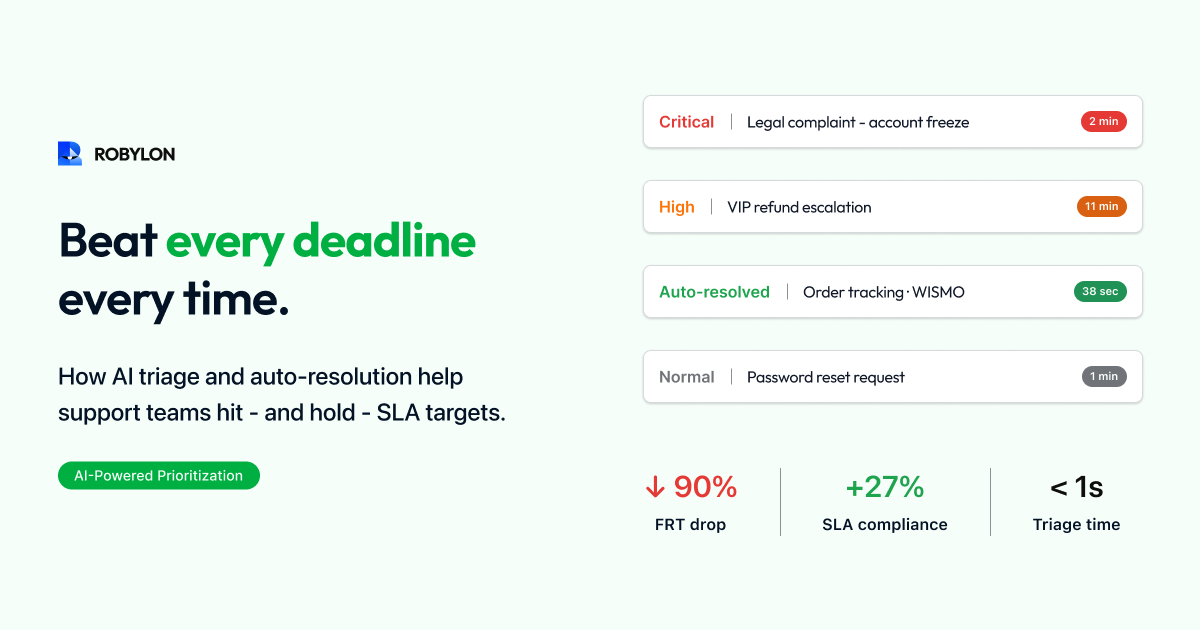
Service Level Agreements for email support sound simple: respond to customer emails within a defined time window. A 4-hour first response SLA. A 24-hour resolution SLA. Maybe tiered by priority — 1 hour for urgent, 4 hours for normal, 8 hours for low.
In practice, email SLAs are the most commonly breached commitments in customer support. Unlike chat (where the customer is actively waiting and the system forces a response) or phone (where the customer is on hold and you see the queue length in real-time), email breaches happen silently. An email arrives at 3 PM, sits in the queue, gets buried by incoming volume, and by the time anyone notices it has been waiting 11 hours, the SLA is already blown.
This guide covers how to set appropriate email SLAs, the three ways AI fundamentally changes SLA performance, and the operational practices that turn SLA management from a reactive scramble into a guaranteed outcome.
What Good Email SLAs Look Like in 2026
First Response Time (FRT) SLAs
First response time is the most important email SLA — it is what customers feel most acutely and what they are most likely to complain about when it is missed. Industry-appropriate FRT SLAs in 2026: e-commerce should target 1–2 hours (customers expect fast resolution for order issues), SaaS should target 2–4 hours for standard and 1 hour for critical, fintech should target 1–2 hours (regulatory expectations and high-value customers), and B2B enterprise should target 4–8 hours for standard with 1–2 hours for P1 issues.
If you are currently running 8–12 hour FRT, do not jump straight to a 1-hour SLA. Set interim targets: move from 12 hours to 6 hours in month 1, then to 3 hours by month 2, then to under 1 hour by month 3 as AI automation ramps up.
Resolution Time SLAs
Resolution time measures the full lifecycle — from customer email to confirmed resolution. This is harder to SLA because resolution often depends on back-and-forth, third-party systems, or approvals. Reasonable resolution SLAs: simple queries (FAQ, policy, WISMO) should resolve within 4 hours, medium complexity (refunds, billing, account changes) within 24 hours, and complex (technical issues, escalations, multi-system investigations) within 48–72 hours.
Tiered SLAs by Priority
Not all emails deserve the same response speed. Effective tiering: P1 (revenue impact, account access, compliance) gets a 1-hour FRT and 4-hour resolution target. P2 (order issues, billing, standard requests) gets a 4-hour FRT and 24-hour resolution target. P3 (feature requests, general inquiries, feedback) gets an 8-hour FRT and 48-hour resolution target.
The challenge with tiered SLAs is classification — someone (or something) must read every email and assign the right priority. This is where AI adds its first layer of value.
The Three Ways AI Transforms SLA Performance
1. Instant Classification and Priority Assignment
AI reads every incoming email within seconds and assigns intent, sentiment, and priority. A customer email saying “I cannot access my account and I have a presentation in 30 minutes” is instantly classified as P1 (account access + time urgency). An email asking “Do you offer volume discounts?” is classified as P3 (general inquiry, no urgency).
This replaces the manual triage step — where an agent or manager scans the queue and assigns priority — which in most teams takes 15–60 minutes per triage cycle and happens only 2–3 times per day. AI triage happens in real-time for every email, ensuring that P1 emails are never buried behind P3 emails in the queue.
2. Immediate Auto-Resolution for Simple Emails
For 60–80% of incoming emails — order status, policy questions, return requests, billing inquiries — the AI resolves the issue within seconds of the email arriving. The FRT for these emails is under 5 minutes. This means that the majority of your email volume never touches the SLA clock in a meaningful way — it is resolved before the SLA is even at risk.
The impact on SLA performance is dramatic. If 70% of emails are resolved by AI in under 5 minutes, your team only needs to meet the FRT SLA on the remaining 30%. Even if those 30% take the full SLA window (4 hours), your blended FRT is under 75 minutes — and your SLA compliance rate approaches 100% because the AI-resolved emails are always within target.
3. Intelligent Queue Prioritization for Human-Handled Emails
For the 20–40% of emails that reach human agents, AI provides intelligent queue management. Emails are ranked not just by arrival time (FIFO) but by a combination of SLA proximity (how close to breaching), priority tier (P1 before P2), sentiment (angry customers surfaced first), customer value (enterprise accounts prioritized), and complexity (quick wins surfaced to clear the queue).
This means agents always work on the most SLA-critical email next — not the oldest one, not the easiest one, not the one they happen to see first. The AI continuously re-ranks the queue as new emails arrive and SLA clocks tick, ensuring that breaches are prevented proactively rather than discovered after the fact.
SLA Monitoring: From Reactive to Predictive
Real-Time SLA Dashboard
A proper AI-powered SLA dashboard shows not just current compliance but predicted compliance. For each open email, the dashboard displays time elapsed, time remaining until SLA breach, current queue position, and the AI’s prediction of whether the SLA will be met based on current agent capacity and incoming volume.
Breach Prevention Alerts
Set alerts at three thresholds: yellow alert at 50% of SLA window consumed (email has been waiting 2 hours against a 4-hour SLA), orange alert at 75% (3 hours elapsed), and red alert at 90% (3 hours 36 minutes). These alerts go to both the assigned agent and the team lead, giving multiple opportunities to intervene before a breach occurs.
Predictive Capacity Alerts
AI can predict SLA breaches before they happen by analyzing incoming email velocity, current queue depth, agent availability, and historical resolution rates. If the model predicts that the current queue will produce 15 SLA breaches in the next 2 hours at current staffing, it alerts the manager — who can then reassign agents, lower AI confidence thresholds to auto-resolve more, or bring in backup coverage.
The SLA Guarantee: What Changes with AI
Without AI, SLA compliance is a probability — you hope to meet it, you manage toward it, but you cannot guarantee it because you are dependent on human capacity that does not scale in real-time. A sudden volume spike (product launch, outage, holiday) overwhelms agents and breaches follow.
With AI, SLA compliance becomes structural. The AI processes emails instantly regardless of volume — 100 emails and 1,000 emails take the same time. The AI does not take lunch breaks, does not get overwhelmed on Monday mornings, and does not call in sick. For the 60–80% of emails the AI resolves, SLA compliance is 100% by design. For the remaining human-handled emails, AI-powered queue management ensures the most critical emails are always worked first.
The result: teams using AI email agents typically achieve 95–99% SLA compliance, up from 70–85% with human-only operations. And they achieve this at lower cost, because the AI is handling the volume that would otherwise require overtime, night shifts, or emergency hiring.
Common SLA Pitfalls and How AI Fixes Them
The Weekend Gap
Emails received Friday evening through Sunday are unresolved until Monday morning — creating a predictable weekly SLA crisis. AI resolves 60–80% of weekend emails in real-time, so the Monday morning queue is 60–80% smaller. The remaining emails arrive with AI-generated drafts and priority rankings, so agents clear them in hours instead of all day.
The Volume Spike
Product launches, outages, or marketing campaigns drive sudden email surges. Human teams cannot scale instantly — hiring takes weeks. AI scales instantly. Whether your daily volume is 100 or 1,000 emails, the AI processes each one in seconds. SLA compliance does not degrade during spikes because AI capacity is not constrained by headcount.
The Invisible Breach
An email arrives, gets classified as low priority, and sits in the queue. The customer follows up 3 hours later with increasing frustration. The follow-up resets the “read” status, making it look newer than it is. The original SLA has already breached but nobody noticed. AI prevents this by tracking every email from arrival, maintaining continuous SLA clocks regardless of thread activity, and surfacing approaching breaches proactively.
Setting Up SLA-Optimized AI Email Support
- Define your SLA tiers. Set FRT and resolution targets for P1, P2, and P3. Be realistic about current performance and set improvement milestones.
- Configure AI priority classification. Map your SLA tiers to AI intent and sentiment signals. P1 triggers: account access issues, time-sensitive language, compliance keywords, VIP customer flags.
- Set confidence thresholds by SLA tier. For P1 emails, consider slightly lower auto-resolution thresholds (85% instead of 90%) to maximize speed — a fast, mostly-correct response is better than a perfect response that arrives after the SLA breaches.
- Configure breach prevention alerts. Set yellow/orange/red alerts. Route alert notifications to team leads via Slack or email.
- Build the SLA dashboard. Real-time compliance rate, predicted compliance, queue depth by priority tier, and agent capacity utilization.
Bottom Line
Email SLAs are not about working harder or hiring faster — they are about structurally ensuring that every email receives a timely response regardless of volume, time of day, or staffing levels. AI makes this possible by instantly resolving 60–80% of emails (guaranteed sub-5-minute FRT), intelligently prioritizing the human queue (agents always work on the most SLA-critical email next), and providing predictive alerts that prevent breaches before they happen.
The goal is not “better SLA management.” The goal is SLA guarantees — and AI is what makes the difference between hoping to hit your targets and knowing you will.
Guarantee your email SLAs. Robylon AI resolves 60–80% of emails in under 5 minutes and intelligently prioritizes the rest — so your team hits SLA targets consistently, even during volume spikes. Start free at robylon.ai
Frequently asked questions
What is a good first response time SLA for email support?
Industry-appropriate FRT SLAs in 2026: E-commerce: 1–2 hours. SaaS: 2–4 hours standard, 1 hour critical. Fintech: 1–2 hours. B2B Enterprise: 4–8 hours standard, 1–2 hours P1. With AI email agents, FRT for AI-resolved emails drops to under 5 minutes, and blended FRT (AI + human) typically reaches under 30 minutes — making sub-1-hour SLAs achievable even with moderate human staffing.
What are the three ways to prevent weekend email SLA breaches?
1) AI resolves 60–80% of weekend emails in real-time — no waiting until Monday. 2) Draft mode for complex weekend emails — AI generates responses ready for one-click Monday approval, reducing the Monday backlog clearance from hours to minutes. 3) Tiered SLA configuration — set longer SLA windows for weekends if your business allows it (e.g., 8-hour FRT on weekends vs 4 hours weekdays), with AI handling urgent emails immediately regardless. Most teams using AI report zero Monday morning SLA breaches.
Can AI guarantee 100% SLA compliance for email support?
For AI-resolved emails (60–80% of volume), SLA compliance is effectively 100% by design — the AI responds in under 5 minutes regardless of volume, time of day, or staffing. For human-handled emails, AI raises compliance from 70–85% to 95–99% through intelligent prioritization and breach prevention alerts. True 100% is unrealistic (agent illness, unprecedented complexity), but teams using AI email agents consistently achieve 97–99% overall SLA compliance.
How should I tier my email support SLAs by priority?
Three-tier structure: P1 (revenue impact, account access, compliance): 1-hour FRT, 4-hour resolution. P2 (order issues, billing, standard requests): 4-hour FRT, 24-hour resolution. P3 (feature requests, general inquiries, feedback): 8-hour FRT, 48-hour resolution. AI handles the classification automatically — detecting urgency signals, customer value, and intent to assign the correct priority within seconds of the email arriving.
How does AI improve email SLA compliance?
AI improves SLA compliance through three mechanisms: 1) Instant auto-resolution — 60–80% of emails are resolved in under 5 minutes, guaranteeing SLA compliance for the majority of volume. 2) Intelligent queue prioritization — for human-handled emails, AI ranks the queue by SLA proximity, priority tier, and sentiment, ensuring agents always work on the most SLA-critical email next. 3) Predictive breach alerts — AI predicts SLA breaches 2–4 hours before they occur based on queue depth and agent capacity, enabling proactive intervention.