
How Robylon AI Resolves 70% of Email Tickets Automatically
Most AI email tools stop at drafting responses. Robylon goes further - it reads, understands, takes action, and resolves email tickets end-to-end. This article shows exactly how it works, step by step, with real examples.
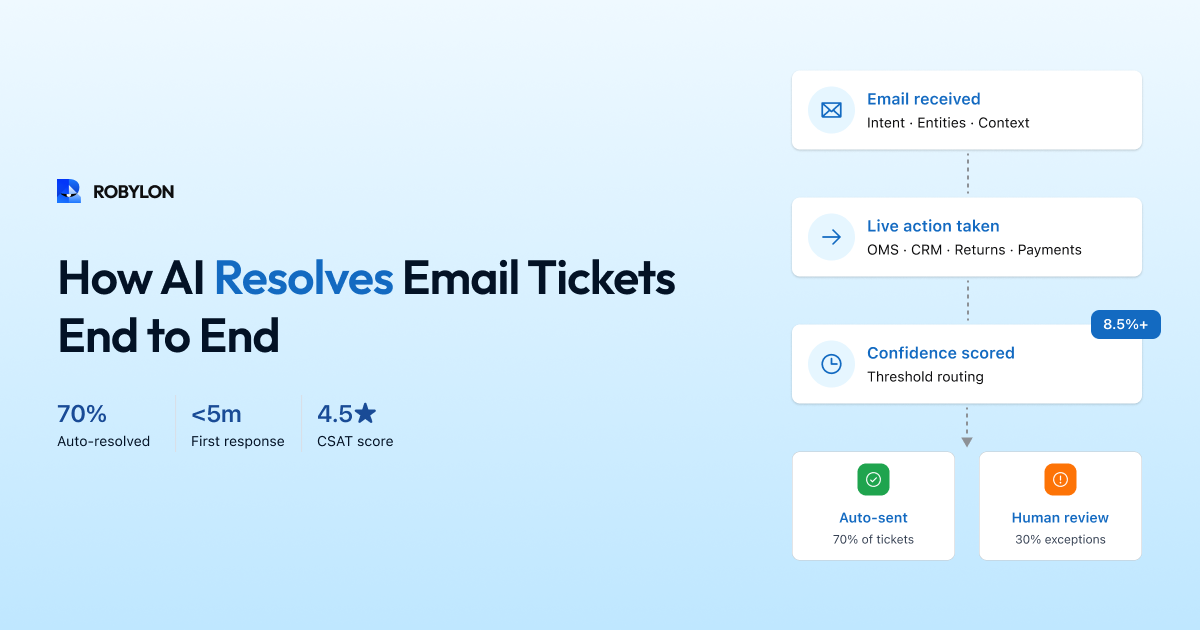
There is a meaningful difference between AI that helps with email support and AI that resolves email support. Most platforms stop at the first category — they classify tickets, suggest drafts, or summarize threads for agents. Useful, but the agent still writes the response, looks up the order, processes the refund, and clicks send.
Robylon operates differently. When a customer email arrives, the AI does not just understand what the customer is asking — it takes the actions needed to resolve the issue, generates a complete response, and sends it. No agent involvement for the 70% of emails that follow predictable patterns. Agents focus exclusively on the 30% that genuinely need human judgment.
This article shows you exactly how that works — the full pipeline from email arrival to resolution, with real examples from the types of queries our customers handle every day.
The Robylon Email Resolution Pipeline
Every email that arrives in your support inbox goes through a seven-stage pipeline. The entire process takes 3–6 seconds.
Stage 1: Email Ingestion and Parsing
Robylon connects to your email channel — either through your helpdesk (Zendesk, Freshdesk, Zoho Desk) or directly to your support inbox. When a new email arrives, the system immediately ingests it and parses the full structure: subject line, body text, the entire reply chain if it is a threaded conversation, sender email and metadata, and any attachments.
This parsing is email-aware, not just text-aware. The AI distinguishes between the customer’s latest message and quoted previous replies. It identifies signatures, disclaimers, and auto-generated footers so they do not pollute the analysis. For threaded conversations with five or ten replies, it reconstructs the full conversation arc — what was asked, what was answered, and what remains unresolved.
Stage 2: Intent Detection and Entity Extraction
The AI reads the customer’s message and determines two things: what they want (intent) and the specific details involved (entities).
Consider this email: “Hi, I ordered a pair of black running shoes last Tuesday (order #45721) and they arrived in the wrong size. I need to exchange them for a size 10. Can you also check when my other order #45698 will be delivered?”
The AI detects two intents: an exchange request and a delivery status inquiry. It extracts four entities: order #45721, product (black running shoes), desired size (10), and order #45698. It also detects neutral-to-slightly-frustrated sentiment — the customer is not angry, but the situation is inconvenient.
This multi-intent, multi-entity parsing is critical for email. Unlike chat (where customers tend to ask one thing at a time), email customers frequently pack multiple questions into a single message. Robylon handles each intent independently and combines the results into one coherent response.
Stage 3: Customer Identification
Before retrieving any data, the AI identifies who the customer is. It matches the sender’s email address against your customer database (via CRM or helpdesk integration) to pull their profile: name, account type, order history, previous support interactions, loyalty status, and any special flags (VIP, enterprise, at-risk).
This context shapes everything that follows. A VIP customer might get a more accommodating response. A customer who has contacted support three times about the same issue gets escalated. A new customer gets a warmer, more explanatory tone.
Stage 4: Knowledge Retrieval (RAG)
For each detected intent, the AI searches your knowledge base using retrieval-augmented generation. It does not rely on its general training data — it retrieves specific content from your help articles, policy documents, SOPs, and product information.
For the exchange request in our example, it retrieves your exchange policy: eligibility window, condition requirements, available sizes, how the process works, and any exceptions (final sale items, international orders). For the delivery inquiry, it does not need the knowledge base — it needs live data, which comes in the next stage.
Stage 5: Live Data Lookup (Action-Taking)
This is the stage that separates Robylon from tools that only answer questions. The AI calls your business systems through pre-built API integrations to retrieve real, customer-specific data.
For our example email:
- Exchange request: The AI queries your OMS (Shopify, WooCommerce, or custom) to verify order #45721 — confirming it was delivered, the item is within the exchange window, and size 10 is in stock. It then initiates the exchange process: creates a return for the original item, generates a prepaid shipping label, and creates a new order for the size 10.
- Delivery inquiry: The AI queries the shipping API for order #45698, retrieving the carrier, tracking number, current location, and estimated delivery date.
Without these integrations, the best the AI could do is tell the customer “Please visit our website to initiate an exchange” and “Please check your email for tracking information.” With them, the AI actually resolves both issues.
Stage 6: Response Generation
The AI now has everything it needs: the customer’s identity, the intents detected, the relevant policies, and the live data from your systems. It generates a complete email response that addresses every point the customer raised.
The response is structured for email — proper greeting with the customer’s name, clear paragraphs addressing each issue, specific data (tracking numbers, dates, next steps), and a professional sign-off. The tone matches your brand configuration — whether that is warm and conversational or formal and concise.
For our example, the response might look like:
“Hi Sarah, I’ve taken care of both items for you. For order #45721 (black running shoes), I’ve set up an exchange for size 10. You’ll receive a prepaid return label at this email within the next few minutes — just ship back the original pair and your size 10s will ship as soon as we receive them (typically 2–3 business days after return receipt). For order #45698, it shipped via FedEx on March 19 and is currently in transit. Your tracking number is 7891234567 and the estimated delivery is March 23. Let me know if you need anything else!”
Stage 7: Confidence Scoring and Routing
Before the response reaches the customer, Robylon scores its confidence across multiple dimensions: was the intent detected correctly? Was the right knowledge retrieved? Did the data lookups return valid results? Is the generated response consistent with the retrieved information?
If the overall confidence exceeds your auto-send threshold (configurable, typically 85–90%), the response is sent automatically and the ticket is marked resolved. If confidence is below the threshold but above the draft line (typically 70–85%), the response is queued as a draft for an agent to review and approve with one click. Below the draft threshold, the email is routed to a human agent with the AI’s analysis attached — detected intents, relevant KB articles, customer context — so the agent can resolve it faster.
What This Looks Like in Practice: Five Common Email Types
WISMO (“Where Is My Order?”)
Customer emails: “I placed an order 5 days ago and haven’t received any update. Order number is 78234.”
Robylon: Detects WISMO intent → extracts order #78234 → queries OMS → retrieves shipping status (shipped March 18 via DTDC, tracking #DT456789, expected March 23) → generates response with all details and tracking link → auto-sends. Resolution time: 4 seconds.
Refund Status Check
Customer emails: “I returned my order two weeks ago. When will I get my refund?”
Robylon: Detects refund inquiry → identifies customer by email → queries returns system for recent returns → finds return received March 10, refund processed March 12, credited to original payment method, bank processing 5–7 business days → generates response with specific dates and amount → auto-sends.
Policy Question
Customer emails: “Do you ship to Dubai? What are the charges and delivery time?”
Robylon: Detects international shipping inquiry → retrieves international shipping policy from KB (countries served, rates by region, typical delivery windows, customs/duties note) → generates comprehensive response → auto-sends. Pure knowledge retrieval, no system lookup needed.
Account Update Request
Customer emails: “Please update my shipping address to 45 MG Road, Bangalore 560001 for all future orders.”
Robylon: Detects account update intent → identifies customer → updates shipping address in CRM/customer database → confirms the change in the response with the new address echoed back → auto-sends.
Escalation Example
Customer emails: “This is the THIRD time I’m writing about this. I was charged twice for order #91234 and nobody has helped me. I want a full refund and I’m considering filing a complaint.”
Robylon: Detects billing dispute + high frustration sentiment + repeat contact flag → confidence drops below threshold due to complaint sensitivity and potential chargeback implications → routes to senior agent with full context: previous conversation history, double-charge verification from payment system, customer’s loyalty status, and recommended resolution (full refund + goodwill credit). Agent resolves with complete context, no “can you explain the issue again?”
Why 70% Resolution — Not 100%
We are deliberate about this number. AI should not try to resolve every email. The 30% that goes to humans includes:
- Emotional situations where empathy matters more than speed.
- Complex multi-system issues requiring investigation across several platforms.
- Legal or regulatory requests needing specific compliance language.
- Ambiguous first-contact emails where the customer’s intent is genuinely unclear.
- VIP or high-value accounts where you may prefer a human touch.
The goal is not 100% automation — it is resolving everything that can be resolved by AI, and making the remaining 30% faster and better-informed for the humans who handle it.
The Numbers: Before and After
Here is what Robylon’s email AI typically delivers within 60 days of deployment:
- Auto-resolution rate: 60–75% of email tickets resolved without human involvement.
- First response time: From 4–8 hours (industry average for human teams) to under 5 minutes for AI-resolved emails.
- Average handle time: For human-handled emails, AI copilot features (draft suggestions, thread summaries, customer context) reduce AHT by 40–60%.
- Cost per email ticket: Drops from $8–$12 (human-handled) to $2–$4 (blended AI + human at 70% automation).
- CSAT for AI-resolved emails: Matches or exceeds human-agent CSAT — typically 4.3–4.6 out of 5 — because responses are instant, accurate, and consistent.
How to Get Started
Robylon’s email AI deploys in three steps:
- Connect your email channel. Link your helpdesk (Zendesk, Freshdesk, Zoho) or forward your support inbox. Takes minutes.
- Train on your data. Upload your help center articles, product pages, and policy documents. Connect your OMS, CRM, and payment systems for action-taking. The AI indexes your content and is ready within hours.
- Go live in phases. Start with shadow mode to validate accuracy, then enable auto-send for your highest-confidence categories, then expand. Most teams reach 60%+ auto-resolution within 4–6 weeks.
See it work on your emails. Robylon AI resolves email tickets end-to-end — intent detection, knowledge retrieval, live data lookup, action-taking, and auto-response. Credits-based pricing, no per-resolution surcharges, free tier available. Start free at robylon.ai
Frequently asked questions
What happens when Robylon is not confident enough to auto-send a response?
Robylon uses dual confidence thresholds. Above the auto-send threshold (typically 85–90%), responses are sent automatically. Between the auto-send and draft thresholds (typically 70–85%), the AI creates a draft with its reasoning attached — agents approve or edit with one click. Below the draft threshold, the email routes to a human agent with full context: detected intents, relevant KB articles, customer profile, and conversation history. The customer never receives a low-confidence response.
Why does Robylon target 70% auto-resolution and not 100%?
Deliberately. The 30% routed to humans includes emotional situations needing empathy, complex multi-system investigations, legal or regulatory requests requiring specific compliance language, ambiguous first-contact emails where intent is genuinely unclear, and VIP accounts where you may prefer a human touch. Forcing AI onto these cases would hurt CSAT. The goal is resolving everything AI should resolve, and making the rest faster for humans.
How does Robylon AI actually resolve an email ticket end-to-end?
Robylon processes emails through a 7-stage pipeline in 3–6 seconds: 1) Ingests the email and parses the full thread. 2) Detects intent, entities, and sentiment. 3) Identifies the customer from your CRM or helpdesk. 4) Retrieves relevant knowledge via RAG. 5) Queries live systems (OMS, CRM, billing) for customer-specific data. 6) Generates a complete, personalized response. 7) Scores confidence and auto-sends if above threshold, or queues as a draft for agent review.
What types of email tickets can Robylon resolve without human help?
Robylon auto-resolves the categories that make up 60–80% of email volume: order tracking/WISMO (queries OMS for real-time status), refund status checks (queries payment system for processing state), return initiation (verifies eligibility, generates labels), policy questions (retrieves from knowledge base), account updates (changes address, resets passwords via system integrations), and billing inquiries (checks invoices, confirms payments). Complex complaints, legal requests, and emotional situations are routed to humans.
Can Robylon handle email tickets that contain multiple questions?
Yes. Robylon uses multi-intent parsing — it detects each separate question within a single email, extracts the relevant entities for each, retrieves knowledge and data independently per intent, and combines everything into one coherent response. For example, an email asking "exchange my shoes for size 10 AND check when my other order delivers" produces a single reply addressing both with specific data from two different order lookups.