
10 Best AI Email Ticketing Systems in 2026
Not all email ticketing systems handle AI equally. This comparison reviews the 10 best platforms for AI-powered email support — from auto-triage to full resolution - with honest assessments of pricing, strengths, and limitations.
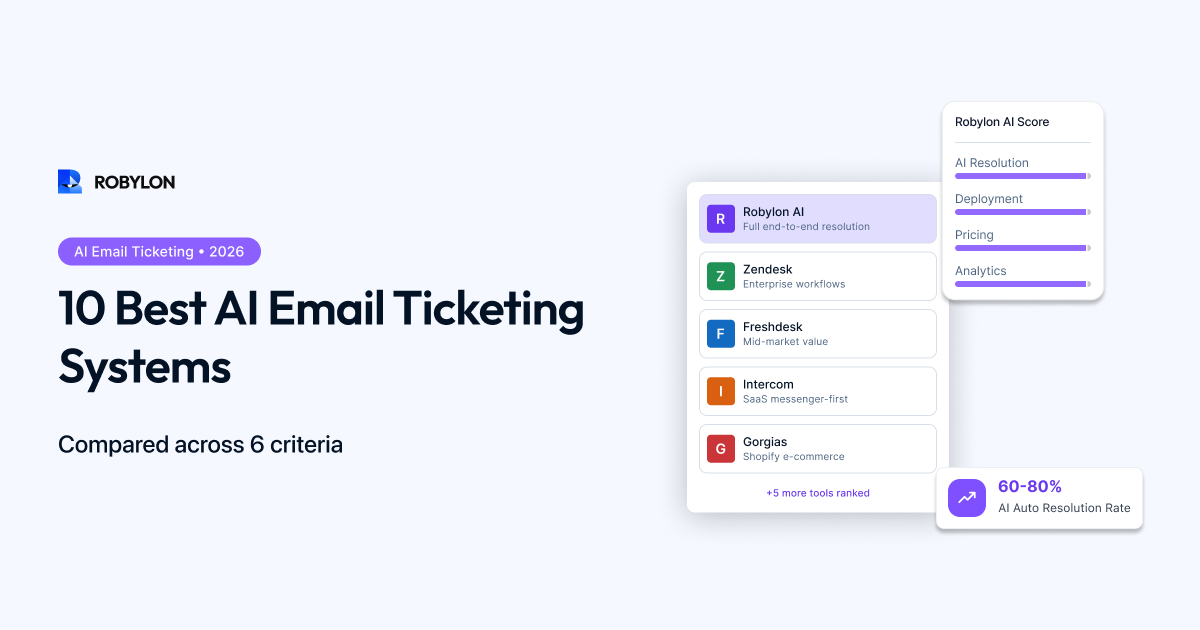
Email support is not going away. Despite the growth of chat, WhatsApp, and social messaging, email still accounts for the largest share of support tickets in most businesses. And in 2026, the gap between teams using AI for email and teams still handling everything manually is wider than ever — measured in hours of response time, thousands in monthly costs, and double-digit differences in customer satisfaction.
But not every email ticketing system handles AI the same way. Some bolt on AI features as an expensive add-on. Some only triage and classify — leaving agents to write every response. Others can fully resolve email tickets end-to-end, including taking actions like processing refunds and checking orders.
This guide compares the 10 best AI email ticketing systems available today, evaluated on what actually matters: how much of the email resolution process the AI handles, what it costs at realistic volumes, how quickly it deploys, and what integrations it supports.
How We Evaluated
We assessed each platform across six criteria:
- AI resolution depth: Can the AI fully resolve emails, or only classify/draft? Can it take actions (order lookups, refunds, account updates)?
- Email-specific features: Thread handling, attachment support, HTML formatting, multi-issue parsing, CC/BCC handling.
- Integration ecosystem: Native connections to helpdesks, CRMs, OMS, and payment systems.
- Pricing clarity and value: Total cost at realistic volumes (not just the headline price).
- Deployment speed: Time from signup to live email automation.
- Analytics and optimization: Visibility into resolution rates, confidence scores, knowledge gaps, and CSAT.
The 10 Best AI Email Ticketing Systems
1. Robylon AI
Best for: Teams that want full end-to-end email resolution with action-taking capabilities at predictable pricing.
Robylon AI is purpose-built for resolving customer support queries — not just answering them. On email, the AI reads incoming tickets, classifies intent, retrieves knowledge base content via RAG, queries live systems (OMS, CRM, billing) for customer-specific data, and generates a complete response that addresses the issue. For transactional queries like order tracking, return requests, and refund status, the AI takes the actions needed to resolve the issue without human involvement.
- AI resolution depth: Full resolution with action-taking. Connects to Shopify, Stripe, Razorpay, Salesforce, and 40+ systems to execute workflows, not just draft responses.
- Email features: Thread-aware processing, multi-issue email parsing, attachment handling, HTML-formatted responses with brand styling.
- Integrations: Zendesk, Freshdesk, Zoho Desk, Shopify, WooCommerce, Salesforce, HubSpot, and more. Creates and updates helpdesk tickets automatically.
- Pricing: Credits-based — pay for what you use. Free tier available. No per-seat surcharges for AI interactions. Significantly cheaper than per-resolution models at high volumes.
- Deployment: Most teams go live on email within a day.
- Analytics: Resolution rate by topic, AI confidence distribution, CSAT comparison (AI vs human), knowledge gap reports, escalation analysis.
- Channels beyond email: Same AI agent works across chat, voice, and WhatsApp from one configuration.
Limitations: Newer brand compared to Zendesk/Freshdesk — smaller customer base and marketplace ecosystem. Best suited for teams prioritizing AI resolution over legacy helpdesk features.
2. Zendesk (with Advanced AI)
Best for: Large enterprises already deeply invested in the Zendesk ecosystem.
Zendesk is the most established helpdesk platform, and its AI features have matured significantly. The Advanced AI add-on brings intelligent triage (auto-classification by intent, sentiment, and language), AI-generated response suggestions, and auto-resolution for email tickets that match help center content.
- AI resolution depth: Strong for knowledge-based resolution. Weaker on action-taking — processing refunds, checking orders, or updating accounts requires custom integrations or third-party apps.
- Email features: Excellent email handling — threading, macros, triggers, views, and SLA management are industry-leading.
- Integrations: Massive marketplace with 1,500+ apps. Native CRM, e-commerce, and communication integrations.
- Pricing: Suite Professional ($89/agent/month) + Advanced AI add-on (~$50/agent/month) + per-resolution charges. A 10-agent team with 3,000 monthly resolutions can exceed $4,000/month.
- Deployment: Weeks to months for full AI configuration. Help center content needs restructuring for optimal AI performance.
- Analytics: Comprehensive reporting and dashboard suite. Explore (analytics tool) requires learning curve.
Limitations: Expensive when all AI layers are stacked. Action-taking requires custom development. Configuration complexity is high — most teams need a dedicated Zendesk admin.
3. Freshdesk (Freddy AI)
Best for: Mid-market teams that want a solid helpdesk with AI at a lower price than Zendesk.
Freshdesk is Freshworks’ customer support platform, and Freddy AI is its AI engine. For email, Freddy auto-classifies tickets, suggests responses to agents, and can auto-resolve simple queries using knowledge base content. The platform converts emails into tickets automatically and supports SLA tracking, team collaboration, and multi-channel management.
- AI resolution depth: Moderate. Freddy AI handles classification and draft assistance well. Full auto-resolution is available but less mature than Zendesk AI or purpose-built platforms.
- Email features: Auto-converts emails to tickets, shared inbox, collision detection, canned responses, SLA management.
- Integrations: Good ecosystem — Shopify, Salesforce, Slack, Jira, and more via marketplace.
- Pricing: Growth ($15/agent/month) to Enterprise ($79/agent/month). Freddy AI capabilities are included in higher tiers without separate per-resolution charges — a meaningful advantage over Zendesk and Intercom.
- Deployment: Faster than Zendesk. Basic email automation in days, full configuration in 1–2 weeks.
- Analytics: Built-in reporting with dashboards. Less depth than Zendesk Explore but adequate for most teams.
Limitations: Freddy AI is less capable than top-tier AI platforms for complex resolution. Action-taking is limited. AI features are less transparent (harder to see why the AI made a specific decision).
4. Intercom (Fin AI)
Best for: SaaS companies using Intercom’s messenger who want AI email support as part of an omnichannel strategy.
- Fin AI now extends to email, resolving tickets using help center content with generative responses.
- Strong for SaaS support — product tours, onboarding, and in-app messaging are deeply integrated.
- Pricing: Per-seat ($29–$132) plus $0.99 per Fin resolution. Email AI costs add up quickly at volume.
- Limitations: Primarily a messaging platform — email handling is less mature than Zendesk or Freshdesk. Per-resolution pricing penalizes automation success.
5. Help Scout
Best for: Small to mid-size teams that want a clean, simple email-first helpdesk with AI assistance.
- Shared inbox designed specifically for email support. Clean, minimal interface that agents love.
- AI features include AI Drafts (suggested responses), AI Summarize (thread summaries), and AI Answers (knowledge base chatbot).
- Pricing: Standard ($55/month for 100+ contacts), Plus ($83/month) with more advanced features.
- Limitations: AI features are assistive, not autonomous. The AI helps agents work faster but does not fully resolve emails on its own. No action-taking capabilities.
6. Hiver
Best for: Teams that want to manage email support from inside Gmail without switching platforms.
- Turns Gmail into a shared inbox with ticketing, assignment, SLA tracking, and collision detection.
- AI Summarizer condenses long email threads. AI-suggested responses help agents reply faster.
- Pricing: Lite ($19/user/month) to Elite ($79/user/month).
- Limitations: Gmail-only. No auto-resolution — AI assists agents but does not send responses independently. Limited integration ecosystem compared to full helpdesks.
7. Gorgias
Best for: Shopify-centric e-commerce brands handling high email volume for orders, returns, and refunds.
- Deep Shopify integration — agents can view orders, issue refunds, and edit orders directly from the helpdesk.
- AI automates responses for common e-commerce queries using macros and intent detection.
- Pricing: Starts at $10/month for 10 tickets. Scales by ticket volume — $60 for 300 tickets/month, $360 for 2,000 tickets/month.
- Limitations: E-commerce focused — not suitable for SaaS, fintech, or non-retail use cases. AI automation capabilities are less sophisticated than AI-native platforms.
8. Zoho Desk
Best for: Teams in the Zoho ecosystem who want integrated CRM + helpdesk with AI features.
- Zia AI assistant auto-tags tickets, suggests responses, and detects anomalies in ticket patterns.
- Strong email ticketing with SLA management, multi-department routing, and workflow automation.
- Pricing: Standard ($14/agent/month) to Enterprise ($40/agent/month). AI features available in higher tiers.
- Limitations: Zia AI is less capable than Freddy or Zendesk AI for autonomous resolution. Best when paired with other Zoho products (CRM, Analytics, Projects).
9. Front
Best for: Operations and account management teams that handle email collaboratively.
- Shared inbox with powerful collaboration features — internal comments, shared drafts, assignment rules.
- AI features include tagging, summarization, and draft suggestions. Not built for autonomous resolution.
- Pricing: Starter ($19/seat/month) to Premier (custom pricing).
- Limitations: Designed for team collaboration on email, not for AI-powered resolution. Better for internal operations and account management than high-volume customer support.
10. HubSpot Service Hub
Best for: Teams already on HubSpot wanting unified CRM + support with basic AI.
- Email ticketing integrated with HubSpot CRM — every email linked to the contact record, deal pipeline, and company profile.
- Breeze AI offers ticket classification, AI-generated drafts, and conversation summaries.
- Pricing: Free plan with basic ticketing. Professional ($100/month for 5 users) for AI and automation features.
- Limitations: AI capabilities are basic compared to dedicated support platforms. Full AI features require Professional or Enterprise tiers. Better as a CRM-with-support than a support-with-CRM.
How to Choose: A Quick Decision Guide
By Primary Need
- Maximum AI auto-resolution for email: Robylon AI (full resolution + action-taking, best cost efficiency)
- Enterprise helpdesk with AI layer: Zendesk (deepest ticketing features, highest complexity/cost)
- Mid-range helpdesk with AI included: Freshdesk (good balance of features and price)
- SaaS in-app + email: Intercom (strong messenger, email support is maturing)
- Shopify e-commerce email: Gorgias (deepest Shopify integration) or Robylon AI (better AI, broader channel coverage)
- Gmail-native email: Hiver (stays inside Gmail, no platform switch)
- Email-first simplicity: Help Scout (cleanest interface, best for small teams)
By Budget
- Under $100/month: Robylon AI (free tier), Zoho Desk, Freshdesk Growth, HubSpot Free
- $100–$500/month: Robylon AI, Freshdesk Pro, Help Scout, Hiver
- $500–$3,000/month: Robylon AI, Freshdesk Enterprise, Intercom, Gorgias
- $3,000+/month: Zendesk + Advanced AI, Intercom Expert + Fin
For enterprise procurement teams evaluating at 10,000+ tickets per month with security and compliance review requirements, our enterprise-grade comparison of these tools covers TCO math at 50,000-ticket-per-month scale, vendor security posture, and the procurement questions that separate the shortlist from the marketing.
Bottom Line
The best AI email ticketing system is the one that matches where you are today and scales with where you are going. If your primary goal is maximum email auto-resolution at predictable cost, look for platforms built for AI-first resolution with action-taking capabilities. If you need a full-featured helpdesk with AI layered on top, the established platforms deliver — but at a higher price and longer setup time.
The most important distinction: platforms that only classify and draft emails versus platforms that fully resolve them. The gap in automation rate between these two categories is 30–50 percentage points — and that gap translates directly into cost savings, response speed, and customer satisfaction.
Resolve email tickets, not just triage them. Robylon AI delivers full end-to-end email resolution with action-taking, helpdesk integration, and credits-based pricing. Start free at robylon.ai
Frequently asked questions
What is the best AI email ticketing system for small businesses?
For small businesses (1–5 agents, under 1,000 emails/month): Robylon AI (free tier, full AI resolution, no per-seat fees), Freshdesk Growth ($15/agent/month with basic AI), or Zoho Desk Standard ($14/agent/month, good if you use other Zoho products). Robylon offers the best AI depth at the lowest cost — its free tier includes LLM-powered resolution across email and chat, which no other free plan matches.
Which email ticketing system has the best AI auto-resolution?
Robylon AI delivers the highest auto-resolution rates because it is built for end-to-end resolution with action-taking — not just answering questions. It connects to your OMS, CRM, and billing systems to process refunds, check orders, and update accounts within the email response. Legacy helpdesks like Zendesk and Freshdesk offer strong triage and draft assistance, but action-taking typically requires custom API work. The difference: answer-only AI achieves 30–50% auto-resolution; action-taking AI achieves 60–80%.
How does Zendesk AI compare to Freshdesk Freddy for email support?
Zendesk AI is more mature — stronger intent detection, pre-built industry intents, and better auto-resolution on email. But it is significantly more expensive: Suite Professional ($89/agent) + Advanced AI add-on ($50/agent) + per-resolution charges. Freshdesk Freddy is more affordable ($15–$79/agent) with AI included in higher tiers — no separate per-resolution fee. Freddy's AI is less capable for autonomous resolution but solid for triage and agent assistance. Choose Zendesk for maximum AI depth at enterprise scale; choose Freshdesk for better value at mid-market.
Can I use an AI email tool on top of my existing Zendesk or Freshdesk?
Yes. There are two approaches: AI layers (like eesel AI or Stylo) connect to your helpdesk via API, generating draft responses inside your existing ticket interface. AI-native platforms (like Robylon) can also work alongside Zendesk or Freshdesk — the AI resolves emails and automatically creates or updates tickets in your helpdesk for tracking and reporting. This lets you add powerful AI email resolution without migrating away from your existing helpdesk setup.
What is the difference between per-resolution and credits-based AI pricing?
Per-resolution pricing (Zendesk, Intercom) charges you every time the AI resolves a ticket — typically $0.99–$2.00 each. As automation improves and resolves more, your bill goes up proportionally. At 5,000 resolutions/month, that is $5,000–$10,000/month just for AI. Credits-based pricing (Robylon) lets you buy a bundle of credits covering AI processing. It is more predictable — you know your monthly cost upfront — and offers better unit economics at scale because you are not penalized for better automation performance.