
AI Email Support: The Complete Guide to Automating Email Tickets (2026)
Email is still the largest customer support channel, and AI can now resolve 60–80% of email tickets without human involvement. This complete guide covers everything from how AI email support works to measuring ROI after deployment.
Despite the rise of chat, messaging, and social media, email remains the single largest customer support channel. Nearly half of all customers still prefer email for support — and for most businesses, email tickets account for 40–60% of total inbound volume. It is the channel where the longest, most detailed, and often most complex customer queries arrive.
It is also the channel with the biggest automation opportunity.
Unlike live chat, email has no real-time pressure. A customer sends an email and expects a response within hours, not seconds. This creates a perfect window for AI to read the message, understand the intent, retrieve the right information, draft a response, and either send it automatically or queue it for a quick human review. The customer gets a fast, accurate answer. The support team gets hours of their day back.
This guide is the definitive resource on AI email support in 2026. Whether you are exploring automation for the first time or upgrading from basic email rules to full AI resolution, you will find everything you need here — how the technology works, what it can and cannot automate, how to implement it, what it costs, and how to measure success.
What Is AI Email Support?
AI email support uses artificial intelligence — specifically large language models (LLMs), natural language processing (NLP), and retrieval-augmented generation (RAG) — to automatically read, understand, and respond to customer support emails. At its most basic level, AI can classify and route emails. At its most advanced, it can fully resolve email tickets end-to-end without a human agent ever touching them.
Here is the spectrum of what AI email support can do today, from simplest to most advanced:
- Level 1 — Classification and routing: AI reads the email, detects the intent (return request, billing question, technical issue), tags it, and routes it to the right team or agent. Humans still write every response.
- Level 2 — Draft assistance: AI generates a suggested response for the agent to review, edit, and send. Cuts handle time by 40–60% but still requires human approval.
- Level 3 — Auto-response with confidence gating: AI generates and sends responses automatically when confidence is above a threshold (e.g., 85%). Below that threshold, the email is queued for human review. This is where most leading platforms operate today.
- Level 4 — Full resolution with action-taking: AI not only responds to the email but takes the actions needed to resolve it — checking order status, processing a refund, updating an account, creating a ticket in your helpdesk. This is the frontier, and it is where the biggest ROI lives.
The distinction between Level 3 and Level 4 matters enormously. A system that can answer “What is your return policy?” is useful. A system that can read “I want to return the blue jacket I ordered last week,” verify the order, check return eligibility, generate a return label, and email it to the customer — that is transformative.
Why Email Is the Best Channel to Automate First
If you are deciding where to start your AI support journey, email should be at the top of the list. Here is why:
No Real-Time Pressure
Chat and phone demand instant responses. Email does not. Customers sending an email expect a reply within a few hours, not a few seconds. This gives the AI time to process, retrieve context, generate a thoughtful response, and even route to a human if needed — without the customer noticing any delay. It is the most forgiving channel for AI to learn and improve on.
Higher Volume, More Repetitive
Email support queues are dominated by the same questions asked hundreds of different ways. Order tracking, refund requests, policy questions, account issues — these categories make up 60–80% of email volume for most businesses. High repetition means high automation potential.
Longer, Richer Context
Emails are longer than chat messages, which means they contain more context for the AI to work with. A customer email might include their order number, a description of the problem, what they have already tried, and what outcome they want — all in one message. This rich context actually makes AI classification and resolution more accurate than short, ambiguous chat messages.
Customers Are More Tolerant of AI on Email
Customers are already accustomed to receiving automated emails — order confirmations, shipping updates, marketing messages. An AI-generated support response that is accurate, personalized, and helpful fits naturally into the email experience. The same response delivered in a live chat might feel impersonal because the customer expects a human on the other end.
Continuous Learning from Volume
Email support generates a steady stream of new data — new questions, new phrasings, new edge cases. Every resolved email trains the AI to be more accurate on the next one. The consistent volume means the improvement cycle never stalls.
How AI Email Support Works: Under the Hood
Understanding the technology helps you make better decisions about implementation. Here is the end-to-end pipeline, explained without jargon.
Step 1: Email Ingestion
The AI system connects to your email channel — either through your helpdesk (Zendesk, Freshdesk, Zoho Desk) or directly to your support email inbox. When a new email arrives, the AI receives it immediately.
Step 2: Parsing and Understanding
The AI reads the entire email — subject line, body, any previous messages in the thread, and metadata (sender email, timestamp, any attachments). Using NLP, it identifies the customer’s intent (what they want), entities (order numbers, product names, account IDs), sentiment (frustrated, neutral, positive), and language.
For multi-issue emails — “I want to return my shoes AND I have a question about my subscription” — the AI detects multiple intents and handles each one.
Step 3: Knowledge Retrieval
Based on the detected intent, the AI searches your knowledge base for the most relevant information. This uses RAG (retrieval-augmented generation) — the AI does not make up answers from its general training. It retrieves specific content from your help articles, policy documents, and SOPs, then uses that content to generate the response.
Step 4: Data Lookup (Action-Taking)
For transactional queries, the AI goes beyond the knowledge base and queries your live systems. It might call your Shopify API to check order status, your payment processor to verify a refund, or your CRM to pull the customer’s account details. This live data makes the response specific and actionable — not generic.
Step 5: Response Generation
The AI generates a natural-language response that addresses the customer’s question, includes the relevant data, and matches your brand’s tone of voice. The response is grounded in your knowledge base content and live data — not fabricated from the AI’s general training.
Step 6: Confidence Scoring and Routing
Before sending, the system scores its confidence in the response. Above the threshold (typically 80–90%), the response is sent automatically. Below it, the email is queued for human review with the AI’s draft and reasoning attached — so the agent can approve, edit, or override in seconds.
Step 7: Learning and Improvement
Every interaction feeds back into the system. Emails that were auto-resolved successfully reinforce the AI’s patterns. Emails that required human correction highlight gaps in the knowledge base or areas where confidence calibration needs adjustment.
What AI Email Support Can Automate Today
Here are the email categories with the highest automation rates in 2026, based on real deployments:
Order Tracking and Shipping Updates (85–95% automation)
Customer emails asking “where is my order” or “when will it arrive” are the easiest to fully automate. The AI extracts the order identifier, queries the OMS, and replies with the carrier, tracking number, current status, and estimated delivery. No human needed.
Return and Refund Requests (70–85% automation)
AI verifies the order, checks return eligibility against your policy (return window, item condition, sale items), and either initiates the return process or explains why the request cannot be fulfilled. For approved returns, it can generate labels and provide instructions.
Policy Questions (90%+ automation)
Shipping costs, delivery timelines, warranty terms, cancellation policies — these are pure knowledge-base lookups. As long as your documentation is comprehensive and current, AI answers these with near-perfect accuracy.
Account and Password Issues (75–85% automation)
Password reset requests, account verification, login issues — these follow predictable patterns that AI handles well, especially when connected to your auth system to trigger reset flows.
Billing and Payment Questions (65–80% automation)
Invoice requests, payment confirmation, subscription billing questions, failed payment resolution. The AI queries your billing system and provides specific, accurate answers.
Product Questions (60–75% automation)
Availability, specifications, compatibility, sizing — these require a well-structured product catalog in the knowledge base. Automation rates depend on the depth of your product data.
What AI Cannot (and Should Not) Automate
- Legal disputes and regulatory complaints: These require human judgment, documentation, and often specific compliance language.
- Highly emotional situations: A customer describing a personal crisis related to your product needs human empathy, not an AI response.
- Complex, multi-system investigations: Issues requiring an agent to check five different systems and piece together a timeline are better suited for human agents with AI copilot assistance.
- First-time, ambiguous complaints: When a customer’s email is vague or could mean several things, a human’s clarifying question is more effective than the AI’s best guess.
Implementing AI Email Support: A Practical Roadmap
Phase 1: Audit (Week 1)
Export 90 days of email tickets. Categorize by intent. Identify the top 5 categories by volume. Calculate what percentage of total emails they represent. Document current metrics: average first response time, handle time, resolution rate, CSAT, and cost per ticket.
Phase 2: Knowledge Base Preparation (Week 2)
For each of the top 5 email categories, ensure your knowledge base has comprehensive, explicit, up-to-date content. Optimize it for AI retrieval: clear headers, one topic per section, specific policy language, and documented edge cases. Connect your live data systems (OMS, CRM, billing) to enable action-taking.
Phase 3: Platform Configuration (Week 2–3)
Set up your AI email support platform. Train it on your knowledge base. Configure the email channel (connect your helpdesk or inbox). Set confidence thresholds, escalation rules, and the AI persona/tone for email responses. Write or approve the templates for acknowledgment emails.
Phase 4: Shadow Mode (Week 3–4)
Deploy the AI in shadow mode — it processes every email and generates draft responses, but does not send them to customers. Your agents review the drafts and flag inaccuracies. Measure shadow accuracy: how often would the AI’s response have been correct?
Target: 85%+ accuracy before moving to live mode.
Phase 5: Live Deployment (Week 4–6)
Enable auto-responses for the highest-confidence email categories. Start with one or two categories (typically order tracking and policy questions). Monitor CSAT and escalation rates daily. Expand to additional categories as confidence builds.
Phase 6: Optimization (Ongoing)
Weekly cadence: review escalated emails, fill knowledge gaps, adjust confidence thresholds, update content for policy changes and new products. Teams that maintain this cadence see automation rates climb 2–5 percentage points monthly.
Measuring the ROI of AI Email Support
The Core Metrics
- Email bot resolution rate: Percentage of emails fully resolved by AI. Target: 60–80% within 90 days.
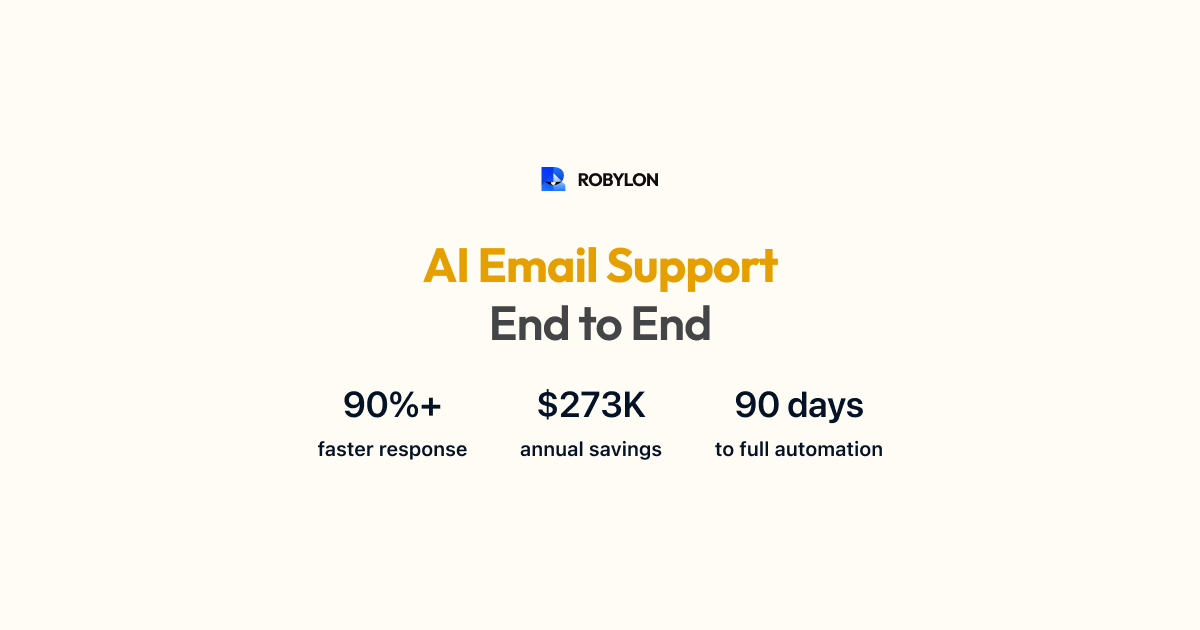
- First response time (FRT): AI responds in seconds versus hours. Expect 90%+ reduction.
- Average handle time (AHT): For human-handled emails, AI copilot (draft suggestions) typically reduces AHT by 40–60%.
- Cost per email ticket: Human-handled emails cost $5–$15 each (agent salary + overhead). AI-resolved emails cost $0.50–$2 depending on the platform. At 70% automation, you save 60–70% on email support costs.
- CSAT for AI-resolved emails: Compare satisfaction scores for AI-resolved versus human-resolved emails. Well-tuned systems achieve parity or better (because of instant response and consistent accuracy).
A Quick ROI Calculation
Suppose you handle 5,000 email tickets per month at $8 per ticket (fully loaded cost). That is $40,000/month. Deploy AI that resolves 70% automatically at $1.50 per resolution. New monthly cost: 3,500 AI resolutions × $1.50 ($5,250) + 1,500 human tickets × $8 ($12,000) = $17,250. Savings: $22,750/month, or $273,000/year. Payback period: typically under 30 days.
Choosing the Right AI Email Support Platform
Not all platforms handle email equally well. Here is what to evaluate:
- Email as a first-class channel: Many AI platforms were built for chat and treat email as an afterthought. Look for platforms designed for email from the ground up — with support for threading, attachments, HTML formatting, reply chains, and CC/BCC handling.
- Action-taking capabilities: Can the AI do more than answer questions? Can it process refunds, check orders, update accounts, create tickets? This is the difference between 40% and 80% automation.
- Helpdesk integration: Does it connect natively to your existing helpdesk (Zendesk, Freshdesk, Zoho)? Can it create, update, and close tickets automatically?
- Confidence scoring and human handoff: How transparent is the AI about its confidence? Can you set thresholds? Does the handoff include the AI’s draft and reasoning?
- Multi-issue email handling: Can the AI parse an email with three different questions and address each one coherently in a single response?
- Analytics: Resolution rate, confidence distribution, escalation reasons, CSAT by category, knowledge gap identification.
Robylon AI is built for email. It resolves email tickets end-to-end — reading, understanding, taking actions, and responding — with 99% accuracy and 3–6 second processing. It connects to your helpdesk, your OMS, your CRM, and your billing system to fully resolve transactional queries, not just answer them. Most teams go live on email in under a day. Start free at robylon.ai
Common Mistakes to Avoid
- Starting with chat instead of email. Email is more forgiving, higher volume, and easier to automate. Start here, learn, then expand to chat and voice.
- Deploying without a knowledge base audit. AI gives wrong answers when the knowledge base has stale, incomplete, or conflicting content. Audit first.
- Setting confidence thresholds too low. A wrong auto-response is worse than a slightly delayed human response. Start at 85% and lower gradually as accuracy proves out.
- Ignoring multi-issue emails. 15–20% of support emails contain multiple questions. If your AI only answers the first one, customers have to write back. Make sure your platform handles compound emails.
- Not measuring AI-resolved vs human-resolved CSAT. You need this comparison to prove the AI is working — and to identify where it is not.
Bottom Line
Email is the largest, most repetitive, and most automatable customer support channel — and yet most businesses have barely scratched the surface of what AI can do here. The technology in 2026 is mature enough to resolve 60–80% of email tickets automatically, at a fraction of the cost and a fraction of the response time of human agents.
The playbook is straightforward: audit your email volume, prepare your knowledge base, connect your systems, deploy in phases, and optimize weekly. The businesses that move first on AI email support will not just cut costs — they will set a new standard for how fast and how well email support can work.
Ready to automate your email support? Robylon AI resolves email tickets end-to-end — from classification and knowledge retrieval to action-taking and response. Works with Zendesk, Freshdesk, Zoho, and 40+ integrations. Start free at robylon.ai
Frequently asked questions
What is AI email support and how does it work?
AI email support uses large language models (LLMs) and retrieval-augmented generation (RAG) to automatically read, understand, and respond to customer support emails. The AI parses the email for intent and entities, retrieves relevant content from your knowledge base, queries live business systems (OMS, CRM, billing) for customer-specific data, generates a natural-language response, and either sends it automatically or queues it for agent review based on a confidence score.
Why should email be the first channel I automate with AI?
Email is the ideal starting channel for AI because: 1) There is no real-time pressure — customers expect responses in hours, not seconds, giving AI time to process accurately. 2) Email volume is high and repetitive — 60–80% of tickets are the same questions rephrased. 3) Customers are already accustomed to automated emails. 4) Emails contain richer context than chat messages, making intent detection more accurate. 5) The steady volume provides continuous data for the AI to learn and improve.
How much does AI email support cost compared to human agents?
Human-handled email tickets cost $5–$15 each (fully loaded agent salary + overhead). AI-resolved emails cost $0.50–$2 each depending on the platform. At 70% automation on 5,000 monthly emails, the math works out to roughly $17,250/month (blended AI + human) versus $40,000/month fully manual — saving approximately $273,000 per year. Most teams achieve payback within 30 days of deployment.
What is the difference between AI that answers emails and AI that resolves them?
An answer-only AI responds to questions from your knowledge base — "Your return window is 30 days." A resolution AI goes further — it takes the actions needed to close the issue: verifying the order, checking return eligibility, generating a return label, and confirming the refund timeline. The automation rate difference is dramatic: answer-only systems achieve 30–50% automation, while action-taking systems reach 60–80%. Robylon AI is built for full resolution, not just answers.
What percentage of email tickets can AI resolve automatically?
Well-configured AI email support systems resolve 60–80% of email tickets without human involvement. The exact rate depends on your knowledge base quality, system integrations, and the complexity of your queries. High-volume, repetitive categories like order tracking (85–95% automation) and policy questions (90%+) see the highest rates. Complex, multi-system investigations and emotional complaints are best kept with human agents.