
Handling Email Attachments with AI: PDFs, Screenshots, and Invoices
Customers don't just write support emails — they attach evidence. Screenshots of error messages, PDFs of invoices, photos of damaged products. This deep dive covers how AI processes email attachments, extracts actionable information, and uses it to resolve tickets — a capability most AI platforms lack entirely.
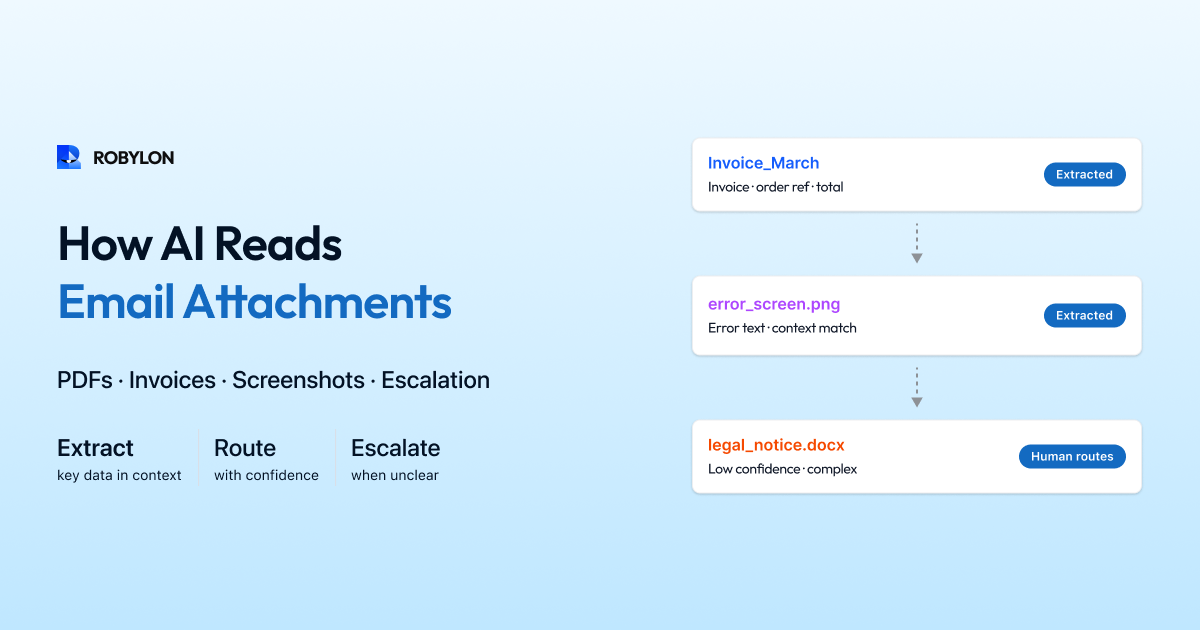
About 25–35% of customer support emails include attachments. A screenshot of an error message. A PDF invoice showing an incorrect charge. A photo of a damaged product. A receipt proving a return was shipped. These attachments are not decoration — they are evidence that contains critical information the AI needs to resolve the ticket.
Most AI email platforms ignore attachments entirely. They process the email text and treat the attachment as if it does not exist. This leads to responses like “Could you please describe the error you’re seeing?” when the customer already attached a screenshot showing the exact error. The customer gets frustrated. Trust in the AI erodes. A human agent has to step in.
AI that processes attachments resolves a significant category of emails that attachment-blind systems cannot.
Types of Email Attachments in Support
Screenshots and Images
Customers attach screenshots of error messages, broken product pages, incorrect order displays, payment failures, and app crashes. These images contain text (error codes, messages, order details), UI context (which page the customer was on), and visual evidence (what they are seeing versus what they expected). The AI uses Optical Character Recognition (OCR) to extract text from images, then combines that text with the email body for intent detection and resolution.
PDFs and Documents
Invoices, order confirmations, shipping receipts, bank statements proving payment, and return shipping labels. PDFs contain structured data — order numbers, amounts, dates, addresses — that the AI can extract and cross-reference against your systems. A customer who says “I was overcharged — see the attached invoice” provides proof that the AI can verify against your billing system.
Photos
Customers photograph damaged products, wrong items received, packaging issues, and physical defects. These require image analysis beyond OCR — understanding what the photo shows and assessing its relevance to the claim. While AI image understanding is advancing rapidly, most support AI platforms currently use photos as supporting evidence for an already-detected intent rather than as the primary signal.
How AI Processes Attachments
Step 1: Attachment Detection and Classification
The AI identifies attachments by file type (image, PDF, document), determines the likely content type based on the email context (a refund request with a PDF attachment → probably an invoice or receipt), and routes to the appropriate processing pipeline.
Step 2: Content Extraction
For images: OCR extracts all visible text. Layout analysis identifies structured elements (error dialogs, order tables, navigation elements). The extracted text is appended to the email body as additional context.
For PDFs: text extraction pulls all text content. Table detection identifies structured data (line items, totals, dates). Form field extraction captures filled-in form values. The result is structured data that the AI can query — “What is the total on this invoice?” becomes a direct lookup rather than a comprehension task.
Step 3: Context Integration
The extracted attachment content is merged with the email text for unified processing. If the email says “I’m seeing an error when I try to check out” and the screenshot contains “Error 503: Service Temporarily Unavailable,” the AI now has both the customer’s description and the specific error — leading to a more accurate and helpful response.
Step 4: Verification
The AI cross-references attachment data against your systems. A customer claiming an overcharge attaches their invoice → the AI extracts the charge amount from the invoice → queries your billing system for the actual charge → compares and determines whether the overcharge claim is valid. This verification step turns attachment processing from “acknowledging the attachment” into “resolving the issue using the attachment as evidence.”
Real-World Use Cases
Damaged Product Claims
Customer emails: “My order arrived damaged — see the attached photo.” The AI detects a damage claim intent, processes the photo (confirming it shows a product that could be damaged — though current AI is conservative about making definitive damage assessments from photos), and cross-references the order. If your policy auto-approves replacement for orders under a certain value, the AI can process the replacement immediately. For higher-value items, it escalates to a human with the photo, order details, and a recommendation.
Billing Dispute with Invoice
Customer emails: “I was charged $79.99 but the price was supposed to be $59.99 — see my original order confirmation attached.” The AI extracts $59.99 from the attached order confirmation PDF, queries the billing system showing a charge of $79.99, confirms the discrepancy, and processes a $20 credit to the customer’s original payment method. No human required — the attachment provided the evidence the AI needed to verify and resolve.
Error Screenshot
Customer emails: “I can’t complete my purchase — keep getting this error.” Attached: screenshot showing “Payment declined: Insufficient funds” error. The AI extracts the error message via OCR, recognizes it as a payment-side issue (not a platform bug), and responds: “The error indicates the payment was declined by your bank for insufficient funds. You might try a different payment method or contact your bank to authorize the transaction.”
Limitations and Honest Assessment
Attachment processing is the newest frontier in AI email support, and it has real limitations. OCR accuracy is 90–95% for clear screenshots but drops for blurry photos, handwritten text, or complex layouts. Image understanding (determining what a photo of a product shows) is improving rapidly but not yet reliable enough for autonomous damage assessments on high-value items. PDF extraction works well for structured documents (invoices, receipts) but struggles with scanned, image-based PDFs that require OCR.
The practical approach: use attachment processing to enhance the AI’s understanding and confidence, but set higher confidence thresholds for tickets where the attachment is the primary evidence. For a WISMO query with an attached tracking screenshot, auto-resolve confidently. For a damage claim with a photo as the sole evidence, generate a draft for human review with the extracted information pre-populated.
Bottom Line
Email attachments contain information that is critical to resolution — and ignoring them means the AI misses 25–35% of the context customers provide. Processing attachments (OCR for images, text extraction for PDFs, verification against business systems) enables the AI to resolve categories of emails that attachment-blind systems cannot, while providing richer context for every ticket.
AI that reads your customers’ attachments. Robylon AI processes screenshots, PDFs, and invoices — extracting data, cross-referencing your systems, and using the evidence to resolve tickets. Start free at robylon.ai
Frequently asked questions
What types of email attachments can AI process?
Three main categories: 1) Screenshots and images — AI uses OCR to extract text (error messages, order details, UI elements) and image analysis for visual context. 2) PDFs and documents — text extraction pulls content from invoices, receipts, order confirmations, bank statements. Table and form field detection captures structured data. 3) Photos — images of damaged products, wrong items, packaging issues. Photo analysis is advancing rapidly but currently best used as supporting evidence alongside email text, rather than the primary signal.
How does AI use screenshots to resolve support emails?
The AI applies OCR (Optical Character Recognition) to extract all visible text from the screenshot — error codes, messages, order numbers, UI elements. This extracted text is merged with the email body for unified processing. If the email says "I'm getting an error at checkout" and the screenshot shows "Error 503: Service Temporarily Unavailable," the AI now has both the description and the specific error, leading to a more accurate response. Without screenshot processing, the AI would ask the customer to describe the error — adding friction and delay.
Can AI verify billing disputes using attached invoices?
Yes. The AI extracts the charge amount from the attached invoice PDF, queries your billing system for the actual charge, and compares. If the customer claims they were charged $79.99 but the invoice shows $59.99 was the agreed price, the AI confirms the discrepancy, calculates the difference ($20), and processes a credit — all automatically. This verification step turns attachment processing from "acknowledging the attachment" into "resolving the issue using the attachment as evidence."
What are the limitations of AI attachment processing?
Honest limitations: OCR accuracy is 90–95% for clear screenshots but drops for blurry photos, handwritten text, or complex layouts. Image understanding for damage assessment is improving but not yet reliable enough for autonomous high-value decisions. Scanned PDFs (image-based, not text-based) require OCR and produce lower accuracy than text-native PDFs. The practical approach: use attachments to enhance AI understanding and confidence, but set higher thresholds for tickets where the attachment is the primary evidence.
What percentage of support emails include attachments?
Approximately 25–35% of customer support emails include at least one attachment. The most common types: screenshots of error messages (35% of attachments), order confirmations and invoices (25%), photos of damaged/wrong products (20%), and return shipping receipts (10%). AI platforms that ignore attachments effectively miss critical context on a quarter to a third of all emails — leading to responses that ignore evidence the customer already provided, which frustrates customers and generates unnecessary follow-ups.