How to Deploy an AI Customer Service Agent on Shopify in 7 Days
Deploying an AI customer service agent on Shopify doesn't take a quarter. This is a day-by-day plan for going live in a week: prerequisites, connecting Shopify and your inbox, the queries to automate first, the guardrails that keep you safe, and a phased go-live.
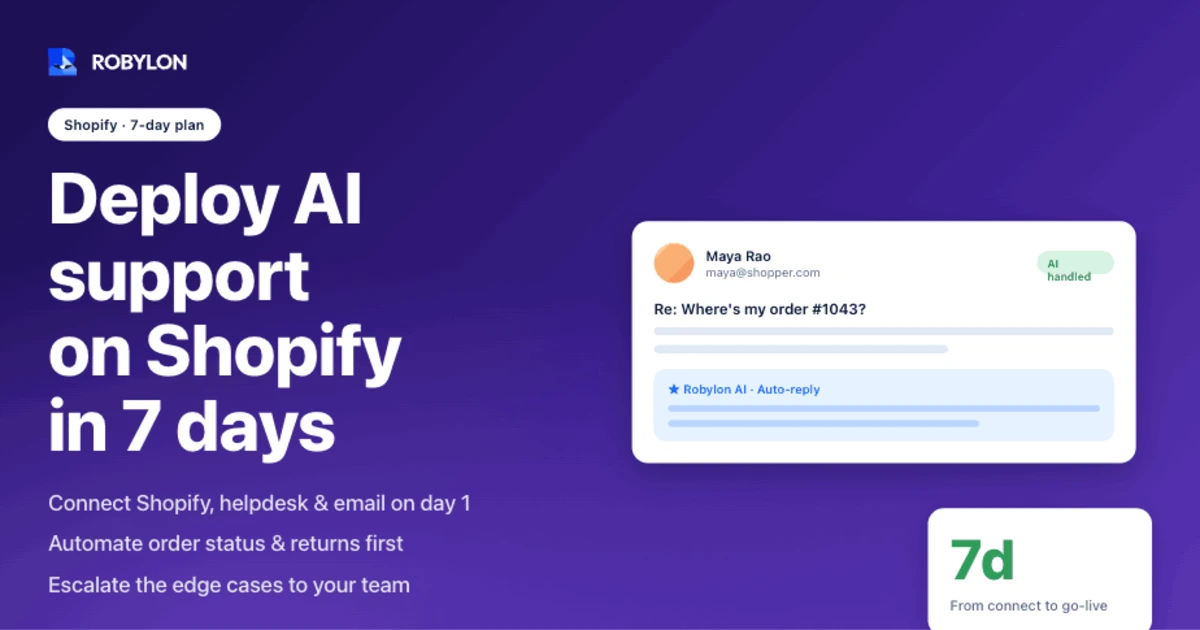
Open the support inbox of almost any Shopify store on a Monday morning and the same question stares back at you, dozens of times over: where’s my order? Gorgias puts it at roughly 18% of all ecommerce support volume, and answering each one by hand runs about $5 to $12 once you count agent time. The maddening part is that the answer already lives inside Shopify, waiting to be read out.
That’s exactly the kind of work an AI agent should take off your team’s plate. And you don’t need a quarter-long project to make it happen. A focused deployment that handles your highest-volume queries can be live in about a week, as long as you sequence the work correctly and stay honest about what to automate first.
This is the day-by-day version.
What “live in 7 days” actually means
Let’s set expectations before the plan, because vague promises here cause most of the disappointment. Seven days does not mean an agent that handles every ticket type across every edge case by day seven. It means a working agent that resolves your top two or three intents on real customer conversations, with humans watching the edges.
Vendors quote wildly different timelines. Some claim a 30-minute install; others budget four weeks to full production. Both can be true, because they’re measuring different finish lines. Thirty minutes gets you a widget on the page. Four weeks gets you broad edge-case coverage with a formal quality gate. The honest middle, for a store with documented policies and clean data, is that the first real resolutions start flowing in 3 to 7 days, then coverage widens from there.
If you want the broader strategic picture first, our guide to AI customer service for Shopify covers what to automate and why. This article is the operational checklist for getting there fast.
Before day one: get these ready
The single biggest predictor of a fast deployment isn’t the software. It’s how prepared your inputs are. Spend an afternoon on the items below and you collapse the timeline; skip them and you’ll spend days chasing your own answers.
- Historical tickets: The last 60 to 90 days of support conversations, exported from Gorgias, Zendesk, or wherever they live. This is the raw material the agent learns your real customer language from. Nobody types “shipment status,” they type “where is it??”
- Documented policies: Return window, refund rules, shipping timelines, warranty terms. If any of this only exists in a senior agent’s head, write it down now. An AI agent cannot apply a policy that was never written.
- Admin access: The credentials to connect Shopify, your helpdesk, and any other system the agent will touch, such as a returns app or a shipping provider.
- One decision-maker: A single person with authority over tone, escalation rules, and sign-off on agent responses. Deployments stall when three people have to agree on every reply.
That’s it. Four inputs, and the slowest of them is usually writing down the policies you’ve been improvising for years.
Days 1–2: Connect Shopify and your inbox
An AI agent without live store data is just a chatbot guessing at FAQs. The first real task is wiring it into the systems that hold the answers, and for a Shopify store that means two connections: your store and your support inbox.
On the Shopify side, the agent authenticates through the Admin API and reads order, customer, and product data. That’s what lets it answer “where’s my order?” with an actual tracking link instead of a canned apology. One detail catches teams off guard: by default the Shopify Order object only exposes the last 60 days of orders. If your customers ask about older purchases, you need to request the read-all-orders scope during setup. Sort that out on day one, not when a confused customer asks about a March order in June.
Read access answers questions. Write access resolves them. To actually issue a refund, edit a fulfillment address, or cancel an order, the agent needs write scopes, and those are the permissions that turn a smart FAQ bot into something that closes tickets. A platform with broad write-access integrations can take these actions inside Shopify and across your wider stack without custom engineering for each one.
The inbox connection is the second half. Most stores run support through a helpdesk or a shared mailbox, and the agent has to live where the tickets already arrive rather than forcing customers to a new channel. Connect it to your existing email and helpdesk so replies thread naturally into ongoing conversations.
Days 3–4: Choose what to automate first
Resist the urge to automate everything at once. The fastest path to a trustworthy agent is to pick the handful of intents that are high-volume, low-risk, and have a clear correct answer, then nail those before touching anything harder.
For a Shopify store, that shortlist almost always looks like this:
- Order status (WISMO): The big one. Pulling order state, fulfillment stage, and tracking links straight from Shopify. This single intent can clear a fifth or more of your queue. We go deep on it in our breakdown of automating where-is-my-order emails.
- Returns and exchanges: Checking eligibility against your return window, generating a label, and walking the customer through the steps. Done right, automating Shopify returns removes four to six manual touchpoints per request.
- Refund status: “Where’s my refund?” is the quiet twin of WISMO. The agent reads the payment state and reports back, instead of a human digging through Shopify payments.
- Product questions: Sizing, materials, compatibility, usage. These pull from your catalog and policy docs, no live order lookup required.
- Address and order edits: Catching the “I typed the wrong apartment number” message before the package ships and correcting it in Shopify directly.
Notice these aren’t ranked by how clever they are. They’re ranked by volume and safety. WISMO is first because it’s the most common question and the hardest to get wrong. Map each intent to the specific Shopify action behind it, and you’ve defined roughly 70% of your inbound traffic in an afternoon.
Day 5: Set the guardrails
This is the day that separates a deployment you can trust from one that embarrasses you in front of customers. An AI agent that resolves everything is not the goal. An agent that knows the edge of its competence and steps back is.
Three guardrails matter most. The first is confidence thresholds: when the agent isn’t sure enough about an answer or an action, it hands off rather than guesses. The second is tone and sentiment detection, so an angry or escalating customer gets a human before the situation hardens. The third is a hard do-not-automate list for cases that genuinely need judgment.
What belongs on that list for a Shopify store?
- Suspected fraud: Orders where the account history or payment pattern looks off should always go to a person.
- Damaged or wrong items: Anything that needs a photo reviewed and a judgment call on condition.
- High-value orders: Set a dollar threshold above which refunds and cancellations get human eyes.
- Warranty disputes: These hinge on interpretation, not policy lookup, and customers feel them deeply.
The principle behind every line on that list is the same: automate the work that has a known answer, escalate the work that needs a human to weigh things up. If you only read one thing about this, read how we frame when to escalate to a human versus resolve in-agent. Getting the escalation logic right on day five is what makes the go-live on day seven calm instead of nerve-wracking.
One more guardrail that’s easy to forget: customer messages are untrusted text. A returns request can contain anything a customer types, including attempts to manipulate the agent into approving something it shouldn’t. A serious deployment screens those free-text fields before the agent acts on any financial decision. Treat every inbound message like input from a stranger, because it is.
Days 6–7: Shadow mode, then go live
Don’t flip the switch to full automation on a Friday and walk away. The safe pattern is staged, and it fits comfortably into two days.
Start in shadow mode. The agent reads live tickets and drafts responses, but a human reviews each one before it sends. You’re checking the same thing a flight school checks before a solo: does it make the right call when the situation is real, not just when the data is historical? Run this against a day’s worth of actual traffic and you’ll see immediately where it’s solid and where it wobbles.
Then move to limited live. Let the agent auto-resolve a slice of your traffic, often 10% to 25% of conversations, on the intents you trust most. Watch the resolution quality and the escalation rate. If both look healthy, widen the slice.
By the end of day seven, your agent should be autonomously handling order status and one or two other intents on real customers, escalating cleanly on everything else. That’s a genuine deployment. It’s not finished, but it’s working, and it’s already taking the most repetitive question in ecommerce off your team’s hands.
What week two looks like
The seven-day plan gets you live. It doesn’t get you done, and that’s the right way to think about it.
Week two is for widening coverage. You add the next tier of intents, tune the responses that came back a little stiff, and adjust thresholds based on what the escalation queue is telling you. Resolution rates climb as the agent sees more of your real traffic and your team feeds back on the edge cases. A well-deployed agent on a Shopify store lands in the 60% to 80% autonomous resolution range on email once it’s had a few weeks to settle, which is the band most credible platforms report for this kind of work.
Where Robylon fits
Robylon is built for exactly this deployment. It’s an email-first AI agent that resolves 60% to 80% of customer emails autonomously, validated against your own historical tickets during onboarding so you see expected accuracy before you go live, not after.
It connects to Shopify and 60+ other systems with write access, so it doesn’t just answer the order-status question, it issues the refund, edits the address, and processes the return inside Shopify. Pricing is usage-based credits, with no per-seat or per-resolution fees, so a quiet month costs less and a busy one doesn’t punish you for succeeding. Human-in-the-loop escalation, tone detection, and confidence thresholds are built in, which means the day-five guardrail work is configuration, not custom development. And the deployment timeline is the one this whole article is about: 3 to 7 days to a working agent.
Ready to deploy an AI agent on your Shopify store this week? Robylon AI resolves 60–80% of customer emails autonomously, with AI agents that take action across Shopify, Gorgias, Stripe, and 60+ other integrations. Start free at robylon.ai
Frequently asked questions
How long does it take to set up an AI agent on Shopify?
A focused deployment that handles your highest-volume queries typically goes live in 3 to 7 days, assuming you have historical tickets, documented policies, and admin credentials ready. The first intents to launch are usually order status and returns. Broader edge-case coverage continues to expand for a week or two after the initial go-live. Claims of a 30-minute setup usually refer to installing a widget, not standing up an agent that resolves tickets end to end with real store data.
What Shopify permissions does an AI customer service agent need?
At minimum, the agent needs read access to orders, customers, and products so it can answer questions accurately. To resolve tickets rather than just reply to them, it also needs write access for actions like issuing refunds, editing addresses, and cancelling orders. Note that Shopify's Admin API exposes only the last 60 days of orders by default, so you should request the read-all-orders scope during setup if customers ask about older purchases.
Can an AI agent process refunds and returns on Shopify automatically?
Yes. With write access to the Shopify Admin API, an AI agent can check return eligibility against your policy, generate a shipping label, and issue refunds, including partial or line-item refunds, without a human touching the ticket. The key is configuration: you set the rules and confidence thresholds so straightforward cases resolve automatically while edge cases like damaged items, high-value orders, or suspected fraud escalate to a person.
Which customer questions should I automate first on a Shopify store?
Start with high-volume, low-risk intents that have a clear correct answer. The usual shortlist is order status (WISMO), returns and exchanges, refund status, product questions, and address or order edits. Order status comes first because it's the single most common ecommerce query and the hardest to answer incorrectly. Automating these few intents well covers roughly 70% of typical inbound support traffic before you touch anything that needs human judgment.
Will an AI agent replace my Shopify support team?
No, and that's not the goal. A well-deployed agent takes the repetitive, answerable work off the queue, the WISMO tickets and refund-status checks that drain hours without generating revenue. That frees your team for the complex, high-value conversations where human judgment actually matters: warranty disputes, damaged goods, and frustrated customers. The framing is augmentation and scale, not headcount reduction. Your agents do better work; the agent handles the volume.
Related reading
- Customer Support
11 SaaS Help Desk Tools Ranked for 2026 (3 Are Completely Free)
The 11 best SaaS support tools for 2026, ranked with real pricing and an honest take on which charging model (per-agent, per-resolution, or credits) actually fits your team.
- Customer Support
11 Customer Service Trends in 2026 Every Support Leader Must Know
Top 11 customer service trends for 2026: from AI copilots to autonomous agents, voice AI, omnichannel, GenAI, and human+AI partnerships.
- Customer Support
9 Free Help Desk Tools in 2026 That Don't Feel Free (Full Breakdown)
From lightweight tools for startups to advanced systems with AI and automation, explore the top free and freemium help desk software of 2026.