
The CXO Guide to AI Email Support
Most AI support business cases don't survive contact with reality. This guide gives CXOs the metrics, the ROI math, and the failure modes to plan around before signing off on an email automation rollout.
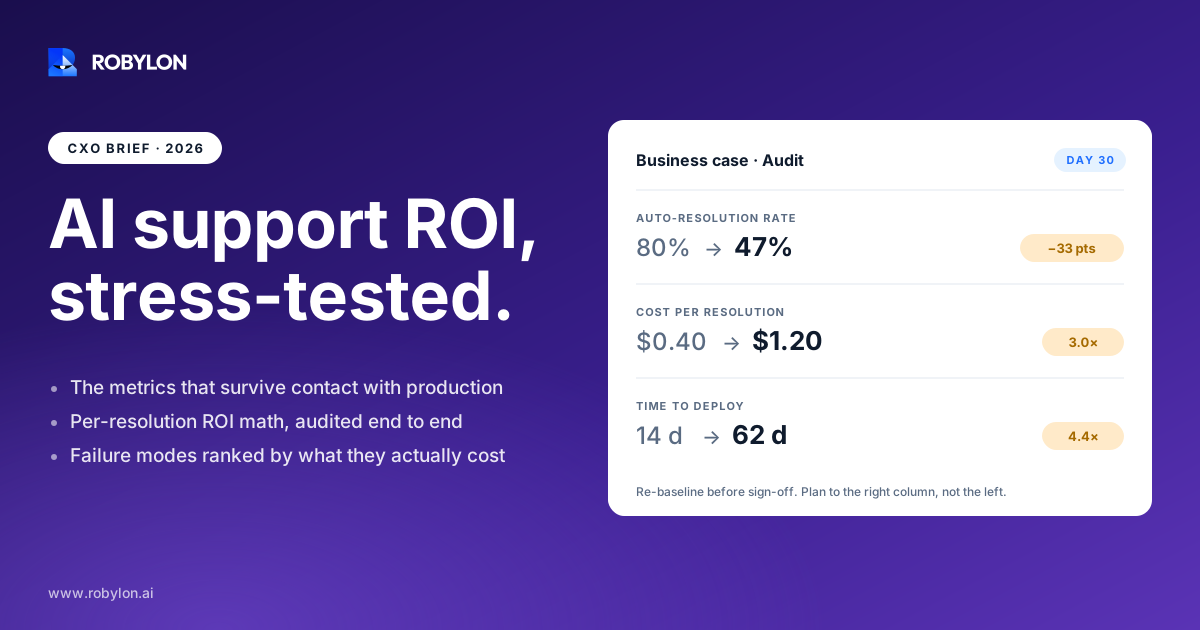
By February 2026, 91% of customer service leaders were under direct executive pressure to deploy AI. That number tells you something uncomfortable: the decision has often already been made above the support org, and the operating questions get worked out afterward. If you’re the executive making that call, the order should be reversed.
This guide is written for the person who has to defend the number in a board deck. Not the demo, not the vendor benchmark, but the version of the business case that still holds up at the 180-day review. The good news is the underlying economics are real. The trap is that almost every projection you’ll be handed is built on the wrong metric.
Why email is the channel that actually moves the P&L
Chat and voice get the conference-stage attention. But email is where the math gets interesting for most support orgs, for two reasons.
First, it’s expensive per ticket. Independent 2026 benchmarks put email resolution at roughly $9 to $16 per case once re-contacts are counted, and a fully loaded cost-per-ticket calculation that includes benefits, overhead, and tooling lands many SaaS teams between $18 and $35. The salary-only number most teams quote understates the real figure by 30 to 40%.
Second, email is structurally suited to automation in a way live channels are not. It’s asynchronous, so there’s no pressure to answer in two seconds. It carries a written record, which means the AI has full context and the audit trail comes for free. And a large share of email volume is repetitive: order status, refund requests, account changes, billing questions. These are the queries that data-rich teams automate first and fastest.
That combination, high unit cost and high automatability, is why email is usually the channel with the best return on an automation dollar. If you want the full operational breakdown of how the channel works end to end, the complete guide to AI email support covers the mechanics. This piece stays at the altitude a CXO actually operates at.
The one metric that breaks most business cases
Here’s the single most important thing to understand before you approve anything.
Deflection is not resolution. A customer who gave up and closed the tab counts as a deflection. A customer whose problem was solved counts as a resolution. Only one of those saves you money, and only one keeps the customer.
This distinction is where most ROI projections quietly fall apart. A bot that “deflects” 60% of email by sending a help-center link looks great in a weekly report. Then a chunk of those customers email again, now angrier, and you’ve generated two contacts where you had one. The published research is blunt about this: teams that fail to hit projected returns almost always made the same mistake, which is measuring deflection instead of resolution.
The honest version of the metric is containment measured across a 24-hour cross-channel window. If someone ends an AI email exchange and opens a chat 90 minutes later about the same issue, they weren’t contained. Measuring that properly means joining your email data with chat, voice, and social, which is exactly why teams on fragmented tooling default to the easier, flattering number. Don’t let your business case be built on it.
Three metrics survive scrutiny at the board level:
- Containment rate: the share of issues fully resolved without a human, with no re-contact inside 24 hours. A well-scoped tier-1 deployment should hit 55 to 70% by day 90.
- Cost per resolved contact: total cost divided by issues actually resolved, not tickets closed. Closing a ticket the customer reopens tomorrow is not a resolution.
- Churn change by interaction type: segment retention by whether a customer was handled by AI or a human. This is where a bad deployment shows its true cost, and a good one shows hidden upside.
Get those three right and you have an ROI number you can defend. Get them wrong and you’ll be explaining a shortfall two quarters from now.
Running the ROI math without fooling yourself
The model itself is simple. The discipline is in the inputs.
Start with your current cost per resolved email contact. Take total email support cost, divide by issues genuinely resolved. Then estimate the volume AI will resolve end to end, and here’s the rule: use a conservative 40 to 50% for year one, not the 70 to 80% a vendor slide promises. Multiply resolved volume by the gap between human and AI handling cost. Subtract platform and implementation cost. That’s your return.
A worked example makes it concrete. Say you handle 20,000 email tickets a month at a fully loaded $12 each, so $240,000 monthly. Automate 45% at an AI cost of around $1.50 per resolution. That’s 9,000 tickets moving from $12 to $1.50, a saving of $10.50 each, or roughly $94,500 a month before platform fees. Even after subtracting a meaningful software cost, most teams on outcome-aligned pricing see payback inside three to six months.
Two things keep that number honest. One, the conservative resolution rate, because week-one metrics always reflect the easy queries and long-tail complexity surfaces around weeks four to twelve. Two, the pricing model underneath it.
Why the pricing model is a strategic decision, not a line item
Per-seat pricing punishes you for staffing. Per-resolution pricing can create a perverse incentive where the vendor benefits from marking borderline tickets “resolved.” A usage-based credit model ties cost to actual work done and keeps the incentives pointed the right way. This matters more than the headline rate, and it’s worth modeling all three before you sign. The 2026 pricing comparison for AI email support walks through how the models diverge at scale.
Where AI email support should fail on purpose
The fastest way to lose your support team and your customers in the same quarter is to automate everything you technically can. Some email should never be auto-resolved, even when the model is confident it could.
Escalate, don’t resolve, when:
- The emotional register shifts. A frustrated, threatening, or grieving customer needs a human, full stop. Tone-shift detection should route these out before the AI ever drafts a reply.
- The stakes are high or irreversible. Account closures, large refunds, legal or compliance-adjacent questions, anything where a wrong answer is expensive to unwind.
- Confidence is genuinely low. A system that knows what it doesn’t know and hands off cleanly beats one that guesses. Forced closure shows up later as repeat contacts and falling CSAT.
This is where hallucination risk earns a line in your risk register. Independent 2026 measurements put hallucination rates in live customer-service AI deployments in the 15 to 27% range, averaging around 18%. That’s not a reason to avoid automation. It’s the reason your design has to ground every answer in real knowledge and verified actions, and route anything uncertain to a person. The teams that get burned are the ones who treated escalation as a failure mode instead of a feature. The right way to think through the resolve-versus-route decision is laid out in this breakdown of when AI email should escalate to a human.
The thing that separates a chatbot from an agent: action
Answering an email is the easy half. Resolving it usually means doing something: issuing the refund, updating the shipping address, changing the subscription, pulling the order record.
An AI that can only draft text deflects. An AI with write-access to your stack resolves. The difference is whether it can reach into the systems where the work actually happens, your helpdesk, your CRM, your order and payment platforms. Robylon connects to 60-plus systems with write access, so the agent takes the action rather than handing the customer a tracking link and hoping. That’s the line between a containment rate of 30% and one of 65%. The mechanics of how that connective layer works are covered on the integrations platform page.
For an e-commerce brand, this is the whole game. The highest-volume queries, order status, returns, shipping, product availability, are well-defined and sit on top of structured data. Brands with AI agents wired into a platform like Shopify routinely automate 70% or more of support volume. The pattern shows up consistently in AI email support for e-commerce deployments because the underlying data is clean and the intents are repeatable.
Security and compliance are a board conversation, not a footnote
The moment an AI has write-access to customer accounts and payment systems, it stops being a productivity tool and becomes part of your risk surface. Your CISO will ask, correctly, what happens when it’s wrong, who can see what, and where the audit trail lives.
The questions to put in front of any vendor before procurement: How is customer data handled and retained? Is every AI action logged and reversible? Can you scope what the agent is allowed to touch? What does the human-in-the-loop control actually look like in practice? These aren’t blockers. They’re the diligence that makes the rollout defensible. A practical starting point is this enterprise security checklist for AI email support, which maps the questions to the answers you should expect.
A 90-day rollout that doesn’t blow up
Big-bang launches are how AI support projects end up in cautionary case studies. The pattern that works is narrow and sequential.
- Validate against your own history first. Before going live, run the model against historical tickets to see what it would actually have resolved. This is how you replace the vendor’s 80% with your number. Robylon’s onboarding validates the 60 to 80% autonomous resolution rate against your real ticket history, not an industry average.
- Start with one high-volume, low-risk intent. Order status or password resets. Prove containment on the easy tier before touching anything sensitive.
- Watch weeks four through twelve, not week one. Early metrics flatter you. The long-tail complexity that determines your real resolution rate emerges in the second month.
- Expand intent by intent. Add scope only after the previous tier holds its containment rate and CSAT. Deployment for most teams runs three to seven days; the discipline is in the expansion, not the install.
Reasonable scope and honest measurement beat ambition here every time. A bot handling interactions it can’t resolve will sit below a 50% containment rate and erode trust faster than no automation at all. For a deeper look at scoping tier-1 work without creating downstream problems, see this piece on resolving tier-1 tickets cleanly.
What support becomes on the other side
The strategic shift is the part that doesn’t fit in an ROI spreadsheet. When AI handles the repetitive 50 to 70% of email, support stops being a pure cost center.
Every AI conversation generates structured data. Topic analysis surfaces product issues and content gaps before they become escalation spikes. Quality scoring can cover 100% of conversations instead of the 2% a human QA team samples. Your agents shift from clearing a queue of password resets to handling the complex, high-value, relationship-defining cases that actually move retention. New roles appear: AI operations, conversation design, knowledge management. Gartner projects conversational AI will save roughly $80 billion in contact-center labor costs globally by the end of 2026. That’s the macro number. The micro version is the one you’ll present: a defensible containment rate, a real cost-per-resolution, and a churn line that holds or improves. Build the case on those, model the pricing honestly, and design the escalation paths as carefully as the automation. Do that and the math is hard to argue with.
Ready to build an AI email support case your board will actually sign off on? Robylon AI resolves 60 to 80% of customer emails autonomously with agents that take action across Shopify, Salesforce, Zendesk, and 60-plus other integrations. Start free at robylon.ai
Frequently asked questions
What is the difference between deflection and resolution in AI email support?
Deflection counts any email the customer didn't end up sending to a human, including cases where they simply gave up. Resolution counts only emails where the problem was actually solved. The gap matters because a deflected-but-unresolved customer often re-contacts, generating two tickets instead of one. Build your business case on containment rate measured across a 24-hour cross-channel window, which is the honest version of the metric and the one that correlates with both cost savings and retention.
How do I calculate ROI on AI email support?
Take your fully loaded cost per resolved email contact, then estimate the volume AI will resolve end to end using a conservative 40 to 50% for year one. Multiply that resolved volume by the cost gap between human and AI handling, then subtract platform and implementation costs. A team handling 20,000 emails monthly at $12 each that automates 45% at $1.50 per resolution saves roughly $94,500 a month before fees. Most teams on usage-based pricing see payback within three to six months.
What email queries should never be automated?
Escalate rather than auto-resolve when the emotional register shifts (frustrated, threatening, or grieving customers), when stakes are high or irreversible (account closures, large refunds, legal or compliance questions), or when the model's confidence is genuinely low. Tone-shift detection and a real human-in-the-loop handoff should route these to a person before the AI replies. Treating escalation as a built-in feature rather than a failure is what separates deployments that hold CSAT from those that erode it.
How fast can AI email support be deployed?
For most teams, technical deployment runs three to seven days, but the rollout that succeeds is sequenced over about 90 days. Start by validating the model against your own historical tickets, launch on one high-volume low-risk intent like order status, then watch weeks four through twelve where long-tail complexity surfaces. Expand intent by intent only after each tier holds its containment rate and CSAT. The discipline is in the staged expansion, not the install itself.
Is AI email support secure enough for enterprise use?
It can be, but security becomes a board-level question the moment the AI has write-access to customer accounts and payment systems. Before procurement, confirm how customer data is handled and retained, whether every AI action is logged and reversible, whether you can scope what the agent is allowed to touch, and what the human-in-the-loop controls look like in practice. These questions make the rollout defensible to your CISO rather than a hidden risk on the balance sheet.