
How to Auto-Reply to Customer Emails Without Sounding Robotic
The #1 objection to AI email support is "it'll sound robotic." This guide covers 8 practical techniques — from brand voice configuration to dynamic personalization to sentiment-adaptive tone — that make AI-generated emails indistinguishable from human-written ones.
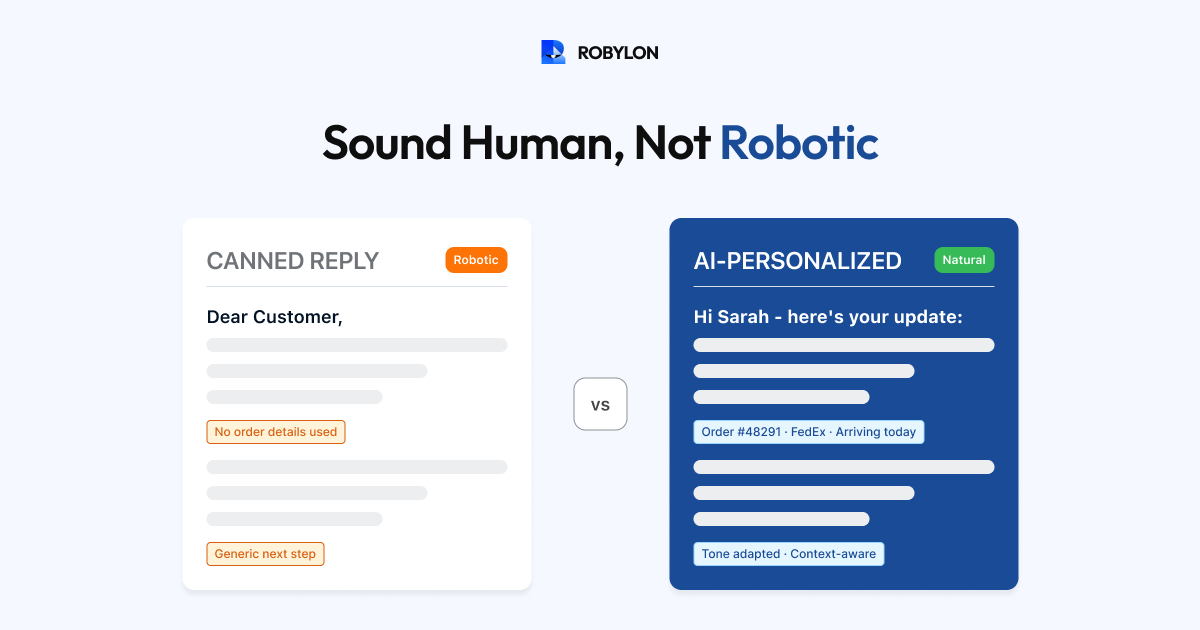
The fear is universal: “If we let AI reply to customer emails, it will sound like a robot and customers will hate it.” This fear made sense five years ago when auto-replies were rigid templates with mail-merge fields. It does not hold up in 2026 when LLM-powered AI generates natural, contextual, personalized responses — but only if you configure it properly.
The difference between an AI email that feels human and one that feels robotic comes down to eight specific techniques. None of them require coding. All of them are configurable through your AI platform’s settings, system instructions, and knowledge base content. Here is how to get it right.
Technique 1: Define Your Brand Voice Explicitly
AI does not have a default personality — it adapts to the instructions you give it. If your instructions are vague (“be professional”), the AI produces generic corporate-speak. If your instructions are specific, the AI matches your brand precisely.
Write a brand voice document for your AI that covers:
- Tone spectrum: Where does your brand sit between casual and formal? “We sound like a knowledgeable friend who happens to be an expert, not a corporate support center.”
- Vocabulary: Words you use (“Hey”, “Thanks a bunch”, “Happy to help”) and words you avoid (“Dear valued customer”, “Please be advised”, “As per our policy”).
- Sentence structure: Short, direct sentences? Or longer, explanatory ones? “Keep sentences under 20 words where possible. Use contractions (we’ll, you’re, it’s).”
- Sign-off style: “Cheers, The [Brand] Team” vs “Best regards, [Brand] Customer Support” — small choices that shape perception.
- Emoji policy: Does your brand use emojis in support emails? If yes, which ones and how sparingly?
Feed this document into your AI’s system instructions. The AI will mirror this voice in every email it generates.
Technique 2: Personalize with Customer Data, Not Just Names
Addressing someone by name is table stakes. Real personalization means the AI response reflects knowledge of the customer’s specific situation:
- Reference their specific product: “About your Blue Running Shoes (order #45721)…” — not “About your recent order…”
- Acknowledge their history: “Since you’ve been a customer since 2023…” or “I can see this is your second time reaching out about this…”
- Adapt to their account context: Different response for a free trial user vs a 3-year enterprise customer.
- Use their timezone: “You should see the refund by Friday” (their Friday) rather than a UTC timestamp.
This level of personalization requires the AI to be connected to your CRM and order system — but once connected, it happens automatically in every response.
Technique 3: Adapt Tone to Sentiment
A neutral inquiry and a frustrated complaint require fundamentally different tones. The AI should detect the customer’s emotional state and adjust accordingly:
Neutral inquiry: Straightforward, efficient, friendly. “Here’s your tracking info — your order is expected March 22. Let me know if you need anything else!”
Mild frustration: More empathetic, acknowledge the inconvenience. “I understand the wait is frustrating — let me check on this right away. Your order shipped on March 18 and is expected by March 22. I know that’s later than expected, and I’m sorry for the delay.”
High frustration / anger: Lead with empathy, take ownership, then provide the resolution. “I’m really sorry about this experience — you shouldn’t have to chase your order like this. I’ve looked into it immediately and here’s what I found…”
Configure your AI with explicit instructions for each sentiment level. The difference between these three tones is what makes a customer feel heard versus feeling processed.
Technique 4: Vary Response Structure
Robotic emails follow the exact same structure every time: greeting, body, closing. Human emails vary — sometimes you lead with the answer, sometimes with empathy, sometimes with a question. Your AI should vary its response structure based on the situation:
- Simple status query: Lead with the answer immediately. “Your order shipped March 18 via FedEx — here’s the tracking: [link]. Expected delivery: March 22.”
- Complaint: Lead with acknowledgment. “You’re right to be frustrated, and I want to fix this. Here’s what I’ve done…”
- Complex question: Lead with a brief summary, then explain details. “Short answer: yes, you can return the item. Here’s how the process works…”
- Follow-up in an ongoing thread: Skip the greeting and get straight to the update. “Quick update on your return — we received the item this morning and your refund of $49.99 has been processed.”
Technique 5: Avoid AI Telltale Phrases
Certain phrases scream “AI-generated” and should be explicitly banned in your system instructions:
- “I understand your frustration” (when used as a generic opener without specifics — it feels hollow).
- “Thank you for your patience” (when the customer has not been patient — they have been waiting and are upset).
- “Please do not hesitate to reach out” (nobody talks like this in real life).
- “I hope this helps!” (generic filler — instead, offer a specific next step).
- “As per our policy…” (legalistic — rephrase as a natural explanation).
- “I’d be happy to assist you with that” (corporate automation voice — just assist them).
Add these to your AI’s “do not use” list and provide natural alternatives for each.
Technique 6: Include Specifics, Not Generics
The fastest way to sound robotic is to give a generic answer when the customer asked a specific question.
Robotic: “Your refund is being processed and will be credited to your account soon.”
Human: “Your refund of $49.99 was processed on March 15 and credited to your Visa ending in 4532. It typically takes 5–7 business days to appear — so you should see it by March 22.”
The second response includes five specific data points: amount, date processed, payment method, timeline, and expected date. This specificity is only possible when your AI is connected to your payment and order systems — which is why system integrations matter for tone, not just resolution capability.
Technique 7: Write Like You Would to One Person
Instruct your AI to write as if replying to one specific person — not addressing a category of customer. This means:
- Use “you” and “your” — not “customers” or “users.”
- Use “I” — not “we” or “our team.” (Unless your brand voice explicitly uses “we.”)
- Be direct: “Here’s your tracking info” — not “Please find the tracking information below.”
- Be conversational: “Let me know if anything else comes up” — not “Should you require further assistance, please do not hesitate to contact us.”
Technique 8: Test with the “Would I Send This?” Check
Before going live, read 20 AI-generated email responses and ask yourself one question for each: “If I were a support agent, would I send this response exactly as written — or would I edit it first?”
If you would edit more than 20% of responses, your AI needs further tuning — probably in brand voice instructions, tone adaptation, or personalization depth. If 80%+ of responses would send as-is, your AI is ready for production.
Run this test monthly as a quality check. Tone drift can happen as your knowledge base changes or as the AI encounters new query patterns.
Before and After: The Same Query, Two Ways
Customer email: “I ordered the wrong size and need to exchange. Order 45721.”
Robotic response: “Dear Customer, Thank you for reaching out to us. We have received your request regarding order #45721. As per our exchange policy, exchanges are available within 30 days of delivery for unused items. Please follow the steps below to initiate an exchange. If you have any further questions, please do not hesitate to contact us. Best regards, Customer Support Team.”
Human-sounding AI response: “Hi Sarah, no worries — let’s get you the right size! I’ve set up an exchange for order #45721. What size do you need? Once you let me know, I’ll check availability and send you a prepaid return label so you can ship back the original. The whole process usually takes about a week from when you ship the return.”
Same information, completely different experience. The second version uses the customer’s name, leads with reassurance, asks a specific follow-up question, and explains the timeline in human terms. And it is fully generated by AI — with the right configuration.
Bottom Line
AI emails do not sound robotic by default — they sound robotic when the AI is poorly configured. Define your brand voice explicitly, connect your systems for data-rich personalization, adapt tone to sentiment, vary your response structure, ban telltale AI phrases, and run the “would I send this?” test before launch. The result: auto-replies that customers cannot distinguish from human-written responses — delivered in seconds instead of hours.
AI emails that sound like your best agent wrote them. Robylon AI generates brand-consistent, personalized, sentiment-aware email responses — trained on your voice, powered by your data. Start free at robylon.ai
Frequently asked questions
How do I make AI email replies sound human instead of robotic?
Eight techniques: 1) Define your brand voice explicitly (tone, vocabulary, sentence style). 2) Personalize with customer data beyond just names — order details, account history. 3) Adapt tone to sentiment — neutral vs frustrated vs angry get different approaches. 4) Vary response structure by situation type. 5) Ban AI telltale phrases ("please do not hesitate"). 6) Include specifics, not generics. 7) Write as if replying to one person. 8) Test with the "would I send this?" check.
What AI phrases should I ban from customer email replies?
Ban these robotic staples: "I understand your frustration" (hollow without specifics), "Thank you for your patience" (when they have not been patient), "Please do not hesitate to reach out" (nobody talks like this), "I hope this helps!" (generic filler), "As per our policy..." (legalistic), "I'd be happy to assist you with that" (corporate automation voice). Replace each with a natural alternative in your AI's system instructions.
How do I test if my AI email replies pass the 'human' test?
Read 20 AI-generated responses and ask: "Would I send this exactly as written, or would I edit it first?" If 80%+ would send as-is, your AI is production-ready. If you would edit more than 20%, tune your brand voice instructions, tone adaptation rules, or personalization depth. Run this test monthly as a quality check — tone drift can happen as your knowledge base changes or as the AI encounters new query patterns.
Can AI match different brand voices for different companies?
Yes. Multi-tenant AI platforms like Robylon configure a separate brand voice profile for each company. One brand might be "warm, casual, emoji-friendly, uses contractions" while another is "professional, formal, no emojis, full words." The AI uses the appropriate voice profile for each company's emails. This is configured through system instructions — not model retraining — so updating the voice is instant.
How does AI adapt email tone based on customer sentiment?
Configure three tone levels: Neutral inquiry — straightforward, efficient, friendly. Mild frustration — more empathetic, acknowledge the inconvenience, then provide the resolution. High frustration/anger — lead with empathy and ownership ("I'm really sorry about this"), then provide the resolution. The AI detects sentiment from word choice, punctuation, and patterns, then adjusts automatically. Mild frustration does NOT require escalation — just a tone shift. Reserve escalation for genuinely elevated emotional states.