
AI Email Support Load Testing: Preparing for Black Friday Scale
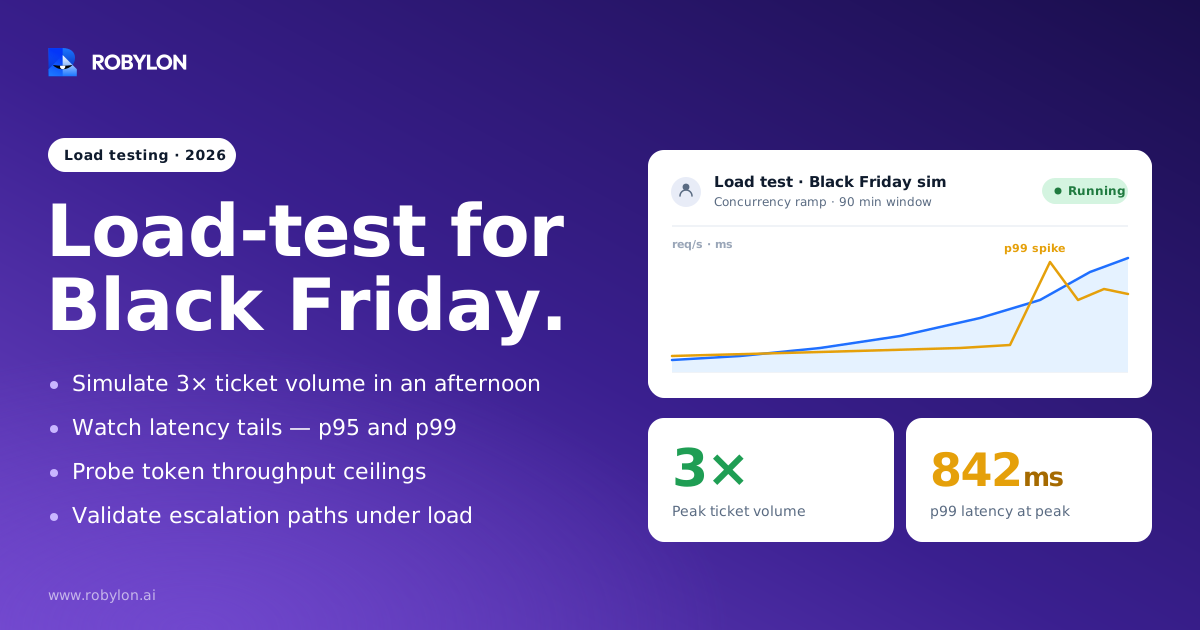
Black Friday breaks AI support systems in ways a normal Tuesday never reveals. This guide walks through how to load test concurrency, latency tails, token throughput, and escalation paths so your AI holds up when ticket volume jumps 3x in an afternoon.
Cyber Monday 2025 processed 49.3 million transactions across one fraud platform alone, a 24% jump over the prior year, and the volume peaked at 9 p.m. Central, not noon. For a support team, that single detail matters more than the headline revenue number. It means the inbox does not fill on a smooth curve. It floods in bursts, often at the exact hour your overnight staffing is thinnest.
An AI email agent that resolves 70% of tickets in October can still buckle in late November. Not because the model got worse, but because nothing about peak traffic looks like the conditions it was quietly tested under. Load testing is how you find that out in a staging environment instead of in front of 75 million shoppers.
Why peak season exposes problems a normal week hides
Most AI support stacks are validated against average load. Average load is a comfortable lie. It smooths over the two things that actually break systems: concurrency spikes and the long tail of response times.
During the 2025 Cyber 5, U.S. shoppers spent $44.2 billion online over five days, and agentic service conversations rose 42% versus the Thanksgiving baseline. When that demand lands, three failure modes show up almost immediately. Provider rate limits start rejecting requests. Latency at the 95th and 99th percentile balloons while the median still looks fine. And multi-step agent workflows, the ones that check an order, draft a reply, and update a CRM, start timing out halfway through because each step competes for the same token budget.
The cruel part is that none of this is visible at average load. You can run a clean demo all autumn and still have a system that falls over at 3x volume. That gap, between “works in the demo” and “works at 500 concurrent conversations,” is the entire reason load testing exists.
The metrics that actually predict whether you survive
Traditional load testing leans on average response time and requests per second. For an AI agent, those numbers hide the failures that hurt customers. You need metrics that reflect how a shopper experiences a slow or dropped reply.
- P95 and P99 latency: The median tells you almost nothing. For LLM-backed systems the 99th percentile is often 3 to 5 times the median, and that tail is exactly where your angriest customers live. Always report p95 and p99, never just the average.
- Tokens per second, not just requests per second: A single long support thread with order history and policy context can consume more compute than ten short ones. Throughput measured in requests hides this. Measure token throughput.
- Error rate at target concurrency: A healthy AI API should hold an error rate below 1% at your planned peak. Anything above that means you are hitting a provider limit, an inference ceiling, or an infrastructure bottleneck.
- Time to first token: For streamed replies, how fast the first words appear shapes the whole perceived experience. Inject synthetic delays in testing to confirm your retry and timeout logic behaves under realistic first-token lag.
- Cost per resolved ticket under load: Token costs scale with volume in ways that surprise teams. One reported case burned through an entire LLM API budget in 90 minutes because nobody tested token throughput against realistic conversation patterns.
That last point is worth sitting with. The system did not crash. It just quietly spent the whole month’s budget before lunch, because the test data used short prompts and production used long ones.
Model the spike, do not model the average
The most common load testing mistake is generating uniform traffic. Real Black Friday volume is spiky, and the shape of the spike is what stresses your queue. Accertify’s 2025 data showed Cyber Monday volume peaking at 9 p.m., a full shift from the previous year’s midday peak. If your test fires a flat 100 requests per second for an hour, you have tested a scenario that will never happen.
Build the test profile from your own history first. Pull last year’s hourly ticket counts, find the worst 15-minute window, and then design for a multiple of that. A reasonable target is 3x your highest observed hour, because promotional timing, a viral product, or a shipping delay can all stack on the same afternoon.
The same spiky pattern hits every channel during peak, which is why teams running a Black Friday chatbot strategy tend to feel the strain on email first, where threads run longer and context is heavier. Three traffic shapes are worth running separately:
- The ramp: Volume climbing steadily over an hour, which tests whether autoscaling and connection pools keep pace.
- The burst: A sudden 5x jump in 60 seconds, which is what a flash-sale email blast or an outage notification actually produces. This is the one that exposes rate-limit cliffs.
- The sustained plateau: Peak volume held for three or four hours, which surfaces memory leaks, context-window saturation, and slow degradation that a short burst never reveals.
Generate the conversation content programmatically rather than replaying a handful of canned prompts. Realistic flows with varied thread length, attachments, and mixed languages expose worst-case token usage that a tidy test set will never trigger. If you handle support during high-volume events, your synthetic traffic should include the messy, multi-paragraph, frustrated emails that show up when something goes wrong, not just clean “where is my order” questions.
Rate limits are the wall most teams hit first
Before inference capacity or your own servers give out, you will probably hit a provider rate limit. These come in two flavors, and you need to test against both. Request-per-minute caps protect against floods of calls. Token-per-minute caps govern actual compute. A burst of long, context-heavy support emails can blow through a token limit while sitting comfortably under the request limit, and the failure looks identical to a server error from the customer’s side.
The fix is not just asking your provider for higher limits, though you should do that before peak season and confirm the new ceiling in writing. The design fix is a token-aware gateway that queues and prioritizes traffic instead of letting it slam the provider all at once. Rate limiting at the gateway adds only a few milliseconds of overhead, and that small cost buys you stable response times instead of a cascade of rejected requests during your busiest hour.
Load testing tells you where that wall sits. Push concurrency up in steps and watch for the inflection point where error rate crosses 1%. That number is your real ceiling, and it is almost always lower than the theoretical capacity on the provider’s pricing page.
Test the parts that are not the model
An AI email agent is not just an LLM call. It is a chain of integrations, and the chain is only as strong as its slowest link. A reply that needs to look up an order in Shopify, check a refund policy, and write back to your help desk involves several API calls before a single word reaches the customer.
Under load, those dependencies degrade unevenly. Your model endpoint might hold up beautifully while your order-management API starts throttling, and the agent stalls waiting on data it cannot get. This is why testing the model in isolation gives a false sense of safety. You have to load test the full workflow, including every system the agent touches through its write-access integrations.
Run failure injection as part of the drill. Make one dependency slow, make another return errors, and confirm the agent degrades gracefully rather than hanging. The right behavior under a failed lookup is usually a clean handoff to a human with full context, not a confident but wrong answer or a silent timeout. We have seen teams discover, only in production, that a single slow CRM call could stall an entire agent worker pool because nothing was timing out fast enough.
Escalation paths need load testing too
Here is the part most load tests skip entirely. When AI resolves 70% of tickets, the other 30% still go somewhere, and at 3x volume that overflow is also 3x larger. If your escalation queue or your human handoff is not tested at peak, you have just moved the bottleneck downstream instead of removing it.
Model the realistic split. If your AI handles 60 to 80% of email autonomously, your test should route the remaining share through the actual escalation logic, not a stub. Confirm three things hold under load: tickets land in the right human queue with full conversation context attached, the escalation decision between resolving and routing stays accurate when the system is stressed, and tone-shift detection still fires when a customer’s third angry follow-up arrives during the busiest hour.
An escalation system that works at average load and silently drops context at peak is worse than no automation at all, because the customer has already waited through an AI attempt before reaching a human who now has to start from zero.
Guard your SLA before you promise it
Enterprise buyers and serious DTC brands increasingly expect p95 latency guarantees, and LLM variability makes those hard to hold without testing. If you have committed to a first-response time in an SLA, your load test is where you prove you can meet it at peak, not in a quiet week.
Define your thresholds before the test, not after. Set explicit pass-or-fail gates: p95 response under your target, p99 under a looser ceiling, error rate under 1%, and cost per ticket inside budget. A load test that does not block a deploy when those thresholds break is just a dashboard nobody acts on. Tie the gates into your release process so a regression in latency or cost stops a deploy automatically. If you operate against a response-time SLA for email support, this is the only honest way to know you will hold it on the day it matters most.
A practical pre-peak checklist
Pulling it together, here is the sequence that separates teams who sail through Black Friday from teams who spend it firefighting:
- Confirm provider limits early: Request higher RPM and TPM ceilings weeks ahead and get the new numbers confirmed, not assumed.
- Build spike-shaped test profiles: Ramp, burst, and sustained plateau at 3x your worst historical hour, with realistic message content.
- Measure the tail: Report p95, p99, token throughput, and error rate, never just averages.
- Test the whole chain: Include every integration and inject dependency failures to verify graceful degradation.
- Load test escalation: Run the human handoff path at peak with full context preservation and tone-shift detection.
- Set hard gates: Define p95, p99, error, and cost thresholds that block a deploy when broken.
The honest truth is that load testing rarely produces a clean pass on the first run. It produces a list of things that break, and the value is fixing them in October. A system that has been pushed to its breaking point and rebuilt around what it found is the only kind you should trust in front of peak traffic.
Ready to stress test your support before peak season? Robylon AI resolves 60 to 80% of customer emails autonomously with AI agents that take action across Shopify, your help desk, and CRM through 60+ write-access integrations. Start free at robylon.ai
Frequently asked questions
How much traffic should I load test an AI email agent against?
Start from your own history. Pull last year's hourly ticket counts, find the single worst 15-minute window, and design your test for roughly 3x that peak. Promotional timing, a viral product, and shipping delays can all stack on the same afternoon, so the highest hour you have ever seen is the floor, not the ceiling. Test ramp, burst, and sustained-plateau shapes separately rather than a single flat load.
Why measure p95 and p99 latency instead of average response time?
Averages hide the failures customers actually feel. For LLM-backed systems, the 99th percentile is often 3 to 5 times the median, which means one in a hundred shoppers waits dramatically longer than your average suggests. During peak season that tail represents thousands of frustrated customers. Reporting p95 and p99 alongside the median is the only way to see whether your slowest users are getting an acceptable experience under load.
What usually breaks first when AI support hits Black Friday volume?
Provider rate limits are the most common first wall. A burst of long, context-heavy emails can exceed a token-per-minute cap while staying under the request cap, and the rejection looks like a server error to the customer. After that, multi-step agent workflows time out as integrations throttle, and the latency tail balloons. Load testing in steps reveals the exact concurrency where your error rate crosses 1%.
Should I load test the AI model or the whole support workflow?
The whole workflow. An AI email agent chains together model calls and integration calls to order systems, CRMs, and help desks, and those dependencies degrade unevenly under load. Testing the model alone gives a false sense of safety because a single slow order-lookup API can stall an entire agent worker pool. Always include failure injection so you confirm the agent degrades into a clean human handoff rather than hanging.
How does Robylon handle peak email volume?
Robylon resolves 60 to 80% of customer emails autonomously and is built for spiky load with token-aware queuing, human-in-the-loop escalation, and tone-shift detection that keeps working when volume climbs. The remaining tickets route to your team with full conversation context preserved, so escalation does not become the new bottleneck at 3x volume. Deployment takes 3 to 7 days, which leaves room to validate against your own peak before the season hits.