
WhatsApp Chatbot for Business: Complete Guide (2026)
WhatsApp has 2 billion+ users and the highest open rates of any messaging channel. This complete guide covers how to build, deploy, and scale an AI-powered WhatsApp chatbot for customer support, sales, and engagement.
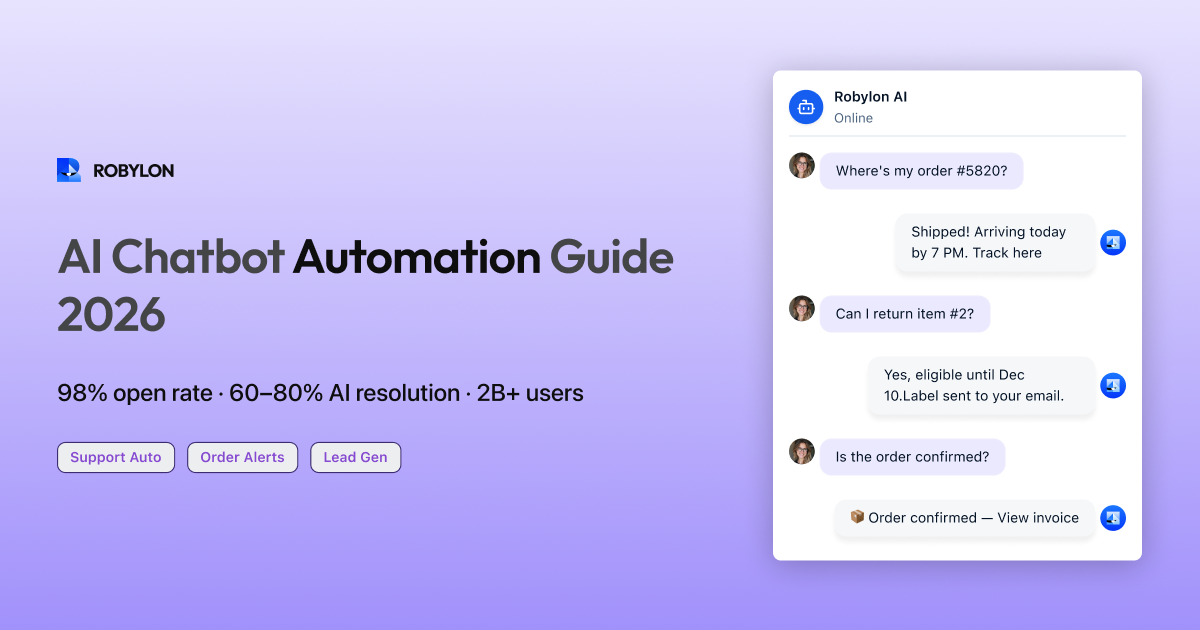
WhatsApp is not just a messaging app — it is the primary communication channel for over 2 billion people worldwide. In India, Southeast Asia, Latin America, the Middle East, and large parts of Europe and Africa, customers do not email support or call a hotline. They send a WhatsApp message and expect a reply in minutes.
For businesses operating in these markets (or serving customers from these regions), WhatsApp is not a nice-to-have channel. It is the channel. And in 2026, the businesses winning on WhatsApp are not staffing armies of agents to reply manually — they are deploying AI-powered chatbots that handle the bulk of conversations automatically while routing complex issues to humans.
This guide covers everything: how WhatsApp Business works, how to set up an AI chatbot on WhatsApp, the use cases that drive the most value, and the best practices that separate effective WhatsApp bots from the ones that get blocked by customers.
WhatsApp Business: The Foundation
Before building a chatbot, you need to understand the WhatsApp ecosystem for businesses. There are three tiers, and they serve very different needs.
WhatsApp Business App (Free)
The free WhatsApp Business App is designed for small businesses — a single person managing a single phone number. It offers a business profile, quick replies, catalog features, and basic labels. It does not support API access, multiple agents, or chatbot automation. If you are processing more than 50 messages a day, you will outgrow this quickly.
WhatsApp Business Platform (API)
This is what you need for automation. The WhatsApp Business Platform (formerly called the WhatsApp Business API) lets you connect WhatsApp to external systems — including chatbot platforms, CRMs, helpdesks, and custom applications. It supports multiple agents, automated replies, template messages, and rich media. It is the only way to deploy an AI chatbot on WhatsApp at scale.
You access the API through a Business Solution Provider (BSP) — companies like Meta (directly through Cloud API), Twilio, Gupshup, Wati, or platforms like Robylon that bundle the API access with their chatbot platform.
Key Concepts to Understand
- Business-initiated messages (templates): When your business reaches out to a customer first (order confirmations, shipping updates, appointment reminders), you must use pre-approved message templates. These are reviewed by Meta to prevent spam.
- Customer-initiated messages (conversations): When a customer messages you first, you have a 24-hour window to respond freely — including with AI chatbot replies. After 24 hours without customer activity, you need to use a template to re-engage.
- Conversation categories: WhatsApp charges differently based on conversation type — utility (transactional), authentication (OTP), marketing (promotional), and service (customer-initiated support). Service conversations initiated by customers are free in many markets.
Why WhatsApp Chatbots Are a Game-Changer
WhatsApp is not just another support channel. It has unique properties that make it fundamentally different from web chat or email:
- 98% open rates. Compared to 20% for email and 2% for push notifications. When you send a message on WhatsApp, it gets read.
- Asynchronous by nature. Unlike web chat (where customers expect real-time responses and sit waiting), WhatsApp conversations can be picked up and continued over hours or days. This makes it ideal for complex support journeys.
- Rich media support. Send images, PDFs, videos, location pins, product catalogs, and interactive buttons — not just plain text.
- The customer’s preferred channel. In India, over 500 million people use WhatsApp daily. Asking these customers to email you or call a hotline is friction you do not need.
- Commerce capabilities. WhatsApp supports product catalogs, cart functionality, and payment links — enabling complete purchase journeys within the chat.
Use Cases: Where WhatsApp Chatbots Deliver the Most Value
Customer Support Automation
This is the highest-ROI use case for most businesses. A WhatsApp AI chatbot handles the same support queries that flood your email and web chat — order tracking, return requests, refund status, product questions, account issues — but in the channel customers already use daily.
Typical results: 60–80% of WhatsApp support queries resolved by AI without human intervention, response time dropping from hours to seconds, and CSAT scores that match or exceed human agent performance.
Order Updates and Transactional Alerts
Replace email confirmations (which get buried in inboxes) with WhatsApp messages that customers actually see:
- Order confirmation with product details and receipt.
- Shipping notification with real-time tracking link.
- Delivery confirmation with feedback request.
- Return and refund status updates.
- Payment reminders and invoice delivery.
These use template messages and can be triggered automatically from your OMS or billing system.
Post-Purchase Engagement
WhatsApp is uniquely powerful for building post-purchase relationships. D2C brands use it for:
- Product onboarding: Usage tips, setup guides, and how-to content delivered in a conversational format.
- Review and feedback collection: Ask for a rating 3 days after delivery — response rates on WhatsApp are 5–10x higher than email.
- Cross-sell and upsell: Personalized product recommendations based on purchase history.
- Loyalty and retention: Exclusive offers, early access, and re-engagement for inactive customers.
Lead Generation and Qualification
For businesses with a sales component — real estate, financial services, education, B2B SaaS — WhatsApp chatbots can qualify inbound leads 24/7:
- Visitor clicks a WhatsApp link on your website or ad.
- Chatbot greets them and asks qualifying questions (budget, timeline, requirements).
- Qualified leads are routed to the right salesperson with full context.
- Unqualified leads receive self-serve resources or nurture content.
Appointment Booking and Reminders
Healthcare, salons, real estate, financial advisors, and consultancies use WhatsApp chatbots to book appointments, send reminders, and handle rescheduling — all within the chat thread. No-show rates drop significantly when reminders arrive on WhatsApp versus email.
How to Build a WhatsApp AI Chatbot: Step by Step
Step 1: Get WhatsApp Business API Access
You have two main paths:
- Direct through Meta Cloud API: Apply on the Meta for Developers portal. You will need a verified Facebook Business Manager account and a dedicated phone number (not currently registered on WhatsApp).
- Through a chatbot platform: Many AI chatbot platforms — including Robylon — bundle WhatsApp API access into their product. This is usually the fastest path because the platform handles the technical integration and compliance requirements.
Step 2: Verify Your Business
Meta requires business verification before you can send messages at scale. You will need:
- A verified Facebook Business Manager account.
- A business website with matching information.
- Legal business documents (business registration, utility bill, or similar).
Verification typically takes 2–7 business days. Start this process early — it is the most common bottleneck.
Step 3: Set Up Your AI Chatbot
This follows the same process as setting up any AI chatbot:
- Train on your knowledge base: Upload your help articles, product pages, FAQs, and policy documents.
- Configure the persona: Set the chatbot’s name, tone, and language(s). WhatsApp conversations feel more personal than web chat — match that intimacy with a warmer, more conversational tone.
- Build escalation rules: Define when the bot should hand off to a human agent. On WhatsApp, this often means transferring the conversation to your team’s shared inbox.
- Connect your systems: Integrate your OMS, CRM, or helpdesk so the chatbot can pull real data (order status, account details) rather than giving generic answers.
Robylon Tip: Robylon’s WhatsApp integration connects your AI agent to WhatsApp with a pre-built connector — same knowledge base, same escalation rules, same analytics as your web chat channel. No separate configuration required.
Step 4: Create Your Message Templates
For business-initiated outbound messages, you need Meta-approved templates. Design templates for your core use cases:
- Welcome message: Sent when a customer first contacts your WhatsApp number. “Hi! Welcome to [Brand]. I’m your AI assistant. I can help with orders, returns, product questions, and more. What do you need?”
- Order confirmation: Triggered automatically when an order is placed.
- Shipping update: Sent when an order ships, with tracking information.
- Follow-up: Sent 24+ hours after a conversation to check if the issue was resolved.
Keep templates short, clear, and action-oriented. Meta rejects templates that are overly promotional, misleading, or could be perceived as spam.
Step 5: Set Up Entry Points
Make it easy for customers to start a WhatsApp conversation with you:
- Click-to-WhatsApp buttons on your website, landing pages, and mobile app.
- WhatsApp link in emails — especially in order confirmation and support-related emails.
- QR codes on packaging, invoices, and physical marketing materials.
- Click-to-WhatsApp ads on Facebook and Instagram — these route ad clicks directly into a WhatsApp conversation.
- WhatsApp widget on your website alongside or instead of traditional web chat.
Step 6: Launch and Monitor
Start with a soft launch — enable WhatsApp for a subset of customers or a single use case (e.g., order tracking only). Monitor conversations for accuracy, check escalation patterns, and refine your knowledge base based on what customers are actually asking.
Once confidence is high, expand to additional use cases and promote the channel more broadly.
WhatsApp Chatbot Best Practices
Respect the Channel’s Intimacy
WhatsApp is personal. People use it to message family and friends. A brand on WhatsApp that sends frequent promotional blasts or responds with corporate, robotic language will get blocked quickly. Be helpful, not intrusive. Keep marketing messages to a minimum and make every interaction feel valuable to the customer.
Use Rich Media Thoughtfully
WhatsApp supports images, videos, documents, buttons, and lists. Use them to enhance the experience — send a product image alongside a recommendation, a PDF receipt with an order confirmation, or interactive buttons for quick choices (“Track my order” / “Start a return” / “Talk to a person”). But do not overdo it. A wall of buttons and images feels spammy.
Keep Messages Concise
People read WhatsApp messages on their phone. Long paragraphs get skimmed or ignored. Break information into short, digestible messages. Use line breaks, emojis sparingly, and get to the point quickly. If a response requires detailed information, send a summary first and offer a “See details” option.
Handle Multilingual Conversations
If you serve customers across multiple regions, your WhatsApp chatbot needs to detect and respond in the customer’s language. The best platforms handle this automatically — detecting the incoming language and responding in kind. For markets like India, where customers frequently switch between English and Hindi (Hinglish) within a single message, you need an AI that handles code-switching gracefully.
Be Transparent About AI
Let customers know they are chatting with an AI assistant, and make it easy to reach a human when needed. Transparency builds trust. “I’m [Brand]’s AI assistant. I can help with most questions, and I’ll connect you with a team member for anything I can’t handle.” This sets the right expectations from the first message.
Monitor Opt-Out Rates
If customers start blocking your number or opting out of messages, it is a clear signal that you are overstepping. Track opt-out rates alongside CSAT. A rising opt-out rate means you are sending too many messages, the content is not valuable enough, or the chatbot experience is frustrating.
Compliance and Rules to Follow
WhatsApp enforces strict policies to protect user experience. Violating them can get your number banned:
- Opt-in is required. You cannot message customers who have not explicitly opted in to receive messages from your business on WhatsApp. Collect opt-ins through your website, checkout flow, or in-app prompt.
- 24-hour window. You can only send free-form messages within 24 hours of the customer’s last message. After that, use approved templates only.
- No prohibited content. WhatsApp prohibits messages about alcohol, tobacco, adult content, weapons, and other restricted categories. Review Meta’s Commerce Policy before launching.
- Quality rating matters. Meta assigns a quality rating to your phone number based on customer feedback. Low quality ratings reduce your messaging limits. High block/report rates tank your rating fast.
- Data privacy. If you operate in the EU, India, or other regulated markets, ensure your WhatsApp chatbot complies with GDPR, DPDP Act, or relevant local data protection laws. This includes consent management, data storage, and PII handling.
Measuring WhatsApp Chatbot Performance
Track these metrics to understand how your WhatsApp chatbot is performing:
- Resolution rate: Percentage of conversations fully resolved by AI without human intervention. Target: 60–80%.
- Response time: How quickly the chatbot responds to incoming messages. Target: under 5 seconds.
- Escalation rate: Percentage of conversations handed off to human agents. Investigate spikes — they reveal knowledge gaps or edge cases.
- CSAT score: Post-conversation satisfaction rating. Collect via a quick inline rating after resolution.
- Message read rate: For outbound template messages, track how many are actually read. WhatsApp typically delivers 95%+ read rates.
- Opt-out rate: Percentage of customers blocking or opting out. Keep this below 1%.
- Template approval rate: Track how often your message templates are approved by Meta. Frequent rejections signal a content strategy problem.
Bottom Line
WhatsApp is the most powerful customer communication channel available today — combining the reach of email with the immediacy of live chat and the intimacy of personal messaging. An AI-powered WhatsApp chatbot lets you meet customers where they already are, at a fraction of the cost of a human-staffed operation.
The key to success: respect the channel (it is personal, not a spam inbox), train your AI thoroughly (customers expect accurate, helpful answers), and launch in phases (start with one use case, prove value, then expand). Businesses that get WhatsApp right in 2026 build a direct, high-trust relationship with their customers that no other channel can match.
Launch your WhatsApp AI chatbot today. Robylon deploys the same AI agent across web chat, email, voice, and WhatsApp — with a single knowledge base, unified analytics, and pre-built WhatsApp Business API integration. Get started free at robylon.ai
Frequently asked questions
Do I need the WhatsApp Business API to use a chatbot on WhatsApp?
Yes. The free WhatsApp Business App does not support chatbot automation, API access, or multiple agents. You need the WhatsApp Business Platform (API) to deploy an AI chatbot. You can access it directly through Meta's Cloud API or through a chatbot platform like Robylon that bundles API access and handles the technical integration for you.
How much does a WhatsApp chatbot cost?
Costs have two components: WhatsApp conversation fees (charged by Meta per conversation, varying by category and country — service conversations initiated by customers are free in many markets) and chatbot platform fees (varies by provider). With a credits-based platform like Robylon, you pay for conversations resolved. Total costs are typically 70–80% lower than staffing human agents for the same volume.
Can I send promotional messages through a WhatsApp chatbot?
Yes, but with restrictions. Promotional messages require pre-approved message templates reviewed by Meta, and customers must have opted in to receive marketing messages from your business. WhatsApp charges higher rates for marketing conversations than service conversations. Keep promotional messages valuable and infrequent — high block rates will damage your quality rating and reduce your messaging limits.
What is the 24-hour messaging window on WhatsApp?
When a customer messages your business on WhatsApp, you have a 24-hour window to respond with free-form messages (including AI chatbot replies). After 24 hours of customer inactivity, the window closes and you can only re-engage using pre-approved template messages. This rule prevents businesses from spamming customers and is a core part of WhatsApp's user protection policy.
Can a WhatsApp chatbot work in multiple languages?
Yes. The best AI chatbot platforms auto-detect the customer's language and respond accordingly — supporting 40+ languages out of the box. For markets like India where customers mix languages (Hinglish — Hindi + English in one message), you need a platform with strong code-switching capabilities. Robylon AI handles multilingual and Hinglish conversations natively across WhatsApp.
Related reading
 Chatbots
10 Best AI Chatbots for Customer Support in 2026
This article reviews the top 10 AI chatbots for customer support in 2025, including Zendesk, Freshworks, Intercom, Drift, and more. It highlights their strengths, limitations, and best-fit use cases. The clear winner is Robylon AI, which delivers autonomous agents with 97% accuracy, 85–95% query automation, and 30% cost savings: making it the best overall choice for enterprises seeking scalable, reliable, and cost-efficient customer support.
 Chatbots
10 Best AI Chatbots for E-Commerce in 2026
Explore the 10 best AI chatbots for E-Commerce in 2025. Compare platforms like Robylon, Tidio, Intercom, Gorgias, and Ada to see how chatbots improve customer support, reduce costs, and boost sales.
 Chatbots
10 Best AI Chatbots for Ecommerce Customer Support in 2026
Discover the best AI chatbots for ecommerce in 2025. Compare top platforms like Robylon, Tidio, Zendesk, and more - automating order tracking, returns, refunds, and customer support to boost conversions and cut costs.