Automating Shopify Order Modifications With AI: Address Changes, Cancellations, and Item Swaps
Order change requests are one of the highest-volume, most time-sensitive ticket types in ecommerce. This guide breaks down how AI agents handle address changes, cancellations, and item swaps on Shopify, with fulfillment-aware guardrails that protect against fraud and mis-shipments.
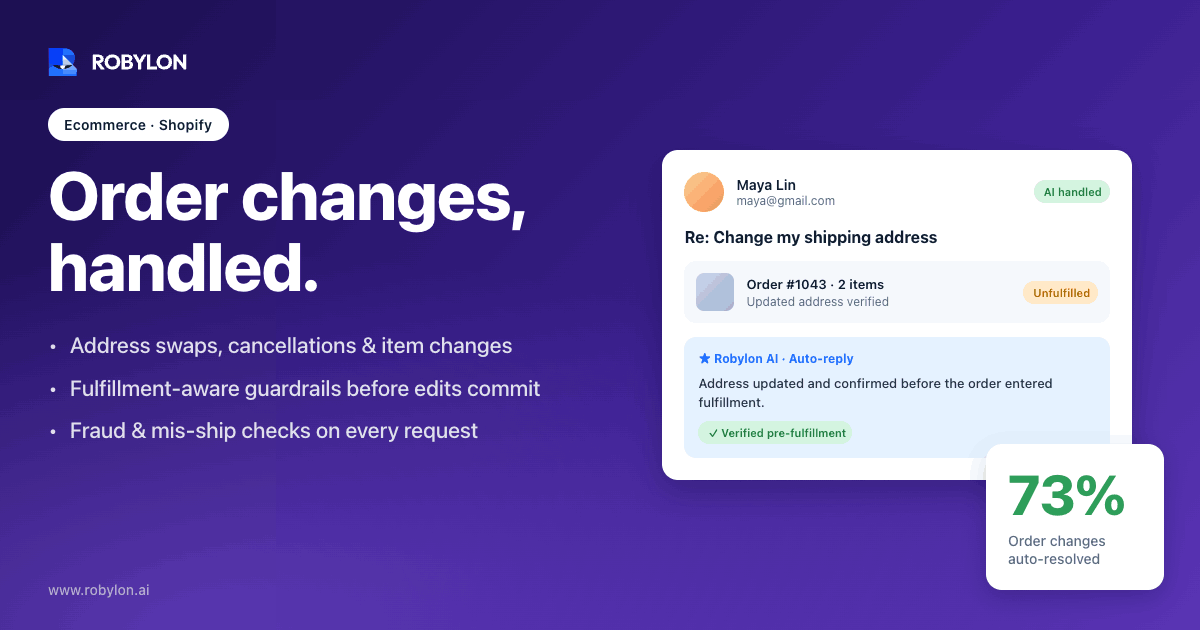
A customer hits “place order,” then notices eight minutes later that the apartment number is wrong. She emails support at 11:40 p.m. By the time an agent opens that inbox the next morning, the order has already been picked, packed, and handed to the 3PL. Now it’s a carrier intercept, a refund, or a package sent to the wrong door.
That gap between “I made a mistake” and “someone fixed it” is where order modifications quietly drain a Shopify support team. These aren’t hard tickets. They’re fast ones, and speed is exactly what a human queue can’t guarantee.
The order-change window is short, and the clock is the whole problem
Order changes are not a fringe ticket type. Brands report that as much as 30% of support volume comes from order changes: addresses, quantities, variants, and cancellations. One analysis found that close to 60% of post-purchase edits in Shopify stores are address or variant corrections. Each of those tickets costs somewhere between $5 and $22 to handle by a person, and ecommerce cancellation rates already sit in the 10–20% range, with a chunk of those happening simply because the customer couldn’t change what they needed in time.
Here’s the mechanical reality that shapes everything else. Shopify lets you edit an order freely before fulfillment. The moment an item is marked fulfilled, even partially, that item locks. You can’t swap it, remove it, or change its quantity. The shipping address gets baked into the label, and after that you’re at the mercy of the carrier.
So the difficulty of an order change isn’t the edit itself. It’s whether anyone acts before the fulfillment clock runs out. A request that lands at 2 a.m. and sits until 9 a.m. has often already missed its window. That’s the part automation actually fixes, and it’s why this maps so well to AI support for ecommerce stores that run high order volumes.
The three requests that make up most order changes
Almost every “can you change my order” message falls into one of three buckets. Each behaves differently in Shopify, and each carries its own risk.
Address changes
This is the most common and the most time-sensitive. Before the order ships, the fix is trivial: update the shipping address on the order and save. Under the hood that’s a single orderUpdate call that changes the address, email, or tags without touching line items.
After the order ships, the address is already on the label. Now the options are carrier intercept (slow, often paid, and unreliable) or letting it deliver to the wrong place and reshipping. Neither is good. The other quiet risk is fraud: an unprotected address-change function lets someone redirect a package after payment clears, which is exactly why Shopify doesn’t expose self-edit to shoppers by default. Good automation validates the order owner before it touches anything.
Cancellations
A cancellation on an unfulfilled order is clean. Shopify cancels it, refunds the payment, and restocks the inventory. The trap is what happens downstream. When you cancel an order in Shopify, that cancellation does not automatically propagate to your 3PL or fulfillment app. If the warehouse already grabbed the order, you’ve now refunded a customer for a package that’s still shipping.
That’s why order age matters so much here. A sensible rule is something like “only auto-cancel if the order was placed less than two hours ago,” tuned to your own fulfillment cadence. After that threshold, the request needs to route to whoever can pull it from the warehouse queue. This is also the natural neighbor of refund request emails, since most cancellations end in a refund anyway.
Item swaps
The classic version is a wrong size or the wrong color, usually because a size chart was unclear. On Shopify this is a proper order edit, not a quick field change. The flow is a three-step session: orderEditBegin opens an editing session and returns a calculated order, then mutations like orderEditAddVariant and orderEditSetQuantity stage the swap, and orderEditCommit finalizes it. You can only do this on unfulfilled line items.
The wrinkle is money. If the new variant costs more, the customer owes a balance and Shopify can send an updated invoice. If it costs less, you issue a refund for the difference. For anything with custom pricing, a draft order is usually cleaner than wrestling the edit piece by piece. The point is that an item swap is rarely “just” a swap. It’s a swap plus a payment reconciliation, and that’s the part agents get wrong when they’re rushing.
Why a human-only queue is the wrong tool here
Think about the actual sequence of an address change. The request arrives whenever the customer happens to notice the mistake, which is disproportionately in the evening after they’ve left work. The window to act closes whenever your warehouse next runs its pick cycle. Those two clocks rarely line up.
Human agents are brilliant at judgment calls and terrible at being awake at 2 a.m. That mismatch is the entire case for automation on this ticket type. It’s the same reason proactive where-is-my-order tickets get automated first: the value isn’t intelligence, it’s availability. A request that’s resolved in 30 seconds at midnight never becomes a mis-shipment, a return, and a 1-star review the following week.
There’s a margin argument too. The cheapest order edit is the one that happens before fulfillment, because every alternative (intercepts, reshipments, returns) costs real money and real goodwill. Letting a request sit in a queue isn’t neutral. It actively converts a free fix into an expensive one.
What good order-modification automation actually does
Plenty of tools advertise “order editing.” Most of them are self-service widgets that put the edit screen in front of the shopper. Those help, but they only catch customers who go hunting for the right page. The harder and more valuable job is handling the request wherever it actually shows up, which is a free-text email or chat that says “hey can you ship this to my work address instead.”
An AI agent that does this well runs through a specific loop:
- Reads the intent from messy natural language. “Wrong size,” “send it to a different address,” and “I don’t need it anymore” map to swap, address change, and cancellation respectively, even when the customer never uses those words.
- Pulls live order state straight from the Shopify API, never a cached copy. Fulfillment status and order age are the two facts that decide whether an action is even allowed.
- Verifies the requester owns the order, usually by matching the email on file, before it changes a shipping address or cancels anything.
- Executes the correct action: an
orderUpdatefor an address, a cancel-and-restock for a cancellation, or the full edit session for a swap. - Reconciles the money by sending an invoice for a balance owed or issuing a refund for a credit, then confirms the new order state back to the customer in plain language.
That last step matters more than it looks. A change the customer can’t see feels like a change that didn’t happen, and you get a second ticket asking whether it worked. Closing the loop with a clear confirmation is what keeps one request from becoming three. This is also where integrations that take action earn their keep, because an agent that can only read order data can answer the question but can’t actually solve it.
The fulfillment-hold trick that buys time
Here’s a detail most teams miss. Shopify’s API lets an app place a hold on a fulfillment order, and as of recent API versions you can stack multiple holds. That means a well-built agent can pause fulfillment the instant a modification request comes in, work out the change (collect a balance, confirm a new address, swap a variant), then either release the hold so it ships correctly or commit the cancellation.
It’s a small thing that solves the biggest problem on this whole list: the race against the warehouse. Instead of betting that the edit beats the pick cycle, the agent freezes the pick cycle first. Think of it as putting a hand on the conveyor belt before you reach for the box.
Where order-modification AI should stop and escalate
Automating this well means being honest about what it shouldn’t touch. An agent that tries to resolve everything is more dangerous than one that knows its edges. We’ve seen teams get burned when the guardrails were too loose, so this list is deliberately conservative.
- Post-fulfillment address changes. Once the label is printed, this is carrier territory, not API territory. The agent should explain the options and hand off, not promise a fix it can’t deliver.
- Fraud signals. A high-value order, a brand-new account, a shipping address that doesn’t match the billing region, or a customer who’s changed the destination three times in a day all warrant a human look.
- Partial fulfillment and split shipments. When some items have shipped and others haven’t, the edit math gets genuinely tricky and the failure modes are expensive.
- Subscriptions and prepaid orders. Editing these can touch the subscription contract itself, which is a different system with its own rules.
- Disputes about price or policy. “I want to swap this and I shouldn’t have to pay the difference” is a negotiation, not an edit.
The right design is to let the agent resolve the clean 70–80% and route the rest with full context attached, so the human picks up a half-solved problem instead of a cold one. If you want to go deeper on that boundary, our piece on when to escalate to a human covers how to draw the line without leaking easy tickets into the queue.
A practical rollout sequence for Shopify merchants
You don’t flip this on all at once. The teams that get it right tend to move in roughly this order:
- Define the edit window per product line. “Before fulfillment” works for most catalogs; made-to-order or perishable goods may need tighter limits.
- Pick which actions to automate first. Address changes are the safest starting point because they’re high-volume and low-risk before shipping. Cancellations and swaps come next.
- Connect Shopify with the right write scopes so the agent can actually edit and cancel, not just read order data.
- Set the guardrails: an order-age limit for cancellations, an identity check for address changes, and a value cap above which everything escalates.
- Add a fulfillment hold to the flow so requests freeze the pick cycle instead of racing it.
- Log every change with who requested it and what the agent did, so you have an audit trail when something looks off.
- Measure deflection and reversal rate, not just volume. A high deflection rate with a high reversal rate means your guardrails are too loose.
Start narrow, watch the reversal numbers, and widen the scope as the data earns your trust. Order modification is one of those areas where a careful rollout beats an ambitious one every time.
How Robylon handles Shopify order modifications
Robylon resolves 60–80% of customer support requests autonomously, and order modifications are a textbook fit because they’re high-volume, time-sensitive, and rule-bound. Through 60+ write-access integrations, the agent doesn’t just read order data, it takes action: updating a shipping address, cancelling and restocking an unfulfilled order, or running the full edit session to swap a variant and reconcile the balance.
It connects to the systems an order change actually touches, like Shopify for the edit itself, Stripe for the refund or balance, and 3PL tools such as ShipStation when fulfillment is already in motion. Identity checks, order-age limits, and fulfillment-aware logic are built into the workflow, with human-in-the-loop escalation for the cases that shouldn’t be automated. Pricing is credits-based, so you pay for resolutions, not per agent seat, and most teams are live in 3–7 days across email, chat, and WhatsApp in 40+ languages.
Ready to stop losing order changes to the overnight queue? Robylon AI resolves 60–80% of customer requests autonomously with agents that take action across Shopify, Stripe, ShipStation, and 60+ other integrations. Start free at robylon.ai
Frequently asked questions
Can AI cancel a Shopify order automatically?
Yes, an AI agent can cancel an unfulfilled Shopify order and trigger the refund and restock automatically. The important guardrail is order age. Because a Shopify cancellation does not always propagate to a 3PL or fulfillment app, a safe setup only auto-cancels orders placed within a recent window, often under two hours, and escalates anything past that threshold to a human who can pull it from the warehouse queue.
Can customers change their shipping address after the order ships?
Not through Shopify directly. Once an order is fulfilled, the address is printed on the label, so the only routes are a carrier intercept or a reshipment, both slow and often paid. AI handles address changes best before fulfillment, where it's a one-step update. After shipping, a good agent explains the carrier options honestly and hands off rather than promising a fix it can't make.
How does AI handle the price difference on an item swap?
An item swap on Shopify uses an order-edit session that stages the new variant and removes the old one. If the swap raises the total, the agent can send the customer an updated invoice for the balance owed. If it lowers the total, it issues a refund for the difference. For custom pricing or complex changes, a draft order is usually cleaner than editing line by line.
Is automated order modification safe from fraud?
It can be, if it's built with guardrails. The main risk is someone redirecting a package after payment clears, which is why a safe agent verifies the order owner before changing an address and flags suspicious patterns like high-value orders, brand-new accounts, mismatched regions, or repeated destination changes. Those cases route to a human instead of resolving automatically.
What happens if the order has already gone to a 3PL or warehouse?
That's the boundary where automation should stop. A Shopify cancellation or edit won't reliably reach a third-party warehouse, so once fulfillment is in motion the request needs either a fulfillment hold placed early enough to pause the pick cycle, or a handoff to a human who can act inside the 3PL system. Using order age as a condition keeps the agent from acting after the window closes.
Related reading
- AI Agents
12 AI Agents for Retail in 2026 - Voice, Chat & Commerce (Buyer's Guide)
Discover 2026’s best AI agents for retail: voice, chat, and shopping assistants. Compare features, pricing, and ROI to boost CX, conversions, and margins.
- AI Agents
AI Agents That Take Action: Beyond Just Answering Questions
Most chatbots can answer questions. Few can actually do things. This guide explains how action-taking AI agents work — executing workflows like refund processing, order modifications, and account updates within conversations — and why the shift from answering to acting is what separates 30% automation from 80%.
- AI Agents
AI Agents vs Traditional Software: 5 Critical Differences Most Teams Miss (2026)
Compare AI agents vs traditional software and automation tools in 2026. See differences in autonomy, analytics, cost, implementation, and customer service outcomes.