
AI Email Support Maturity Model: The 5 Stages From Triage to Autonomous Resolution
Most email support teams can't tell whether their AI is mature or just busy. This maturity model maps five stages, from manual triage to autonomous resolution, with the metric that actually matters at each one.
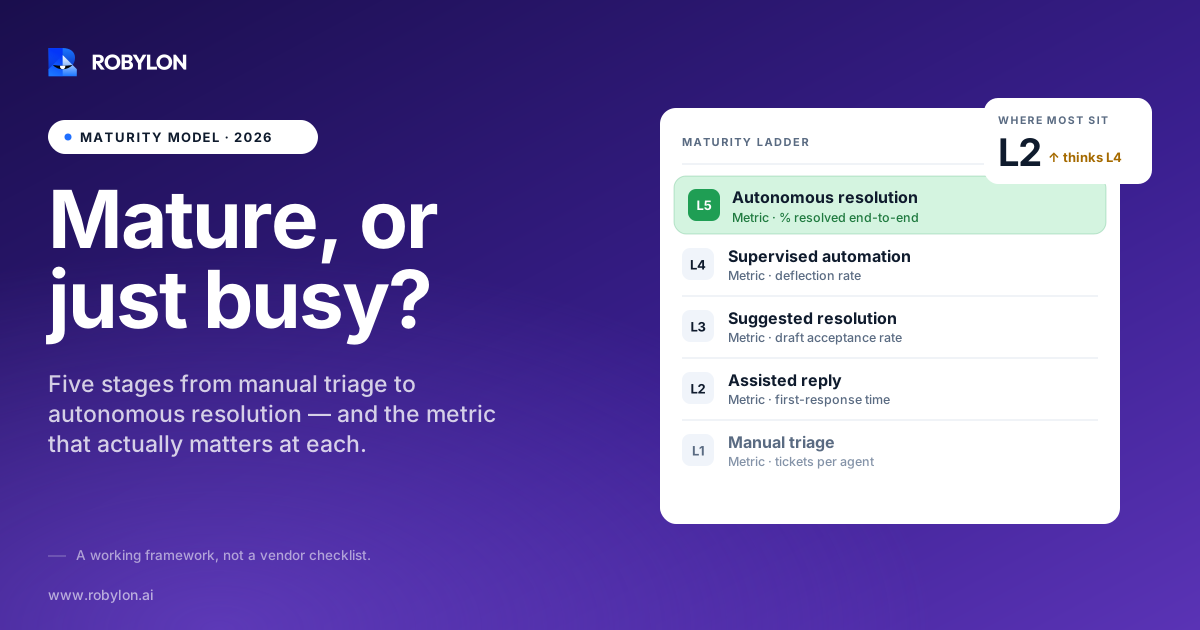
A support lead at a growing Shopify brand told us her AI was “handling 70% of email.” We asked one follow-up question: of that 70%, how many customers came back within three days about the same problem? She didn’t have the number. When her team pulled it, the real figure was closer to 41% solved. The rest were deflected, not resolved.
That gap is the whole story of AI email support maturity. Touching a ticket and solving it are different events, and most teams measure the first while believing they’ve measured the second. A maturity model fixes that by giving each stage its own honest definition of progress.
Why email needs its own maturity model
Plenty of AI maturity frameworks exist. Gartner has one. Zendesk built a CX maturity model with ESG Research. Most of them are written for chat or for general “AI readiness” across an org. Email is different enough that borrowing a chat framework leaves real gaps.
Email is asynchronous, so a customer who didn’t get a real answer often doesn’t bounce in the moment. They reply two days later, or open a second ticket, or quietly churn. Email also carries the messy, multi-part questions customers won’t type into a chat box: a refund request bundled with an address change bundled with a complaint about the last agent. And email threads accumulate history, which means context matters more and shortcuts hurt more.
So the stages below are built around what email support actually looks like, not a generic AI rollout. The model has five stages. You can sit between two of them, and most teams do.
Stage 0: Manual triage
No AI. A shared inbox or a basic helpdesk, with humans reading, tagging, and replying to everything. Macros and canned responses might exist, but a person still has to pick them.
The economics here are brutal and linear. Every extra 1,000 tickets a month needs more agent hours, full stop. Cost per resolution sits wherever your loaded agent cost lands, often in the $5 to $15 range once you count salary, tooling, and management. First response times stretch during peaks, and a Monday backlog is a normal part of the week.
There’s nothing shameful about Stage 0. A lot of excellent support teams live here. The problem is that it doesn’t scale without hiring, and hiring is the most expensive lever you have.
Stage 1: Assisted replies
The first real step. AI drafts, a human approves. Sometimes this is called copilot mode. The agent sees a suggested reply, edits it, and sends. Knowledge-base lookups get faster. New agents ramp quicker because the system surfaces the right answer instead of making them search for it.
This stage is genuinely useful and genuinely limited. Speed per ticket improves, maybe 20 to 40% on handle time for common questions. But every ticket still passes through a human, so your capacity is still capped by headcount. You’ve made the team faster, not bigger.
The metric that matters at Stage 1 is agent acceptance rate: how often agents send the AI’s draft with little or no editing. If acceptance is low, the model isn’t learning your voice or your policies well enough, and you’re paying a review tax on every suggestion. If you want the deeper version of this drafting-versus-sending distinction, our breakdown of how to automate email ticket resolution walks through where assisted replies stop paying off.
Stage 2: Supervised automation
Now AI sends some replies on its own, for a narrow set of question types where you trust it. Order status. Password resets. Shipping policy questions. The classic “where is my order” email that makes up a huge share of e-commerce volume. A human still watches the queue and catches anything that looks off.
This is where most teams first feel real relief. A meaningful slice of volume clears without a person touching it, and agents get to spend their day on the tickets that actually need judgment.
It’s also where the deflection trap opens up. When the AI replies to a “where is my order” email with a link to the tracking page, does the customer get their answer, or do they reply “that link doesn’t work, where is my order”? The dashboard logs both as automated. Only one is a resolution.
The number that separates Stage 2 from cost deferral
The metric to instrument here is the 72-hour re-contact rate: of the tickets the AI closed, how many came back about the same issue within three days. Email gets a longer window than chat because customers reply on their own schedule. A high automation rate paired with a high re-contact rate isn’t automation. It’s cost deferral with a nicer chart.
Industry data backs this up. One 2026 analysis found that teams optimizing for deflection alone tend to stall around 30 to 40% true automation, while teams that measure resolution climb well past it. The metric you pick decides the ceiling you hit.
Stage 3: Autonomous resolution
Here the AI doesn’t just answer, it acts. It pulls live order data, issues the refund through your payment system, updates the shipping address in your store, and writes back to the customer with the thing actually done. Every email starts with the AI. Complex and multi-part requests get resolved without a human in the loop, and the human queue becomes the exception path, not the default.
This is the stage where the economics finally bend. Support capacity scales without scaling headcount, and cost per resolution drops because the marginal cost of an AI resolution is a fraction of an agent’s. Done right, autonomous resolution lands in the 60 to 80% range for email volume, validated against your own historical tickets rather than a vendor’s demo number.
The thing that makes Stage 3 work isn’t a smarter model. It’s integrations. An AI that can read a tracking number but can’t issue a refund is still stuck at Stage 2 for half your tickets. Action-taking needs write access to the systems where the work happens. Robylon connects to more than 60 systems with write access, including Shopify, Stripe, and Zendesk, which is what lets it close a refund-and-reship ticket instead of just describing how. You can see the full picture of action-taking integrations on the platform side.
What you should never automate, even when you can
Maturity is not “automate everything.” A mature Stage 3 operation is deliberate about what stays human. Some tickets should escalate by design:
- Emotional and high-stakes threads: a customer who’s angry, grieving, or threatening to leave needs a person, even if the AI could technically answer the literal question.
- Anything legally or financially sensitive: chargebacks, disputes, and claims where a wrong answer creates real exposure.
- Low-confidence cases: when the model’s confidence drops below your threshold, the right move is a clean handoff, not a confident guess.
- Tone shifts mid-thread: a polite question that turns hostile two replies in should pull a human in automatically.
Good escalation is a feature of maturity, not a failure of it. We went deep on this in our guide to when AI should resolve versus route to a human, because the escalation rules are where most Stage 3 rollouts either earn trust or lose it.
Stage 4: Proactive and self-improving
The top of the model isn’t “more automation.” It’s support that gets ahead of the ticket. The AI notices a shipment is delayed and emails the customer before they ask. It spots a spike in a particular complaint type and flags a product issue to the right team. It feeds resolution data back into the knowledge base, so the answers improve without someone manually editing macros.
At Stage 4 the metric stops being about deflection or even resolution and starts being about business outcomes: retention, revenue saved through good service recovery, and cost per resolution trending down quarter over quarter. Support stops being a cost center you tolerate and becomes a function that visibly protects revenue.
Very few teams are fully here, and that’s fine. Stage 4 is a direction, not a finish line. The honest truth is that the jump from 3 to 4 is more about data discipline and organizational will than about the AI itself.
How to figure out where you actually sit
Most teams guess one stage too high. The fastest way to get an honest read is to ignore your automation rate for a minute and ask three questions:
- Does AI ever send without a human? If no, you’re Stage 0 or 1, regardless of what the vendor dashboard says.
- Can the AI take action, or only answer? If it can read data but can’t change anything in your backend, you’re capped at Stage 2 for any ticket that requires a real fix.
- Do you measure re-contact, not just deflection? If you’ve never pulled your 72-hour re-contact rate, you don’t yet know your true resolution rate, which means you can’t honestly claim Stage 3.
Run those against your last month of email tickets and the answer is usually uncomfortable and useful. A team that thought it was “mostly automated” often finds it’s a strong Stage 2 with a deflection problem dressed up as resolution.
Moving up a stage without breaking trust
The mistake we see most is teams trying to leap from Stage 1 straight to Stage 3 across all ticket types at once. That’s how you get a confidently wrong refund and a viral screenshot.
The move that works is narrow and deep. Pick the two or three highest-volume, lowest-risk ticket types, get them to true autonomous resolution with real action-taking, prove the re-contact rate stays low, then expand the set. Deployment doesn’t have to be a six-month project. With clean historical data to validate against, a focused email automation rollout runs in the 3 to 7 day range, because the AI is trained on your actual past tickets rather than generic intents.
If you want the full operational version of this, from data prep to escalation design, the complete guide to AI email support covers the rollout sequence in detail, and the email support platform page shows what action-taking looks like in production. E-commerce teams specifically can see how this maps to order and returns volume on the e-commerce support page.
One last thing. The maturity model is a map, not a scoreboard. Nobody loses for being at Stage 2. They lose for thinking they’re at Stage 3 while half their “resolved” tickets quietly come back. Measure the right number and the next stage becomes obvious.
Ready to find out which stage you’re really at? Robylon AI resolves 60–80% of customer emails autonomously with AI agents that take action across Shopify, Stripe, Zendesk, and 60+ other integrations. Start free at robylon.ai
Frequently asked questions
What is an AI email support maturity model?
It’s a framework that maps how far a team has progressed in automating email support, usually across five stages from fully manual triage to proactive, self-improving resolution. Unlike generic AI readiness models, an email-specific version accounts for asynchronous replies, multi-part questions, and thread history. The point is to give each stage an honest metric, so a team can tell the difference between true resolution and tickets that were merely deflected and will come back.
What's the difference between deflection and resolution in email support?
Deflection counts any ticket the AI touched without a human, including cases where the customer gave up or got a wrong answer. Resolution counts only tickets where the customer’s problem was actually solved and they didn’t come back. A dashboard can show 80% deflection while true resolution sits near 40%. The honest measure is the 72-hour re-contact rate: how often a “resolved” email returns about the same issue within three days.
What resolution rate should mature AI email support hit?
For email volume validated against a team’s own historical tickets, mature autonomous resolution typically lands in the 60 to 80% range. Numbers above that usually involve a narrow ticket set or count deflection as resolution. The figure that matters isn’t the headline percentage but how it was measured: resolution verified by a low re-contact rate is worth far more than a high deflection number with no quality check behind it.
Do I need integrations to reach autonomous resolution?
Yes, and this is the most common thing teams underestimate. An AI that can answer a question but can’t change anything in your backend is stuck at supervised automation for any ticket needing a real fix. Action-taking requires write access to the systems where work happens, like Shopify, Stripe, or your helpdesk. Without write-access integrations, you can describe a refund but not issue one, which keeps you a stage below where you think you are.
How long does it take to move up a maturity stage?
It depends on data quality more than technology. With clean historical tickets to train and validate against, a focused email automation rollout for a few high-volume ticket types can go live in 3 to 7 days. Moving from supervised automation to genuine autonomous resolution is faster than teams expect once integrations are in place. The slower jump is to proactive support, which depends on data discipline and organizational will more than on the AI model itself.