
AI Email Support for Legal Services: Client Intake, Case Updates & Billing
Law firms spend 30-40% of administrative time on repetitive email. AI handles client intake, case status updates, and billing questions — freeing attorneys for billable work.
The Legal Email Burden
Law firms face an email paradox: communication is their primary service delivery mechanism, yet most email is administrative. Client intake, case status requests, billing questions, and document requests consume 30-40% of staff time that could be billable work.
Client intake represents 25-30% of volume. Case status updates account for 20-25%. Billing questions make up 15-20%. Document requests represent 10-15%. Scheduling coordination adds 10-15%.
Why Legal Email AI Requires Special Care
Attorney-Client Privilege
Every attorney-client email is potentially privileged. The AI must maintain strict confidentiality, never cross-reference between matters, and ensure responses do not waive privilege by disclosing confidential information to unintended recipients.
Unauthorized Practice of Law
The AI must never provide legal advice, opinions, or strategy recommendations. It communicates factual information only: case status, hearing dates, filing confirmations, and billing details. This boundary must be architecturally enforced.
Conflict of Interest Screening
Before responding to prospective client inquiries, the AI triggers a conflict check. Potential conflicts route to the conflicts committee rather than engaging with the prospect.
High-Automation Categories
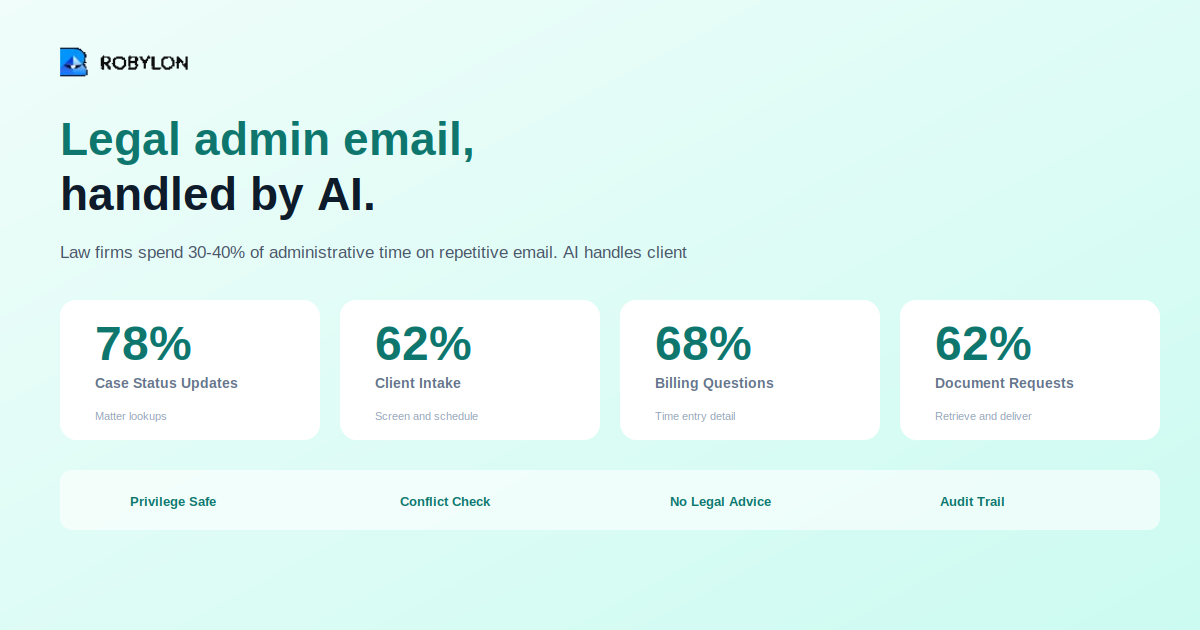
Case Status Updates (70-85% automation)
The AI connects to the case management system, identifies active matters, provides current status, lists upcoming deadlines and court dates, and attaches relevant filings if requested.
Billing Inquiries (60-75% automation)
The AI provides account balances, explains invoice line items by referencing time entries, processes payments, sets up payment plans, and sends duplicate invoices or receipts.
Client Intake (55-70% automation)
The AI collects intake information, runs conflict checks, provides general firm information, schedules consultations, and sends intake forms. It never assesses case merit.
Document Requests (55-70% automation)
The AI retrieves documents from the DMS, verifies requester authorization, and delivers them with confidentiality notices.
Integration Requirements
Essential systems include case management (Clio, MyCase, PracticePanther), document management (NetDocuments, iManage), billing platforms, conflict databases, calendaring systems, and client portals.
Bottom Line
Legal AI must operate within strict boundaries — no legal advice, privilege protection, and conflict screening. But the administrative email burden is enormous and automatable. Every hour automated becomes billable.
Free your attorneys from administrative email. Robylon AI handles intake, status updates, and billing queries — with privilege protection built in. Start free at robylon.ai
Frequently asked questions
Can AI provide legal advice via email?
No — AI must never provide legal advice, opinions, or strategy. It communicates factual information only: case status, hearing dates, and billing details. This boundary must be architecturally enforced.
How does AI protect attorney-client privilege?
The AI maintains strict matter-level data isolation, never cross-referencing between client matters, and ensures responses go only to authorized recipients with confidentiality notices.
Which legal emails can AI automate safely?
AI automates case status updates at 70-85%, billing inquiries at 60-75%, document requests at 55-70%, and client intake at 55-70%. All require case management and billing system integration.
What integrations does legal AI email need?
Essential systems include case management (Clio, MyCase), document management (NetDocuments, iManage), billing platforms, conflict databases, and calendaring systems.
What is the ROI of AI email for law firms?
The primary metric is billable time recovered — every hour of administrative email automated becomes billable work. Also track intake conversion rate and compliance audit results.