
AI Email Support API: Custom Workflows with Webhooks & Triggers
A practical guide to wiring AI email support into your stack using webhooks and triggers. Covers event types, payload design, common workflow patterns, escalation triggers, and the gotchas that hurt teams in production.
A support engineer at a mid-size DTC brand pulled up their dashboard one Monday morning and saw something unusual: a single VIP customer’s complaint had been auto-tagged as “billing dispute,” routed to the finance team, refunded against a pre-approved threshold, and resolved before anyone on the support team read the original email. Total elapsed time: 47 seconds. No human touched it. The whole sequence ran on three webhook calls and two trigger rules.
That’s the difference between an AI email tool and an AI email support API with proper webhook plumbing. The first answers tickets. The second runs the workflow around the ticket, end to end.
This guide is about the second one. We’ll go through the event types that matter, how to design payloads your downstream systems can actually use, the trigger patterns that work in production, and the failure modes that hurt teams. If you’re evaluating an AI email responder or trying to make an existing one less of a black box, this is the layer that decides whether you get a closed loop or a half-built one.
What “API + webhooks + triggers” actually means here
The three pieces serve different jobs:
- API: the request-response interface. You call it to fetch a ticket, send a reply, update a tag, or query analytics. Your code initiates every conversation.
- Webhooks: the inverse. The AI platform calls your endpoint when something happens — a reply was sent, an escalation fired, sentiment dipped, a refund was issued. You don’t poll for these. They arrive.
- Triggers: the rules that decide which webhook fires, when, and to whom. “If sentiment score < -0.6 AND customer LTV > $2,000, fire the
escalation.vipevent.” Triggers are the logic layer between raw events and useful action.
Most teams who say “we have an API integration” really mean “we can pull data.” That’s polling. Polling is fine for daily reports. It’s a disaster for real-time workflows where a 30-second delay turns a refund-eligible customer into a chargeback.
Why polling breaks at scale
Run the math. If you have 5,000 active tickets and poll every 10 seconds for status changes, that’s 30,000 API calls per minute — and 99% of them return “nothing changed.” You burn rate limits, you slow down the dashboard for your agents, and you still miss the urgent stuff during the gap between polls. We’ve seen teams cap polling at 60-second intervals just to avoid hitting rate limits, which means every workflow has a built-in one-minute lag floor.
Webhooks flip the architecture. Events get pushed the moment they happen. Your endpoint runs the business logic. The AI platform never has to guess whether you’re listening.
The event types worth wiring up
A useful event taxonomy follows the lifecycle of a ticket, not the internal state of the AI. Customers don’t care about “model confidence updated.” They care about whether a refund went out. Design events around outcomes.
Here’s the minimum set most teams should subscribe to:
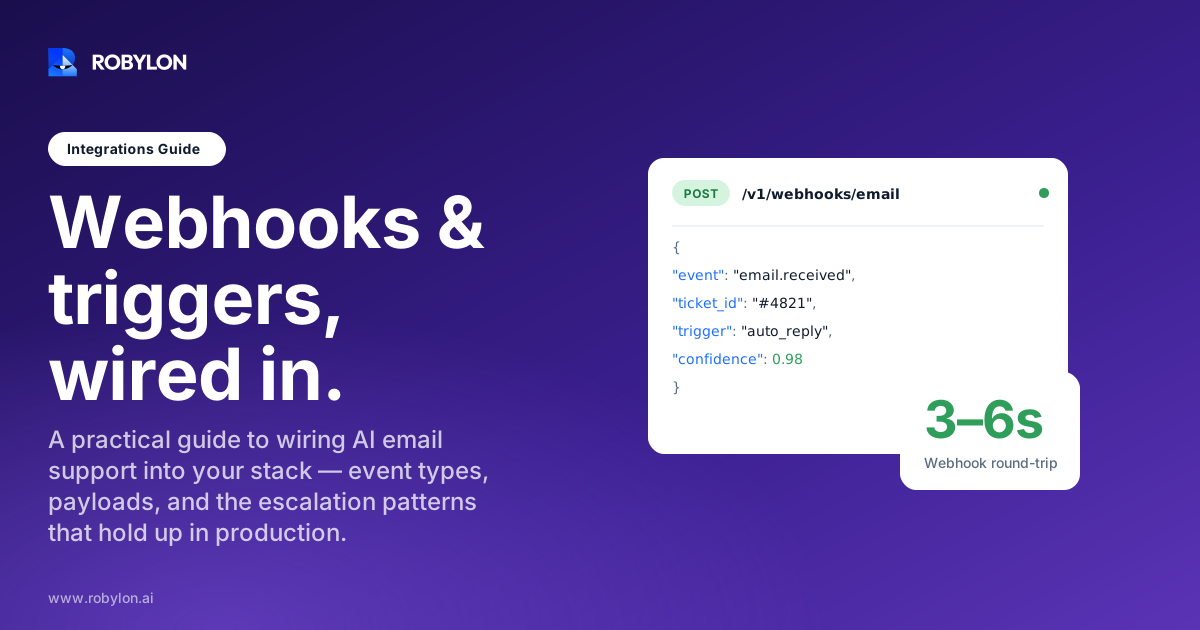
- email.received: a new inbound ticket has been ingested and classified. Payload includes sender, subject, body, detected intent, and confidence score.
- email.replied: the AI sent an outbound reply. Payload includes the reply body, the action taken (refund issued, order updated, info provided), and links to any system records changed.
- ticket.escalated: the AI handed off to a human. Payload includes escalation reason, full conversation history, customer profile, and AI’s working hypothesis.
- ticket.resolved: closed with no further action expected. This is the one your CSAT survey trigger watches.
- sentiment.negative: sentiment score crossed a threshold during the conversation. Fires before escalation so proactive workflows can engage.
- action.failed: the AI tried to take an action (refund, address change, subscription pause) and the downstream system rejected it. Critical for catching silent failures.
- sla.at_risk: the ticket is approaching SLA breach. Gives your team a 15-minute window to intervene before the alarm fires.
Notice what’s not on the list: model.inferred, token.consumed, classification.complete. Those are internal events. Subscribing to them creates noise without giving you anything you can act on.
Payload anatomy that downstream systems can actually use
The single biggest mistake in webhook design is shipping fat payloads that try to include everything. Three megabytes of nested order history per event sounds thorough until your serverless function times out and the retry queue backs up.
The pattern that works is the envelope: thin top-level metadata, focused event data inside, references for everything else.
{
  "id": "evt_01HF8R3...",
  "type": "ticket.escalated",
  "timestamp": "2026-06-21T14:32:11Z",
  "version": "2026-04-15",
  "data": {
    "ticket_id": "tkt_9182",
    "customer_id": "cus_44A2",
    "escalation_reason": "refund_above_threshold",
    "ai_summary": "Customer requesting $340 refund for damaged item. Photos confirm damage. Policy allows up to $250 auto-refund; this requires manager approval.",
    "conversation_url": "https://api.robylon.ai/v1/tickets/tkt_9182/messages",
    "customer_profile_url": "https://api.robylon.ai/v1/customers/cus_44A2"
  }
}
That payload is under 1KB. The receiver gets enough context to route immediately. If the workflow needs the full conversation, it fetches the URL. If it doesn’t, it doesn’t waste bandwidth or memory.
Five things every payload should include without exception: a unique event ID for deduplication, an ISO 8601 timestamp of when the event happened (not when the webhook was sent), the event type, a version string, and an HMAC signature in the headers. Skip any of these and you’ll regret it within six months.
Trigger patterns that actually map to support work
Triggers are where the system becomes opinionated. The AI can resolve a refund. Whether it should resolve this particular refund without a human glance is a policy question. Triggers encode the policy.
Sentiment-aware escalation
The basic version: if sentiment drops below a threshold, fire an escalation event. The version that works in production has three conditions stacked:
- Sentiment score below -0.5 on the current message
- OR the customer used a phrase from your “hot words” list (“speak to a manager,” “cancel my account,” “this is unacceptable”)
- OR sentiment has trended down across two consecutive messages, even if neither is below threshold
The third one catches the slow burns — customers who start polite and escalate gradually. Most platforms miss this because they evaluate each message in isolation. Smarter AI escalations watch the slope, not just the point.
Value-tiered auto-actions
Not every refund needs a manager. Not every refund should fire without one either. The right design is a sliding scale:
- Under $50: AI issues automatically if the customer has been with you 60+ days and has no prior refund in the last 30. Fires
action.refund_issued. - $50–$200: AI issues automatically if confidence on the eligibility check is above 90%. Fires
action.refund_issuedwith anai_confidencefield your audit dashboard can sort by. - Over $200: AI drafts the response, the workflow fires
ticket.escalatedwith reasonrefund_above_threshold, and a manager approves in one click.
This is the same pattern banks use for transaction approvals. Low-risk decisions get automated. High-risk ones get a human review with everything pre-prepared. The customer sees consistent policy. Your team sees only the cases where their judgment matters.
Time-decay routing
Some triggers should fire on absence. A ticket awaiting a customer reply for 48 hours fires ticket.stale, which kicks off a polite follow-up. No reply after 72 more hours, the ticket closes. Most platforms make you build this in your own queue layer. The cleaner design is to expose it as a trigger that you subscribe to.
Cross-channel context
A customer who emailed yesterday and then started a chat session this morning shouldn’t be treated as two unrelated conversations. The trigger that ties them together fires when a chat session opens for a customer with an open email ticket. Your workflow can then either thread them or surface the email context to the chat agent.
A worked example: the refund-and-thank workflow
Let’s walk through one full pattern end to end, the way a Shopify brand would actually build it.
An email arrives at support@brand.com. The AI platform ingests it, parses intent (“damaged item, requesting refund, includes photo”), and fires email.received to your endpoint. Your endpoint logs it for analytics and acknowledges with a 200. That’s it for the inbound side.
The AI then checks Shopify for order details, eligibility, and customer history. It cross-references the photo against your damage policy. It determines this is a $42 refund for a customer who’s been with the brand for 14 months with zero prior issues. Per your trigger rules, this is auto-eligible.
The AI issues the refund via the Shopify Admin API, sends a reply confirming the refund and offering a 15% discount on the next order, and fires action.refund_issued and email.replied. Your endpoint receives both. The first updates your finance dashboard. The second triggers a CSAT survey to send 24 hours later — long enough for the customer to receive the refund notification from Shopify, short enough that the experience is still fresh.
Three days later, ticket.resolved fires automatically because nothing new came in on the thread. Your endpoint updates your weekly support metrics. The workflow closes.
From the customer’s side: they emailed, got a refund and a discount in 90 seconds, and a follow-up survey the next day. From the team’s side: zero touches. The whole thing lives in the webhook trail for audit. This is what people mean when they talk about an AI agent that takes action instead of just answering.
Integration patterns: where the AI sits in your stack
You have three architectural choices. None is universally right.
AI in front, helpdesk behind
The AI is the first responder. Tickets that escalate land in Zendesk or Freshdesk with full context attached. The helpdesk becomes the human queue, not the routing brain. This works well when 60-80% of your volume is auto-resolvable and you want your agents focused only on the hard cases. Most modern AI email support deployments connect to Zendesk this way.
AI alongside, helpdesk in front
Everything lands in the helpdesk first. The AI is a tool the helpdesk calls on demand — draft a reply, classify the ticket, suggest a tag. Agents stay in the loop on every interaction. Better for teams that want full visibility before automating anything. Worse for response time during volume spikes.
AI as the platform, no separate helpdesk
The AI platform is the helpdesk. Tickets, conversations, agent views, analytics all live in one place. Cleaner for newer teams without legacy Zendesk investment. Harder to sell internally if you’ve spent five years and six figures customizing your current helpdesk.
Honestly, the right pattern depends on what you’ve already built. If your team has 18 months of Zendesk macros, ripping them out is more expensive than wiring webhooks. If you’re starting fresh, skipping the helpdesk layer entirely is faster and cheaper.
Where webhook workflows fail in production
The patterns above are the happy path. Here are the things that bite teams six months in.
Duplicate events. Networks fail. Receivers time out. The platform retries. If your handler doesn’t deduplicate on the event ID, you’ll issue the same refund twice, send the same survey three times, or update Salesforce with stale data. Every event ID goes in a 48-hour cache. No exceptions.
Slow handlers triggering retries. Most platforms expect a 2xx response within 5 seconds. If your handler takes 8 seconds to process a complex payload, the platform assumes failure and retries. Now you have two copies. The fix: acknowledge with 200 immediately, then process asynchronously. Queue the work, don’t do it in-line.
Missing signatures. Anyone who knows your webhook URL can POST to it. HMAC-SHA256 verification with a rotated secret is non-negotiable. We’ve seen teams skip this in development, ship to production “to fix later,” and forget. Six months on, someone discovers an exposed endpoint via reconnaissance.
Schema drift. The platform adds a field. Your validator rejects the payload as malformed. Or worse, the platform renames a field and your handler silently reads null. Pin to a version string in every request. When the platform announces a new version, test against it before upgrading.
Lost events during deploys. Your endpoint goes down for 90 seconds during a deploy. Twelve webhook events fire. The platform retries with exponential backoff, but if your downtime exceeds the retry window, those events are gone. Pair webhooks with a daily reconciliation job that pulls the last 24 hours of ticket state via API and confirms nothing was missed. This is belt-and-braces, but support data is the kind of data you don’t want to lose.
What you should not automate via webhooks
Some workflows look automatable on paper and become liabilities in practice.
Threats of legal action. The moment a customer mentions “lawyer,” “lawsuit,” or “regulator,” the workflow stops being a support workflow and starts being a risk workflow. The AI should detect the language, freeze further auto-responses on that thread, and fire ticket.escalated with reason legal_risk. Your trigger sends it to a senior lead, not to a junior agent.
Medical advice, financial advice, anything regulated. If your business operates in a regulated industry, the AI should hand off the moment a question crosses from product support into advice. The audit trail matters here. Every webhook event becomes a compliance artifact.
Account closure or data deletion requests. Regulatory frameworks like GDPR and CCPA require specific handling. The AI can acknowledge receipt and route to the right team. It shouldn’t process the closure itself.
Bulk negative-sentiment events from the same domain. If 200 inbound emails from @enterprisecustomer.com all spike negative sentiment within an hour, something operational is wrong on their side or yours. Auto-responding to each one individually misses the pattern. The right design fires a single incident.detected event and pauses individual responses until a human assesses.
Measuring whether the workflows are working
The metrics that matter for an AI email workflow are different from the metrics that matter for an AI email tool.
For the tool: response time, resolution rate, CSAT. These are downstream of everything else.
For the workflow: webhook delivery success rate (should be above 99.9%), median handler response time (should be under 500ms), event-to-action latency (should be under 2 seconds for sentiment-based escalations), retry rate (anything above 0.1% indicates a problem in your endpoint).
And one we’ve found more useful than most: the percentage of auto-actions that get reversed by a human within 24 hours. If your AI issues a refund and a manager unreverses it the next morning, the workflow lied to you. A healthy auto-action reversal rate is under 2%. Above 5% and the trigger rules need tightening.
Where Robylon fits
Robylon ships with a full webhook system and trigger builder for AI email support out of the box. The events listed earlier — email.received, email.replied, ticket.escalated, action.failed, and the rest — are all subscribable with HMAC-signed payloads and configurable retry behavior. Triggers can compose conditions across sentiment, customer LTV, ticket history, order value, and any field exposed by the 60+ write-access integrations including Shopify, Zendesk, Freshdesk, Salesforce, HubSpot, Stripe, and Slack.
The deployment pattern is what most teams actually want: 3 to 7 days to live traffic, 60-80% autonomous resolution on email volume in the first month, and human-in-the-loop escalation that hands over full conversation context with the AI’s working hypothesis attached. Pricing is usage-based credits, so the trigger rules you build don’t multiply your bill the way per-seat or per-resolution models do.
The webhook system is also what lets Robylon plug into existing multi-agent email workflows without rebuilding your stack. If you’ve already got Zapier, n8n, or a custom orchestration layer, Robylon becomes another event source. If you don’t, the trigger builder gives you most of what those tools provide without the second vendor.
Ready to wire AI email support into your stack the right way? Robylon resolves 60-80% of customer emails autonomously with AI agents that take action across Shopify, Zendesk, Salesforce, Stripe, and 60+ other integrations — and exposes every event as a webhook so your workflows close the loop end to end. Start free at robylon.ai
Frequently asked questions
What's the difference between an API and a webhook in AI email support?
An API is request-response: your code asks for data and the platform returns it. A webhook is event-push: the platform calls your endpoint the moment something happens, like a reply being sent or a ticket being escalated. Webhooks eliminate polling lag, reduce wasted API calls, and let you build real-time workflows where downstream systems react in under two seconds. Most production AI email setups use both: API for fetches and queries, webhooks for event-driven actions.
How do I secure webhook endpoints against spoofing?
Three layers. First, every webhook should arrive with an HMAC-SHA256 signature in the headers, computed from the raw payload body and a shared secret. Verify it before processing anything. Second, enforce HTTPS only and reject any non-TLS request. Third, where the platform supports it, allowlist their published IP ranges. Add a 48-hour event ID cache so replayed requests get rejected. Rotate the signing secret at least quarterly, and immediately if you suspect compromise.
What's the right way to handle webhook retries?
Acknowledge with a 200 status within 2 seconds, then process asynchronously by pushing the payload into your own queue. This decouples receipt from processing and prevents slow handlers from triggering duplicate deliveries. Use the event ID to deduplicate so every event is idempotent on your side. Most platforms use exponential backoff with a 24-hour retry window, so design your handler assuming the same event might arrive five times over a day.
Which trigger conditions matter most for AI email workflows?
The high-value triggers are sentiment thresholds, value-based action limits, SLA-at-risk timers, and absence triggers like stale-ticket detection. Stack conditions instead of using single rules. For example, escalate only when sentiment is negative AND the customer is high-LTV AND the AI's confidence is below 80%. Single-condition triggers fire too often or miss the cases that actually need human judgment. Review trigger fire rates monthly and tighten anything that's noisier than the team can act on.
Can I keep my existing helpdesk and still use AI email automation?
Yes, and it's the most common pattern. The AI handles inbound emails first and resolves what it can autonomously. Tickets that hit an escalation trigger land in Zendesk, Freshdesk, or HubSpot with full conversation history, customer context, and the AI's assessment attached. Your agents work the helpdesk they already know. Webhooks keep both systems in sync so a reply in the helpdesk updates the AI's state and vice versa. No rip-and-replace required.