Shopify Inbox vs AI Customer Service Platforms: Where Inbox Stops Scaling
Shopify Inbox handles storefront chat well and costs nothing, but every conversation still needs a human and email is only an offline fallback. This guide breaks down where Inbox stops scaling and what a dedicated AI customer service platform does instead.
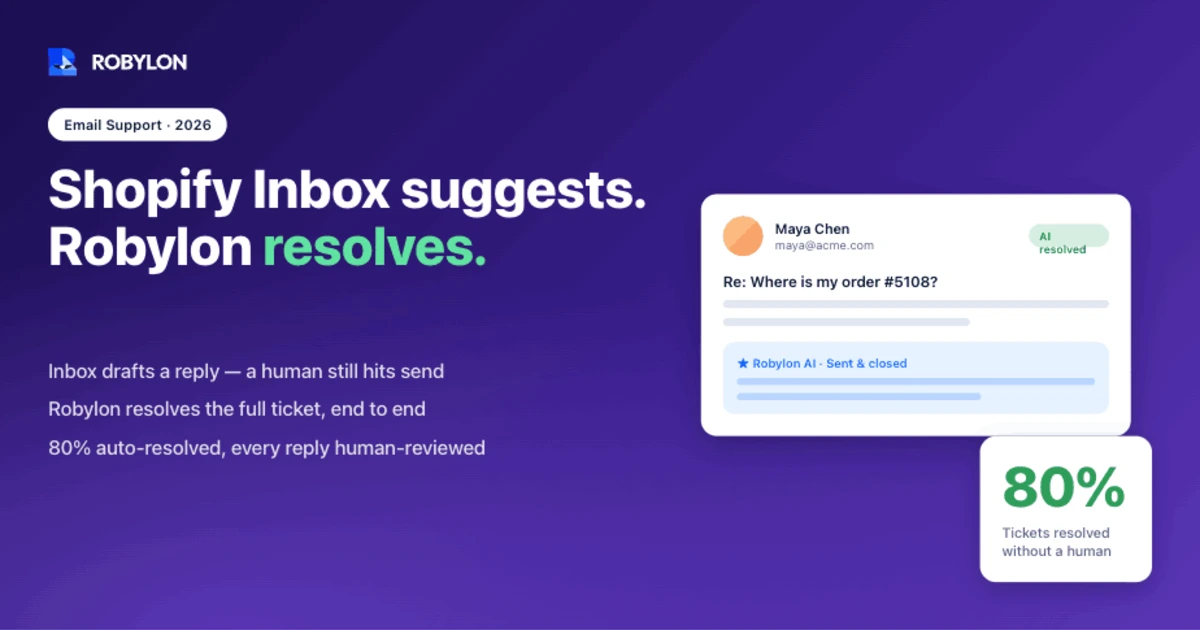
Picture a Shopify store doing 200 orders a day during launch week. By mid-morning the chat widget has 30 open conversations and the email inbox has 80 unread messages, most of them asking the same thing: where is my order. Shopify Inbox is handling the chat, ignoring the email, and answering nothing without a human typing it.
That gap is the whole story.
Shopify Inbox is a genuinely good free tool for talking to shoppers on your storefront. It was never built to resolve support at scale, and once your order volume climbs, the difference between a chat widget and a dedicated support platform stops being theoretical. This guide walks through what Inbox does well, where it runs out of room, and how to tell when it’s time to move.
What Shopify Inbox actually is
Shopify Inbox is a free messaging app from Shopify, included with every plan from Basic to Advanced. There’s no per-seat fee and no upgrade tier. You enable chat in your admin, drop the widget on your storefront, and reply from the web dashboard or the mobile app.
For an ecommerce store, the useful part is context. When a shopper opens a chat, you see their profile, the products they’ve viewed, what’s sitting in their cart, and their order history, all without asking. Shopify’s own data says 70% of Inbox conversations happen with customers mid-purchase, so that context maps straight to sales.
The feature set is built around that moment:
- Instant Answers: pre-set question-and-answer buttons for things like your return window or shipping times, so a shopper can self-serve the basics.
- Quick Replies: canned responses your agents fire off with a shortcut instead of retyping the same paragraph every time.
- Suggested replies via Shopify Magic: the AI drafts a response as you type, pulled from your store policies and past conversations.
- In-chat selling: agents send product links, photos, discount codes, and recommendations without leaving the conversation.
- Email follow-up: when you’re offline, the widget collects a shopper’s email so you can reply later.
If you’re a solo founder or a small team, this is honestly hard to beat for the price. It’s free, it’s native, and it turns storefront questions into orders. The trouble starts when “reply to chat” stops being the same job as “run support.”
Where Shopify Inbox stops being enough
Every limitation below traces back to one design choice: Inbox is a chat tool with some AI bolted on, not a support system. That’s fine until volume forces the issue.
The AI suggests, it doesn’t resolve
This is the one people misread most. Shopify Magic can draft a reply, but a person still has to read it, fix it, and hit send. The automation in Inbox is rule-based. Instant Answers and Quick Replies only fire when you’ve pre-written them, and they can’t reason through a question with any real nuance.
So every conversation, no matter how repetitive, lands on a human. A “where is my order” question and a complicated refund dispute get the same treatment: someone handles them by hand. There’s also a practical catch with the AI suggestions. They currently work only for English-language stores, and merchants will tell you the drafts need editing more often than not.
Compare that to AI customer service for Shopify built to actually close tickets. A dedicated platform reads the question, pulls live order data, and sends the answer, with no agent in the loop for the routine stuff.
Email is a fallback, not a channel
Here’s the part that hurts ecommerce teams the most. In Shopify Inbox, email isn’t really a support channel. It’s a net that catches a shopper’s address when you’re offline so you can follow up later. There’s no email ticketing, no threading, no automation on the email itself.
For most stores, email is where the heavy support lives: order changes, returns, damaged items, billing questions, the messages that need a real answer rather than a quick chat nudge. If your tool treats email as an afterthought, that entire workload stays manual. This is exactly why email-first AI support matters for a growing store, because that’s where the volume and the resolution time actually pile up.
It’s a chat widget, not a help desk
Inbox gives you two ticket states: open and closed. That’s it. There’s no routing tickets to the right agent by skill, no internal notes for when two people need to work a tricky case together, no SLA tracking. Once more than a couple of people are on support, those gaps turn into dropped balls.
The reporting is just as thin. You can see conversation volume and response time, and not much else. You won’t learn which topics drive the most tickets, how individual agents are performing, or where your resolution time is leaking. The difference between a shared inbox and a dedicated AI email agent is the same difference here: one stores messages, the other works them.
The channels are narrow, and getting narrower
Inbox covers your website chat and Facebook Messenger. That’s the list. It doesn’t pull in Instagram DMs, SMS, or your support email as a managed channel. And as of February 2025, Shopify removed the chat integration with the Shop app, so that reach is gone too.
Shoppers don’t care about your channel map. They message wherever’s easiest, and if your team is bouncing between Inbox, a separate email tool, and an Instagram tab, conversations fragment and customers repeat themselves. That’s a worse experience than no chat at all.
What a dedicated AI customer service platform does differently
A purpose-built AI support platform isn’t a fancier chat widget. It’s a different category of tool, aimed at resolution rather than reply assistance.
It resolves autonomously
The headline difference: a dedicated platform closes tickets on its own. Robylon resolves 60 to 80% of customer emails autonomously, a range it validates against your historical tickets during onboarding rather than promising blindly. The routine volume gets handled end to end, and your agents only see what genuinely needs a human.
That’s not the same as deflection, where a bot dodges the question and pushes a help article at the customer. Resolution means the problem is actually solved, in the reply, without a person touching it.
Take the most common ecommerce ticket: a shopper asking where their order is. A dedicated agent pulls the live tracking status, writes the answer in your brand voice, and closes the ticket in seconds. Inbox can surface that same data to your agent, but the agent still has to type and send the reply. Multiply that by a few hundred a week and the cost is obvious.
It takes action, not just answers
This is where the gap is widest. Inbox can tell a customer their order status. A dedicated agent can change the order. With write-access integrations into your stack, the AI issues a refund, edits a shipping address, cancels an order, applies a discount, or updates a subscription, then confirms it back to the customer.
For an ecommerce store, that covers most of the inbox. Returns, address fixes, and order edits are the bulk of real support work, and an agent that runs them end to end removes the manual step Inbox leaves entirely on your team. Robylon connects to Shopify, Gorgias, Zendesk, Stripe, and 60-plus other tools with this kind of write access.
It works across channels, with real email depth
A dedicated platform treats email, chat, WhatsApp, and voice as first-class channels, with email-first specialization for the workload that actually needs it. One AI agent, one knowledge base, consistent answers across 40-plus languages, instead of a different tool and a different voice on every channel. A shopper who starts a question in chat and follows up by email shouldn’t have to explain it twice, and with one agent across channels, they don’t.
It gives you reporting and escalation that hold up
Instead of open-or-closed and a volume chart, you get topic trends, resolution rates, and the data to see where support is breaking. Escalation is built in. When a conversation needs a human, or when tone-shift detection flags an upset customer, the AI hands off cleanly with full context attached, so the agent isn’t starting from zero.
The honest tradeoffs: where Shopify Inbox still wins
Switching isn’t automatically the right call, and pretending otherwise would be dishonest. Shopify Inbox beats a dedicated platform in a few real ways.
It’s free, and a dedicated platform isn’t. For a store doing 20 orders a week, paying for autonomous resolution you don’t need yet makes no sense. Inbox is also zero-setup and natively wired into your storefront, cart, and catalog, with nothing to integrate. And for the specific job of nudging a hesitating shopper toward checkout, that native chat widget with live cart visibility is genuinely well designed.
If your support is a manageable trickle, if chat is your only real channel, and if you’re not yet drowning in repetitive email, Inbox is the right tool. Don’t over-buy.
When it’s time to move off Shopify Inbox
The signal isn’t a vanity metric. It’s pain. You’ve probably outgrown Inbox when a few of these feel familiar:
- Your team answers the same questions all day. Shipping, returns, and order status eat the hours that should go to harder, higher-value conversations.
- Email volume is climbing and it’s all manual. The offline-capture model has quietly become your main support queue.
- You need coverage after hours. Shoppers expect answers at 11 p.m., and staffing around the clock isn’t realistic.
- Answers are inconsistent. Different agents say slightly different things and your brand voice gets lost.
- You’re already on a help desk. Running Inbox alongside Gorgias or Zendesk just adds another silo to watch.
For most ecommerce support teams, the tipping point lands somewhere between the first repetitive-question burnout and the first holiday surge that buries the inbox. If you’re there, the question isn’t whether to upgrade, it’s what to upgrade to.
How Robylon fits as a Shopify Inbox alternative
Robylon is built for exactly the workload Inbox can’t reach: high-volume, action-heavy support, with email as the center of gravity. It resolves 60 to 80% of customer emails on its own, takes action across Shopify, Stripe, and your help desk through 60-plus integrations, and escalates the rest to your team with full context.
Deployment runs 3 to 7 days, not the multi-month rollout people brace for. Pricing is usage-based credits, with no per-seat or per-agent fees, so cost tracks the work the AI actually does rather than the size of your team. And it’s omnichannel with email-first depth, so chat, WhatsApp, and voice come along without forcing a different tool on every channel.
The honest framing: Inbox is where you start. A dedicated platform is where you go when support becomes a real operation and you’d rather your team spent its day on the conversations that build loyalty than on the hundredth “where is my order.”
Ready to move past manual chat replies and automate the email queue Shopify Inbox leaves untouched? Robylon AI resolves 60 to 80% of customer emails autonomously with agents that take action across Shopify, Stripe, Gorgias, and 60+ other integrations. Start free at robylon.ai
Frequently asked questions
Is Shopify Inbox free?
Yes. Shopify Inbox is completely free and comes with every Shopify plan, from Basic to Advanced, with no per-seat fees or upgrade tiers. You enable it in your admin and add the chat widget to your storefront at no cost. The tradeoff is scope: it's a live chat tool, not a full support platform, so the real cost shows up later as manual hours once your ticket volume grows beyond what a small team can handle by hand.
Does Shopify Inbox have AI that resolves tickets automatically?
Not really. Shopify Inbox uses Shopify Magic to suggest replies and offers rule-based Instant Answers, but a human still has to review and send every response. It can't resolve a ticket end to end on its own. A dedicated AI customer service platform like Robylon resolves 60 to 80% of customer emails autonomously, handling the routine volume without an agent in the loop and escalating only what genuinely needs a person.
Can Shopify Inbox handle email support?
Only as a fallback. When you're offline, the Inbox widget collects a shopper's email so you can reply later, but there's no email ticketing, threading, or automation on the email itself. For most ecommerce stores, email is where the heavy support lives: order changes, returns, and billing. That workload stays fully manual in Inbox, which is why growing stores move to a platform with real email-first automation.
What's the best Shopify Inbox alternative for a growing store?
The best alternative depends on your volume and channels, but a growing store usually needs autonomous resolution, real email support, and write access to take action like issuing refunds or editing orders. Robylon is built for this: it resolves 60 to 80% of emails on its own, connects to Shopify, Stripe, and 60-plus tools, and deploys in 3 to 7 days. Help desks like Gorgias and Zendesk are common upgrade paths too, often paired with an AI agent on top.
When should I switch from Shopify Inbox to a dedicated platform?
Switch when the pain is real: your team answers the same shipping and returns questions all day, email volume is climbing and entirely manual, you need after-hours coverage, or you're already running a help desk that Inbox doesn't integrate with. For a low-volume store with chat as its only channel, Inbox is still the right call. The tipping point usually arrives around the first repetitive-question burnout or the first holiday surge that buries the inbox.
Related reading
- Comparisons
6 AI Platforms That Fully Automate Support Tickets in 2026 (90%+ Resolution)
A practical comparison of AI platforms that can fully resolve customer support tickets end to end. Covers real automation, system access, confidence controls, escalation, and when humans still matter.
- Comparisons
9 best Ada alternatives for AI customer support in 2026
Nine alternatives to Ada, compared on what each AI agent can do, which channels it connects natively, where it runs and how you buy it, with prices checked in October 2026.
- Comparisons
AI Chatbot Pricing Guide 2026: What Should You Pay?
AI chatbot pricing is confusing by design — per-agent fees, AI add-ons, per-resolution charges, and hidden usage limits make real costs hard to compare. This guide demystifies every pricing model and shows what you should actually pay based on your team size and ticket volume.