
34 AI-Powered Customer Service Email Templates That Actually Work
Stop writing the same email replies from scratch every day. These 34 AI-enhanced templates cover every common support scenario - from acknowledgments to apologies to refund confirmations - with guidance on when to let AI draft instead.
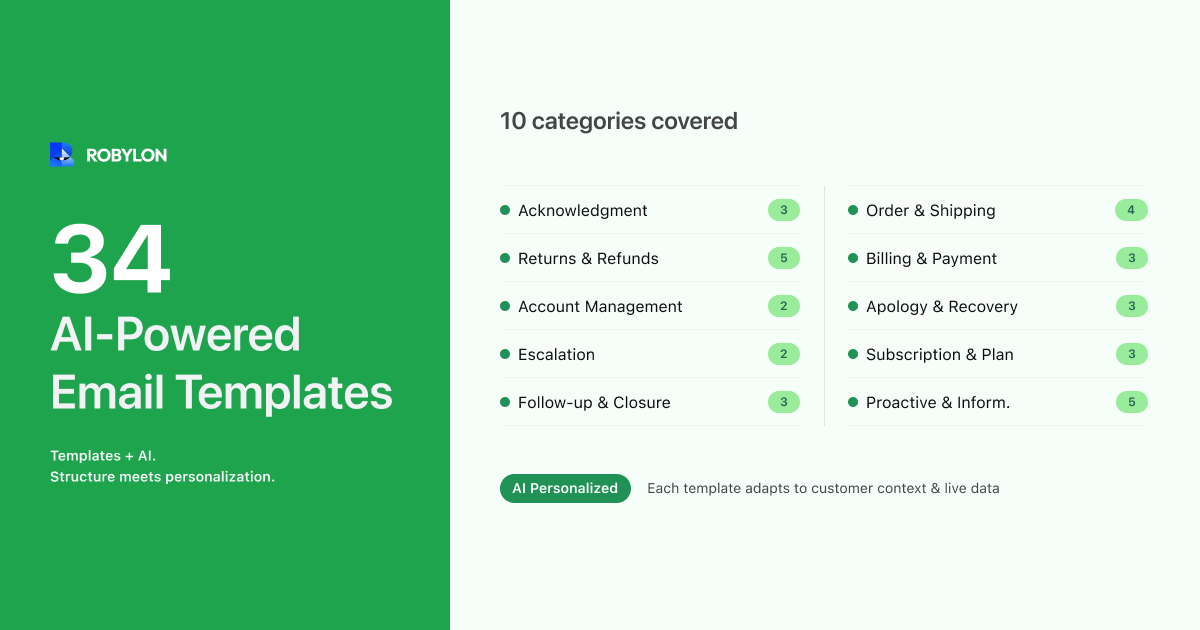
Email templates are the workhorse of every support team. They save agents from rewriting the same response hundreds of times a day. But in 2026, static templates have a problem: they are rigid. They cannot adapt to the customer’s specific situation, pull in their order data, or adjust tone based on sentiment. A template that says “Your order will arrive in 5–7 business days” is useless when the customer wants to know where their specific order is right now.
The best approach in 2026 is a combination: start with well-crafted templates as your foundation, then let AI personalize them with customer-specific data, adapt the tone to the situation, and fill in the dynamic details that make each response feel individually written.
This guide gives you 34 ready-to-use templates organized by scenario, plus guidance on when to use a template, when to let AI generate from scratch, and how to set up your AI to use templates as a starting point for personalized responses.
When to Use Templates vs When to Let AI Generate
Before diving into the templates, here is the decision framework:
Use templates (with AI personalization) when:
- The response follows a predictable structure every time (order confirmations, refund notifications, SLA acknowledgments).
- Exact wording matters for legal or compliance reasons (data deletion confirmations, warranty terms, financial disclosures).
- Brand voice consistency is critical and you do not trust AI generation for this specific message type yet.
Let AI generate from scratch when:
- The customer’s question requires synthesizing multiple pieces of information (troubleshooting, product comparisons, account-specific explanations).
- The query does not match any existing template category.
- The customer is frustrated and needs a uniquely empathetic response — not a form letter.
- The email contains multiple questions that each need a distinct answer.
In practice, most teams use templates for 40–50% of email responses and AI generation for the rest. The templates handle the structured, predictable scenarios. AI handles everything that requires flexibility.
Acknowledgment and First Response Templates
1. Ticket Received — Standard
Subject: We received your request [Ticket #{{ticket_id}}]
Hi {{customer_name}}, thanks for reaching out. We have received your email and a member of our team will respond within {{sla_hours}} hours. Your reference number is {{ticket_id}} — you can reply to this email anytime to add details. In the meantime, you might find your answer in our help center: {{help_center_url}}.
2. Ticket Received — High Priority
Subject: We are on it — your urgent request [Ticket #{{ticket_id}}]
Hi {{customer_name}}, we understand this is urgent and we are prioritizing your request. Your ticket {{ticket_id}} has been assigned to a senior support specialist who will respond within {{priority_sla}} hours. If you have any additional details to share, just reply to this email.
3. Ticket Received — After Hours
Subject: Got your message — we will respond first thing [Ticket #{{ticket_id}}]
Hi {{customer_name}}, thanks for writing to us. Our team is currently offline, but your message is first in queue. You will hear from us by {{next_business_day}} {{next_business_time}}. Your reference number is {{ticket_id}}.
Order and Shipping Templates
4. Order Status Update
Hi {{customer_name}}, your order #{{order_id}} shipped on {{ship_date}} via {{carrier}}. Your tracking number is {{tracking_number}}. Estimated delivery: {{delivery_date}}. You can track it here: {{tracking_url}}. Let us know if you need anything else.
5. Order Delayed
Hi {{customer_name}}, we owe you an update on order #{{order_id}}. Unfortunately, your delivery has been delayed and is now expected by {{new_date}} (originally {{original_date}}). The delay is due to {{reason}}. We sincerely apologize for the inconvenience. If this timeline does not work for you, we can {{alternative_options}}. Just reply and we will take care of it.
6. Order Delivered — Follow-Up
Hi {{customer_name}}, your order #{{order_id}} was delivered on {{delivery_date}}. We hope everything looks great! If anything is not right — wrong item, damage, or missing pieces — just reply to this email and we will make it right. If you are happy with your purchase, we would love a quick review: {{review_url}}.
7. Order Not Found
Hi {{customer_name}}, we were not able to locate an order with the details you provided. Could you double-check and share your order number (it starts with # and is in your confirmation email) or the email address you used to place the order? We want to help — we just need the right info to look it up.
Return and Refund Templates
8. Return Approved
Hi {{customer_name}}, your return request for order #{{order_id}} has been approved. Here is what to do next: pack the item in its original packaging, attach the prepaid shipping label (attached to this email or downloadable here: {{label_url}}), and drop it off at any {{carrier}} location. Once we receive the item, your refund of {{refund_amount}} will be processed within {{refund_timeline}}.
9. Return Declined — Outside Window
Hi {{customer_name}}, unfortunately we are unable to process a return for order #{{order_id}}. Our return policy allows returns within {{return_window}} days of delivery, and this order was delivered on {{delivery_date}}, which is outside that window. We understand this is disappointing. As an alternative, we can offer {{alternative — store credit, exchange, etc.}}. Would you like us to set that up?
10. Refund Processed
Hi {{customer_name}}, your refund of {{refund_amount}} for order #{{order_id}} has been processed. It has been credited to your original payment method ({{payment_method}}). Depending on your bank, it may take {{bank_processing_days}} business days to appear in your account. Your refund reference number is {{refund_reference}}. If it does not appear after {{bank_processing_days}} business days, please reply and we will investigate.
11. Exchange Initiated
Hi {{customer_name}}, your exchange for order #{{order_id}} is set up. You are exchanging {{original_item}} for {{new_item}}. Your prepaid return label is attached — once we receive the original item, we will ship the replacement immediately. Expected timeline: {{exchange_timeline}} from the date you ship the return.
12. Refund Status Inquiry
Hi {{customer_name}}, we checked on your refund for order #{{order_id}}. Here is the current status: your return was received on {{return_received_date}}, the refund of {{refund_amount}} was processed on {{refund_processed_date}}, and it was credited to your {{payment_method}}. Bank processing typically takes {{bank_processing_days}} business days, so you should see it by {{expected_credit_date}}. If it has not appeared by then, reply here and we will follow up with the payment provider.
Billing and Payment Templates
13. Payment Failed
Hi {{customer_name}}, we were unable to process your payment for {{item_or_subscription}}. This is usually caused by insufficient funds, an expired card, or a bank-side hold. You can update your payment method here: {{payment_update_url}}. If the issue persists, we recommend contacting your bank or trying a different payment method. We are holding your {{item_or_subscription}} for {{hold_duration}} so you do not lose it.
14. Duplicate Charge Explanation
Hi {{customer_name}}, we looked into the charges on your account. Here is what we found: {{explanation — e.g., “The charge on March 15 was for order #45721, and the charge on March 16 was your subscription renewal. These are two separate transactions, not a duplicate.”}} If you believe this is still incorrect, please reply with a screenshot of the charges from your bank statement and we will investigate further.
15. Invoice Sent
Hi {{customer_name}}, your invoice for {{period_or_order}} is attached to this email. The total is {{amount}} and it is due by {{due_date}}. If you have any questions about the charges, just reply to this email. You can also view your full billing history here: {{billing_url}}.
Account Management Templates
16. Password Reset
Hi {{customer_name}}, we have sent a password reset link to {{email}}. The link expires in {{expiry_time}}. If you did not request this, you can safely ignore this email — your account has not been changed. If you continue to have trouble logging in, reply here and we will help you regain access.
17. Account Update Confirmed
Hi {{customer_name}}, your account has been updated. Here is what changed: {{change_summary — e.g., “Shipping address updated to 45 MG Road, Bangalore 560001.”}} If you did not make this change, please reply immediately so we can secure your account.
18. Account Cancellation Confirmation
Hi {{customer_name}}, your account has been cancelled as requested, effective {{cancellation_date}}. You will retain access until the end of your current billing period ({{end_date}}). After that, your data will be retained for {{data_retention_period}} in case you choose to return. We are sorry to see you go. If there is anything we could have done differently, we would appreciate your feedback: {{feedback_url}}.
Apology and Recovery Templates
19. General Apology — Service Issue
Hi {{customer_name}}, you are right, and we are sorry. {{Acknowledge specific issue}}. This is not the experience we want you to have. Here is what we are doing about it: {{resolution_steps}}. As a gesture of goodwill, we have {{compensation — e.g., added a $10 credit to your account, extended your subscription by one month}}. We appreciate your patience and your feedback — it helps us improve.
20. Apology — Delayed Response
Hi {{customer_name}}, we apologize for the delayed response. You deserved to hear from us sooner and we fell short. Here is the answer to your question: {{response}}. We have also flagged this internally to prevent future delays. Thank you for your patience.
21. Apology — Wrong Item Shipped
Hi {{customer_name}}, we are sorry — you received the wrong item with order #{{order_id}}. That is our mistake and we want to fix it immediately. We are shipping the correct item ({{correct_item}}) today via expedited shipping at no extra charge. You should receive it by {{new_delivery_date}}. For the incorrect item, you can keep it or return it using the prepaid label attached — no need to wait for us.
Escalation and Transfer Templates
22. Escalating to Specialist
Hi {{customer_name}}, thank you for the details. This needs attention from our {{specialist_team}} team, and I am transferring your case to them now. They will respond within {{specialist_sla}} hours. Your ticket number remains {{ticket_id}} and all of our conversation history will be visible to them — you will not need to explain anything again.
23. Requesting More Information
Hi {{customer_name}}, thanks for reaching out. To resolve this quickly, I need a couple more details: {{list of specific details needed, e.g., “1. Your order number, 2. A photo of the damaged item, 3. Whether you prefer a refund or replacement.”}} Once I have these, I can take care of this right away.
Subscription and Plan Templates
24. Subscription Renewal Reminder
Hi {{customer_name}}, your {{plan_name}} subscription will renew on {{renewal_date}} for {{amount}}. No action needed if you would like to continue. If you want to make changes — upgrade, downgrade, or cancel — you can do so here: {{account_url}} before the renewal date.
25. Plan Upgrade Confirmation
Hi {{customer_name}}, your plan has been upgraded to {{new_plan}} effective immediately. Here is what is new: {{new_features}}. Your next billing amount will be {{new_amount}} on {{next_billing_date}}. The prorated charge for the remainder of this billing cycle is {{prorated_amount}}. Explore your new features here: {{features_url}}.
26. Downgrade Confirmation
Hi {{customer_name}}, your plan has been changed to {{new_plan}} effective {{effective_date}}. Your new monthly rate is {{new_amount}}. Please note that the following features are no longer included: {{removed_features}}. You will retain access to them until {{current_period_end}}. If you change your mind, you can upgrade anytime from your account settings.
Follow-Up and Closure Templates
27. Follow-Up — Waiting for Customer Reply
Hi {{customer_name}}, just checking in on your request (Ticket #{{ticket_id}}). We last asked for {{what was requested}} and have not heard back. If you still need help, just reply to this email. If the issue is resolved, no action needed — we will close this ticket automatically in {{auto_close_days}} days.
28. Ticket Resolved — Confirmation
Hi {{customer_name}}, we have resolved your request. Here is a summary of what was done: {{resolution_summary}}. If everything looks good, no action needed on your end. If you need anything else or the issue returns, just reply to this email and we will reopen your case. We would also appreciate a quick rating of your experience: {{csat_link}}.
29. CSAT Survey Request
Hi {{customer_name}}, now that your issue is resolved, we would love to know how we did. It takes just 10 seconds: {{csat_link}}. Your feedback directly improves our service. Thank you.
Proactive and Informational Templates
30. Known Issue Notification
Hi {{customer_name}}, we are aware of an issue affecting {{description — e.g., “payment processing for some customers”}} and our team is actively working on a fix. We expect resolution by {{estimated_fix_time}}. You do not need to take any action — we will update you once the issue is resolved. We apologize for the disruption.
31. Policy Update Notification
Hi {{customer_name}}, we are writing to let you know about an update to our {{policy_name}}, effective {{effective_date}}. Here is what changed: {{change_summary}}. The full updated policy is available here: {{policy_url}}. If you have questions about how this affects you, reply to this email and we will be happy to clarify.
32. Feature or Product Launch
Hi {{customer_name}}, we just launched {{feature_or_product}} and we think you will find it useful based on {{reason — e.g., “your recent feedback about wanting faster checkout options”}}. Here is what it does: {{brief description}}. Try it here: {{link}}. Let us know what you think.
33. Onboarding Welcome Email
Hi {{customer_name}}, welcome to {{company_name}}! We are glad you are here. To get the most out of your account, here are three quick things to do: 1. {{First step and link}}. 2. {{Second step and link}}. 3. {{Third step and link}}. If you have any questions at any point, just reply to this email — we are here to help.
34. Win-Back / Re-engagement
Hi {{customer_name}}, we noticed it has been a while since you last visited. We have been busy making things better: {{highlights of recent improvements}}. We would love to have you back. Here is a {{incentive — e.g., “15% discount on your next purchase”}} as a welcome-back gesture: {{code_or_link}}. Valid until {{expiry_date}}.
How to Use These Templates with AI
These templates work best as starting points for AI personalization, not as rigid scripts. Here is how to set this up:
- Load templates into your AI platform’s knowledge base as “preferred response formats” for each intent category. The AI uses the template structure but fills in dynamic data and adapts the language to the specific situation.
- Define which templates are mandatory (legal confirmations, compliance language) and which are suggested starting points (the AI can deviate when the situation calls for it).
- Enable AI personalization: Customer name, order details, account status, conversation history, and sentiment — the AI weaves these into the template to make each response feel individually crafted.
- A/B test AI-generated vs template-based responses for the same email category. Measure CSAT for each. Most teams find that AI-generated responses score equal or higher because they adapt to context better — but templates win for structured, compliance-sensitive communications.
Bottom Line
Templates and AI are not competing approaches — they are complementary. Use templates for predictable, structured scenarios where exact wording matters. Let AI generate for complex, multi-part, or emotionally nuanced situations. And for the best of both worlds, use templates as the foundation that AI personalizes with real customer data and contextual adaptation.
Go beyond templates. Robylon AI generates personalized, data-rich email responses in seconds — using your knowledge base, customer data, and brand voice. When templates are the right fit, AI uses them as starting points and fills in the details automatically. Start free at robylon.ai
Frequently asked questions
Should I use email templates or let AI generate every response?
Use both strategically. Templates work best for structured, predictable scenarios where exact wording matters — order confirmations, refund notifications, legal acknowledgments, SLA communications. AI generation works best for complex, multi-part, or emotionally nuanced situations that do not fit a template. In practice, most teams use templates for 40–50% of email responses and AI generation for the rest. The best approach: use templates as starting points that AI personalizes with customer-specific data.
How do I use email templates with an AI platform?
Load templates into your AI platform's knowledge base as "preferred response formats" for each intent category. Configure which templates are mandatory (compliance-sensitive communications where exact wording is required) and which are suggested starting points (AI can adapt the structure and fill in dynamic data). The AI uses the template's structure but personalizes it with the customer's name, order details, account status, and conversation history — making each response feel individually written.
What are the most important customer service email templates to have?
The essential set covers your highest-volume scenarios: ticket acknowledgment (standard, high-priority, after-hours), order updates (shipped, delayed, delivered), return and refund (approved, declined, refund processed, exchange initiated), billing (payment failed, duplicate charge explanation, invoice sent), account management (password reset, update confirmed), apology/recovery (service issue, delayed response, wrong item), and closure (resolved confirmation, CSAT survey). These 15–20 templates cover 80% of routine email interactions.
How do I personalize email templates so they do not sound robotic?
Five techniques: 1) Use the customer's first name in the greeting and body. 2) Reference their specific situation — order number, product name, dates. 3) Adapt tone to sentiment — a frustrated customer gets more empathy, a casual inquiry gets a lighter tone. 4) Include next steps that are specific to their case, not generic instructions. 5) Let AI fill in dynamic variables ({{order_id}}, {{refund_amount}}, {{tracking_url}}) from your live systems rather than using placeholder text. When done well, customers cannot tell if the response came from a template or was written from scratch.
Can AI A/B test different email template versions automatically?
Some platforms support this, and it is a powerful optimization technique. You create two versions of a template — perhaps one with a more empathetic tone and one that is more direct — and the AI alternates between them for the same email category. After sufficient volume, you compare CSAT scores, reply rates, and resolution rates for each version to determine which performs better. The same approach works for AI-generated responses — you can test different prompt instructions and measure the impact on customer satisfaction.