
From Canned Responses to AI Drafts: The Evolution of Email Support
Email support technology has evolved through six distinct stages over two decades — shared inbox, helpdesk with canned responses, rule-based macros, AI triage, AI drafts, and full AI resolution. This narrative traces the evolution, explains why most teams are stuck at stage 3 or 4, and shows what stages 5 and 6 look like in practice.
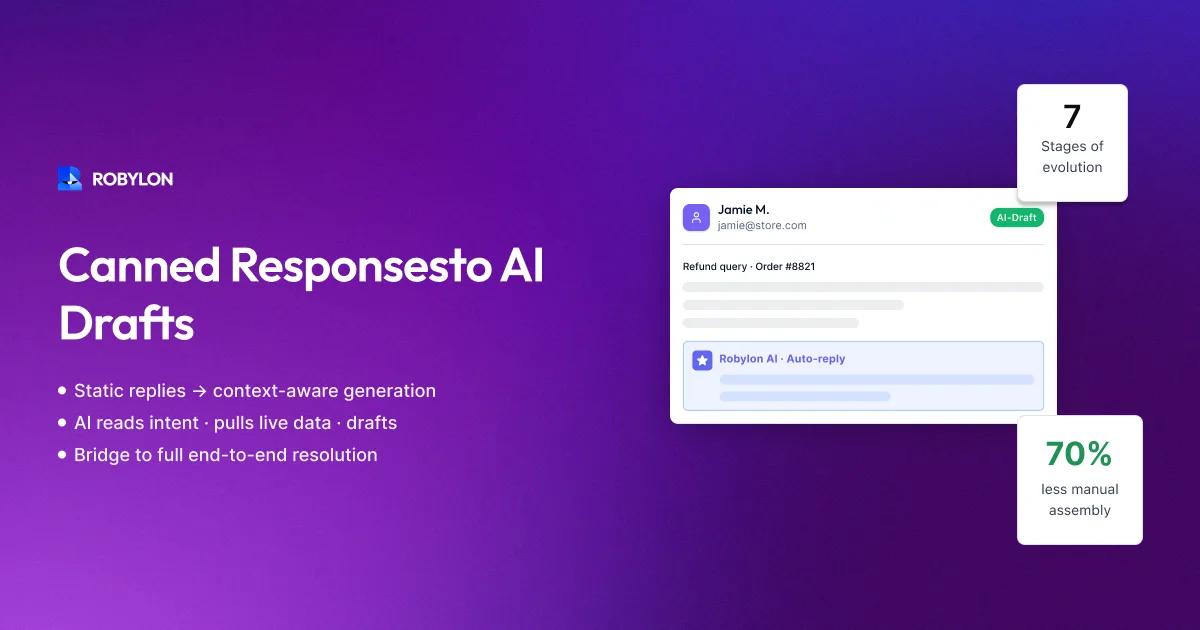
The technology powering email customer support has evolved in six distinct stages over the past two decades. Each stage represents a meaningful leap in how teams handle email — and each has a ceiling that the next stage breaks through. Understanding this evolution helps you identify where your team sits today, what the upgrade path looks like, and why jumping from stage 3 directly to stage 6 is now possible in a way it was not even two years ago.
Stage 1: The Shared Inbox (2000–Present)
The starting point for nearly every support team: a shared email account (support@company.com) in Gmail, Outlook, or Google Groups. Multiple agents access the same inbox, scan for unread emails, and reply. There is no assignment, no tracking, no SLA management, and no automation.
Ceiling: The shared inbox breaks at 50+ emails per day. Duplicate responses, dropped emails, and zero visibility become daily problems. Most teams outgrow this stage within 6–12 months of starting customer support.
Who is still here: Early-stage startups, small businesses with fewer than 3 support staff, and companies that have not yet prioritized support operations. Surprisingly common — an estimated 30–40% of businesses with fewer than 50 employees still use a shared inbox for support.
Stage 2: Helpdesk with Canned Responses (2005–Present)
The team deploys a helpdesk (Zendesk, Freshdesk, Help Scout, Zoho Desk) that converts emails into tickets with ownership, status tracking, and SLA management. Agents create “canned responses” — pre-written templates for common questions that can be inserted with a click.
What changed: Tickets have owners. SLAs are tracked. Reporting exists. Canned responses save time on common queries — inserting a 200-word return policy response takes 2 seconds instead of 2 minutes.
Ceiling: Canned responses are static. They do not personalize (the agent must manually add order numbers, customer names, specific details). Finding the right canned response among 50+ options takes as long as typing a custom reply. And canned responses answer the customer’s type of question but not their specific question — “Here’s our return policy” versus “Your order #45721 is eligible for return and here’s your label.”
Who is still here: A large number of mid-market companies. They have a helpdesk, they have templates, and their agents spend most of their time finding the right template, personalizing it, and hitting send. Functional but inefficient.
Stage 3: Rule-Based Macros and Automation (2010–Present)
The team adds automation rules on top of the helpdesk: if the email contains “order status” AND the customer has an open order, auto-apply the “WISMO” macro and insert tracking data. If the subject line contains “refund,” auto-route to the billing team. If the email is from a VIP domain, auto-assign to senior agents.
What changed: Some emails are partially automated — the right template is applied, the right agent is assigned, basic data is inserted. Triage becomes semi-automatic instead of fully manual. Handle time drops by 20–30% for the categories with good macros.
Ceiling: Rules are rigid. They match keywords, not intent — “I want my money back” does not trigger the “refund” rule because the word “refund” does not appear. Rules break when customers phrase things unexpectedly. Complex conditions (if order is older than 30 days AND item is not sale AND customer has had fewer than 2 returns this year) require elaborate rule chains that become impossible to maintain at scale. And macros still produce semi-generic responses that agents must customize.
Who is still here: Most helpdesk-using companies with moderate to high volume. They have invested significant time in building macro libraries and automation rules, and the switching cost feels high. This is the “local maximum” where many teams get stuck — the macros work well enough that the pain of the current system does not seem worth the effort of a major change.
Stage 4: AI-Assisted Triage and Suggestions (2020–Present)
The helpdesk introduces AI features: automatic ticket classification (intent, language, sentiment), suggested canned responses (the AI picks which template to suggest), agent copilot (AI generates a draft paragraph the agent can edit), and smart routing (AI assigns tickets to the best-matched agent based on skills and availability).
What changed: Triage becomes fully automatic — the AI reads every email and classifies it correctly 85–92% of the time. Agents spend less time deciding what the email is about and more time responding. Suggested responses reduce the “which template?” problem. Agent copilot features cut handle time by 20–40%.
Ceiling: The AI assists agents — it does not replace them. Every email still requires a human to review, edit, and send. The AI is a productivity multiplier (each agent handles 30–50% more emails) but not a resolution engine (zero emails are fully resolved without humans). This means support costs still scale linearly with volume, just with a better per-agent ratio.
Who is still here: Companies on Zendesk Advanced AI, Freshdesk with Freddy AI, Intercom with Fin AI — any team using AI as an agent-assist tool rather than an autonomous resolver. This is the current mainstream of AI adoption in email support.
Stage 5: AI Drafts with Human Approval (2023–Present)
The AI generates a complete, personalized email response — including customer-specific data from CRM, OMS, and billing systems — and presents it for one-click agent approval. The agent reviews the draft (10–30 seconds), makes any edits (usually none), and sends. The AI does 95% of the work; the human provides the quality gate.
What changed: Handle time drops to 1–2 minutes per email (versus 7–12 minutes in stages 2–4). Agent capacity increases 3–5x. The quality of responses improves because the AI consistently includes complete, accurate information — no more partial answers or forgotten details. Agents shift from writers to reviewers.
Ceiling: Every email still requires a human in the loop. The agent’s review is usually rubber-stamping — they approve 90%+ of drafts without changes. The human approval step adds latency (the response waits in a queue until an agent reviews it) and cost (you still need agents, just fewer of them). For teams that trust AI accuracy, this stage feels like an unnecessary bottleneck.
Who is still here: Teams in the early months of AI email deployment — using draft mode as a confidence-building step before enabling full automation. Also teams in regulated industries (fintech, healthcare) where human review is required by policy.
Stage 6: Full AI Resolution (2024–Present)
The AI processes the email, generates the response, verifies it against confidence thresholds and quality criteria, and sends it to the customer — all without human involvement. For the 60–80% of emails that are repetitive, data-driven, and within the AI’s confidence range, the process is fully autonomous. Humans handle only the complex 20–40% that requires judgment, empathy, or multi-system investigation.
What changed: Email support costs decouple from volume. Going from 2,000 to 10,000 emails per month does not require 5x the team — the AI absorbs the growth. Response times drop to under 5 minutes for AI-resolved emails. SLA compliance approaches 100% structurally. The support team evolves from ticket processors to AI supervisors, knowledge curators, and escalation specialists.
Ceiling: Full AI resolution will not reach 100% — there will always be emails that require human judgment, empathy, and creative problem-solving. But the ceiling is high: well-configured systems achieve 75–85% auto-resolution, leaving only the genuinely complex and sensitive cases for humans. This is not a limitation — it is the optimal allocation of human and AI capabilities.
Who is here: Companies using AI-native email platforms like Robylon AI. Early adopters in e-commerce, SaaS, and fintech who deployed in 2024–2025 and are now operating with 60–80% auto-resolution. This is the frontier — and it is moving from early adoption to mainstream in 2026–2027.
Where Are You, and Where Should You Go?
Most teams assume they need to progress sequentially: shared inbox → helpdesk → macros → AI triage → AI drafts → AI resolution. But in 2026, you can skip stages. A team on a shared inbox can jump directly to Stage 6 — connecting their Gmail to an AI email agent and achieving full resolution without ever deploying a traditional helpdesk. A team on Stage 3 (macros) can skip Stages 4 and 5 entirely.
The enabling factor is that modern AI-native platforms include everything from Stages 2–5 as built-in capabilities: ticketing (Stage 2), intelligent routing (Stage 3), AI triage (Stage 4), draft mode (Stage 5), and full resolution (Stage 6). You deploy once and start at Stage 6, with the option to use Stage 5 (draft mode) for categories where you want human oversight.
Bottom Line
The evolution of email support is a story of progressively removing human effort from predictable, repetitive work. Each stage automated a piece of the process — organizing tickets, suggesting templates, classifying intent, drafting responses. Stage 6 automates the whole process for the majority of emails, leaving humans to do what they do best: handle the complex, the sensitive, and the unprecedented.
Skip to Stage 6. Robylon AI provides full email resolution from day one — no intermediate stages required. Connect your inbox, upload your KB, and let AI handle 60–80% of your email volume automatically. Start free at robylon.ai
Frequently asked questions
What are the six stages of email support technology?
Stage 1: Shared inbox (manual everything). Stage 2: Helpdesk with canned responses (organized but still manual). Stage 3: Rule-based macros and automation (keyword matching, partial automation). Stage 4: AI-assisted triage and suggestions (AI classifies and helps agents). Stage 5: AI drafts with human approval (AI writes, human rubber-stamps). Stage 6: Full AI resolution (AI resolves 60–80% autonomously). Most teams are stuck at Stage 3 or 4. In 2026, you can skip directly to Stage 6.
Where are most email support teams stuck today?
Most are at Stage 3 (rule-based macros) or Stage 4 (AI-assisted triage). Stage 3 teams have invested heavily in macro libraries and automation rules — the switching cost feels high even though the ceiling is low (rules are rigid, break on unexpected phrasing, and still require agents for every email). Stage 4 teams use AI for classification and suggestions but every email still requires a human to review, edit, and send. Both stages cost linearly with volume — the fundamental problem AI resolution (Stage 6) solves.
Can I skip stages and jump straight to AI resolution?
Yes. Modern AI-native platforms include everything from Stages 2–5 as built-in capabilities: ticketing (Stage 2), intelligent routing (Stage 3), AI triage (Stage 4), draft mode (Stage 5), and full resolution (Stage 6). A team on a shared inbox can jump directly to Stage 6 — connecting their Gmail to an AI email agent and achieving full resolution without ever deploying a traditional helpdesk. A team on Stage 3 (macros) can skip Stages 4 and 5 entirely.
What is the difference between Stage 4 (AI triage) and Stage 6 (AI resolution)?
Stage 4: AI reads the email, classifies it, suggests which agent should handle it, and maybe suggests a template. The agent still reads, customizes, and sends every response. AI is a productivity multiplier (30–50% more emails per agent) but not a replacement. Stage 6: AI reads, understands, retrieves information, queries systems, generates a personalized response, and sends — no human involved for 60–80% of emails. AI is a resolution engine that fundamentally decouples support costs from email volume.
Why do teams get stuck at Stage 3 (macros and rules)?
Three reasons: 1) Sunk cost — significant time invested in building macro libraries and rule chains creates reluctance to change. 2) Local maximum — macros work "well enough" that the daily pain does not feel worth a major change. 3) Visibility — macro improvements are visible (faster template insertion) while AI resolution seems abstract until deployed. The reality: macros hit a ceiling at 20–30% time savings, while AI resolution delivers 60–80% volume reduction. The gap between these two stages represents the largest opportunity in email support today.