
AI Email Support Vendor Evaluation: 15-Point Scorecard
Most AI email support demos look identical. This 15-point scorecard gives support and CX leaders a weighted rubric to score vendors on what actually predicts production performance, from real resolution rate to pricing model to escalation design.
By the third vendor demo, every AI email support platform starts to sound the same. They all say autonomous resolution, fast deployment, and measurable ROI. They all show a slick dashboard with a number that ends in 90-something. The hard part of an evaluation isn’t finding options, it’s telling architectural substance apart from rehearsed language when every rep has learned the same script.
A scorecard fixes that. Not the generic kind a procurement template hands you, but one built for the specific failure modes of AI email automation: inflated metrics, pricing that punishes success, and demos that fall apart the moment your real tickets hit them.
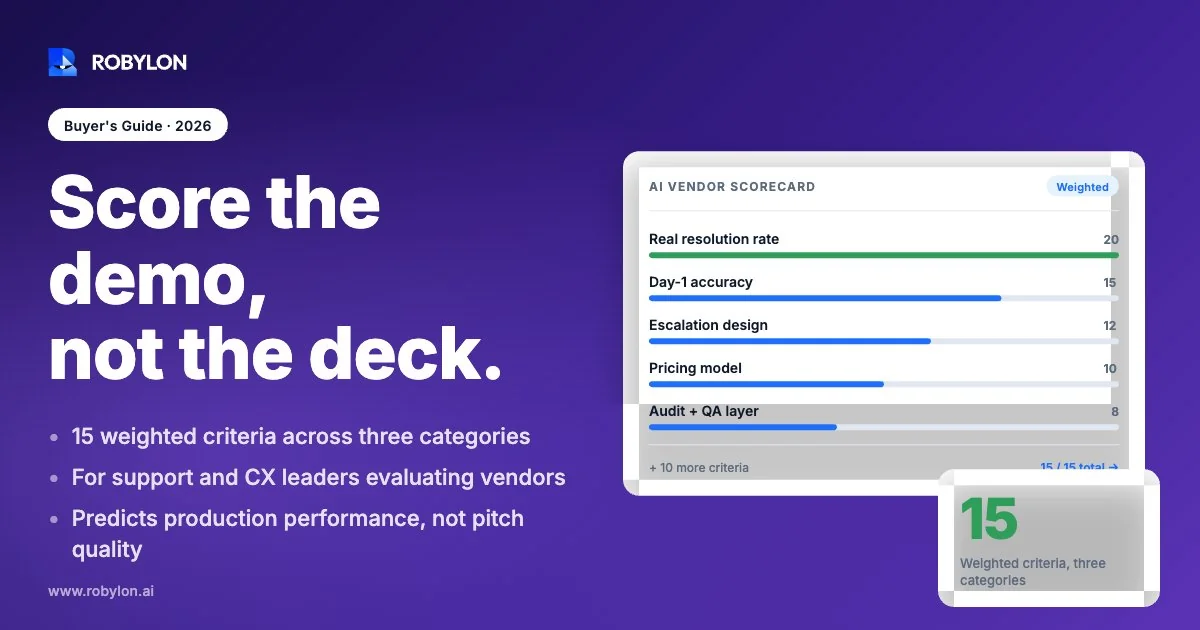
Below are 15 criteria, grouped into five sections, with a scoring method you can run across every finalist. Score each item 0 to 4. Weight the sections by what matters to your business. The vendor with the best slide deck rarely wins on this rubric, and that’s the point.
How to use this scorecard
Score every criterion on the same 0 to 4 scale: 0 means the vendor can’t do it or dodges the question, 4 means they prove it on your data, and the middle values cover everything in between. Run the same questions across all finalists so the comparison is apples to apples.
Then weight the five sections. A regulated fintech weights security and compliance heavily. A high-volume Shopify brand weights resolution quality and integrations. There’s no universal weighting, which is why a single vendor never wins every scenario. Add a hard gate or two for non-negotiables, like a compliance certification you legally require, so a strong score elsewhere can’t paper over a dealbreaker.
One rule before you start. Score what the vendor demonstrates, not what they assert. A claim with no evidence is a 1, not a 3.
Section 1: Resolution quality, the part vendors blur
This is where most evaluations go wrong, because the headline number on the dashboard is usually measuring the wrong thing.
1. How the vendor defines “resolved”
Ask one question and listen carefully: how do you define a resolution? If the answer leans on containment, deflection, or automation rate without mentioning that the customer’s problem was actually solved, you’re looking at a deflection metric wearing a resolution label.
The three terms are not interchangeable. Deflection fires before a ticket reaches a human and counts a contact as handled even if the customer gave up. Containment counts any conversation that stayed inside the bot, abandonment included. Resolution is the only one of the three that implies the customer’s issue got fixed. A ticket where the customer rage-quit is contained but unresolved, and a vendor reporting containment as resolution is inflating their best number by design. Score a 4 only if the vendor measures customer-confirmed resolution, not ticket closure.
2. Verified resolution rate on your data
Marketing decks report 90-percent-plus accuracy. Production logs usually disagree. The gap between a demo number and a real one is the single most expensive surprise in this category, so don’t accept a published benchmark as proof of anything.
Require a benchmark on your actual tickets before you sign. A serious vendor runs your historical ticket export through their system and shows you the resolution rate against your edge cases, your tone, your policies. A realistic honest range for email automation sits around 60 to 80 percent of tickets resolved autonomously, validated against historical tickets during onboarding. Anyone promising 95 percent zero-touch across the board is either measuring containment or selling you a demo that won’t survive contact with your inbox. We dig into why that gap exists in our piece on AI email support accuracy claims.
3. Hallucination safeguards
An AI that confidently invents a refund policy is worse than no AI at all. Ask what happens when the model isn’t sure. The strong design refuses, escalates, or asks a clarifying question when confidence is low, rather than generating a plausible-sounding wrong answer. A platform that claims AI-powered responses without explaining how it prevents fabrication is a red flag in procurement. Score on whether they can show you the confidence threshold and the refusal behavior, not on whether they say the word “accurate” a lot.
4. Re-contact rate
The metric that exposes fake resolutions. Re-contact rate is the share of customers who come back within 24 to 48 hours about the same issue. A high re-contact rate means the AI closed tickets without actually solving the problem, so customers return, often angrier. Ask whether the vendor tracks it and what their customers see. If they’ve never measured it, that tells you something too.
Section 2: Pricing, where the incentive lives
Pricing isn’t just a cost line. It tells you what the vendor is optimizing for, and some models quietly reward the wrong outcomes.
5. What the pricing model actually rewards
There are three common shapes, and they create very different incentives.
- Per-seat or per-agent: built for human teams, not automation. As the AI does more work, you pay for human seats you’re using less. The model fights the product.
- Per-resolution: Zendesk and Intercom both moved toward charging per verified resolution in 2026, with no charge for escalations in Intercom’s case. It ties cost to outcomes, which is healthier than per-seat, but it also means a busy month or a viral product issue spikes your bill exactly when volume is highest.
- Usage-based credits: you buy capacity and spend it across resolutions, actions, and channels. Costs scale with usage rather than headcount, and a credit pool is easier to forecast than a per-resolution meter that moves with ticket volume.
None is universally right. But you should be able to model your bill at 2x volume without a sales call, and a vendor who can’t give you that math is hiding something. Our AI email support pricing comparison breaks the models down with worked examples.
6. Total cost at your real volume
List price is the smallest part of the number. Add implementation fees, integration costs, premium support tiers, overage charges, and the cost of the internal team time it takes to maintain the thing. Build conservative, moderate, and optimistic volume scenarios and ask the vendor to price all three. The cheapest sticker often carries the most expensive long tail.
7. Contract flexibility and exit terms
Read the exit clause before the feature list. What’s the term length, what are the renewal triggers, and what happens to your data and your trained models if you leave? A vendor confident in the product offers a short initial term and clean offboarding. Long lock-ins with painful exits are a tell that retention is contractual, not earned.
Section 3: Integrations and action, the difference between answering and resolving
An AI that can only write a polite reply isn’t resolving anything. Real resolution means doing the thing the customer asked for: issuing the refund, updating the address, resending the receipt.
8. Write-access integrations, not just read
There’s a large gap between an AI that reads your order data to draft a reply and one that actually processes the return in your backend. Read-only retrieval lets the bot say “your order shipped.” Write access lets it cancel the order, apply the credit, or change the subscription. Ask how many integrations have write access, not just how many logos are on the slide. A platform with 60-plus write-access integrations resolves a fundamentally different class of ticket than one that only reads.
9. Coverage of your specific stack
Sixty integrations are useless if they don’t include the three tools you actually run. Bring your list to the demo: your helpdesk, your e-commerce platform, your CRM, your payment processor, your shipping provider. Score on coverage of your stack, not the catalog size. A Shopify brand needs Shopify, Stripe, and a shipping integration that works on day one, and a generic connector that needs custom engineering doesn’t count as covered.
10. Deployment timeline you can verify
“Live in 14 days” and “fully autonomous in 30” are common claims. The honest version is narrower: a focused email deployment can go live in roughly 3 to 7 days when the integrations are pre-built and the ticket history is clean. Ask for a reference customer who deployed recently and what actually slowed them down. The gap between the promised timeline and the real one usually lives in integration work and knowledge-base cleanup, not the AI itself.
Section 4: Security, compliance, and governance
This section is where a strong-looking vendor can fail a hard gate. Customer support data is sensitive by nature, and the AI touches all of it.
11. Certifications you can actually verify
Require vendors to disclose every active certification under NDA: SOC 2 Type II, ISO 27001, GDPR readiness, HIPAA where relevant, PCI-DSS level where payments are involved. SOC 2 Type II is table stakes in 2026, not a differentiator. The thing to check is whether the certification is current and independently audited, not whether a logo appears on the homepage. If a certification is a legal requirement for you, make it a hard gate: no cert, no deal, regardless of the rest of the score.
12. Data handling and training policy
Ask three direct questions. Is your support data used to train shared models? Where does it live, and can you control residency? What’s the retention and deletion policy when you offboard? A vendor that trains a shared model on your tickets without a clear opt-out is exposing your customer data to other companies’ systems. Get the answers in writing, because verbal assurances don’t survive a security review. Our enterprise security checklist covers the full set of questions to put in your RFP.
13. Audit trails and human oversight
When an AI sends a wrong answer that reaches a customer, who owns the root cause, and can you reconstruct what happened? Look for complete logging of every AI decision, the ability to review and correct, and human-in-the-loop controls on sensitive actions. Governance isn’t a feature you bolt on later. A platform without an audit trail can’t be debugged, and a platform you can’t debug can’t be trusted with refunds.
Section 5: Escalation and the human handoff
The smartest thing an AI support system does is know when to stop. Bad escalation design is where most customer frustration actually comes from, not bad answers.
14. Escalation logic and tone detection
The AI should escalate not only when it can’t solve a problem, but when it shouldn’t try. An angry customer, a legal threat, a high-value account, a refund above a threshold: these should route to a human even if the model could technically generate a response. Ask how escalation is triggered and whether it detects tone shifts, not just keywords. We go deep on this in our breakdown of when AI should resolve versus route to a human.
15. Handoff quality
When a ticket does escalate, what does the human receive? A good handoff passes the full conversation, the customer’s intent, and the AI’s analysis, so the agent doesn’t make the customer repeat themselves. A bad handoff dumps a raw transcript and a frustrated customer on an agent with no context. Watch this happen live in a demo with a deliberately hard ticket. The quality of the handoff tells you whether the vendor designed for the real workflow or just the happy path.
Running the evaluation in practice
A scorecard is only as good as the evidence behind it. Don’t score from the demo alone. Start every finalist evaluation with three things: a historical ticket export of at least a few thousand real tickets, the scoring rubric above, and reference calls with named customers running the platform in production.
Then structure a pilot that generates evidence instead of opinions. Feed real tickets, measure resolution against customer confirmation rather than ticket closure, and watch the escalation path on the ugly cases. A two-week pilot on your own data tells you more than ten polished demos.
Here’s the honest part most buyer’s guides skip. No single vendor wins every row on this scorecard, and any guide claiming one does is selling a simplification. The right choice depends on where you sit: your volume, your stack, your regulatory load, and which of the five sections you weight most heavily. The scorecard’s job isn’t to pick the winner for you. It’s to make sure you’re scoring the things that predict production performance, not the things that look good in a slide.
Robylon scores well on the rows that matter to email-first teams: customer-confirmed resolution in the 60 to 80 percent range validated on your historical tickets, usage-based credit pricing with no per-seat penalty, 60-plus write-access integrations, 3 to 7 day deployment, human-in-the-loop escalation with tone-shift detection, and 40-plus language support. We’d rather you run the rubric than take our word for it. Bring your ticket export and score us against it.
Ready to score a vendor against your own tickets? Robylon AI resolves 60 to 80 percent of customer emails autonomously with AI agents that take action across Shopify, Stripe, Zendesk, and 60-plus other integrations. Start free at robylon.ai
Frequently asked questions
What is the most important criterion when evaluating AI email support vendors?
How the vendor defines resolution. Many platforms report containment or deflection, which only measure whether a human was avoided, not whether the customer's problem was solved. The strongest signal is customer-confirmed resolution measured on your own ticket data. If a vendor can't separate resolution from containment, or won't benchmark on your tickets before signing, that single answer tells you more than the rest of the demo combined.
Why does the AI support pricing model matter so much?
Because pricing reveals what the vendor optimizes for. Per-seat pricing fights automation, since you pay for human seats as the AI does more. Per-resolution pricing ties cost to outcomes but spikes with volume. Usage-based credits scale with actual work and are easier to forecast. You should be able to model your bill at double your current volume without a sales call. A vendor who can't give you that math is hiding the real cost.
What's the difference between containment rate and resolution rate?
Containment rate counts any conversation that stayed inside the AI without escalating, including customers who got frustrated and gave up. Resolution rate counts only tickets where the customer's issue was actually solved. Containment is the weaker, more inflatable number, and vendors often report it as resolution. A contained-but-unresolved ticket shows up later as a re-contact, so always ask the vendor how they measure both.
How fast should an AI email support tool deploy?
A focused email deployment can go live in roughly 3 to 7 days when integrations are pre-built and ticket history is reasonably clean. Claims of full autonomy in two weeks usually understate the integration and knowledge-base work involved. The honest way to verify timeline is to ask for a recent reference customer and what actually slowed their rollout. The delay almost always lives in stack integration and content cleanup, not the AI model itself.
Should I run a pilot before signing an AI support contract?
Yes, and it should run on your own historical tickets, not a curated demo dataset. Export a few thousand real tickets, measure resolution against customer confirmation rather than ticket closure, and watch the escalation path on your hardest cases. Pair that with reference calls to named production customers. A two-week pilot on real data surfaces the gap between the marketing number and the production number, which is the most expensive surprise in this category.