
AI Email Support for SaaS: Onboarding, Billing & Technical Queries
SaaS email support spans everything from "how do I set up SSO?" to "why was I charged twice?" This guide breaks down the 6 major SaaS email categories, the AI workflows that resolve them, and what automation rates to expect.
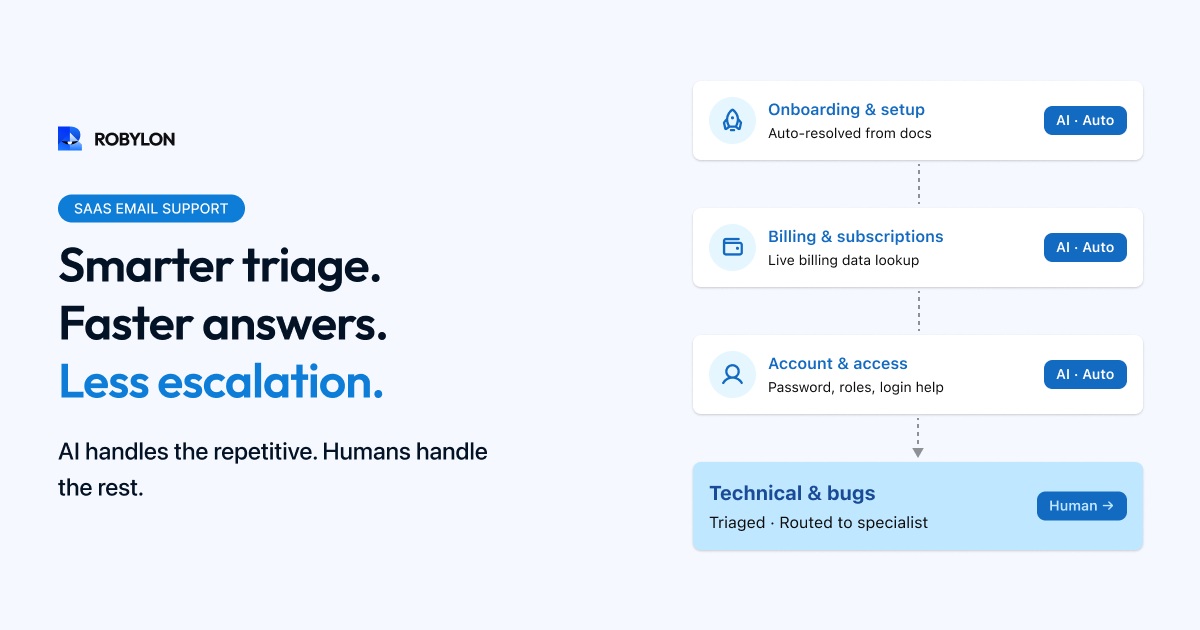
SaaS email support is a different beast from e-commerce. Instead of tracking packages and processing returns, SaaS support teams field questions about product functionality, troubleshoot technical issues, explain billing logic, manage subscription changes, and guide users through onboarding — often with multiple follow-up emails as the customer works through a complex setup.
The good news: despite this complexity, a large share of SaaS email is still highly automatable. The questions are repetitive (every new customer asks the same onboarding questions), the data is structured (subscription status, plan details, feature access are all in your billing system), and most answers live in your documentation.
This guide covers the six major SaaS email support categories, the AI workflows for each, and the automation rates you should target.
The SaaS Email Support Landscape
A typical B2B SaaS company processing 2,000–8,000 email tickets per month sees this volume breakdown:
- How-to / feature questions (25–35%): “How do I export data as CSV?”, “Where do I find the API key?”, “Can I add custom fields?”
- Billing and subscription (15–25%): Invoice requests, payment failures, plan changes, proration questions, cancellation requests.
- Onboarding and setup (10–20%): Integration help, SSO configuration, data import, initial configuration questions.
- Bug reports and technical issues (10–15%): “The dashboard is not loading,” “Export fails with an error,” “Webhook is not firing.”
- Feature requests and feedback (5–10%): “Will you add X?”, “I wish the product could do Y.”
- Account management (5–10%): Add users, change roles, update billing email, transfer ownership.
Category 1: How-To and Feature Questions (75–85% Automatable)
This is your highest-volume, most automatable SaaS email category. Customers email asking how to use a feature, where to find a setting, or whether the product supports a specific workflow. Every answer is in your documentation — the customer just did not find it.
How AI Resolves It
The AI reads the question, searches your knowledge base (help docs, API documentation, changelog, tutorial content) using RAG, and generates a step-by-step answer grounded in your documentation. For common questions, the response includes the exact navigation path (“Go to Settings → Integrations → API Keys → click Generate”), relevant screenshots if your KB includes them, and links to the detailed help article for further reading.
The key to high automation here: comprehensive, well-structured documentation. If your help center covers a feature but buries the answer in a 3,000-word article, the AI still finds it. If the feature is not documented at all, the AI escalates appropriately.
What Makes SaaS How-To Different from E-commerce
SaaS how-to questions are often more complex than e-commerce questions. A customer might ask “How do I set up SSO with Okta for my team?” — which requires a multi-step answer spanning your product settings, the customer’s Okta admin console, and specific configuration values. The AI needs to generate a structured, sequential response (not a one-liner) and handle follow-ups when the customer gets stuck at a specific step.
Category 2: Billing and Subscription (70–85% Automatable)
Billing emails are data-driven — the answers live in your billing system (Stripe, Chargebee, Recurly, or custom). The AI connects to your billing API to resolve:
- Invoice requests: AI retrieves the invoice from Stripe and sends it as an attachment or link.
- Payment failure resolution: AI checks why the payment failed (expired card, insufficient funds, bank decline) and guides the customer to update their payment method.
- Proration questions: “I upgraded mid-cycle, why was I charged $47.50 instead of $49?” AI calculates and explains the proration from your billing data.
- Plan comparison: “What’s the difference between Pro and Enterprise?” AI retrieves plan details from your pricing/feature matrix and generates a comparison tailored to the customer’s current usage.
- Cancellation requests: AI processes the cancellation per your policy (immediate vs end-of-billing-period), confirms what happens to data, and sends the confirmation. Optionally triggers a retention workflow first.
Sensitive Area: Cancellation and Churn
Some SaaS teams prefer that cancellation emails route to a human retention specialist rather than being auto-processed. This is a valid strategy — configure your AI to detect cancellation intent, collect the reason, and route to your retention team with full context rather than auto-cancelling. The AI can still handle the logistics after the retention conversation if the customer proceeds.
Category 3: Onboarding and Setup (55–70% Automatable)
Onboarding emails tend to be longer and more complex because customers are dealing with unfamiliar territory. Common queries: “How do I connect my Salesforce instance?”, “What format should my CSV be for data import?”, “We need to set up SAML SSO — what are the configuration values?”
AI handles these well when your onboarding documentation is detailed and includes specific configuration values, API endpoints, and step-by-step walkthroughs. The automation rate is lower than how-to questions because onboarding issues often involve customer-side configuration problems that the AI cannot see or diagnose remotely.
Best practice: AI resolves the standard onboarding questions automatically and escalates to a dedicated onboarding specialist when the customer reports an error or describes a configuration that does not match your expected setup.
Category 4: Bug Reports and Technical Issues (30–50% Automatable)
This is the lowest-automation category and that is appropriate. Bug reports and technical issues require investigation — checking logs, reproducing the behavior, identifying whether it is a known issue or a new one. AI should not attempt to resolve these autonomously.
However, AI adds significant value here in three ways:
- Known issue matching: AI checks the customer’s description against your known issues database. If it matches a known bug with a workaround, the AI provides the workaround and ETA for the fix.
- Information gathering: AI responds immediately asking for the diagnostic details your engineering team needs: browser version, OS, steps to reproduce, error messages, screenshots. When those screenshots arrive, the AI reads the attached images and pulls the error text into the ticket automatically. This eliminates the back-and-forth that typically adds 24–48 hours to bug resolution.
- Triage and routing: AI classifies the severity (critical: service down, high: feature broken, normal: cosmetic issue) and routes to the appropriate engineering tier.
Category 5: Feature Requests (40–60% Automatable)
Feature requests are not resolvable — there is nothing to “fix.” But AI handles them effectively by acknowledging the request, checking if the feature already exists (customers often request features they have not discovered yet), logging the request in your product feedback system, and providing a relevant workaround or alternative if one exists.
“We’d love a Slack integration” → AI checks: “Actually, we launched Slack integration last month! Here’s how to set it up: [link]. Let me know if you need help with the configuration.”
Category 6: Account Management (80–90% Automatable)
Account management emails are highly automatable because they are transactional: add a user, change a role, update billing email, reset 2FA, transfer account ownership. Each follows a predictable workflow connected to your user management system.
For security-sensitive actions (ownership transfers, admin role changes, 2FA resets), configure the AI to verify the requester’s identity before proceeding — confirming they are an account admin, or requiring email verification.
SaaS-Specific AI Configuration
Plan-Aware Responses
SaaS customers on different plans have access to different features. Your AI needs to know the customer’s current plan and tailor responses accordingly. If a Free plan customer asks about a Pro feature, the AI should explain the feature and mention that upgrading unlocks it — not provide instructions for a feature they cannot access.
Technical Depth Calibration
SaaS support spans from non-technical end users (“how do I add a column?”) to developers (“your webhook payload is missing the event_id field”). The AI should detect the technical level from the customer’s language and adjust the response depth. Developer questions get API references and code examples. End-user questions get step-by-step instructions with screenshots.
Multi-Product Awareness
Many SaaS companies offer multiple products or modules. The AI needs to route questions to the right product’s knowledge base and be aware of cross-product interactions.
Recommended Integrations for SaaS Email AI
- Billing system: Stripe, Chargebee, Recurly — for subscription status, invoice retrieval, payment failure diagnosis, and plan details.
- User management: Your application’s admin API — for adding users, changing roles, checking plan limits, and account status.
- Help documentation: Your docs site (Mintlify, GitBook, Notion, ReadMe) — the primary knowledge source for how-to questions.
- Product feedback system: Productboard, Canny, or custom — for logging and deduplicating feature requests.
- Issue tracker: Jira, Linear, or GitHub Issues — for known bug matching and status updates.
- Helpdesk: Zendesk, Freshdesk, Intercom — for ticket creation, routing, and agent handoff.
Bottom Line
SaaS email support is more varied than e-commerce but equally automatable — just with different automation rates by category. How-to questions and account management automate at 75–90%. Billing automates at 70–85%. Onboarding at 55–70%. Bug reports and feature requests benefit from AI triage and information gathering even when they cannot be fully auto-resolved. The overall blended rate: 60–75% auto-resolution for a well-configured SaaS email AI deployment.
SaaS email, handled. Robylon AI resolves how-to questions, billing inquiries, and account management emails end-to-end — integrated with Stripe, your docs, and your helpdesk. Start free at robylon.ai
Frequently asked questions
What SaaS email ticket types are most automatable?
Account management (80–90%) — adding users, changing roles, updating billing info. How-to and feature questions (75–85%) — every answer is in your documentation. Billing and subscription (70–85%) — invoice requests, payment failures, plan changes via billing API. Product questions with plan awareness (65–75%) — "does my plan include X?" via feature matrix lookup. Bug reports (30–50%) — lowest automation; AI triages and gathers diagnostics rather than resolving.
How does AI handle SaaS billing proration questions?
AI pulls the exact billing calculation from your billing system (Stripe, Chargebee, Recurly) and explains it in plain language. Example: "Your charge of $47.50 breaks down as: prorated Pro charge for 17 remaining days ($43.37) minus credit for unused Basic ($15.87) = $47.50." This specificity is impossible with canned responses and tedious for agents to calculate manually — AI pulls it from the billing API in seconds.
What integrations does AI need for SaaS email support?
Six key integrations: 1) Billing system (Stripe, Chargebee) for subscription status, invoices, and payment diagnostics. 2) Help documentation (Mintlify, GitBook) as the primary KB for how-to questions. 3) User management API for roles, plan limits, and entitlements. 4) Issue tracker (Jira, Linear) for known bug matching. 5) Product feedback system (Productboard, Canny) for logging feature requests. 6) Helpdesk (Zendesk, Freshdesk) for ticket management.
Should AI auto-process SaaS cancellation emails?
It depends on your retention strategy. Three approaches: 1) Full AI resolution — process the cancellation per your policy. Best when email retention has historically low success. 2) AI triage + human retention — AI collects the cancellation reason, routes to a retention specialist with full context. Best for high-value subscriptions. 3) AI-powered retention — AI offers a discount, downgrade, or pause based on the reason and customer profile before processing. Best for mid-volume businesses wanting retention at scale.
How does AI handle SaaS emails from developers vs non-technical users?
The AI detects the technical level from the customer's language and adjusts response depth. Developer questions mentioning APIs, webhooks, or error codes get API references, code examples, and technical documentation links. Non-technical users asking "how do I add a column?" get step-by-step instructions with navigation paths and screenshots. This calibration happens automatically through LLM language understanding — no manual tagging required.