8 best HubSpot chatbot alternatives for customer support in 2026
Eight alternatives to HubSpot's chatflows and its Customer Agent for teams that keep HubSpot as their CRM, compared on what each AI can do, channels, how each connects to HubSpot and how each one bills, with prices checked in October 2026.
Key takeaways
- AI agent that takes actions across chat, email, voice and WhatsApp while HubSpot stays the CRM: Robylon, free to start with 300 credits a month and paid from $25 a month.
- Keep HubSpot's help desk and change only the AI agent: Fin, which plugs into HubSpot email tickets and chat at $0.99 per outcome with a 50-outcome monthly minimum.
- Lowest cost at 3,000 conversations a month: Crisp, about $190 a month with Hugo on Mini, and a two-way HubSpot contact sync from the $95 Essentials plan.
- Support moves to a full helpdesk while sales stays in HubSpot: Freshdesk, with 4 pre-built HubSpot workflows for Freddy AI Agent, or Zendesk, which posts ticket events to the HubSpot contact timeline.
- Small team that wants free live chat which syncs contacts and transcripts to HubSpot: Tidio, free for 50 conversations a month and up to 10 agents.
The strongest HubSpot chatbot alternatives in October 2026 are Robylon for an AI agent that takes action across chat, email, voice and WhatsApp while HubSpot stays your CRM; Fin for a stronger AI agent inside HubSpot’s own help desk; Crisp and Tidio for low prices and free plans; Zendesk and Freshdesk for moving support to a full helpdesk; Text (formerly LiveChat) for stores that sell in chat; and Ada for enterprise volume.
HubSpot’s chatbot is two products: free chatflows that qualify leads, book meetings and open tickets along branches you draw, and Breeze Customer Agent on Service Hub Professional, which answers from your content and acts on CRM data. Teams evaluating or running either look elsewhere when the free bot cannot read a typed question, when seats and credits add up, or when the agent must act outside HubSpot or answer WhatsApp and phone calls. Every tool below is judged on three things: whether its AI takes the action a ticket needs, whether every channel runs from one setup, and whether it fits the stack you already run, starting with HubSpot CRM.
HubSpot chatbot alternatives at a glance
| Tool | Best for | What the AI does | Billing unit | Free plan | Paid from | G2 |
|---|---|---|---|---|---|---|
| HubSpot Service Hub (baseline) | Teams whose sales, marketing and service run on HubSpot CRM | Customer Agent answers and runs up to 20 actions | Per seat, plus per AI resolution in credits | Yes, rule-based bots only; no AI agent | $90 a seat (Professional, annual) for the AI agent | 4.4 (3,018) |
| Robylon | AI agent that acts on every channel, with HubSpot kept as CRM | Answers and acts in your systems, HubSpot included | Per AI credit; seats optional | Free forever, 300 credits a month (about 40 chats) | $25 a month (Pro, 500 credits) | 5.0 (42) |
| Fin | A stronger AI agent inside HubSpot's own help desk | Answers and acts through Procedures | Per outcome, plus seats on Intercom | No; 14-day trial | $0.99 per outcome | 4.5 (3,918) |
| Zendesk | Moving support to a full suite while sales stays in HubSpot | AI agents answer and act in external systems | Per seat, plus per automated resolution | No; 14-day trial | $55 a seat (Suite Team, annual) | 4.3 (7,093) |
| Freshdesk | A full helpdesk at a moderate seat price | Answers and runs workflows, HubSpot ones included | Per seat, plus per AI session | 2 agents free for 6 months | $29 a seat (Omni Growth, annual) | 4.4 (3,777) |
| Tidio | Small businesses and stores starting with live chat | Lyro answers and calls APIs through Actions | Per conversation pack | Yes, 50 conversations a month | $29 a month (Starter, monthly) | 4.6 (1,962) |
| Crisp | Chat, inbox and AI agent at a flat workspace price | Hugo answers and acts through MCP tools | Per workspace, plus AI credits by tokens | Yes, 2 seats, no AI | $45 a month (Mini, 4 seats) | 4.5 (205) |
| Text | Stores and SaaS teams selling in chat | Answers, sells and calls APIs through Custom Skills | Per user, plus per AI resolution | No; 14-day trial | $19 a user (Essential, annual) | 4.1 (12) |
| Ada | Enterprise CX teams automating at high volume | Answers and acts through API, code and MCP tools | Per conversation, by contract | None published | Custom quote | 4.6 (174) |
Prices checked October 2026 on each vendor's pricing page. G2 ratings read October 2026, with the review count in brackets.
Robylon publishes this page and ranks itself first; every tool on the list, Robylon included, gets the same “Where it falls short” line.
What the HubSpot chatbot does
HubSpot’s chatbot runs in two forms on HubSpot CRM. In HubSpot’s free tools, for up to two users, chatflows create tickets, qualify leads and book meetings along the branches you build. Breeze Customer Agent, on Service Hub Professional and Enterprise only, answers from your knowledge base, synced website pages and files, and runs up to 20 configured actions: updating CRM records, enrolling a visitor in a workflow, booking a meeting, qualifying a lead or calling an external API. It works on live chat, email, forms, Facebook Messenger, WhatsApp and, in public beta, inbound calls. HubSpot bills it in credits: 50 credits ($0.50) per resolved text conversation, on top of Professional seats.
Why teams look beyond HubSpot’s chatbot
Free bots follow fixed paths
The chatbot in HubSpot’s free tools is limited to ticket creation, lead qualification and meeting booking, according to HubSpot’s Product and Services Catalog. It offers buttons and branches, not answers to typed questions. Service Hub Starter, at $20 per seat a month list price ($10 monthly or $7 billed annually as a limited-time offer for new customers), adds no AI agent.
AI agent needs Professional seats
Breeze Customer Agent is on Professional and Enterprise only. Professional costs $90 per Service Seat a month billed annually, or $100 paid monthly on an annual commitment, and HubSpot’s pricing data marks a $1,500 one-time onboarding fee as required. Enterprise costs $150 per seat a month, billed annually through sales.
Resolutions billed from shared credits
The agent costs 50 credits, or $0.50, per resolved text conversation, a model HubSpot moved to on 14 April 2026 from $1.00 per conversation, as its announcement describes. Professional includes 3,000 credits a month per account, about 60 resolutions, shared with every other feature that uses credits. HubSpot’s knowledge base says a lead the agent marks qualified or not qualified is billed as a resolution at once, and a conversation reassigned to a rep by hand or by workflow still counts as resolved.
Actions capped at 20
The agent takes up to 20 configured actions, from HubSpot’s actions library or as custom GET or POST requests to external apps, according to HubSpot’s actions article, and reads and updates up to 10 contact properties. HubSpot documents no way to run the agent inside another helpdesk.
Voice and WhatsApp still limited
Customer Agent voice is a public beta for inbound calls only, billed at 50 credits ($0.50) a minute since 16 September 2026, and configured actions run on calls only in a separate beta, per HubSpot’s voice article. WhatsApp is capped at 1,000 messages a month on Professional, and SMS is a beta through a Twilio add-on.
Three kinds of HubSpot chatbot alternatives
Three kinds of product get called HubSpot chatbot alternatives, and they solve different problems.
- AI agent platforms: an agent that answers and resolves across channels, standalone or inside a helpdesk. Robylon, Fin and Ada belong here, and all three take actions in other systems. Of the three, only Fin answers inside HubSpot’s own help desk.
- Helpdesk suites with their own AI: ticketing, inbox, SLAs and reporting for a human team, with an AI agent on top. Zendesk and Freshdesk belong here; support moves out of HubSpot while sales and marketing stay in it.
- Chatbot and live chat tools: a website widget, a shared inbox and an AI agent priced for small teams. Tidio, Crisp and Text (formerly LiveChat) belong here.
If the bot only needs to answer website questions and pass leads to HubSpot, the third kind costs least. If it must change orders, accounts or bookings on several channels, the first two fit.
Keeping HubSpot as your CRM
Every tool on this list can leave HubSpot as the system of record for contacts and deals, but only Fin answers inside HubSpot’s own help desk. What each vendor documents, as of October 2026:
| Tool | HubSpot connection | What it does with HubSpot |
|---|---|---|
| HubSpot Customer Agent | Native | Reads and updates up to 10 contact properties, enrolls visitors in workflows, books meetings, qualifies leads |
| Robylon | Pre-built integration, from the Pro plan | Agents create, search or update contacts, companies and deals, and write notes and tickets |
| Fin | Fin for HubSpot | Answers HubSpot email tickets and chat, syncs its knowledge base, hands off to the HubSpot agent queue |
| Zendesk | Zendesk Support for HubSpot and an action builder connector | Posts ticket events and conversations to the contact timeline; since 23 June 2026, action flows create and update HubSpot records |
| Freshdesk | AI agent workflows and a Marketplace app | Freddy AI Agent creates deals and tickets and reads or updates contacts; the free app is by Spritle Software |
| Tidio | Pre-built integration | Creates or updates contacts (email, name, phone) and saves each solved conversation as a note on the contact |
| Crisp | Plugin, from Essentials | Syncs contacts, two ways if enabled, logs conversations as activity on deals, creates deals from Crisp |
| Text (formerly LiveChat) | Marketplace app built for LiveChat | Matches visitors to contacts and attaches transcripts; Text plans list no HubSpot integration |
| Ada | None documented | A HubSpot lookup would be an API tool you build |
How we compared the tools
We read each vendor’s pricing page, help centre or docs, and security or trust page on 7 and 8 October 2026, and each tool’s G2 page the same days. HubSpot integrations come from each vendor’s own help article or listing, read on 8 October 2026. Where prices differ by region, the table uses the US dollar price. We did not run hands-on tests for this page.
We compared them on what the AI agent can resolve, channels covered, where each runs, billing model, setup effort, how each connects to HubSpot CRM, and how each works for support agents and team leads.
The 8 best HubSpot chatbot alternatives
1. Robylon
Best for: teams that need the AI agent to finish tickets by acting in their systems, across chat, email, voice and WhatsApp from one setup, while HubSpot stays the CRM for sales and marketing.
What it is for: Robylon is an AI customer support platform that resolves tickets across email, chat, voice and WhatsApp. It works standalone or alongside an existing helpdesk. It takes the action a ticket needs: agents read the systems the answer lives in, act through tools built from your APIs and connected apps, and hand anything they cannot finish to a person with the checking already done. Every channel runs from one setup. And it fits the stack you already run, with HubSpot among its connected apps. Robylon resolves over 95% of queries automatically for a gaming company.
What the AI does:
- A triage agent routes each conversation to the sub-agent for its topic.
- Agents call tools built from your APIs and from 32 pre-built integrations, among them Shopify, HubSpot, Salesforce and Google Sheets. With HubSpot connected, an agent creates, searches or updates a contact, company or deal mid-conversation. Custom API integrations are on the Business plan.
- The knowledge base answers from your sources, and the KB gap report shows the questions it could not answer (Pro plan and above).
- Anything the agent cannot finish goes to a person with the conversation, intent and checks attached.
- Evaluations score conversations against your own criteria, and teams choose the AI model per agent.
Channels: email, website and in-app chat, voice, WhatsApp, Instagram, Facebook, SMS through Twilio, YouTube comments, and reviews on Google Play, the App Store and Google My Business, all listed on the channels page, in over 40 languages. Robylon runs standalone with its own inbox and optional human seats, or inside Freshdesk, Zendesk, Zoho Desk, Salesforce, Vtiger and Gorgias tickets and inside Intercom, Freshchat, SalesIQ and Zendesk messaging chat; inside Gorgias it covers email and chat. WhatsApp and email start on the Pro plan; voice phone calls and the Freshdesk, Zendesk, Zoho Desk, Intercom, Freshchat and Gorgias integrations start on Business. The human team works in a unified inbox with tickets, SLAs, queues and canned responses.
Pricing: by AI credits rather than seats or resolutions (see pricing). The Starter plan is free with 300 credits a month (about 40 conversations), paid plans start at $25 a month for 500 credits, Business starts at $180 a month, and yearly billing takes 10% off. Seats for a human team are optional, at $19 (Basic), $49 (Advanced) or $89 (Expert) per seat a month. G2 rating: 5.0 from 42 reviews (G2, October 2026).
Where it falls short: Robylon does not answer inside HubSpot’s help desk, so a team that wants to keep working tickets in HubSpot needs Fin or HubSpot’s own agent. The HubSpot integration starts on the Pro plan, from $25 a month. On the worked example below, Crisp (about $190 a month) costs less than Robylon ($682) at 3,000 conversations a month. Voice starts on Business at $180 a month with no published per-minute price, and credits per conversation vary with the AI model.
Where HubSpot does better:
- Native CRM data: the Customer Agent reads and updates contact properties, enrolls visitors in HubSpot workflows, books meetings and qualifies leads with no connector to maintain.
- One help desk for sales and service: the agent hands over inside HubSpot, where reps already work.
- Billing tied to resolutions: HubSpot charges $0.50 only for a resolved text conversation and nothing for one the visitor hands over. Robylon’s credits are used on every conversation.
- Free lead capture: HubSpot’s free tools give two users live chat and rule-based bots for lead qualification and meeting booking. Robylon’s Starter is chat only, with 300 credits a month.
- Review volume: 3,018 G2 reviews for HubSpot Service Hub against Robylon’s 42.
Pick it if: you need the AI agent to cancel an order, update an account or book a callback outside HubSpot, on chat, email, voice and WhatsApp, while HubSpot keeps the contact and deal records. Choose HubSpot’s Customer Agent if most conversations only need answers and CRM updates and your team already works in Service Hub Professional.
2. Fin: best for HubSpot help desks
Best for: HubSpot teams that want a stronger AI agent in front of HubSpot’s help desk, and SaaS teams moving to the Intercom helpdesk.
Fin for HubSpot plugs into HubSpot’s email tickets and chat, uses customer data in HubSpot and live data from other systems, syncs knowledge base content from HubSpot, and hands any conversation it cannot resolve to the HubSpot agent queue with the full history. The team keeps working in HubSpot, and Fin for HubSpot can be trialled self-serve.
Fin’s actions run through Procedures: plain-language instructions with conditions and code steps that call REST APIs and MCP connectors. The company renamed itself from Intercom to Fin on 12 May 2026, and Salesforce completed its acquisition on 10 September 2026.
What the AI does: Fin answers from your knowledge sources and acts through Procedures, in more than 45 languages, with no model choice. Nothing is billed when the customer asks for a person or Fin cannot answer.
Channels: inside HubSpot, email tickets and chat. On the Intercom helpdesk, messenger chat on web, iOS and Android, email, WhatsApp, SMS, Facebook Messenger, Instagram, Slack and Discord. Fin Voice is sold to select customers through sales.
Pricing: Fin costs $0.99 per outcome. On HubSpot or another helpdesk there is a 50-outcome monthly minimum and no seat or platform fee; on the Intercom helpdesk, Advanced seats cost $85 a month billed annually or $99 monthly, and Expert $132 or $139 (Intercom pricing). G2: 4.5 from 3,918 reviews (G2, October 2026).
Where it falls short: Fin’s HubSpot article names email tickets and chat only, with no WhatsApp or voice, and Fin for Sales and Fin for Ecommerce need an Intercom helpdesk plan. Fin Voice has no published price. At 1,800 resolutions a month the AI alone comes to $1,782 before HubSpot seats.
Pick it if: your team works in HubSpot’s help desk and you want an AI agent that takes actions without moving the team or the tickets. The Fin alternatives guide covers the agents teams weigh against it.
3. Zendesk: best for a full suite
Best for: support teams moving tickets, messaging and voice into one suite while sales stays in HubSpot.
Zendesk’s AI agents answer and take actions on every Suite and Support plan since the May to June 2026 rollout. Each AI agent serves one channel type (messaging, email or voice), and voice AI agents became generally available in September 2026.
What the AI does: answers and acts in external systems, in more than 80 languages; messaging agents need a Suite plan and voice agents need Zendesk voice. Nothing is billed when a human finishes the conversation.
Channels: email, web form, messaging and live chat, mobile SDKs, voice through Zendesk Talk, WhatsApp, Facebook Messenger, Instagram Direct, X DMs, LINE, WeChat and Slack DMs; SMS by add-on.
Pricing: Suite Team costs $55 per agent a month billed annually or $69 monthly, and Suite Professional $115 or $149. AI agents bill $1.50 per committed automated resolution or $2.00 pay-as-you-go, after 5 included per agent a month on Team (Zendesk pricing). G2: 4.3 from 7,093 reviews (G2, October 2026).
Where it falls short: two AI billing models are live, and the resolution allowance introduced on 18 May 2026 has unpublished tier prices. There is no free plan, and Copilot costs $50 per agent a month extra.
Pick it if: support is outgrowing HubSpot’s help desk and you want ticketing, messaging, voice and an AI agent in one suite. The Zendesk alternatives guide compares the suites teams weigh against it.
4. Freshdesk: best moderate-cost helpdesk
Best for: small and mid-size teams that want a full helpdesk whose AI agent writes back to HubSpot.
Freshworks sells Freshdesk, which is email-first, and Freshdesk Omni, which is multichannel. Freddy AI Agent runs workflows with API actions, including pre-built ones for HubSpot, Shopify, Stripe and Salesforce.
What the AI does: answers and runs workflows with API actions, in more than 60 languages for chat; the Chat AI Agent runs on Freshdesk Omni only.
Channels: email, a customer portal, web chat and Facebook Messenger; Freshdesk Omni adds Instagram and WhatsApp. Phone comes through Freshcaller, a separate Freshworks product.
Pricing: Freshdesk Omni Growth costs $29 per agent a month billed annually or $35 monthly, and Freshdesk Growth $19 or $23; Freddy AI Agent costs $49 per pack of 100 sessions (Freshdesk pricing). G2: 4.4 from 3,777 reviews (G2, October 2026).
Where it falls short: a Freddy session is billed whatever the outcome, handovers and previews included. There is no free-forever plan, only 2 free agents for 6 months on Freshdesk, and chat AI needs the pricier Freshdesk Omni.
Pick it if: your team needs SLAs, routing and a customer portal, and an AI agent that creates HubSpot deals and tickets. The Freshdesk alternatives guide covers what teams compare it with.
5. Tidio: best low-cost live chat
Best for: small businesses and online stores that want live chat and an AI agent, with contacts flowing into HubSpot.
Tidio bills by conversation packs rather than seats, with up to 10 seats on self-serve plans. Lyro answers from your FAQs, website and files and calls external APIs through Actions (3 on Core, up to 10 on Plus).
What the AI does: Lyro answers and calls APIs through Actions, in 48 languages; Lyro for sales, which suggests products and edits orders, is on Plus and Premium through sales.
Channels: live chat widget, email tickets, Facebook Messenger, Instagram, WhatsApp, video calls in the widget and a chat page. Tidio’s docs list no phone, voice or SMS channel as of October 2026.
Pricing: the Free plan covers 50 conversations a month for up to 10 agents; Starter costs $29 a month; Lyro packs run from $39 for 50 Lyro conversations to $700 for 1,000 (Tidio pricing). G2: 4.6 from 1,962 reviews (G2, October 2026).
Where it falls short: a Lyro conversation is billed as soon as Lyro replies, resolved or not, and above 1,000 a month Tidio sells Plus through sales.
Pick it if: a small team wants low-cost live chat and an AI agent that answers FAQs, with contacts and transcripts landing in HubSpot. The Tidio alternatives guide covers the tools teams compare it with.
6. Crisp: best for flat workspace pricing
Best for: small and mid-size businesses that want live chat, a shared inbox and an AI agent at a flat monthly price per workspace.
Crisp prices per workspace with seats included: 2 on Free, 4 on Mini, 10 on Essentials and 20 on Plus, with unlimited conversations for the human team. Its AI agent, Hugo, answers from Q&A snippets, a website crawl, files and the Crisp knowledge base, and acts through MCP tools: Shopify order lookups and address changes, or custom servers for refunds.
What the AI does: Hugo answers and acts through MCP tools, on Mini, Essentials and Plus; the plan table lists the MCP server on Essentials and Plus.
Channels: chat widget, contact form and mobile SDKs on every plan; email, Messenger, Telegram and X DMs from Mini; Instagram, WhatsApp, Line and Viber from Essentials; SMS and phone through partners.
Pricing: Free costs $0 for 2 seats with no AI; Mini costs $45 a month per workspace with $5 of AI credits, Essentials $95 with $25 and Plus $295 with $75. Hugo usage beyond the credits is billed by tokens, which Crisp’s billing article estimates at $0.05 to $0.10 a conversation (Crisp pricing). G2: 4.5 from 205 reviews (G2, October 2026).
Where it falls short: the HubSpot sync needs Essentials, not Mini, and Crisp publishes no per-token rate. Crisp’s help centre says it has not been through a SOC 2 audit, and Crisp sells no phone numbers or voice AI.
Pick it if: you want chat, an inbox and an AI agent that answers and looks up orders at the lowest monthly cost, with contacts synced to HubSpot.
7. Text (formerly LiveChat): best for sales chat
Best for: online stores and B2B SaaS teams that want an AI agent that sells as well as answers.
Text is LiveChat’s successor from the same company; new sign-ups at livechat.com get Text plans. Text AI Agent answers from website pages and files, creates tickets and shares discount codes. Up to 10 Custom Skills per agent call outside systems for order lookups and CRM pushes, and with Shopify it adds products to the cart inside the chat.
What the AI does: answers, sells and acts through Custom Skills, in 46 languages; 1 AI Agent on Essential, 10 on Growth.
Channels: website and in-app chat, a chat page, email forwarded into tickets, Facebook Messenger, WhatsApp (since 17 June 2026), Instagram DMs (since 6 October 2026) and SMS through your own Twilio account.
Pricing: Essential costs $19 per user a month billed annually or $25 monthly, with 10 AI resolutions a month; Growth costs $79 or $99, with 200. Extra resolutions cost $49.50 per package of 50 (Text pricing). G2: 4.1 from 12 reviews (G2, October 2026), on Text’s own listing.
Where it falls short: there is no free plan, only a 14-day trial, and every human user needs a seat. Text’s help centre documents the AI Agent on chat, WhatsApp and Instagram but not on email tickets as of October 2026, and the HubSpot app is listed for LiveChat, not Text.
Pick it if: you sell online and want the chat agent to recommend products and build carts as well as answer. The LiveChat alternatives guide covers the tools teams compare it with.
8. Ada: best for enterprise volume
Best for: enterprise CX teams running a high-volume AI agent across chat, email and voice under contract.
Ada’s AI agent answers from Knowledge (help centres, websites and articles) and, since the Ada Computer launch on 24 September 2026, takes actions through API tools, sandboxed Python code tools and MCP tools. Ada hands conversations to the human team’s helpdesk or contact centre, with handoffs documented for Zendesk, Salesforce, Genesys and others.
What the AI does: answers and acts through API, code and MCP tools, in 60 languages for chat and email and 42 for voice; PII and PHI redaction are built in.
Channels: web chat, in-app chat SDKs, voice (inbound and outbound), email, Instagram Direct and custom channels by API. WhatsApp, Facebook Messenger, X DMs and SMS come through Zendesk Sunshine Conversations, and social and voice may not be in every subscription.
Pricing: custom quote only; most customers choose conversation-based pricing, and a resolution-based model is offered to some enterprises (Ada platform). G2: 4.6 from 174 reviews (G2, October 2026).
Where it falls short: no published prices or self-serve sign-up, a handed-over conversation is still billed, and Ada documents no HubSpot integration.
Pick it if: you run an enterprise contact centre and want a contracted AI agent across chat, email and voice. The Ada alternatives guide covers what enterprises compare it with.
Alternatives by situation
| Situation | Tool or tools |
|---|---|
| AI must refund, cancel or update accounts across chat, email, voice and WhatsApp, with HubSpot as CRM | Robylon |
| Team keeps working tickets in HubSpot’s help desk and wants a stronger AI agent there | Fin (Fin for HubSpot) |
| AI agent that updates HubSpot contact properties and books HubSpot meetings natively | HubSpot Customer Agent |
| Lowest cost for an AI agent at 3,000 conversations a month | Crisp |
| Free live chat that sends contacts and solved chats to HubSpot | Tidio |
| Support moves to a full helpdesk while sales stays in HubSpot | Zendesk, Freshdesk |
| Chat agent that recommends products and builds Shopify carts | Text (formerly LiveChat) |
| AI agent answering phone calls | Robylon (from the Business plan), Zendesk, Ada |
| WhatsApp answered by the same AI agent as chat | Robylon, Crisp (Essentials), Tidio, Zendesk |
| Enterprise contract with conversation-based pricing | Ada |
What to decide before switching
Actions versus answers
Count what share of your chats ask for a change in a system outside HubSpot (cancel an order, issue a refund, change a booking). If most only need answers and a contact update, HubSpot’s Customer Agent, Tidio and Crisp cover them. If many need actions in order, billing or booking systems, shortlist Robylon, Fin, Zendesk, Freshdesk and Ada.
Channels your customers use
List every channel customers use today, including the phone. HubSpot’s voice agent is an inbound-only beta, Fin Voice is sold through sales, Zendesk’s voice agents need Zendesk voice, and Tidio lists no voice channel. Robylon includes voice phone calls from its Business plan, so the same agents answer chat, email, WhatsApp and calls.
Where your team works
Decide where the human team replies. If reps must stay in HubSpot’s help desk, the choice is HubSpot’s own agent or Fin for HubSpot. If support can move, Zendesk and Freshdesk give a full helpdesk, Tidio, Crisp and Text a lighter inbox, and Robylon an inbox with tickets, SLAs and queues, or a place inside Freshdesk, Zendesk, Zoho Desk, Salesforce, Vtiger, Intercom, Freshchat, SalesIQ or Gorgias.
Pricing at your volume
The billing units differ, so compare at one volume. On published prices for 3,000 chat and email conversations a month, 60% resolved by the AI (1,800 resolutions), 3 human agents and monthly billing:
| Tool | Option | AI cost a month | Seats a month | Total a month | AI cost per resolution |
|---|---|---|---|---|---|
| Crisp | Hugo on Crisp Mini | $190.00 | Not counted | $190.00 | $0.11 |
| Crisp | Hugo on Crisp Essentials | $220.00 | Not counted | $220.00 | $0.12 |
| Robylon | Business, 10,000 credits, Basic seats | $625.00 | $57.00 | $682.00 | $0.35 |
| HubSpot Service Hub | Customer agent on Service Hub Professional, paid monthly | $870.00 | $300.00 | $1,170.00 | $0.48 |
| Freshdesk | Freddy AI Agent on Freshdesk Omni Growth seats | $1,470.00 | $105.00 | $1,575.00 | $0.82 |
| Fin | Fin on another helpdesk | $1,782.00 | Not counted | $1,782.00 | $0.99 |
| Text | Text Essential with AI Agent | $1,772.10 | $75.00 | $1,847.10 | $0.98 |
| Fin | Fin on Intercom, Advanced seats | $1,782.00 | $297.00 | $2,079.00 | $0.99 |
| Tidio | Lyro AI Agent (Core), standalone | $2,104.00 | Not counted | $2,104.00 | $1.17 |
| Zendesk | Zendesk AI agents, Suite Team seats, pay-as-you-go resolutions | $3,570.00 | $207.00 | $3,777.00 | $1.98 |
Ada is quote only and is not priced. Robylon’s figure is 3,000 conversations at about 7.5 credits each: the Business 10,000-credit tier at $300 plus 13 extra 1,000-credit bundles at $25, and 3 Basic seats at $19. HubSpot’s is 1,740 resolutions at $0.50 after the 60 covered by Professional’s included credits, plus 3 Professional seats at $100, with the onboarding fee and voice left out. “Fin on another helpdesk” is Fin inside HubSpot, with the HubSpot seats your team already pays for not counted. Crisp’s figures use the low end of its $0.05 to $0.10 range, so Essentials is the safer figure; Tidio’s extrapolates past its 1,000-conversation packs. On yearly billing, Robylon comes to $652.00 a month and HubSpot to $1,140.00.
When to stay on HubSpot
- Your bot’s job is lead capture and meeting booking, and HubSpot’s free chatflows do it for up to two users at no cost.
- Most chats need answers and CRM updates rather than changes in other systems, and your team already pays for Service Hub Professional.
- Your reps must stay in HubSpot’s help desk with one record for marketing, sales and service. If the agent needs more than 20 actions there, Fin for HubSpot adds Procedures without moving the team.
- You want the AI billed only on resolved conversations, at $0.50 each.
- If price at 3,000 conversations a month decides it and chat can move out of HubSpot, Crisp (about $190 a month) costs less than Robylon ($682) and HubSpot ($1,170).
What usually drives a switch is an AI agent below the Professional tier, actions outside HubSpot, WhatsApp beyond 1,000 messages a month, or voice out of beta. If none applies, staying is reasonable.
Moving off the HubSpot chatbot
- Baseline chatflow conversations, Customer Agent resolutions, credits used, CSAT and monthly cost including seats.
- Export the knowledge base and list every chatflow branch and meeting link.
- Decide which HubSpot records the new tool reads and writes, then connect HubSpot and the systems the agent acts in.
- Build the top intents first and test them in bulk against real past conversations, with bulk knowledge base testing or the new tool’s equivalent.
- Install the new chat widget on a subset of pages while HubSpot’s chatflows keep the rest.
- Check that contacts, deals and conversation notes arrive in HubSpot, and repoint HubSpot workflows that started from chatflow answers.
- Compare against the baseline, then move the remaining pages and channels.
- Keep the old chatflows switched off rather than deleted for 30 days in case you need to roll back.
Choosing a HubSpot chatbot alternative
HubSpot’s chatbot is a sound choice for a business that lives in HubSpot: free chatflows capture leads and book meetings, and the Customer Agent answers questions and updates CRM records natively, billed only when it resolves a conversation. For a team whose chats are mostly sales questions and simple support answers, it remains a sensible home.
Move when seats, credits, beta channels or the 20-action limit cost more than they save. Fin keeps the team in HubSpot’s help desk, Crisp and Tidio are the cheapest moves, and Zendesk and Freshdesk give support its own helpdesk. Robylon suits teams that want the agent to take the action a ticket needs, run every channel from one setup and fit the stack they already run with HubSpot as the CRM, and its Starter plan is free to try.
Sources we checked
- HubSpot Service Hub pricing, read
- HubSpot Product and Services Catalog, read
- Understand the customer agent, HubSpot knowledge base, read
- Set up actions for the customer agent, HubSpot knowledge base, read
- Allow the customer agent to access and update CRM data, HubSpot knowledge base, read
- Set up customer agent voice, HubSpot knowledge base, read
- HubSpot customer agent moves to pay per resolution, HubSpot company news, read
- Fin and Intercom pricing, read
- Fin for platforms explained, Intercom help centre, read
- Zendesk pricing, read
- Setting up the Zendesk Support for HubSpot integration, Zendesk help centre, read
- Announcing new action builder connectors, Zendesk help centre, read
- Freshdesk pricing, read
- Workflow library in AI Agent Studio, Freshdesk support, read
- HubSpot CRM app, Freshworks Marketplace, read
- Tidio pricing, read
- Integration with HubSpot, Tidio help centre, read
- Crisp pricing, read
- Crisp integration for HubSpot, read
- How Hugo AI pricing and billing works, Crisp help centre, read
- Text and LiveChat pricing, read
- HubSpot app, LiveChat Marketplace, read
- Ada platform and pricing model, read
- Ada integrations, read
Frequently asked questions
What are the best HubSpot chatbot alternatives?
Robylon is the strongest HubSpot chatbot alternative for teams that need an AI agent to take actions across chat, email, voice and WhatsApp while HubSpot stays the CRM. Fin suits teams keeping HubSpot's help desk, Crisp and Tidio suit small budgets, Zendesk and Freshdesk suit a move to a full helpdesk, and Ada suits enterprises.
Is the HubSpot chatbot free?
Yes, HubSpot's chatbot builder is free in HubSpot's free tools for up to two users, but those bots follow fixed paths for ticket creation, lead qualification and meeting booking. The AI Customer Agent needs Service Hub Professional, from $90 a seat a month billed annually, plus $0.50 per resolution in credits.
Does the HubSpot chatbot use AI?
HubSpot's free chatflows do not use AI; they follow the branches you build. Breeze Customer Agent, on Service Hub Professional and Enterprise, answers from your knowledge base, website pages and files, and runs up to 20 configured actions, including CRM updates, workflow enrolment, meeting booking and custom API requests.
How much does HubSpot's Customer Agent cost?
HubSpot's Customer Agent costs 50 credits, or $0.50, per resolved text conversation since 14 April 2026, on top of Service Hub Professional seats at $90 a month billed annually. Professional includes 3,000 credits a month per account, about 60 resolutions, shared with every other feature that uses credits.
Which chatbot works with HubSpot CRM?
Fin for HubSpot is the one alternative here that answers inside HubSpot itself, in HubSpot email tickets and chat. Robylon agents update HubSpot contacts, companies and deals and write notes and tickets, Tidio and Crisp sync contacts and conversations to HubSpot, and Zendesk posts ticket events to the HubSpot contact timeline.
What is a cheaper alternative to the HubSpot chatbot?
Crisp costs the least at volume. At 3,000 chat and email conversations a month with 60% resolved by AI, Hugo on Crisp Mini comes to about $190 a month and Robylon $682, against $1,170 for HubSpot's Customer Agent with three Professional seats. Tidio and Crisp also have free plans.
Which HubSpot chatbot alternative has WhatsApp and voice?
Robylon answers WhatsApp from its Pro plan and phone calls from its Business plan at $180 a month, with the same agents as chat and email. Zendesk sells voice AI agents with Zendesk voice, Ada covers voice by contract, and HubSpot's own Customer Agent voice is an inbound-only public beta.
Can I keep HubSpot's help desk and change only the AI agent?
Yes. Fin for HubSpot answers HubSpot email tickets and chat, hands unresolved conversations to your HubSpot agent queue with the full history, and bills $0.99 per outcome with a 50-outcome monthly minimum and no seat fees. Robylon connects to HubSpot CRM records but does not answer inside HubSpot's help desk.
Related reading
- Comparisons
AI Chatbot Pricing Guide 2026: What Should You Pay?
AI chatbot pricing is confusing by design — per-agent fees, AI add-ons, per-resolution charges, and hidden usage limits make real costs hard to compare. This guide demystifies every pricing model and shows what you should actually pay based on your team size and ticket volume.
- Chatbots
Chatbots vs AI Agents: 6 Differences That Change How You Automate
Understand the real difference between AI agents and chatbots including how they work, when to use them, and why AI agents deliver smarter, scalable automation.
- Comparisons
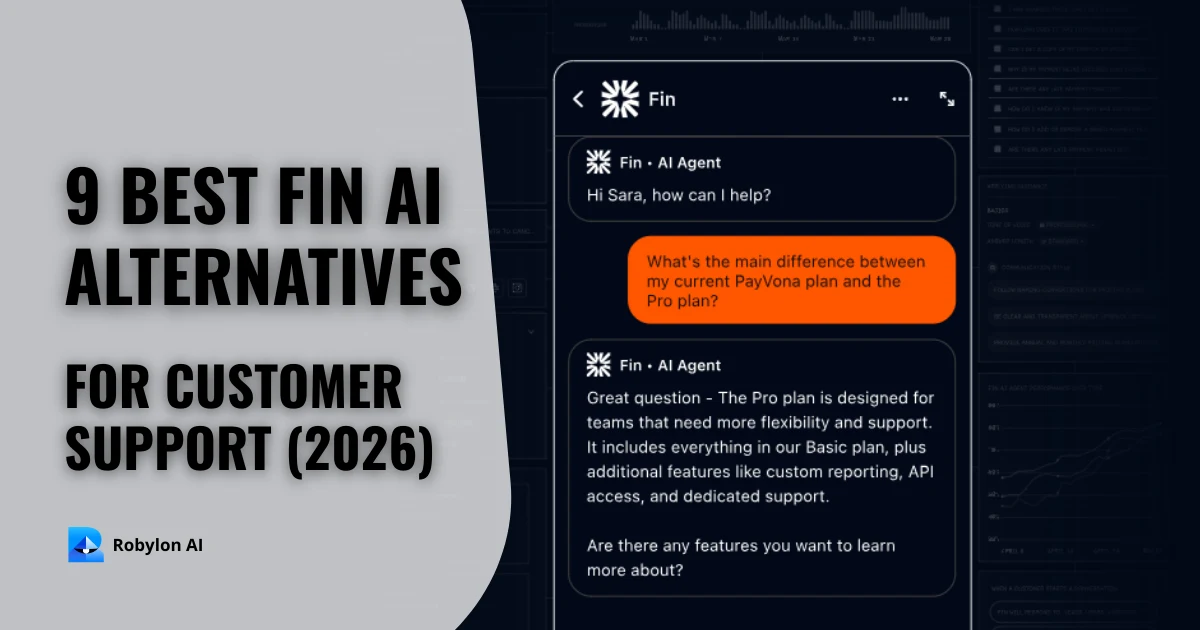
9 best Fin alternatives (formerly Intercom Fin) for AI customer support in 2026
Nine AI agent alternatives to Fin, compared on what each agent can do, which channels it covers, where it runs and how it bills, with prices checked in October 2026.